


Yandex is sometimes overlooked in SEO work, largely because of its small market share in Turkey. Setting market share aside, I wanted to share the SEO actions you can take using the information available in this tool.
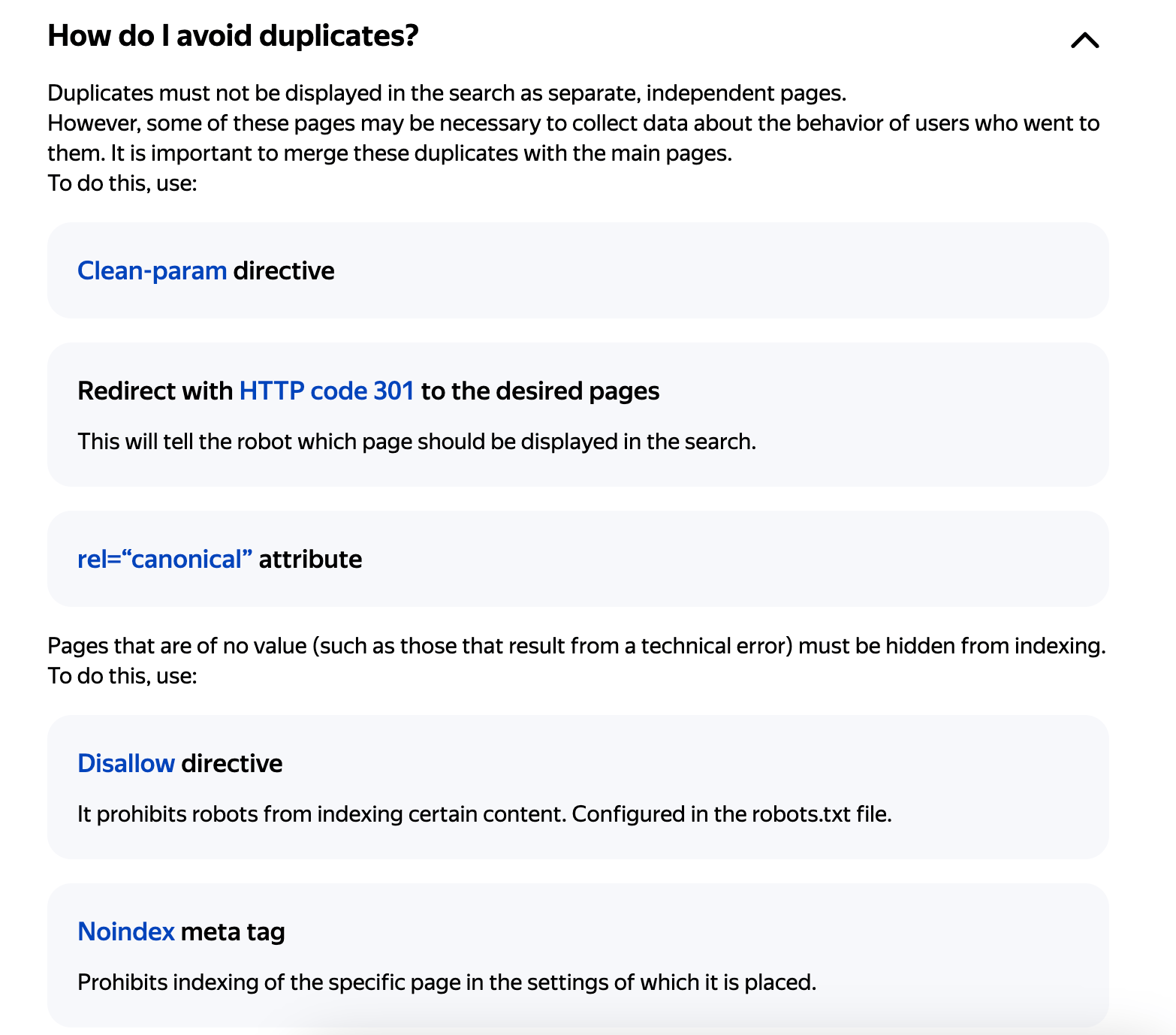
Yandex Webmaster is free, and it may uncover issues that other SEO tools miss. Once you add your site, you can run an SEO audit by reviewing the errors and analyses Yandex provides. If your site has a duplicate content problem, for example, the tool presents its recommendations very clearly:
Note: You need to verify your site with Yandex Webmaster to see the errors in this article.
1. Title and Description Duplicates
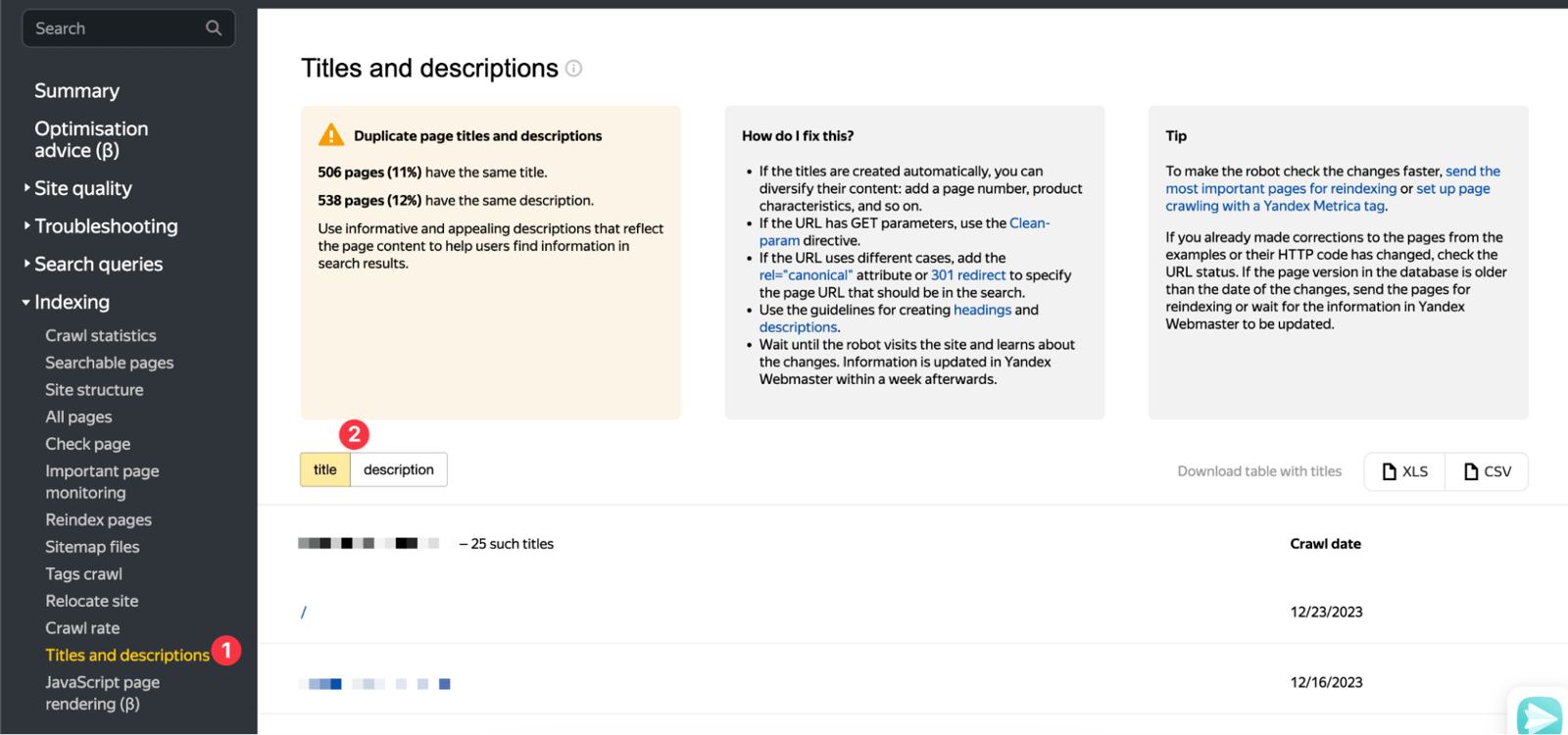
In the Indexing section, you can check whether your site has duplicate meta tag structures. The old Search Console already offered this feature. You can then edit the duplicates. Sometimes, you may even discover URLs that make you ask, "There is such a URL on my site":
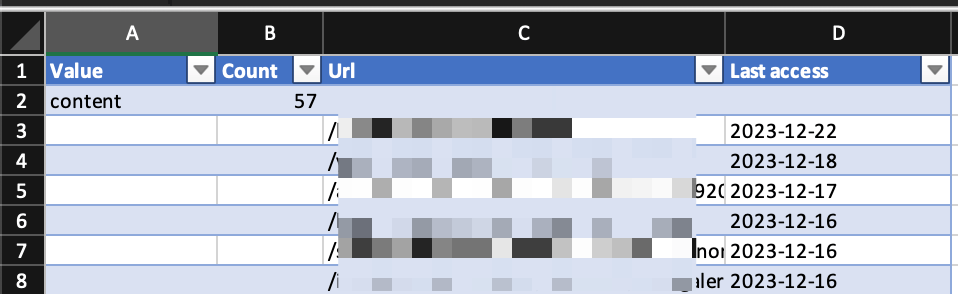
For easier analysis, you can download the data in .xls:
2. Keyword Grouping
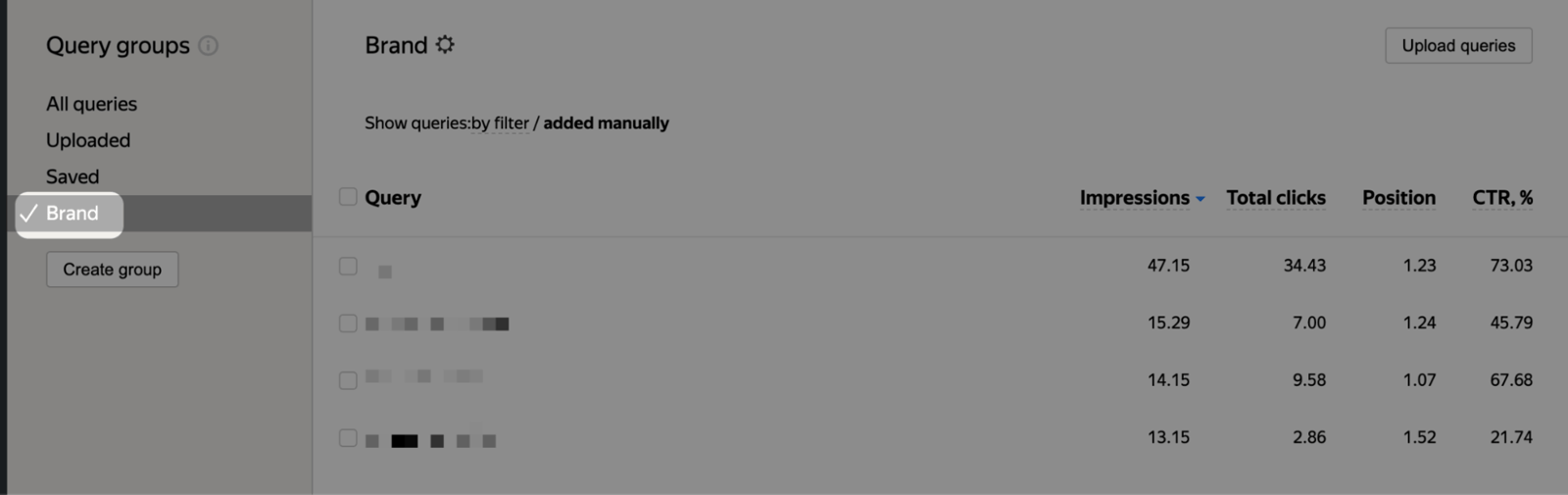
In the Managing Groups section, you can see which words visitors used to reach your site through Yandex. So, what is different here?
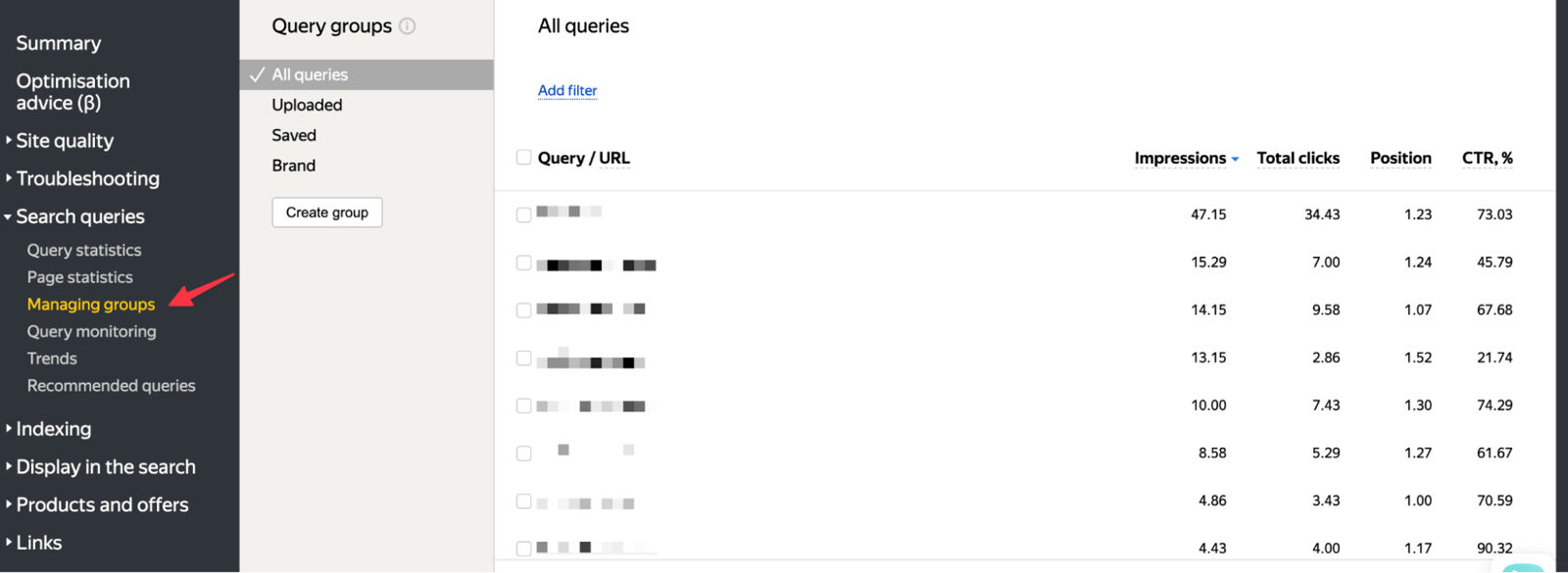
You can select specific words and analyze only brand queries in one group, as I did in my example. You can also create separate groups for any other words you want to examine:
3. Site Quality Index (SQI)
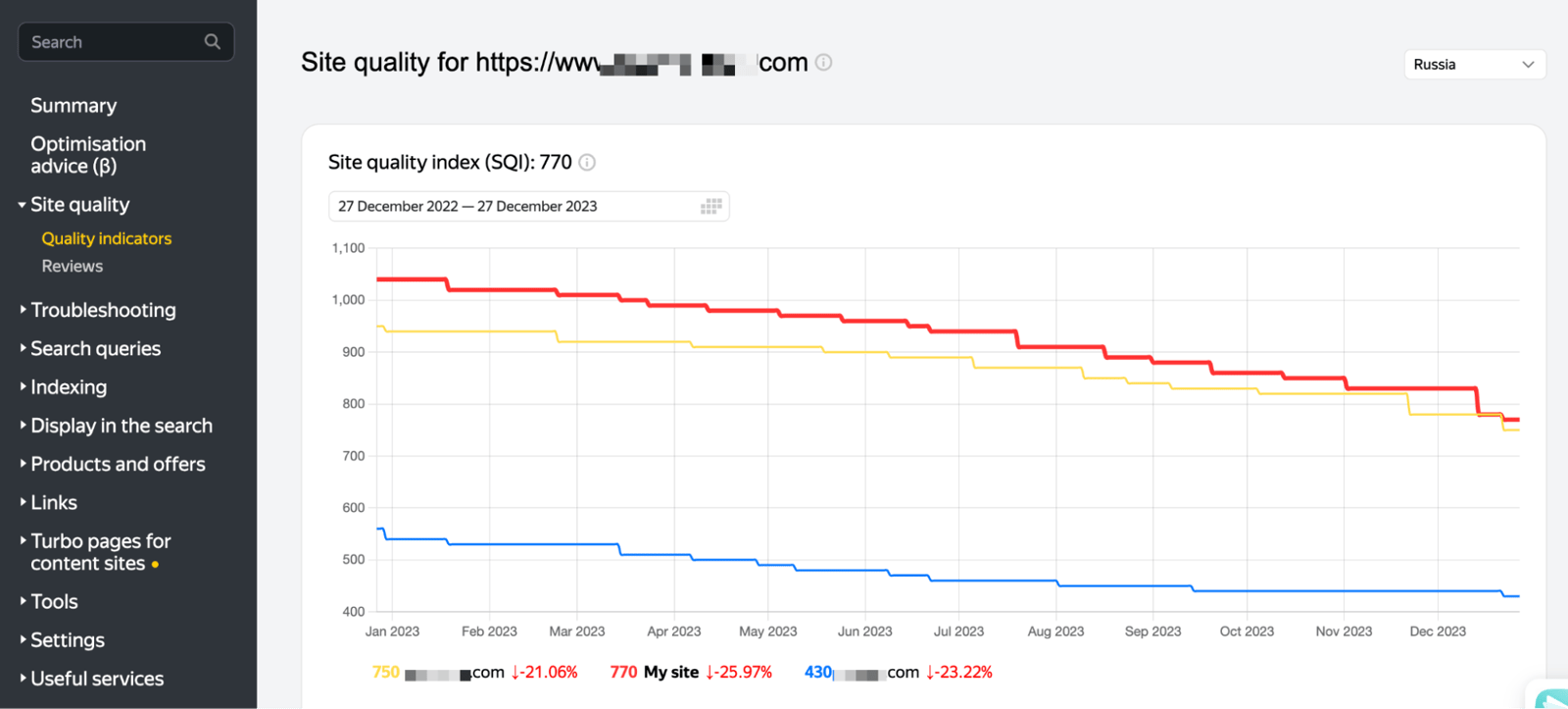
The SQI metric measures site quality using Yandex's calculation system. It lets you see the quality scores for both your site and your competitors:
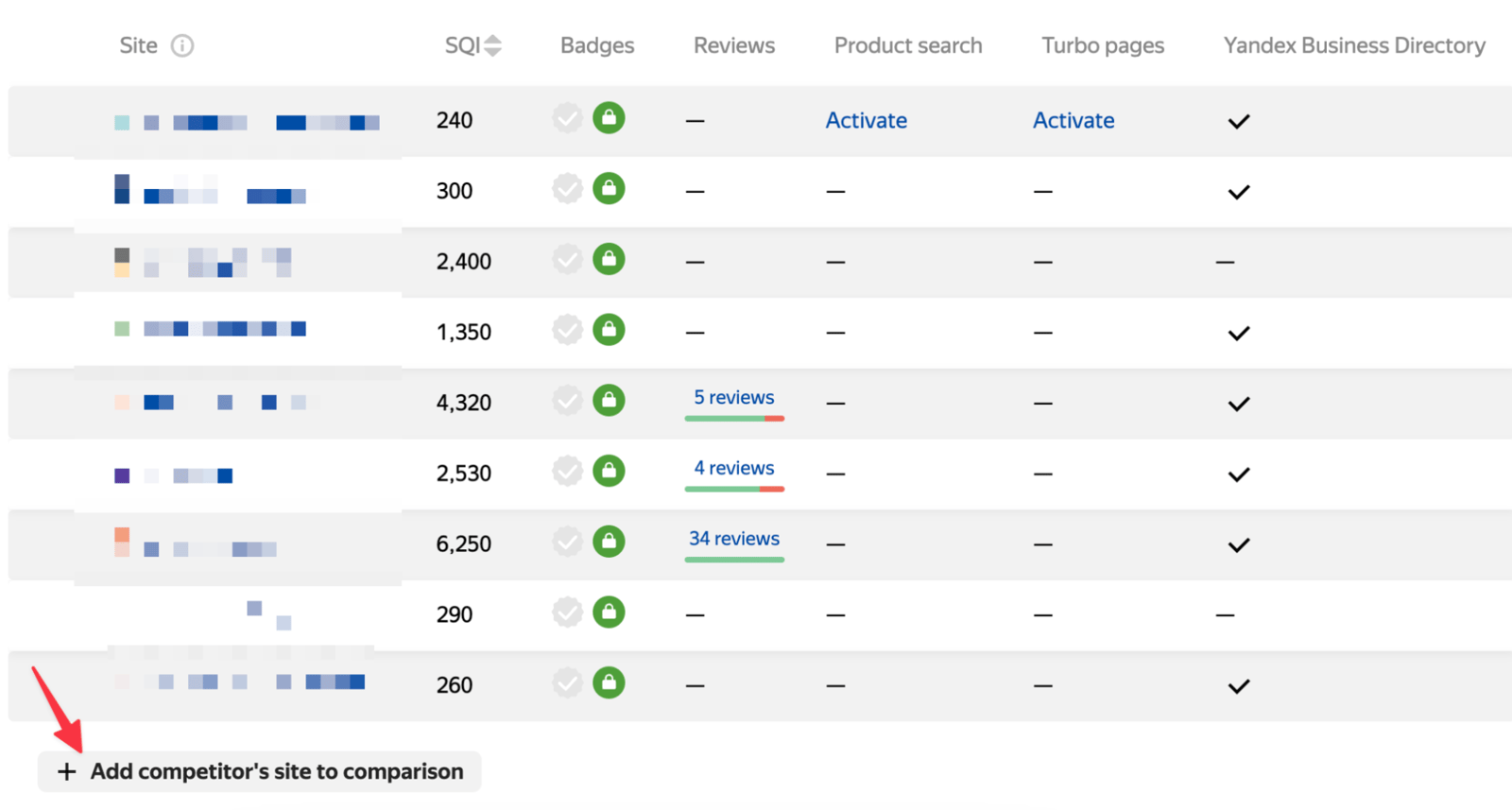
Add the competitors you want to the table to get a clearer view of your overall position:
4. Spam & Low Quality Content
If you are working in the Yandex market, check this section to see whether your site has received a specific penalty. After fixing the issue, send a request using the "I've fixed everything" button:
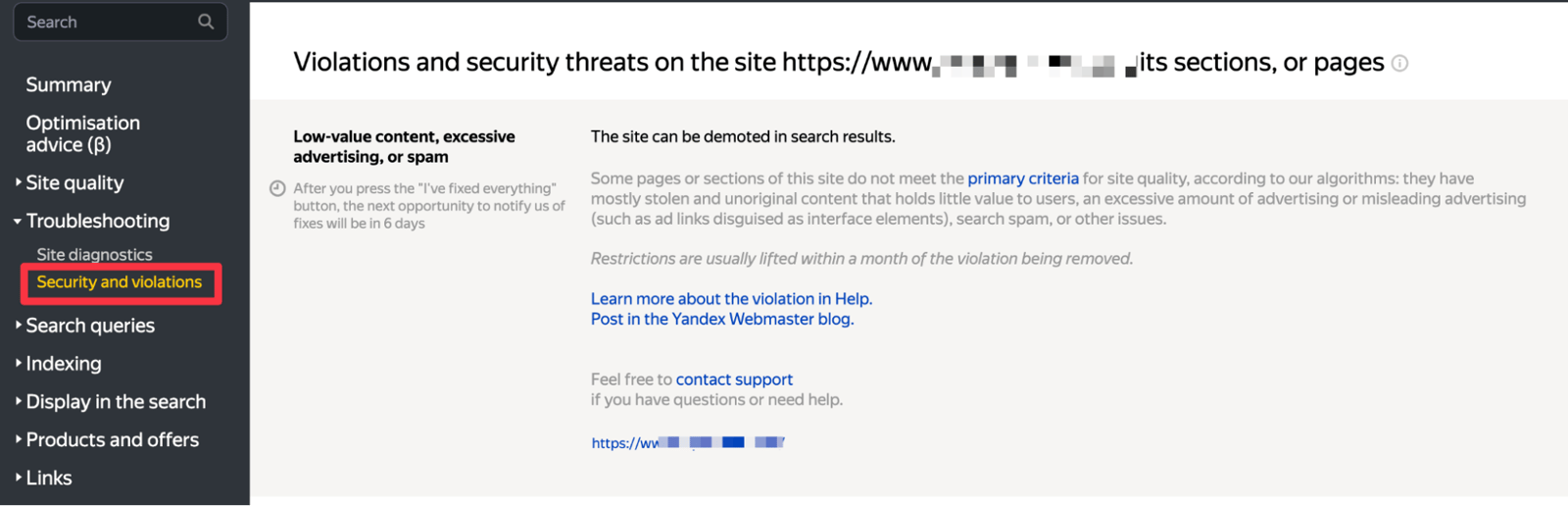
This section may sometimes show incorrect warnings, but after you use the button I mentioned and submit your request, the issue should be resolved within 1 week.
5. Keyword Tracking & Page Monitoring
It can be difficult to find a rank tracker dedicated to Yandex. In the section below, you can track your chosen words and apply any filters you need to the table:
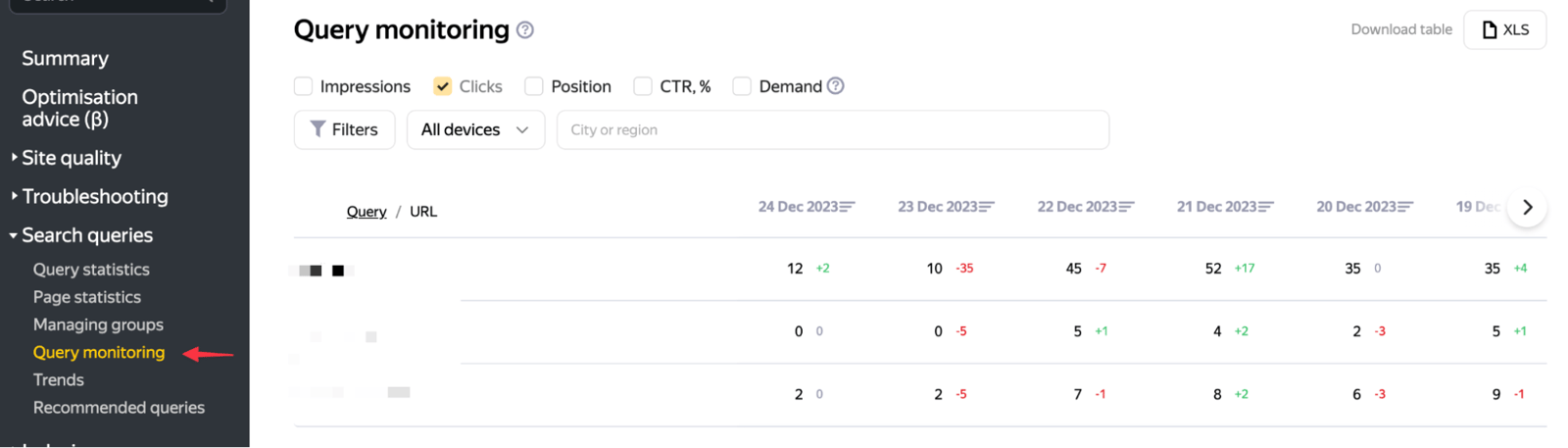
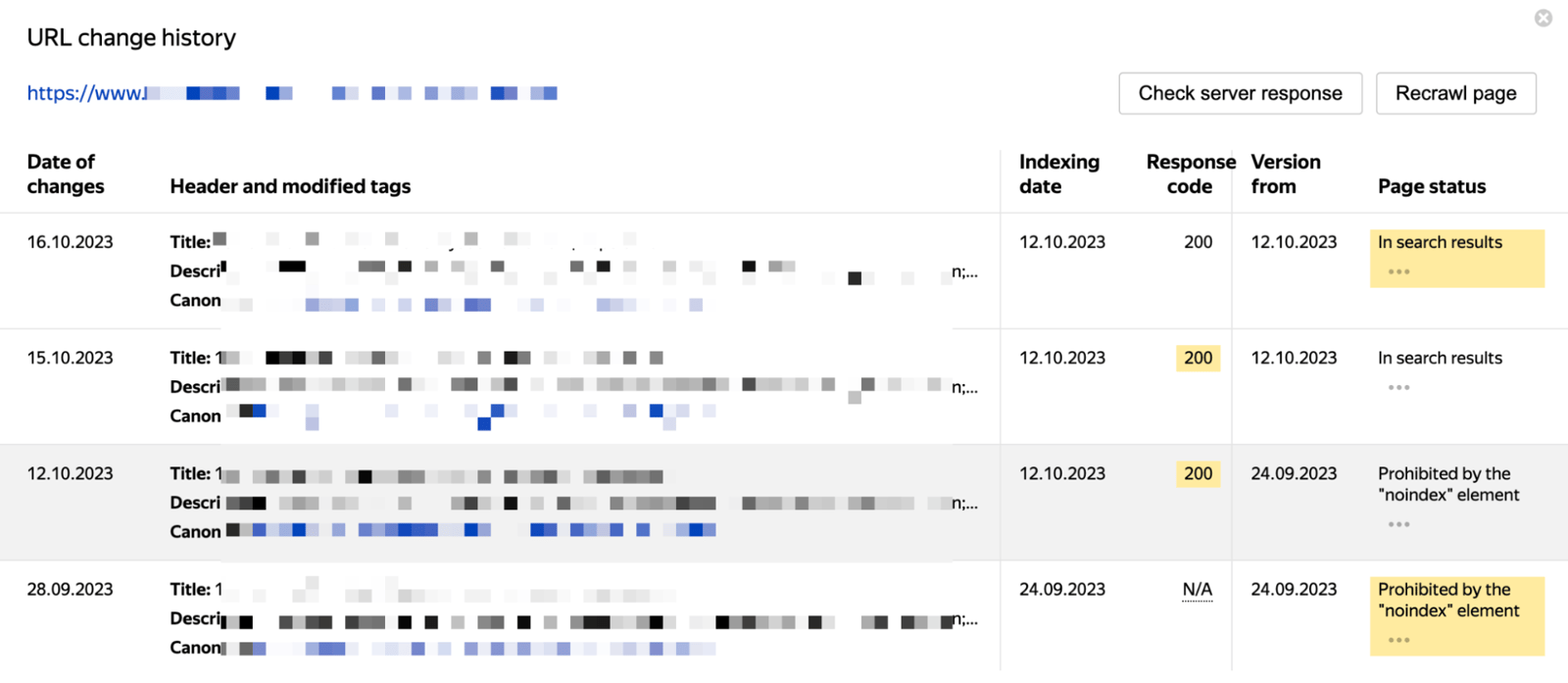
Along with keyword tracking, you can monitor 100 URLs of your choice. In the example below, the page was excluded from the index with "noindex" and was later indexed again:
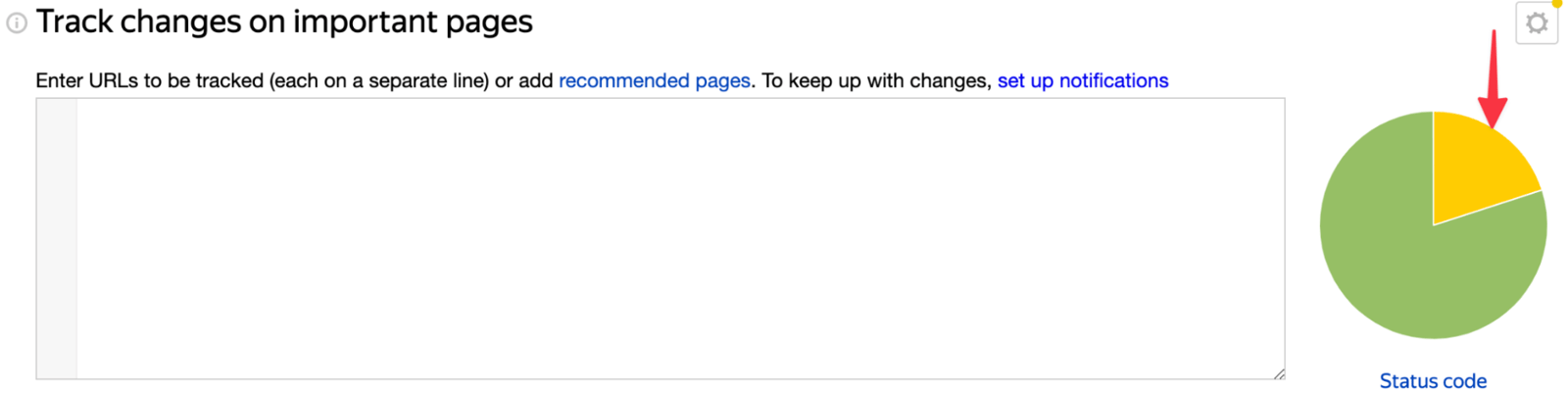
If these pages are important KPI pages and some have been redirected with 3xx, you should follow the final URLs and check the redirects:
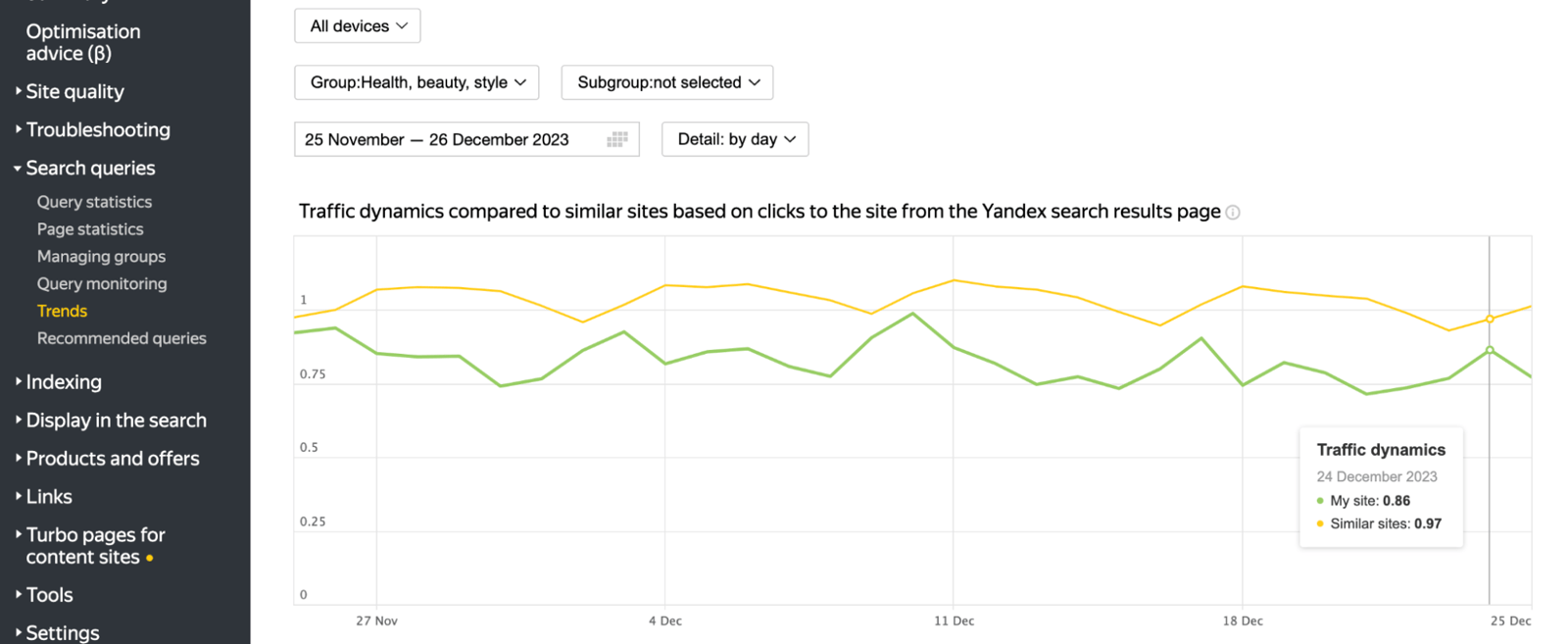
6. Yandex Trends
Yandex data lets you see changes in Yandex organic traffic for your site and similar sites in the same category. In other words, you can run an organic competitor analysis within Yandex:
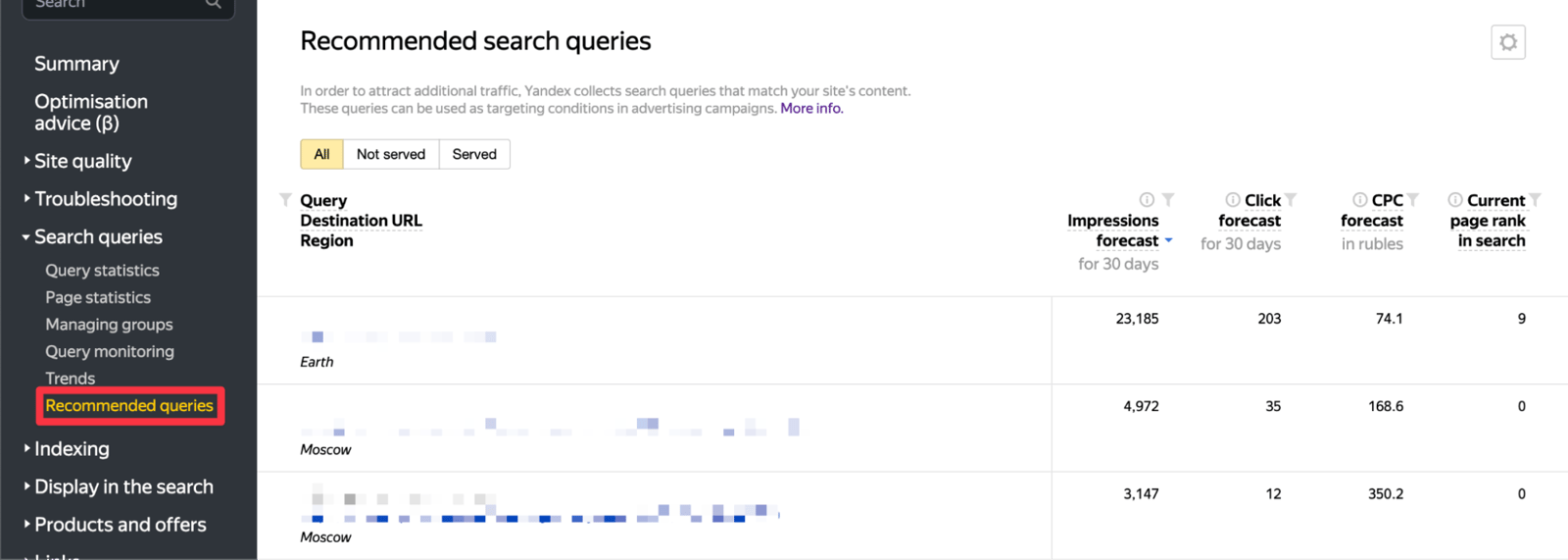
7. Suggested Words
Yandex.Direct statistics show words that could bring you extra traffic over the next 30 days. You can identify suitable words and use them to improve your pages:
8. Noindex Pages
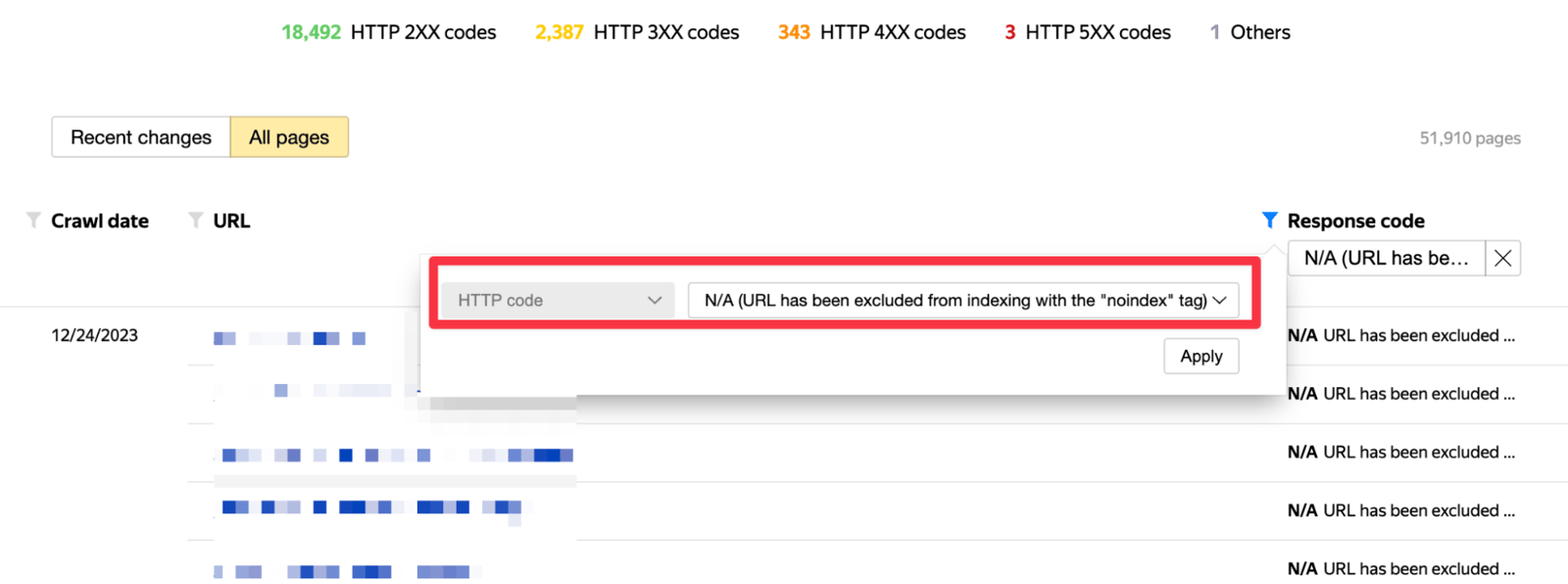
The crawl statistics already summarize the site's crawl status by HTTP status code. What stands out is that "noindex" shows which pages are excluded from the index:
9. Low Quality Pages
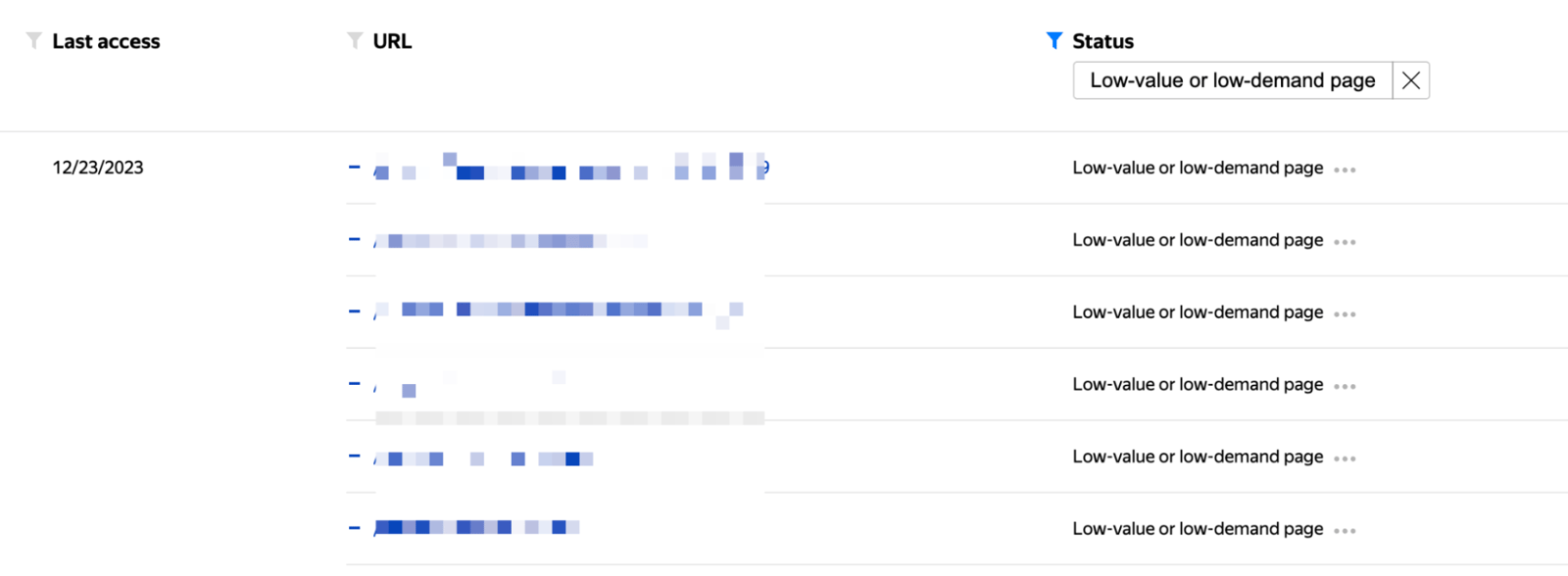
You can review your low-quality pages and analyze why they were not indexed. I suggest that you do not act on this report immediately. Sometimes it may include related high-quality pages even when those pages have no problems:
In this example, 24.85% of the pages that were not indexed were classified as low-quality pages:
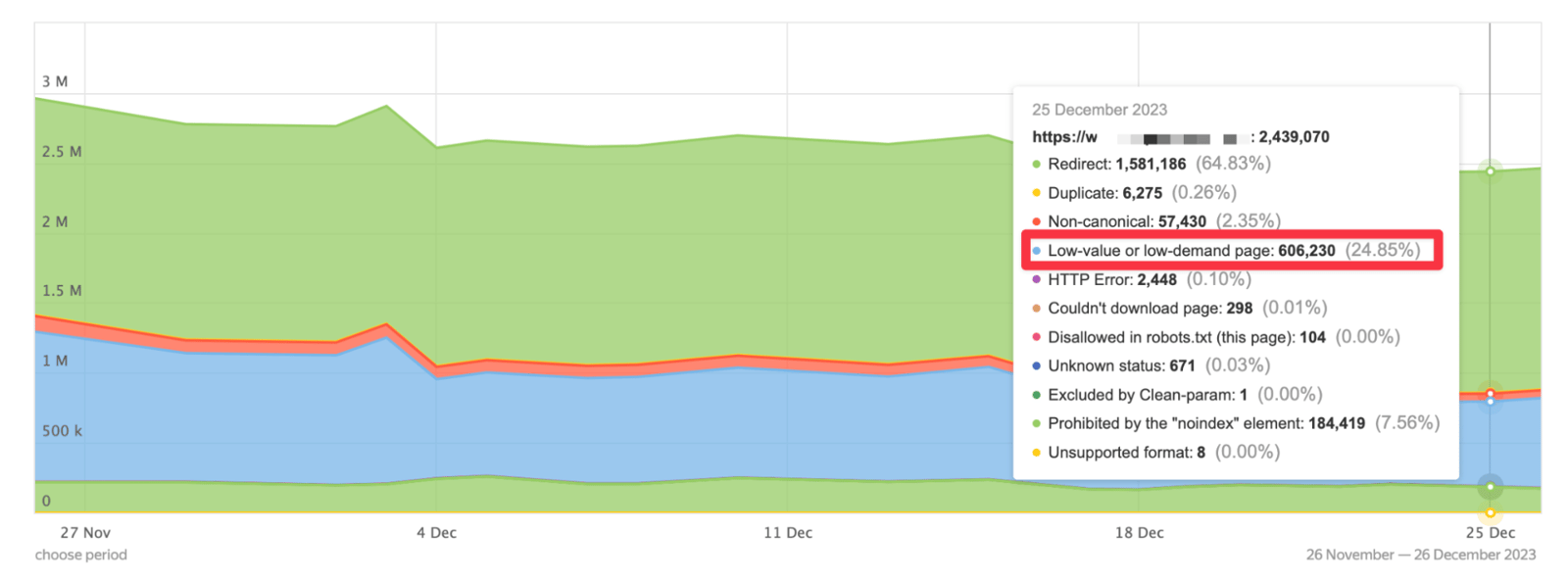
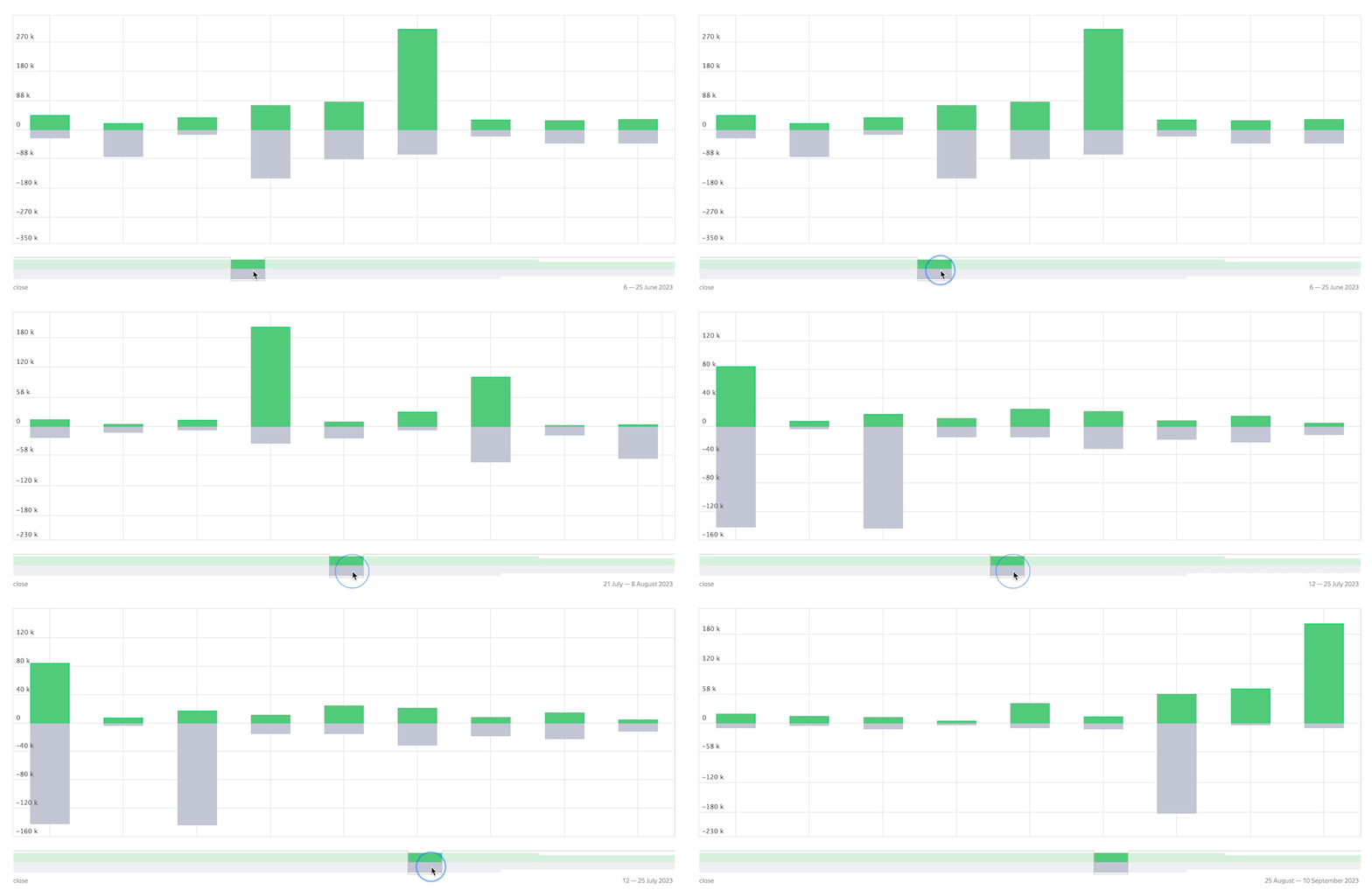
You can also identify indexed and deindexed pages. If pages were excluded from the index without your knowledge during a certain period, you can immediately begin analyzing them:
10. Crawl Rate
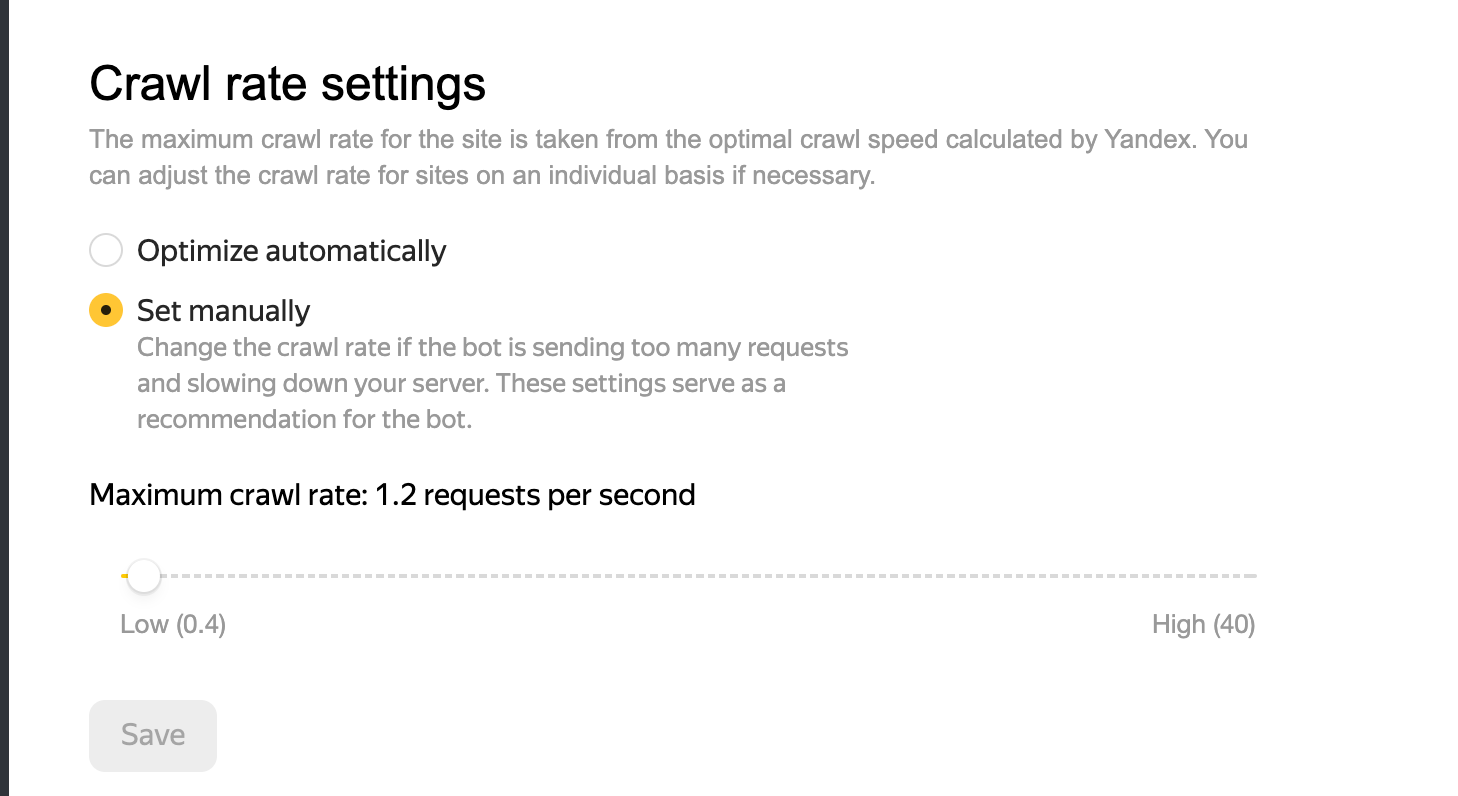
On large-volume sites, YandexBot may sometimes send an unusually high number of requests. In these cases, you can adjust how often the bot crawls the site so that it does not disrupt users' access:
11. Sitelinks
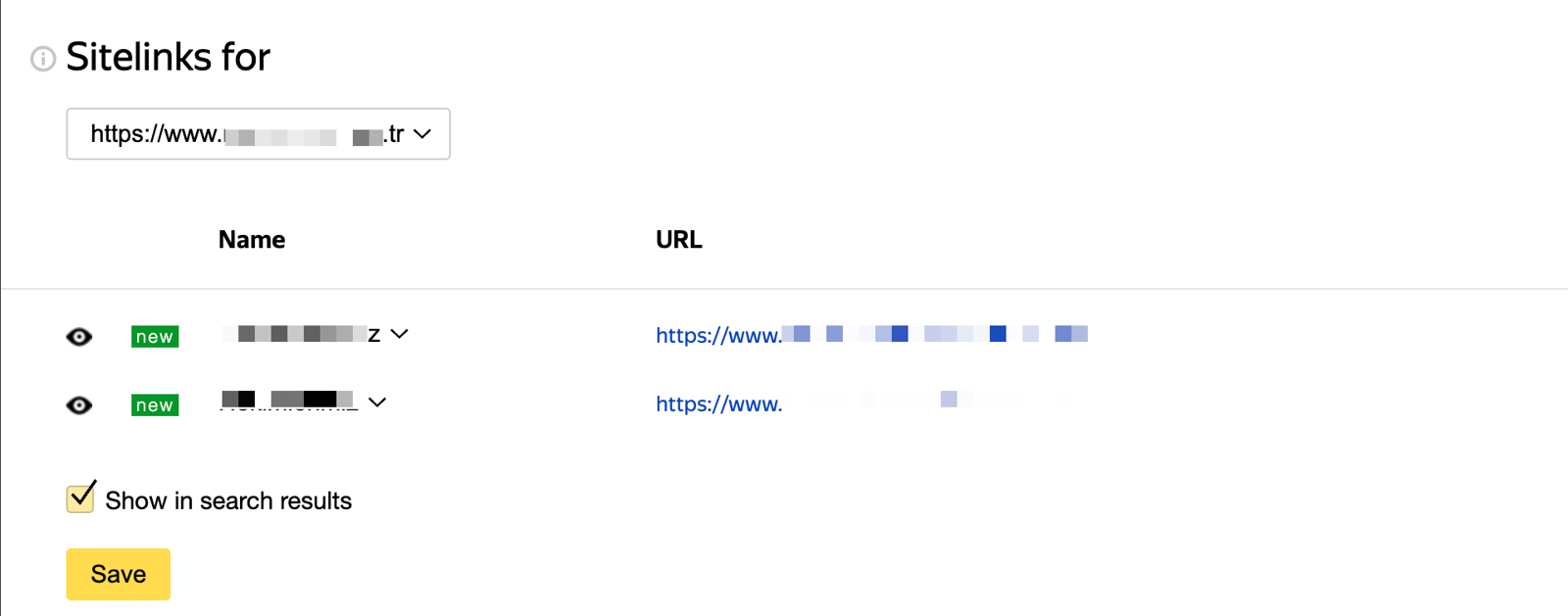
This settings screen does not appear for every site, but when it is available, you can manage the sitelinks shown in Yandex SERP and choose which eligible links to display:
12. External & Internal Links
As with other SEO tools, you can identify pages that backlinks to your site lead to with 4xx or 5xx errors. Starting with backlinks from sites that have high SQI values, you can either redirect the affected pages to relevant pages with 301 or investigate why they do not open:
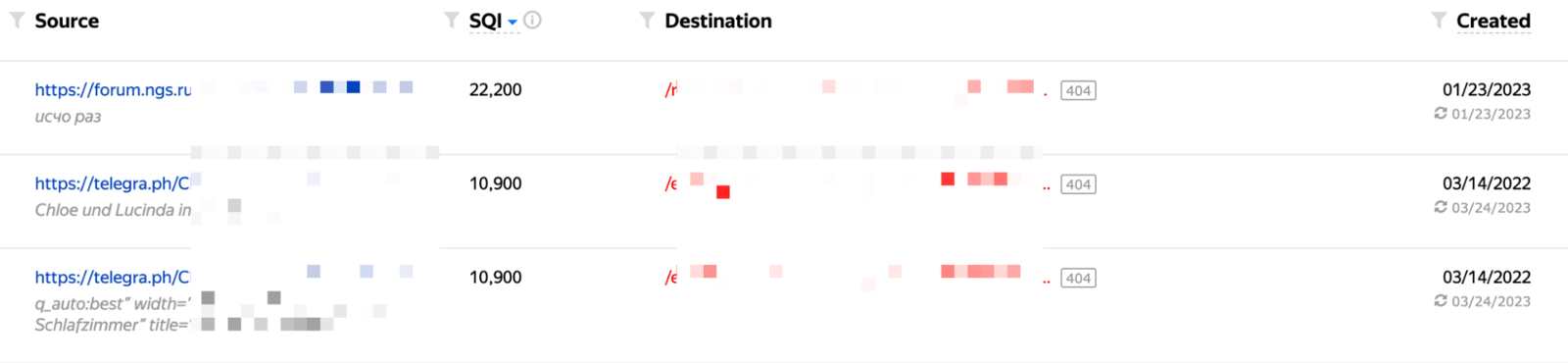
You can run a similar analysis for internal links. The "link age" metric can be especially useful in some analyses:

I have shared the details I consider most important when using Yandex Webmaster. I hope this information helps you identify and address your site's SEO shortcomings.
I wish everyone a day with plenty of organic traffic :)


