


OpenAI announced that it has opened the plugins and Web Browsing feature in ChatGPT to all ChatGPT+ users. The Plugin Store now has more than 70 products you can use for different tasks. In this article, we review and try out the products in the Plugin Store that you can use for digital marketing. Let's take a look at what's available.
How to Activate Web Browsing and Plugins?
To use ChatGPT Plugins, you must first become a ChatGPT+ member. This membership costs $20 per month. Once you complete the sign-up process, the GPT-4 feature becomes available, as shown below.
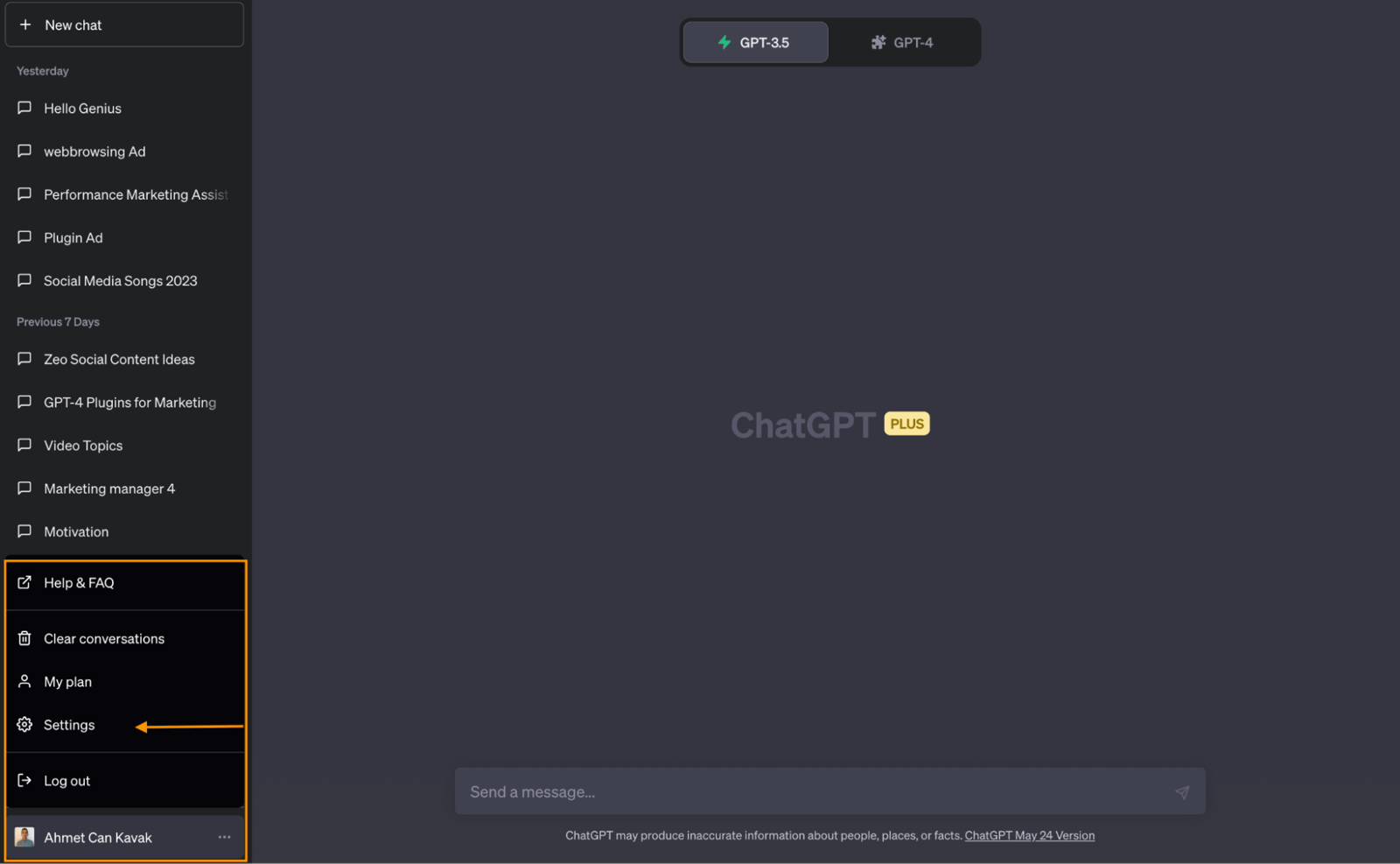
Then, to activate Web Browsing and Plugins, click on your profile at the bottom left and open the settings section.
On the next page, go to Beta Features and turn on Browse with Bing and Plugins.
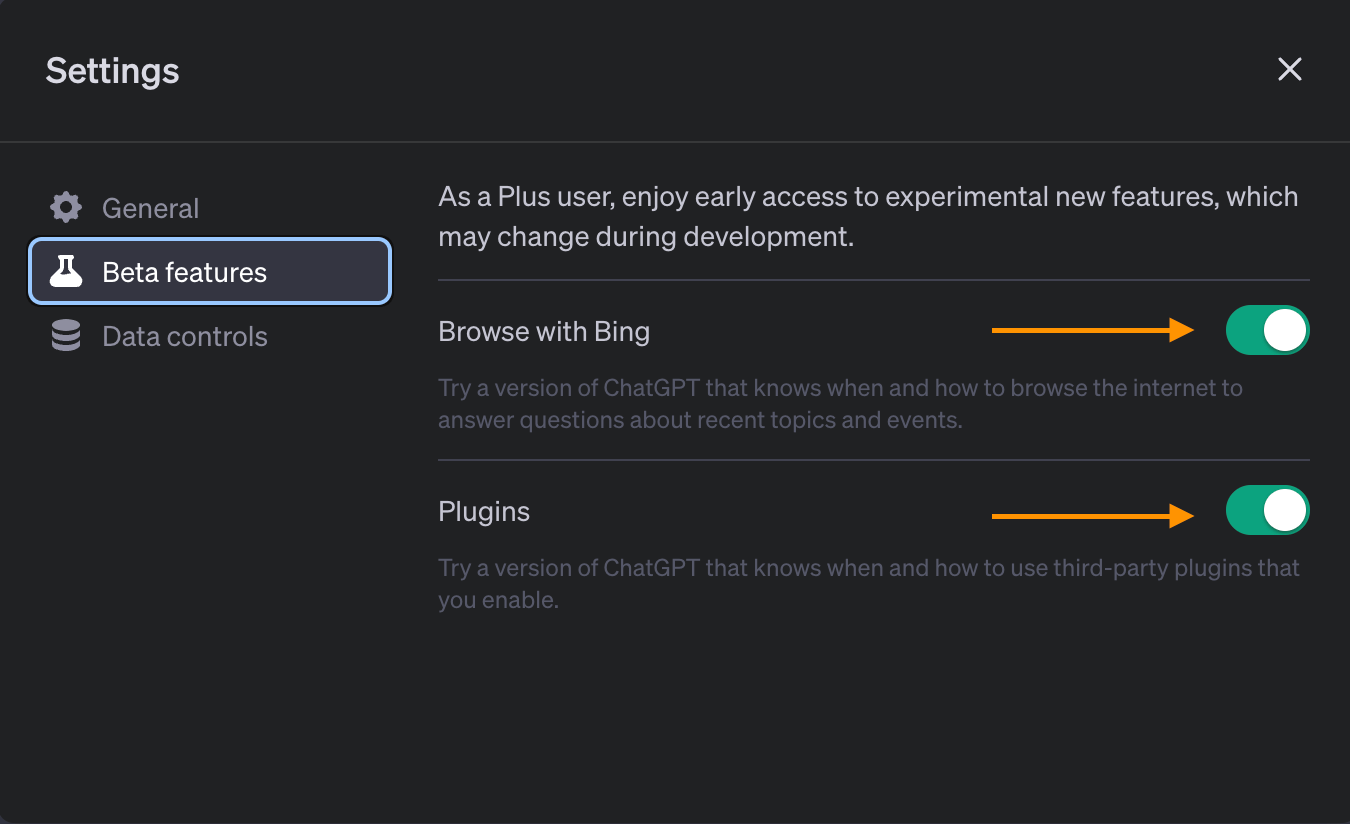
Web browsing and plugins are now ready to use.
How to Use the ChatGPT Web Browsing Feature?
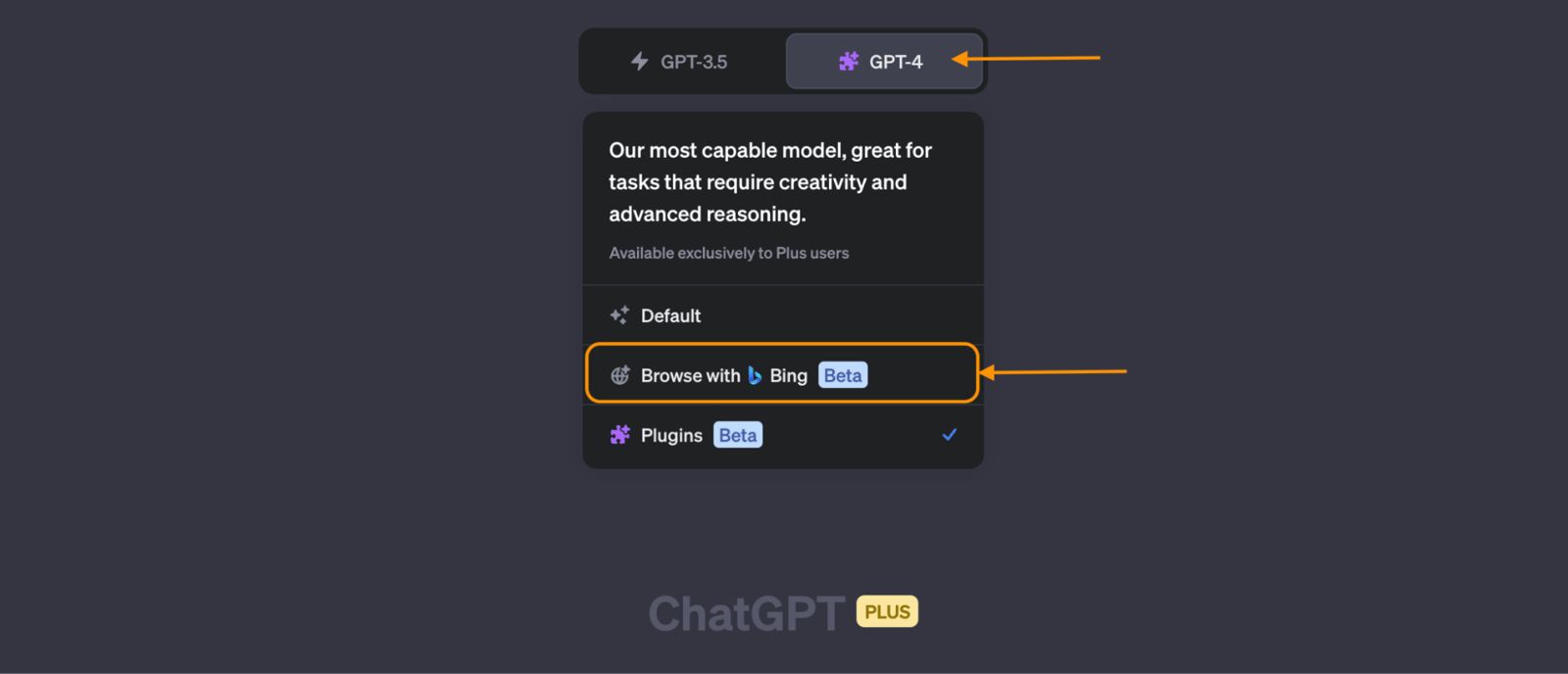
You can start using the web browsing feature by creating a new chat, selecting the GPT-4 feature, and clicking "Browse with Bing" in the menu. So how can this help with marketing? Say you want to create a social media post for a piece of content on your company's website. You can link to the relevant page and ask Bing to draft alternatives for you.
Let's enter our sample prompt and see what happens:
Read the article at [https://zeo.org/resources/e-books/2023-tourism-travel-hospitality](https://zeo.org/resources/e-books/2023-tourism-travel-hospitality), think step by step and give me alternatives for social media posts on Instagram, LinkedIn and Twitter. Don't forget to use hashtags and emoji.
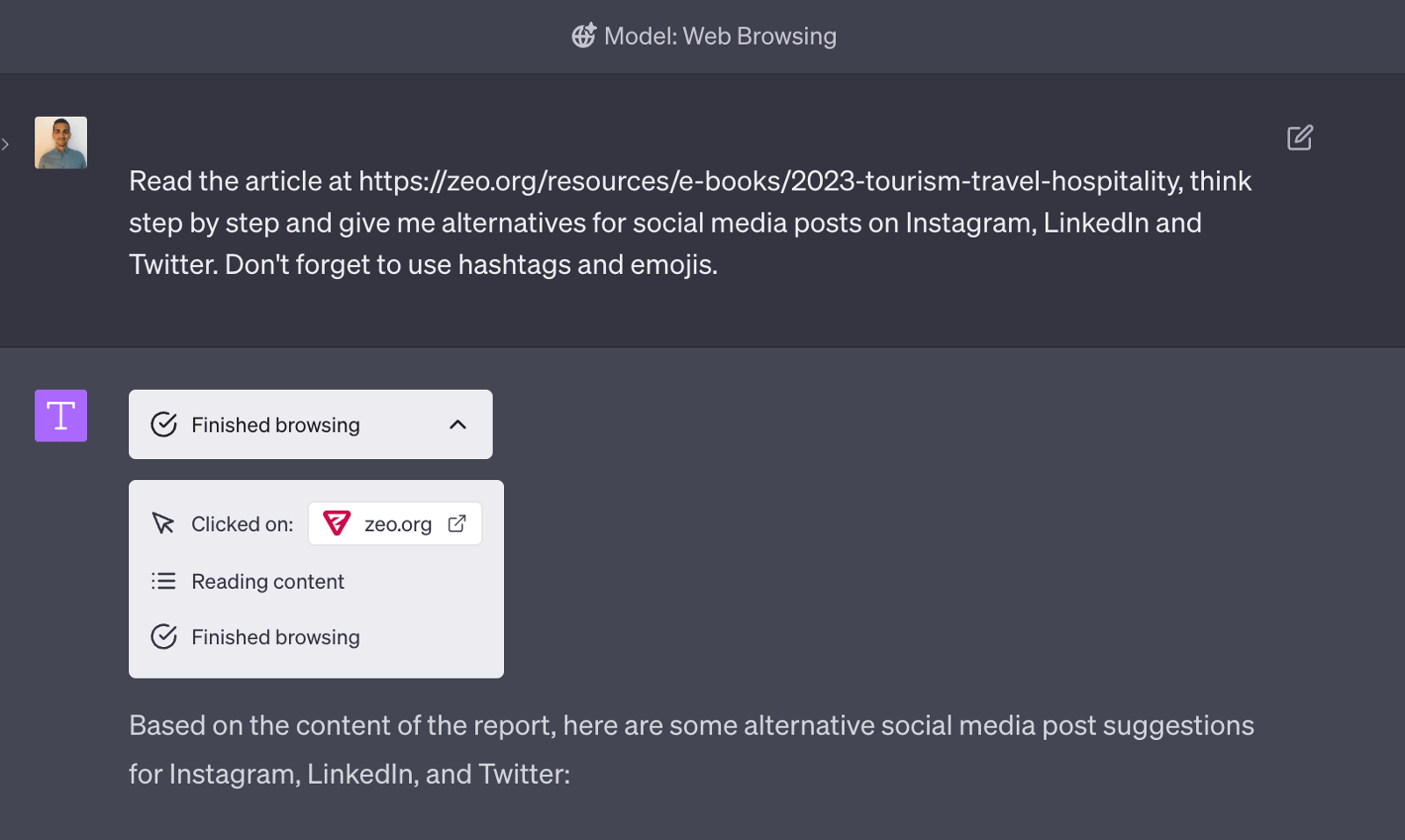
After we enter the request, ChatGPT clicks on the link, reads the content on the page, and finishes scanning it. Then it uses what it read to create the social media content we asked for, all in a short time. How are the results? Let's look at them together.
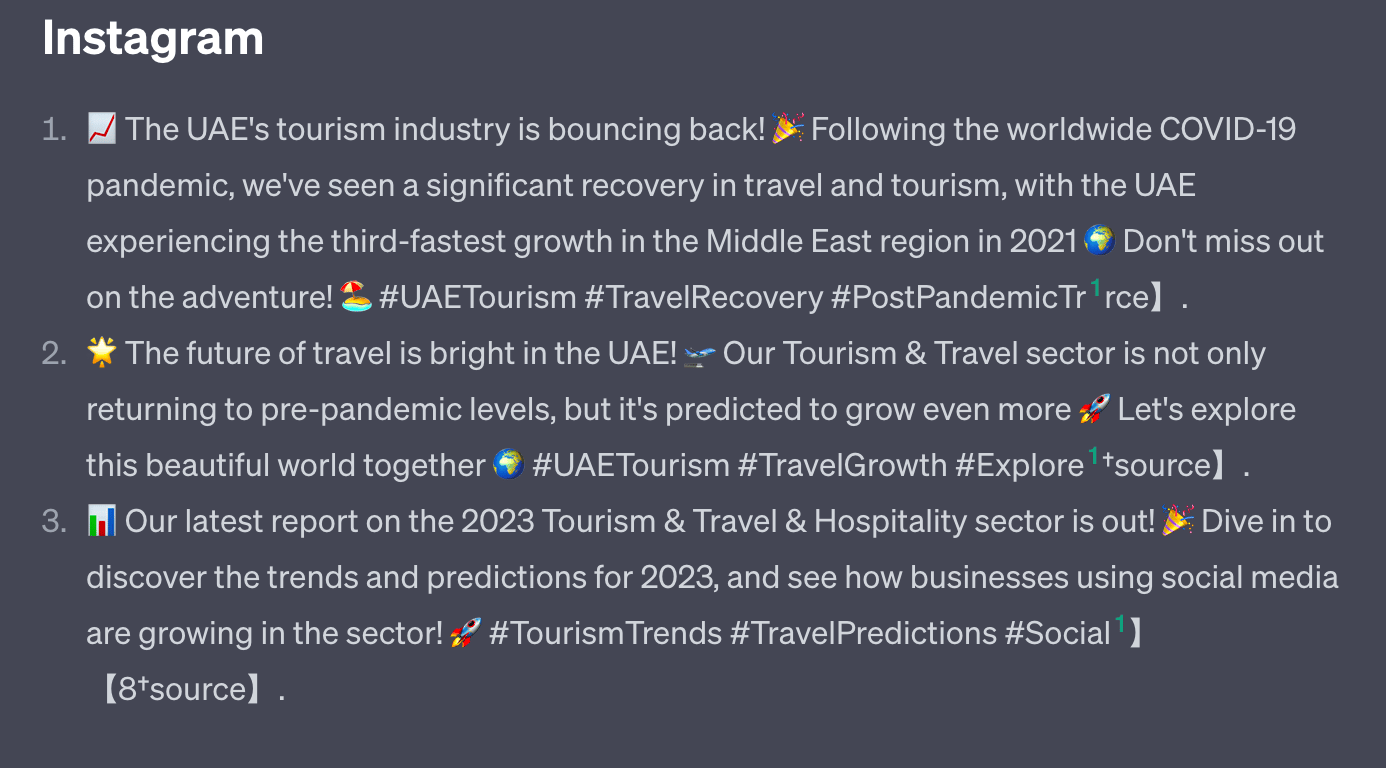
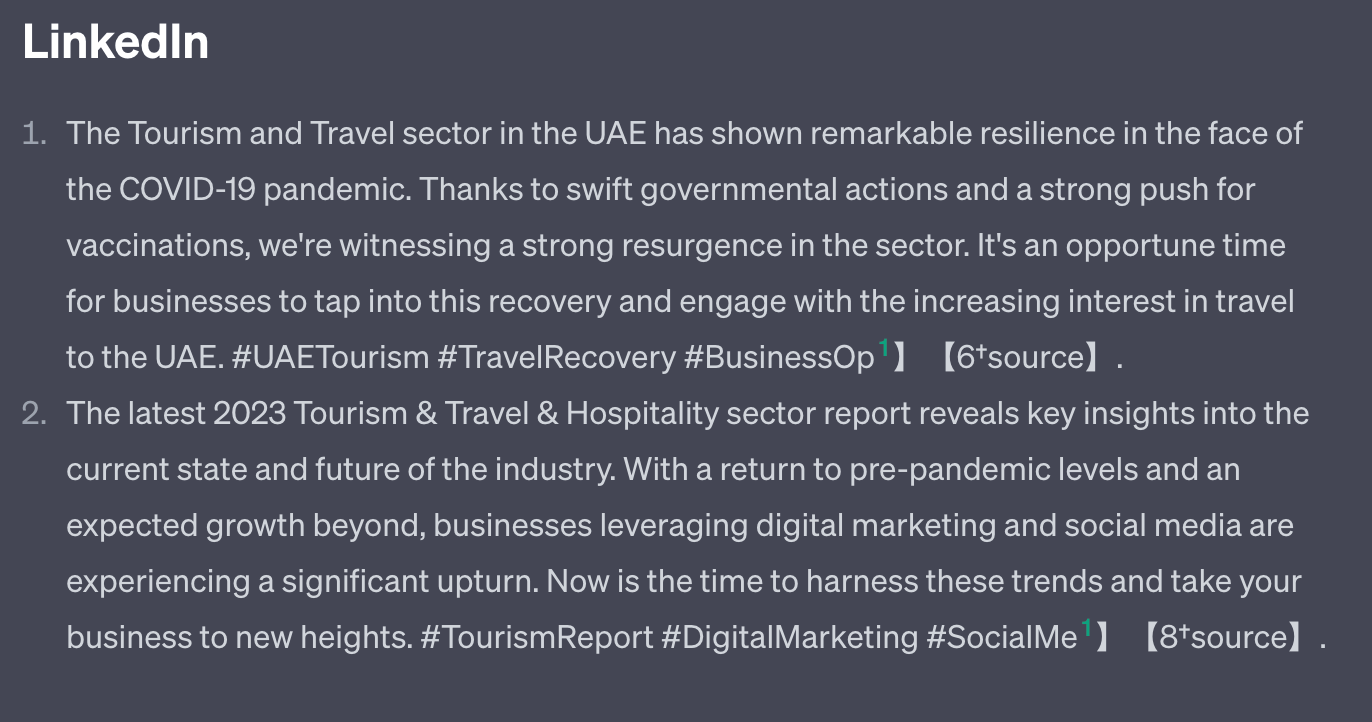
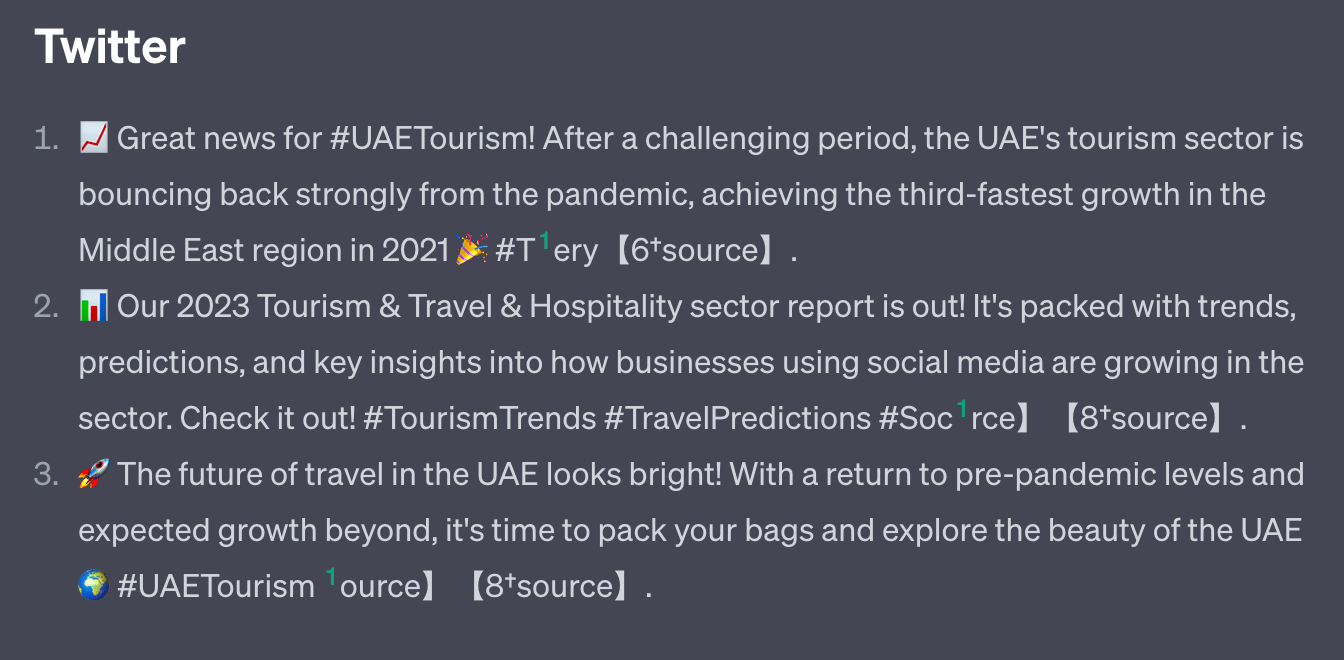
Although the prompt we entered was very simple, the results are quite good. You can also refine your request to improve the output further. For example, you can limit the number of words, or ask it to link back to the website in the post content.
How to Install ChatGPT+ Plugins?
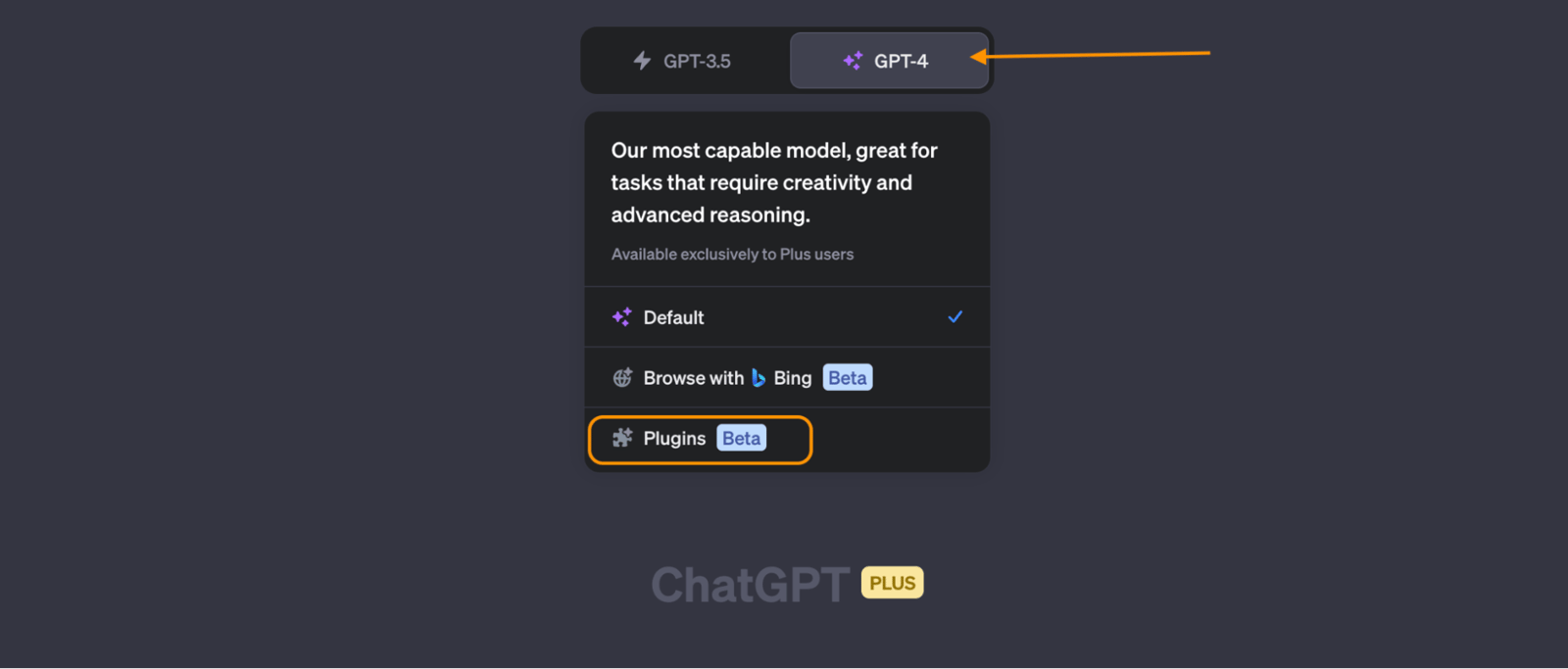
To install and use ChatGPT+ plugins, open the GPT-4 feature and click on Plugins in the menu. Then click on Plugin Store to reach the marketplace.
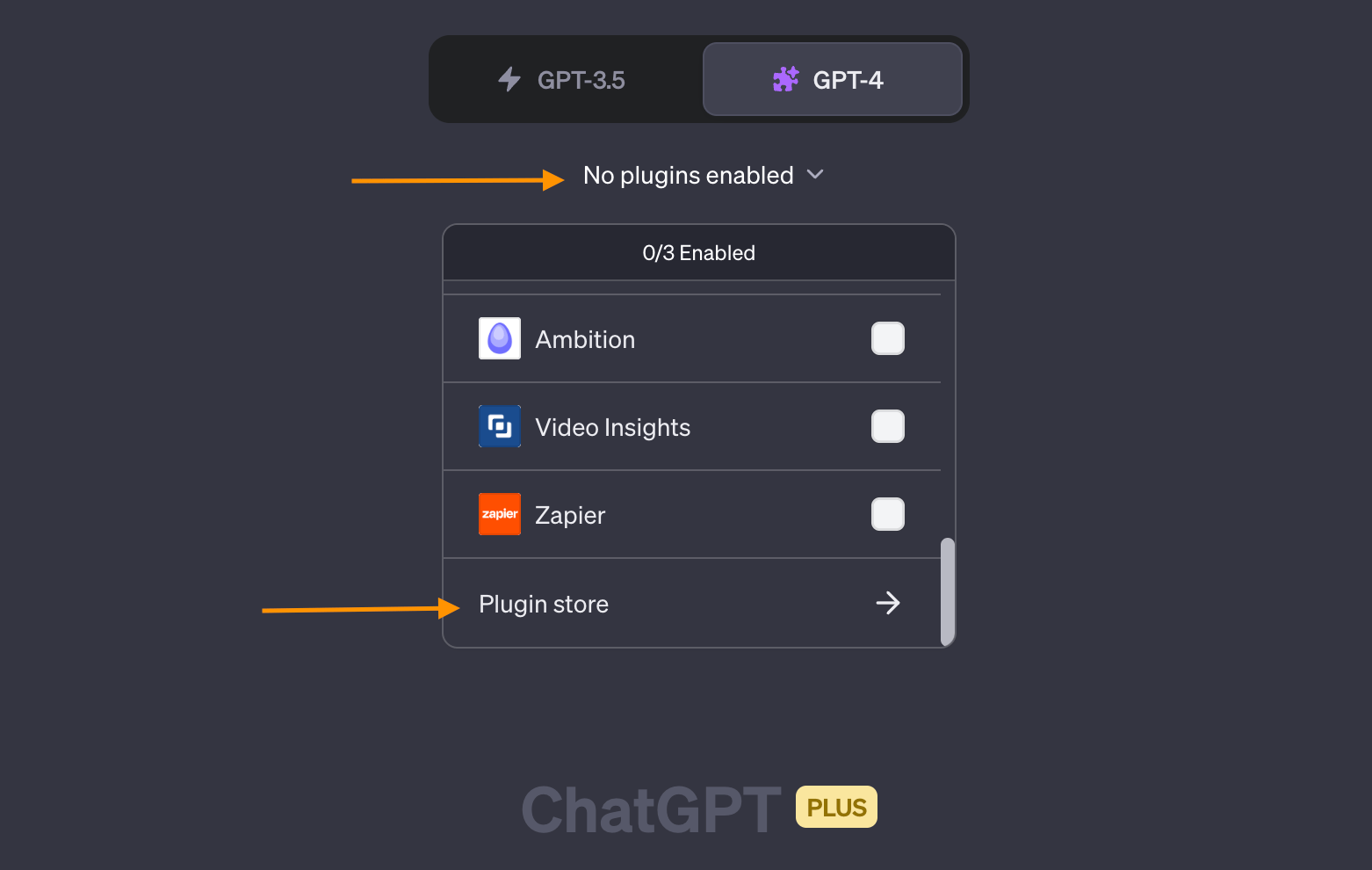
The page that opens lists more than 130 add-ons, each with a different function. One limitation of the store is that it has no filtering, so you have to browse the pages one at a time to find the plugin you want and install it. You can also search for a plugin by name using the search box added in the last update. Since we'll start with an AI-powered advertising tool called RoboAd, we install it first.
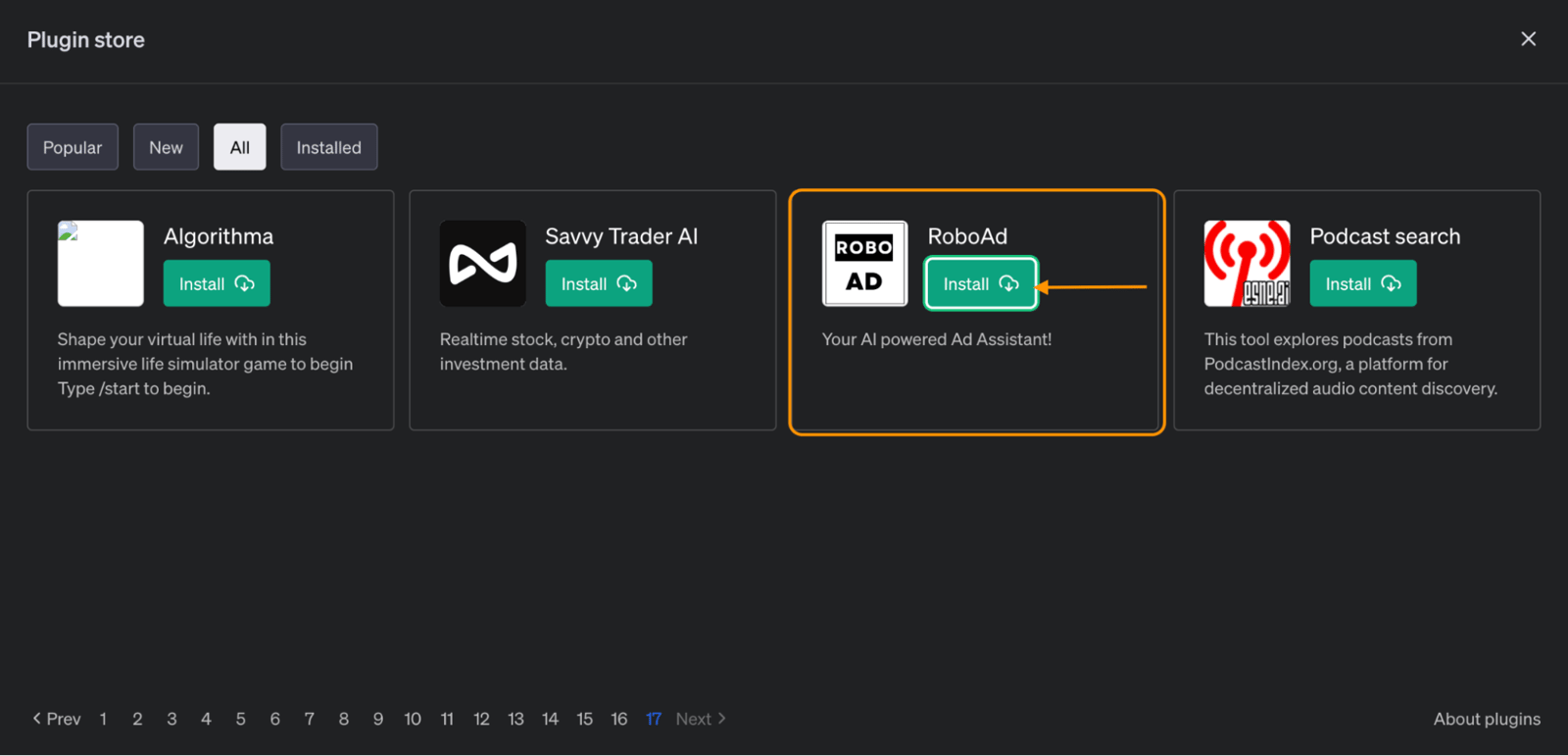
Once the install finishes, we select the plugins we want to use on our chat page. You can choose up to three plugins at a time.
RoboAd Plugin
The first plugin we'll try is RoboAd. This plugin generates data you can use when creating ads for your content. For example, we have an industry report and want to promote it through ads targeted at a specific region. I entered the following prompt:
I have created a Tourism Industry report for the MENA region. Create campaign content for Google Ads and target the United Arab Emirates. Here is the link: [https://zeo.org/resources/e-books/2023-tourism-travel-hospitality](https://zeo.org/resources/e-books/2023-tourism-travel-hospitality)
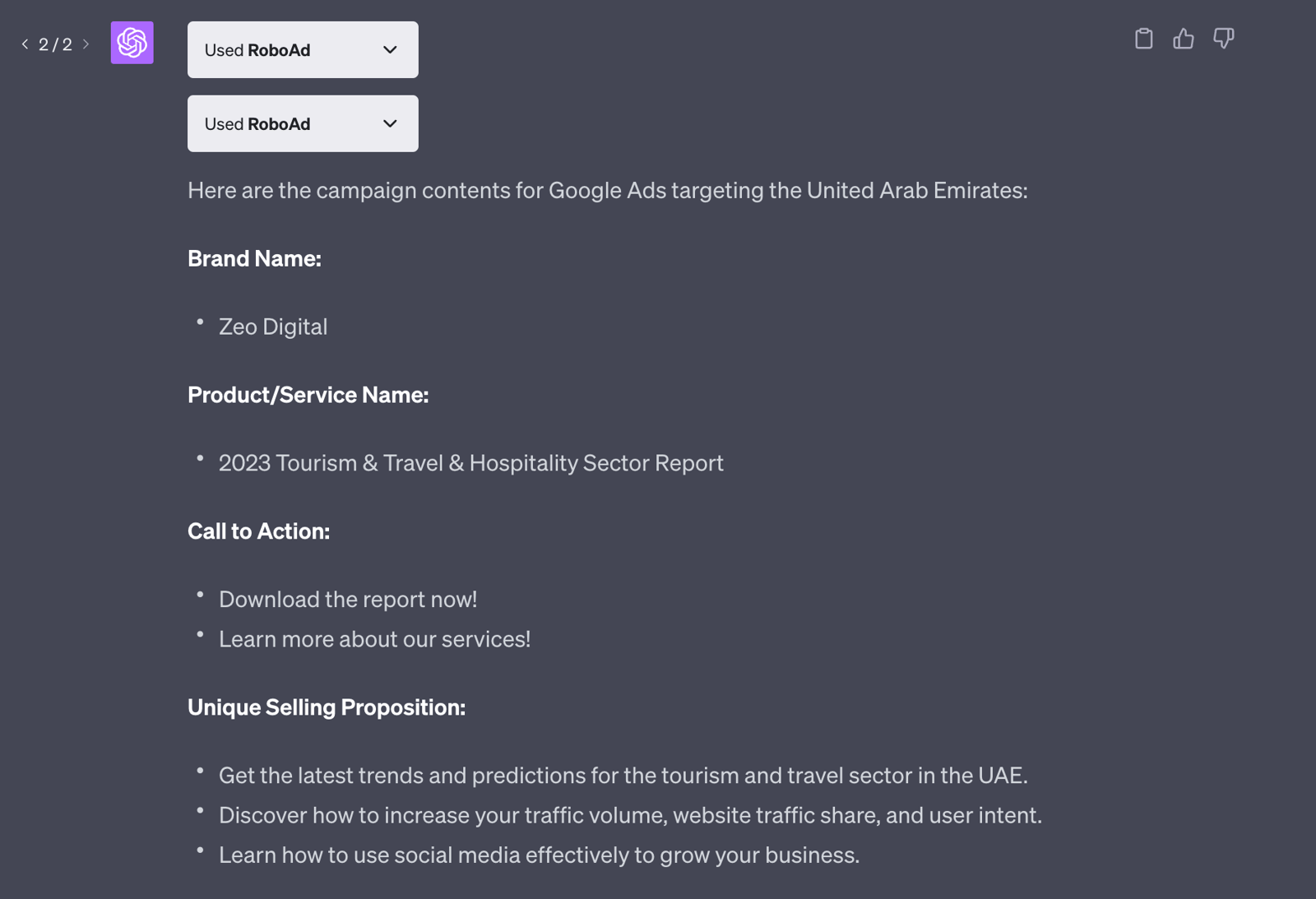
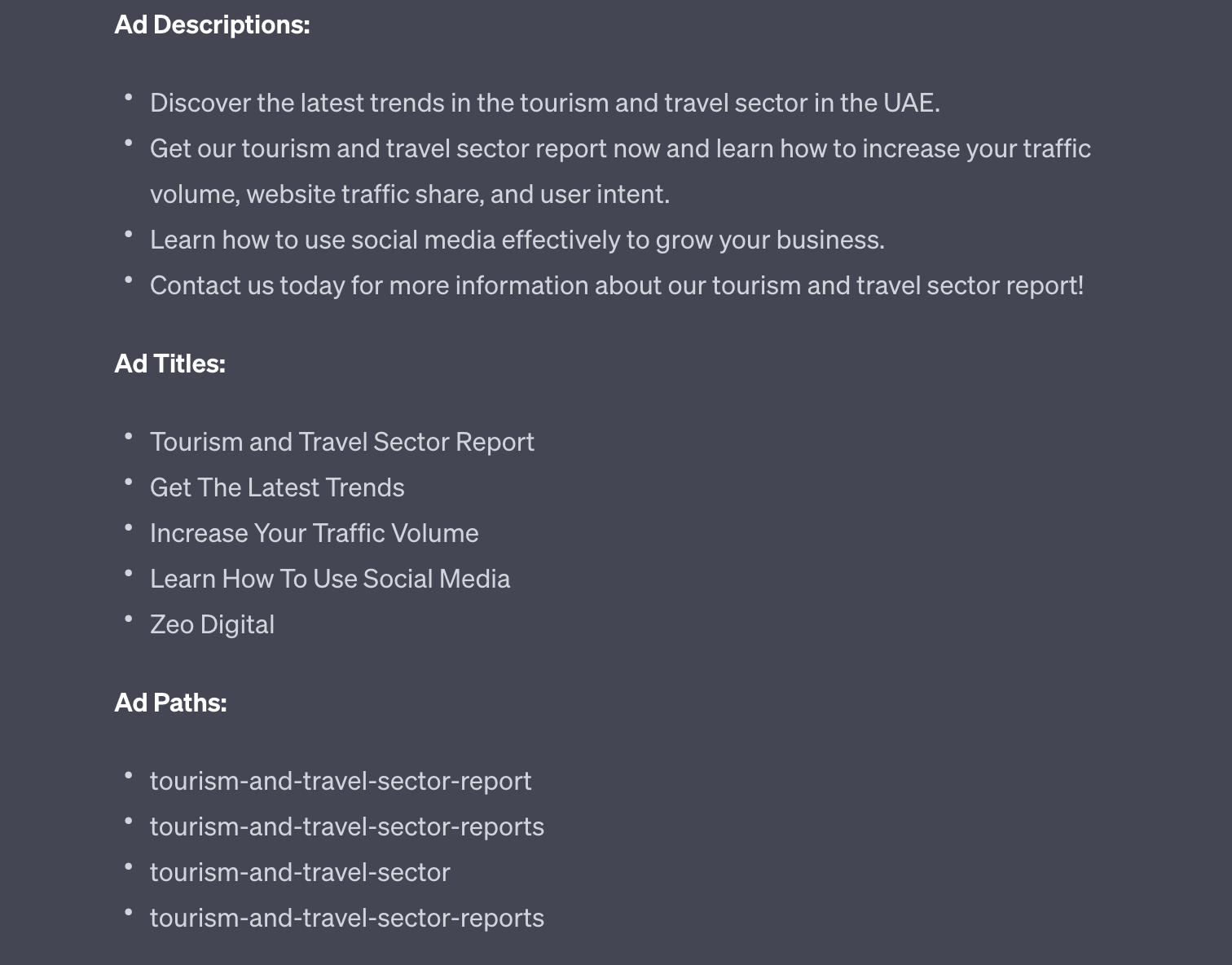
The ad content it produced was solid, though refining the prompt further could make the output even better. For example, we could set a word limit for the ad descriptions, ask for more call-to-action examples, or give a more specific description for the ad title. Even without those refinements, the output can generally be used in ads with minor corrections.
Link Reader Plugin
Our next plugin is for PDF files you want to summarize and promote. Link Reader works in a simple way: you paste the link to the PDF you want summarized into the chat and ask it to summarize the file.
Read this pdf and create an newsletter about it: https://25537581.fs1.hubspotusercontent-eu1.net/hubfs/25537581/Sector%20Reports/2022%20Sekt%C3%B6r%20Raporlar%C4%B1/Black_Friday_Rehberi.pdf
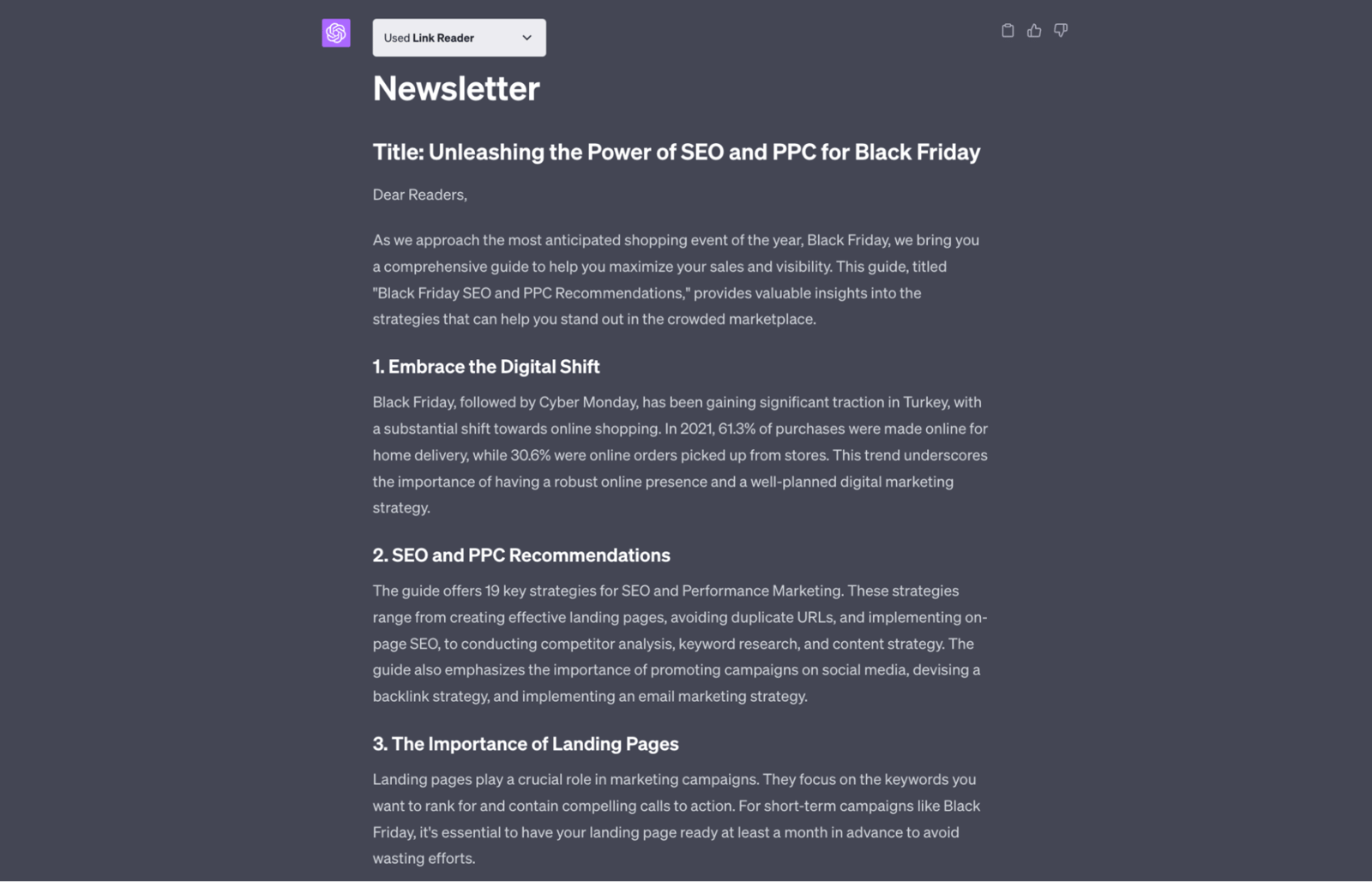
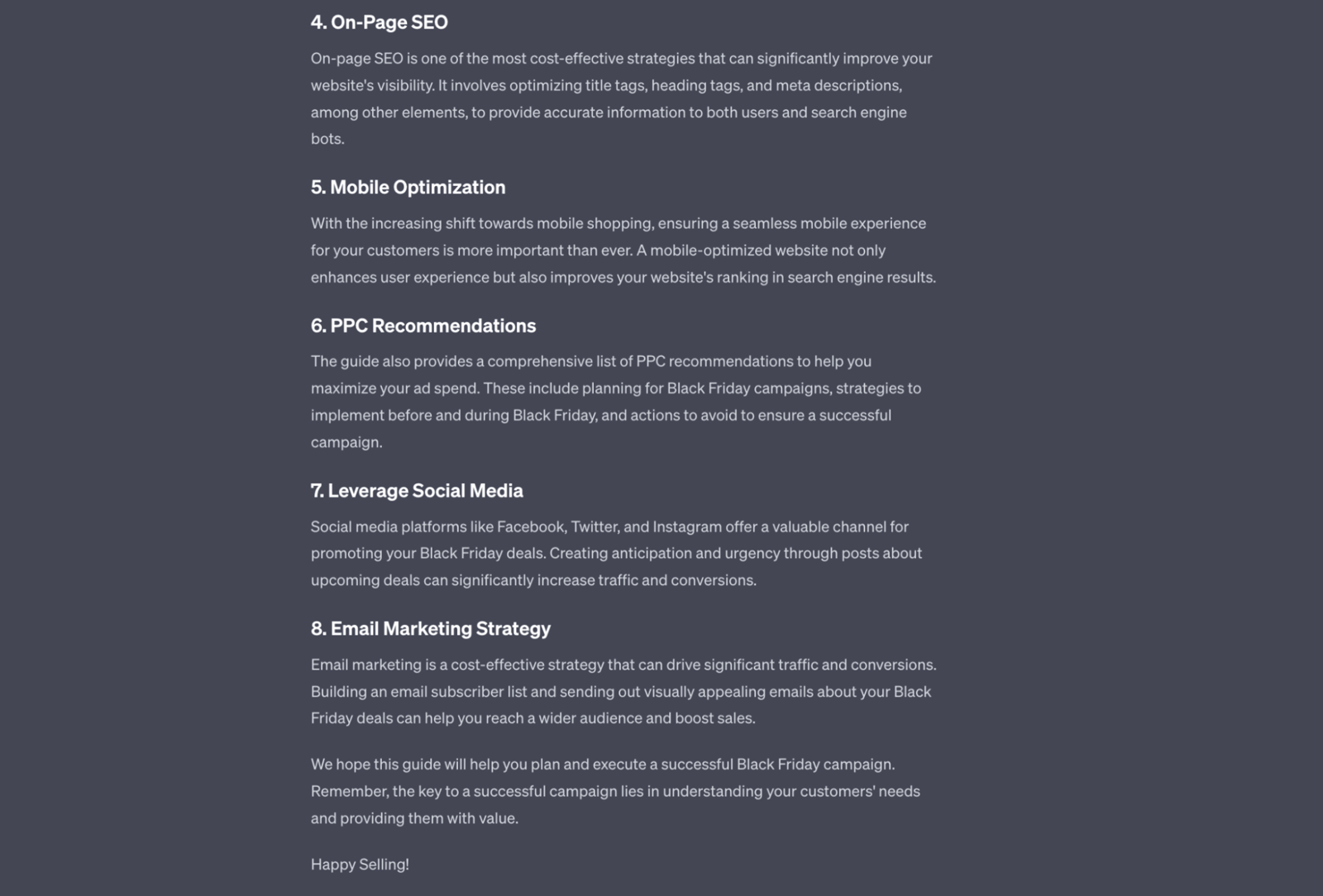
It read the PDF file we provided and created an 8-page newsletter for us. The writing in the sections was a bit simple, but for a short summary, that's a reasonable result. This way, you can generate a summary newsletter for your target audience from the source PDF. You can also ask it to use a more engaging, sales-oriented tone.
Note: The PDF file we provided was in Turkish, but since we entered the request in English, it gave us the result in English.
Chat with Video Plugin
The next plugin lets you chat with a YouTube video: you provide a link and ask it questions about the video. It looks like a really fun plugin. For marketing, we can use it to pull a section from the video and turn it into social media content. Let's try it.
First, we gave it the link to the video and asked a specific question about it.
Is increasing conversion rate one of the primary goals of SEO? [https://www.youtube.com/watch?v=b4zPQVBF48I](https://www.youtube.com/watch?v=b4zPQVBF48I)
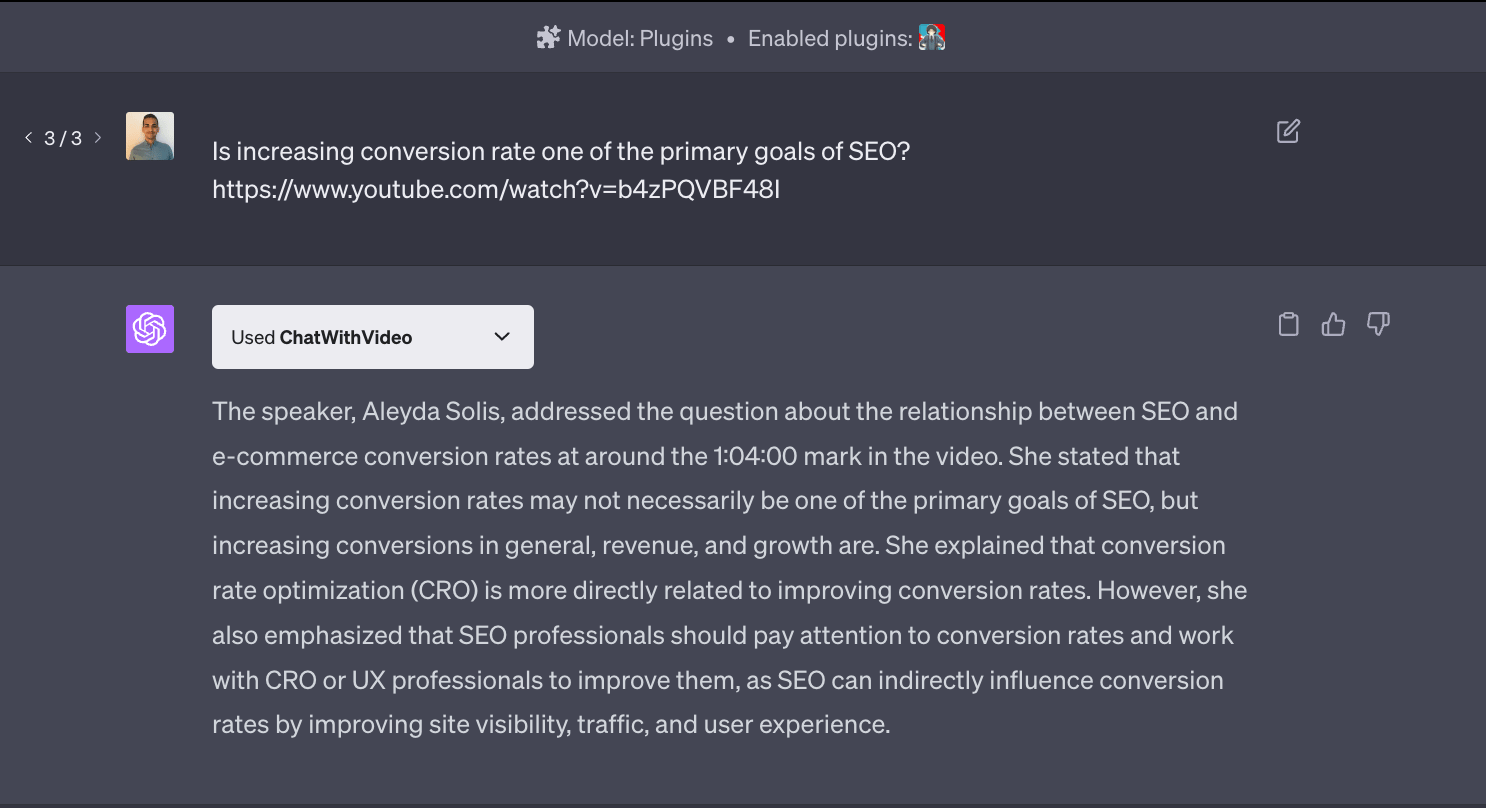
ChatWithVideo confirmed that the speaker addressed this question in the video and gave us the answer. Even though the timestamp it cited (1:04:00) was wrong, the answer itself checked out.
Next, let's ask it to turn this output into an Instagram post.
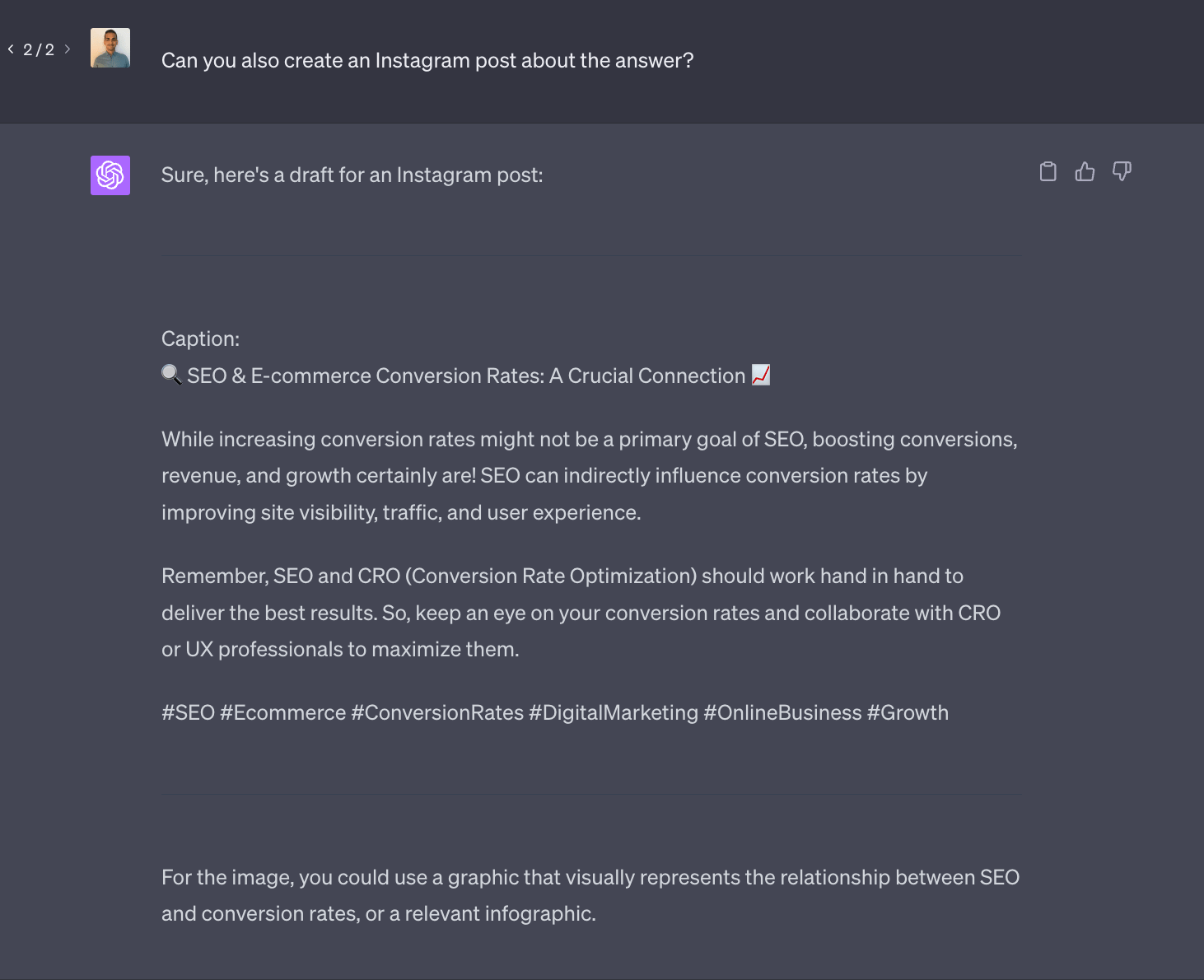
For this follow-up prompt, the plugin didn't need to run again, since we asked it to build on the answer it had already given. GPT-4 used that previous output to create the Instagram content and even suggested images, though we hadn't asked for them.
There is an AI for That Plugin
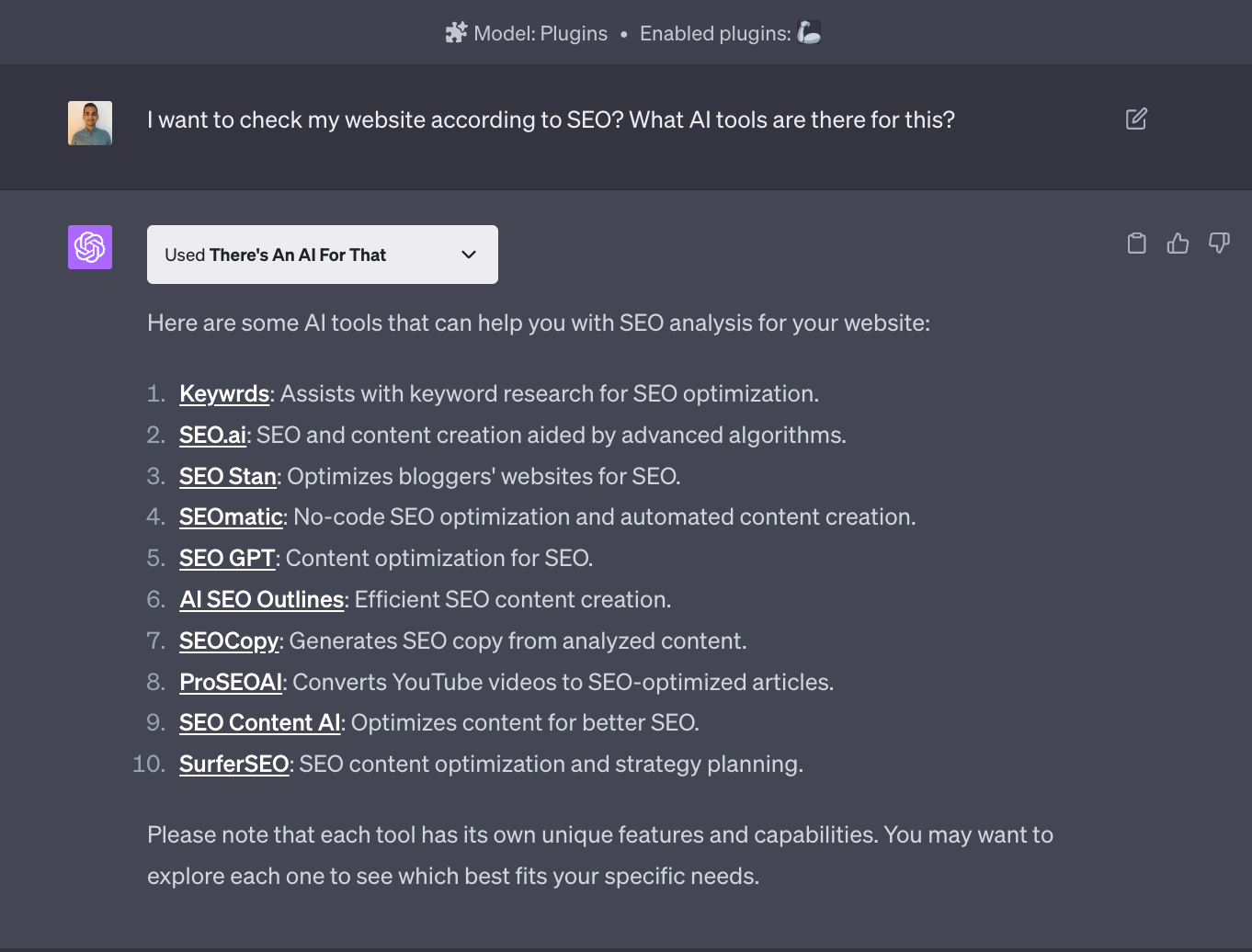
If you want to build something with artificial intelligence but aren't sure which tool to use, this plugin is for you. You describe the task you want AI to help with, and There's An AI For That instantly lists the most popular tools for it, with descriptions and links to each site. Here's our example request:
**I want to check my website for SEO, what AI tools are there for that?**
As you can see in the answer, it listed 10 AI tools we could use for SEO.
SEO Core AI Plugin
The SEO Core AI plugin analyzes whatever website you link to. In our example, we asked it to analyze https://wope.com/, then asked for suggestions based on the result. You can see the result in the screenshot below.
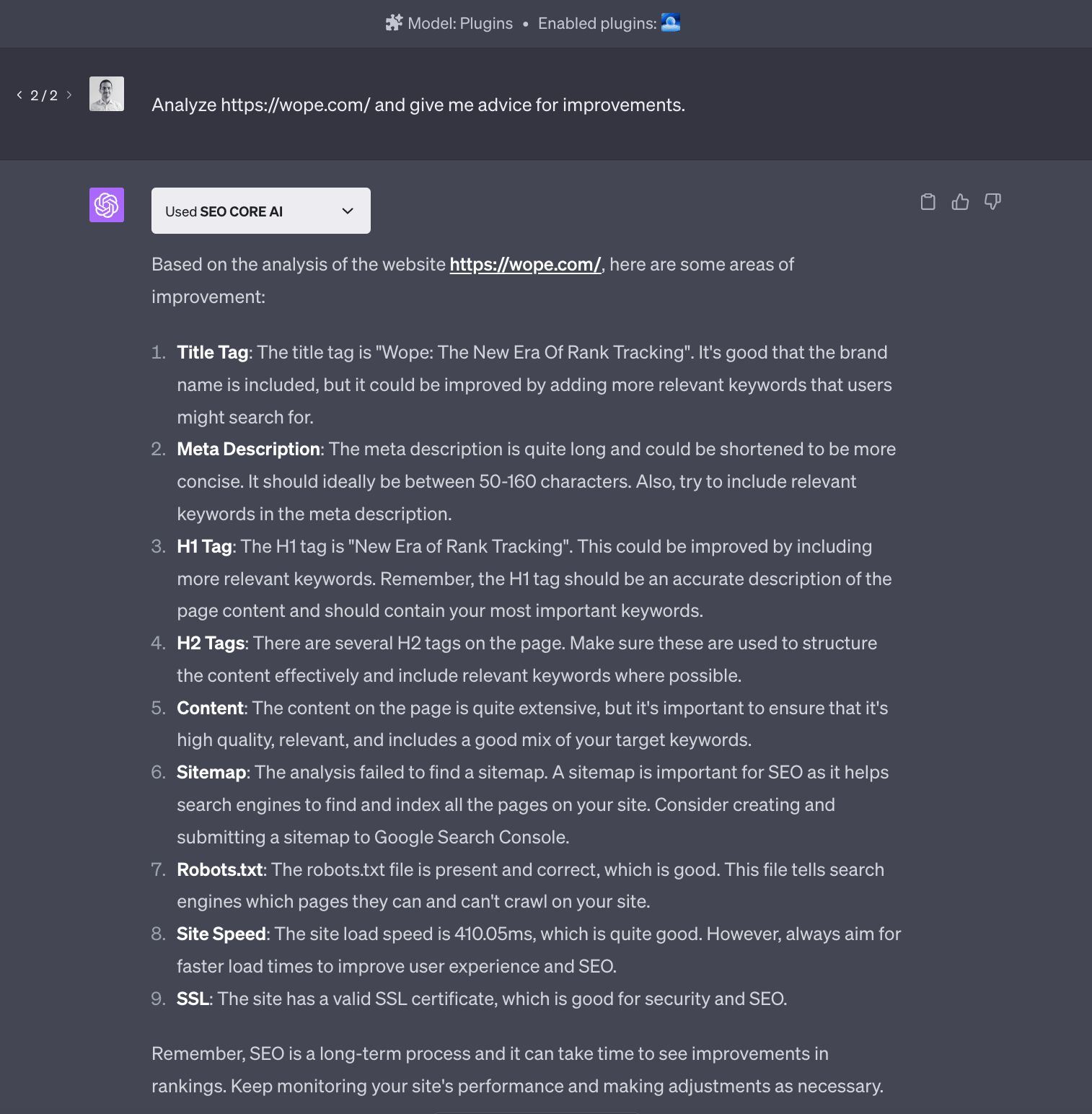
It closed its answer with a reminder worth keeping in mind for SEO:
"Remember that SEO is a long-term process and it may take time to see improvements in rankings. Continue to monitor your site's performance and make adjustments as needed."
WebPilot Plugin
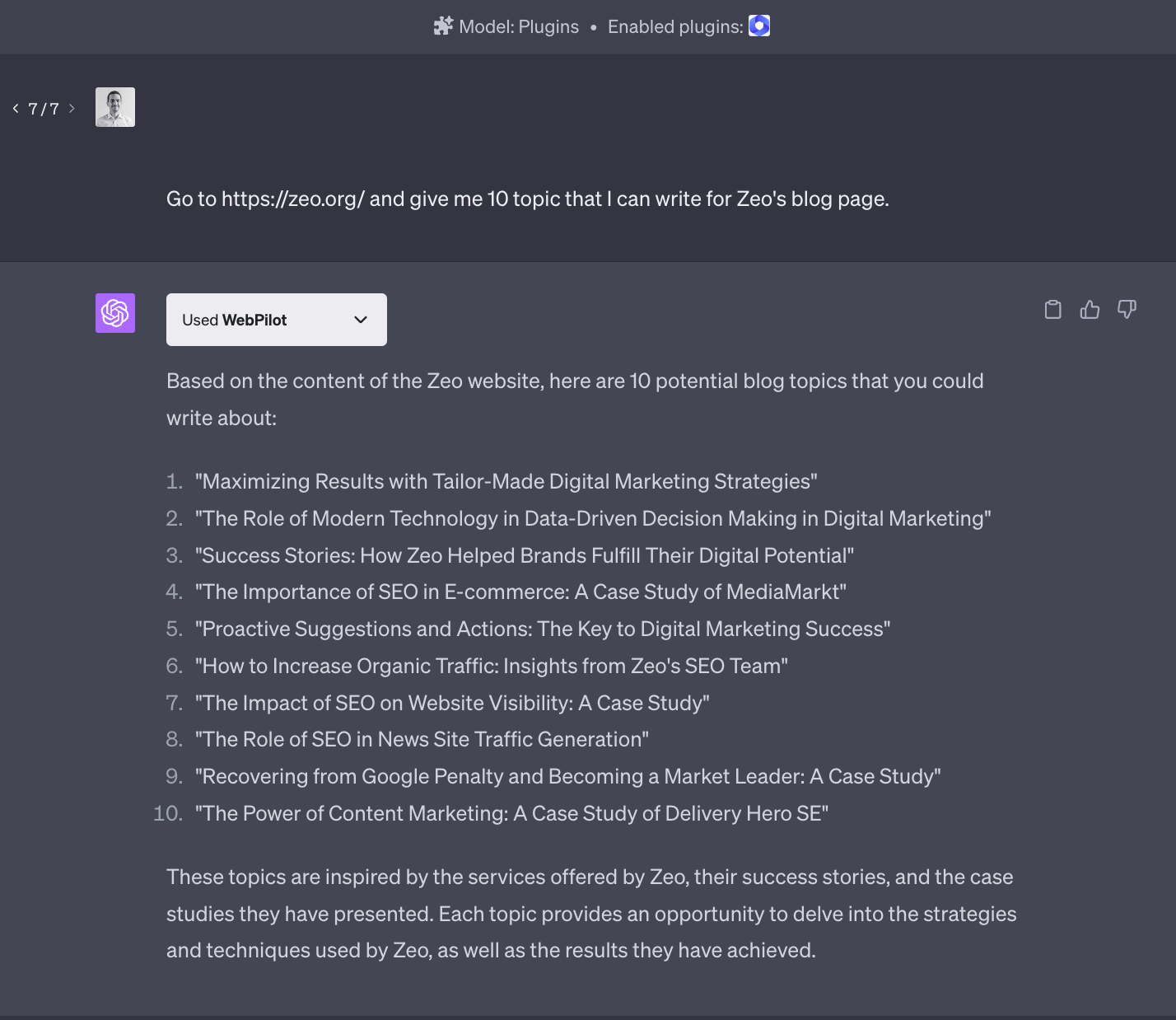
WebPilot lets you ask questions about a website you link to and have the AI generate content based on what it finds there.
In our example, we asked the AI to review https://zeo.org/ and suggest 10 blog topics for the Zeo blog. The answer matched what we asked for, but it seemed a little thin, as if it had only read the page we linked to and pulled content from there.
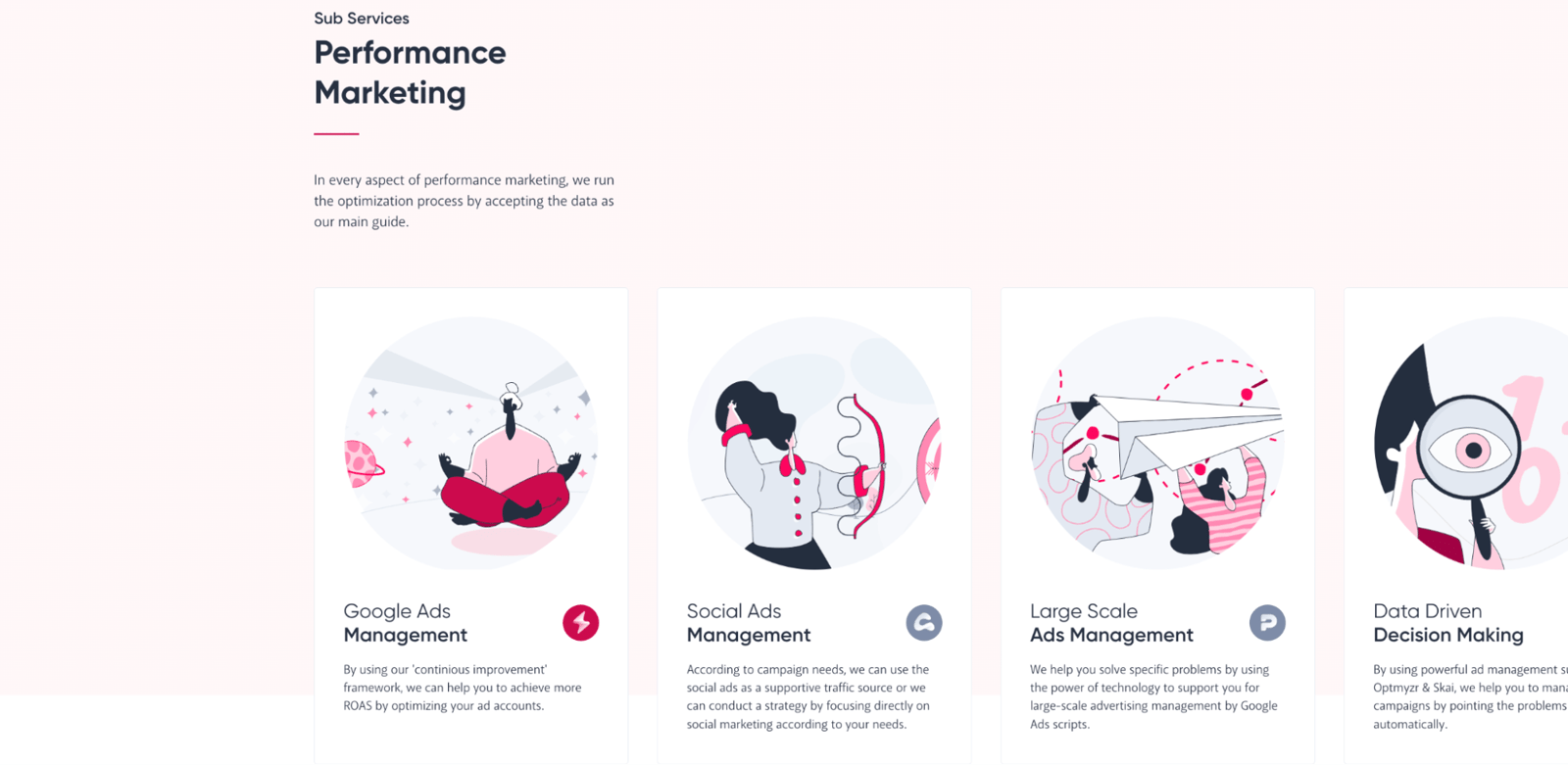
To check that, we gave it the same link again and asked about a topic covered on a different page of the site. It crawled the main page first, then, when it couldn't find the answer there, it worked through other pages until it found the answer and gave us the result.
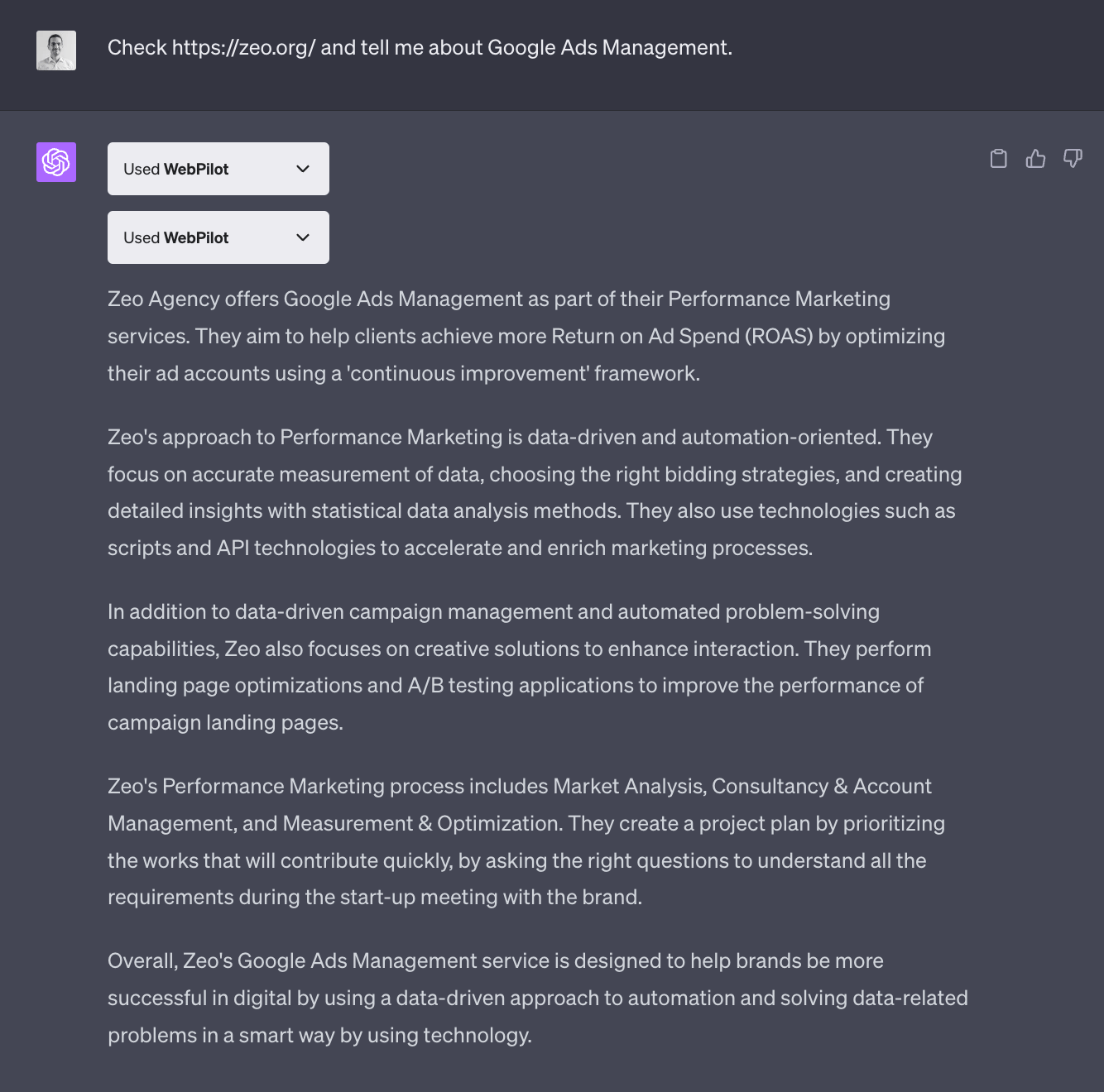
Below is a screenshot of the page where it found the answer.
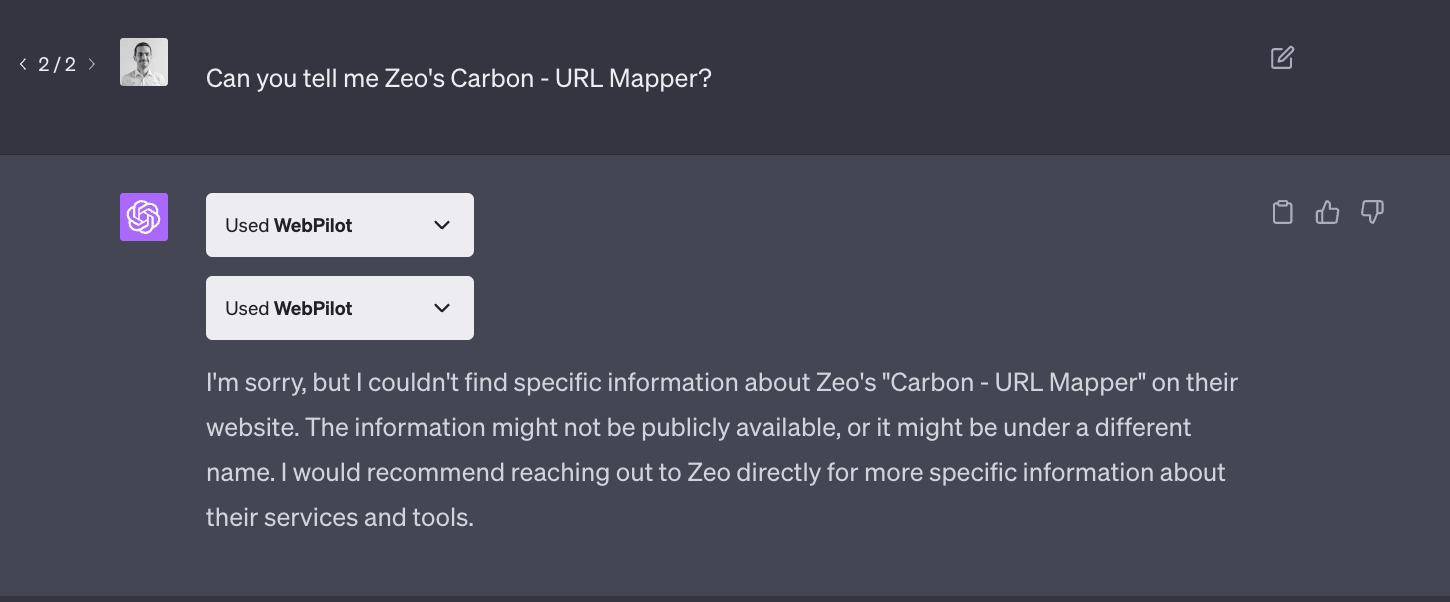
When we asked it another question to test this again, it couldn't answer. So for now, it's best not to push this plugin too far into unfamiliar territory on a site.
Final Word
We've walked through the ChatGPT+ web browsing feature and several plugins, with examples for each. New plugins are added to the Plugin Store every day. If you have a ChatGPT+ membership, you can add a new perspective to your business by following these plugins and putting the useful ones to work.
This content was created by Ahmet Can Kavak, Marketing Manager at Zeo.


