


Here are a few more thoughts on the topic everyone's been talking about lately :) I've put together some technical ChatGPT prompts that can help you channel more of your creativity and energy into SEO, prompts that most new SEO professionals just entering the field can use in their daily work.
I think these prompts will make life easier for anyone with basic technical knowledge who doesn't have a web developer to lean on.
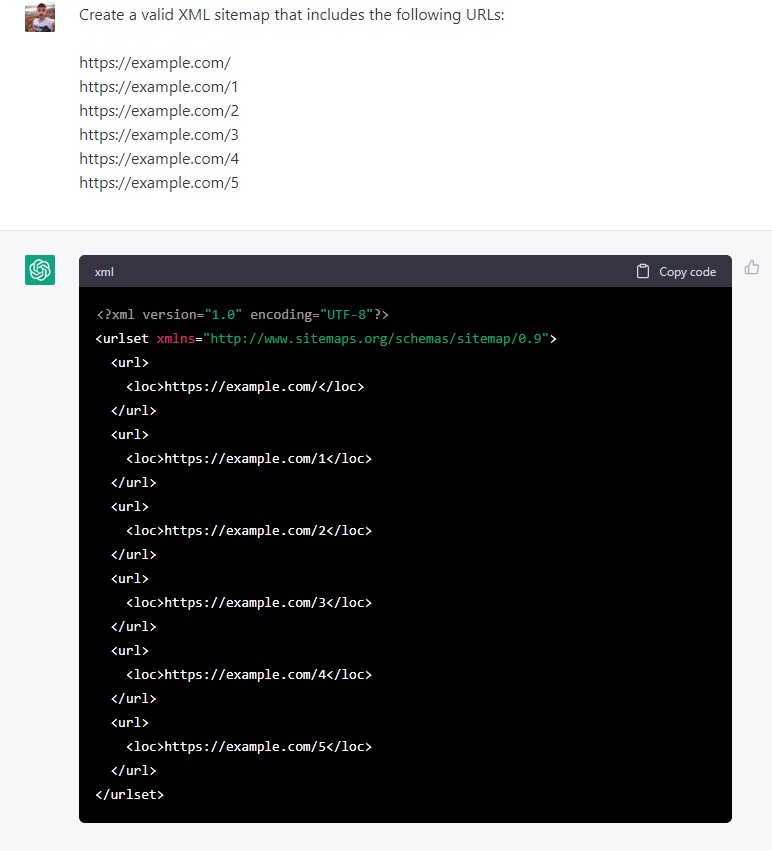
1) Generate XML Sitemap
ChatGPT can give you excellent results when you need to build your own static XML sitemap.
Command Prompt
Create a valid XML sitemap containing the following URLs:
https://example.com/ https://example.com/1 https://example.com/2 https://example.com/3 https://example.com/4 https://example.com/5
ChatGPT Reply
2) Create a Robots.txt Crawl Directive
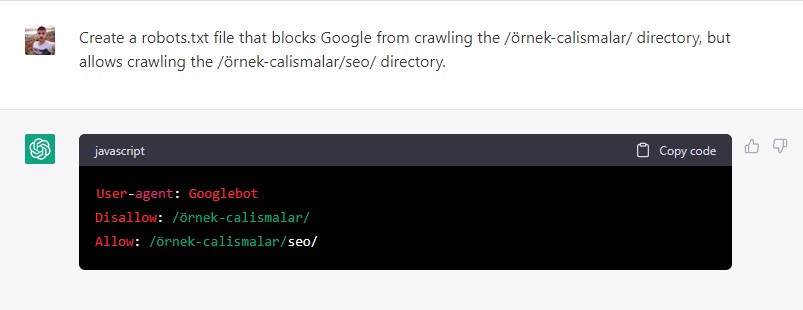
Most website owners never need to touch their robots.txt file, but if you do, ChatGPT can help even with just basic knowledge.
Command Prompt
Create a robost.txt file for https://example.com/ that blocks the /sample-works/ directory but allows crawling the /sample-works/seo/ directory.
ChatGPT Reply
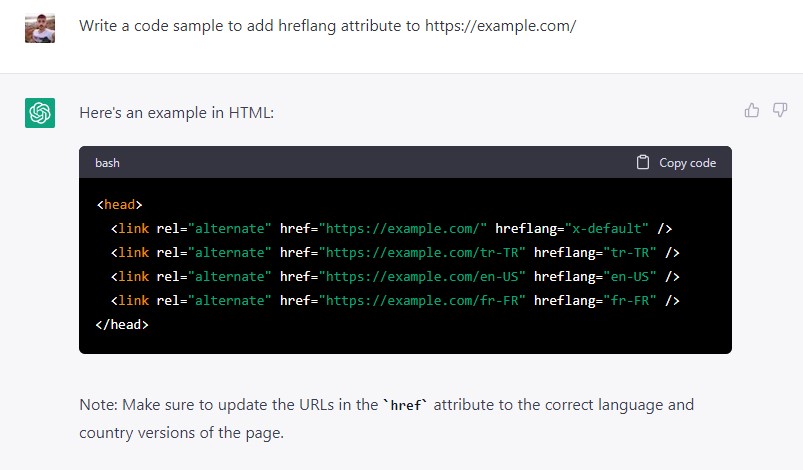
3) Create a Hreflang Attribute
Command Prompt:
Write a code sample to add a hreflang attribute to https://example.com/.
ChatGPT Response:
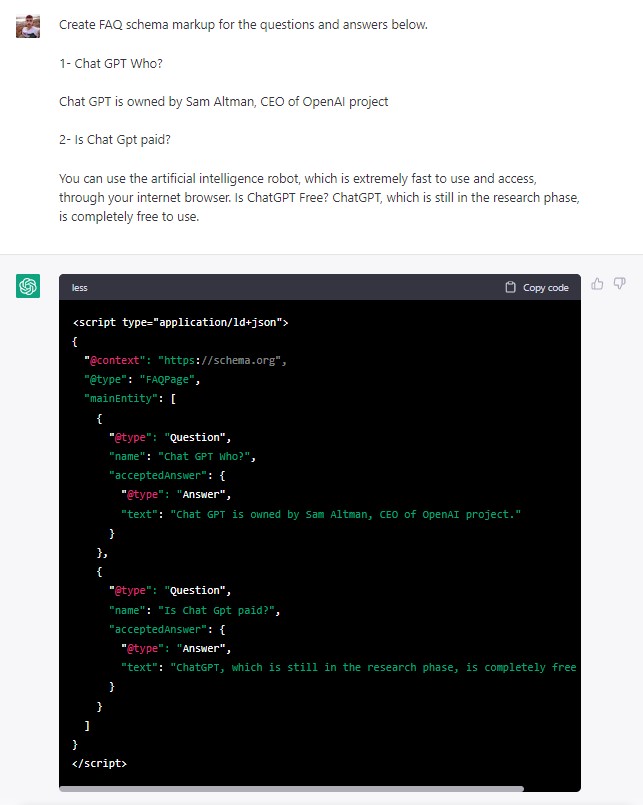
4) Generate JSON-LD Schema for FAQ Markup
Command Prompt:
Create FAQ schema markup for the questions and answers below.
ChatGPT Answer:
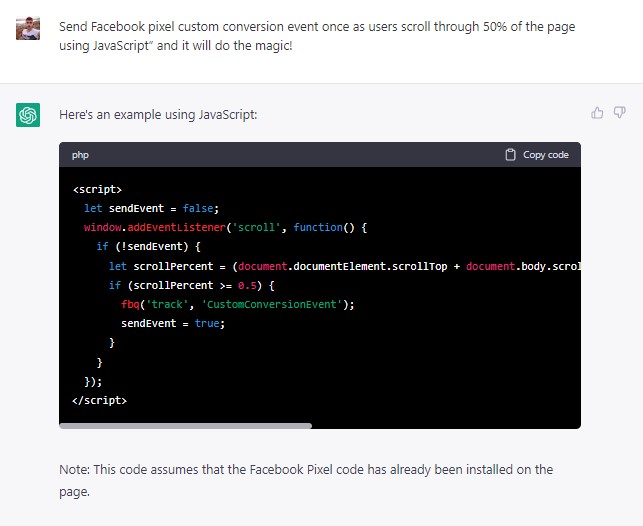
5) Create Custom Pixel Transformations
If you want to track specific user actions on your site through a custom conversion event, ChatGPT can help you set that up.
Command Prompt:
Send the Facebook pixel custom conversion event when users scroll 50% of the page.
ChatGPT Response:
6) Create a Nofollow or Canonical Link
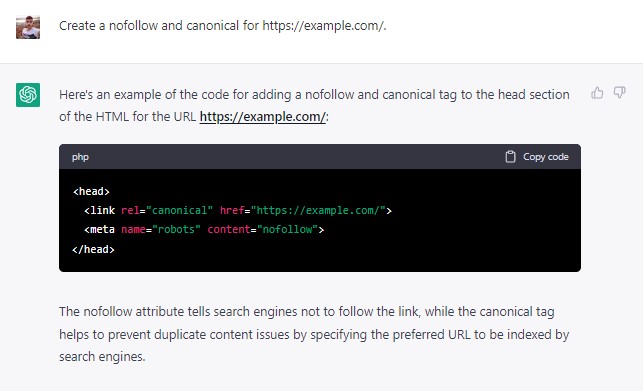
Command Prompt
Create a nofollow and canonical for https://example.com/.
ChatGPT Reply
7) Create an Article Markup for Your Blog Content
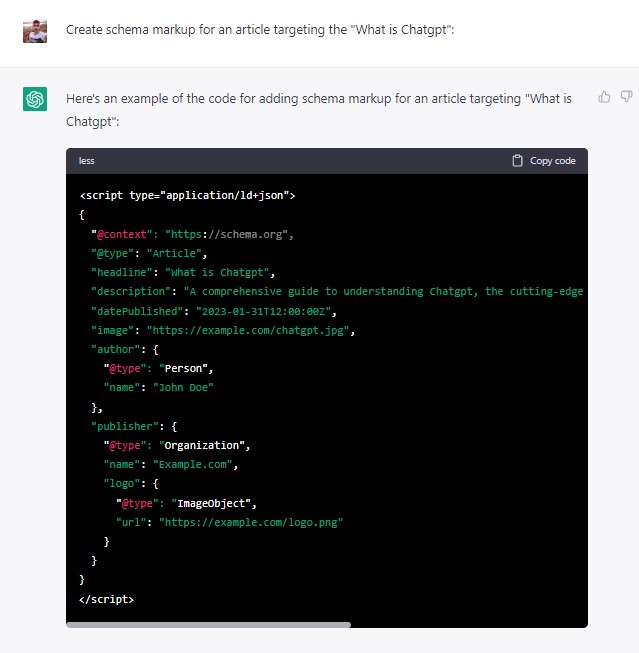
Command Prompt:
Create schema markup for an article targeting a "keyword":
ChatGPT Response:
8) Generate a Calculator Code to Publish on Your Website
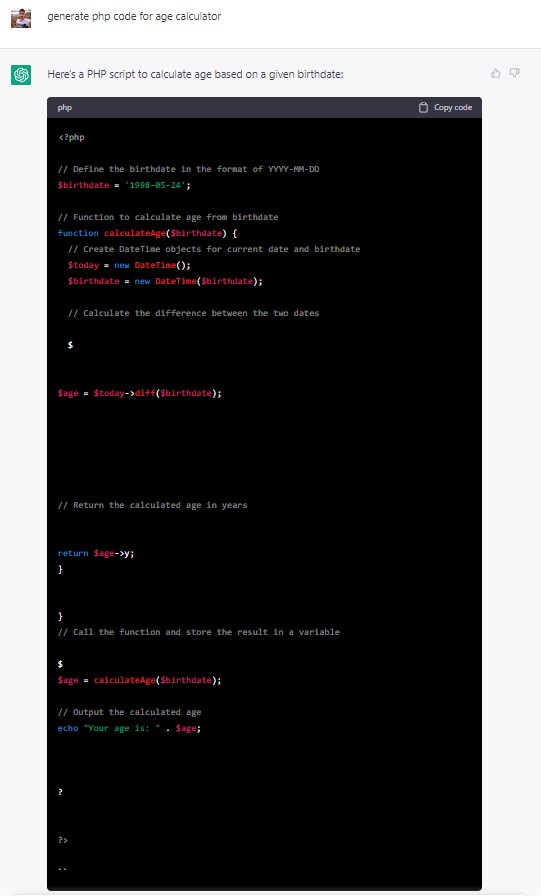
You can also ask it to build calculators for your site. Say you're targeting a term like "Age Calculator" and need a working tool for that page.
ChatGPT will generate the code you need for it.
You can also ask it to walk you through adding that code to WordPress or any other CMS.
Command Prompt:
Can you write me php code for the age calculator tool?
ChatGPT Answer:
I hope this collection has been useful, and maybe sparked a few ideas for all of you reading.


