


Keyword research and content planning are essential parts of SEO, but they can also take a considerable amount of time. That raises a useful question: "How do we automate this?" In this article, we'll use ChatGPT to build the foundation of keyword research and generate ideas for a topic we want to cover. There's also a surprise at the end of the article.
Keyword analyses often follow similar steps and produce similar types of output. When the process is clearly defined, we can break it into stages and use suitable prompts to request each output from a Language Model (LLM). LLM models generate responses by identifying patterns in the sequence of words found in their training data. That sequencing can offer clues about what people write and ask online. In this sense, the logic resembles the "related searches" section on the SERP: search platforms consider patterns in user queries, while an LLM considers word sequences and combinations that appear frequently in its dataset.
Because ChatGPT was trained on data available on the internet, it can make predictions about what people may search for and how they might phrase those searches. The quality of those predictions depends heavily on the questions we ask.
If you have ChatGPT open, let's get started.
ChatGPT Should Act Like an SEO Expert!
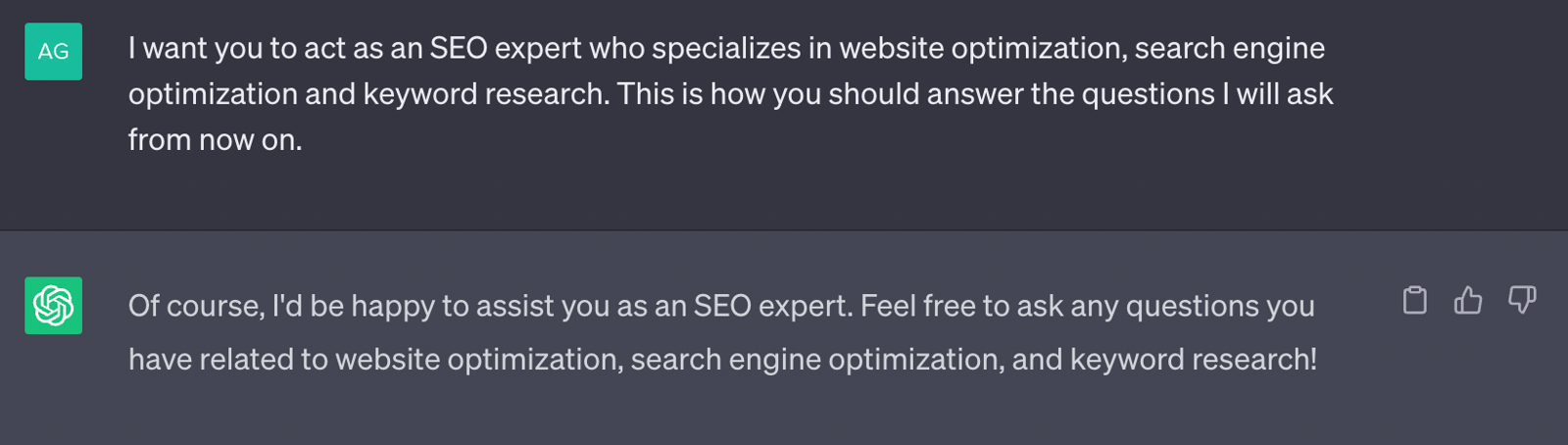
Now we'll ask ChatGPT to respond as an SEO expert. Setting this role at the start gives the model a clear framework for the questions that follow.
Our prompt:
"I want you to act as an SEO expert specialized in website optimization, search engine optimization, and keyword research. This is how you should answer the questions I will ask from now on."
Can ChatGPT Generate Keywords Like an SEO Expert?
The question "How to generate content with ChatGPT?" has become a popular search query. The most useful way to explore the answer is to test the tool directly. Let's start with the prompt I use to generate relevant subheadings:
My command to generate a subheading for the content I provided to ChatGPT:
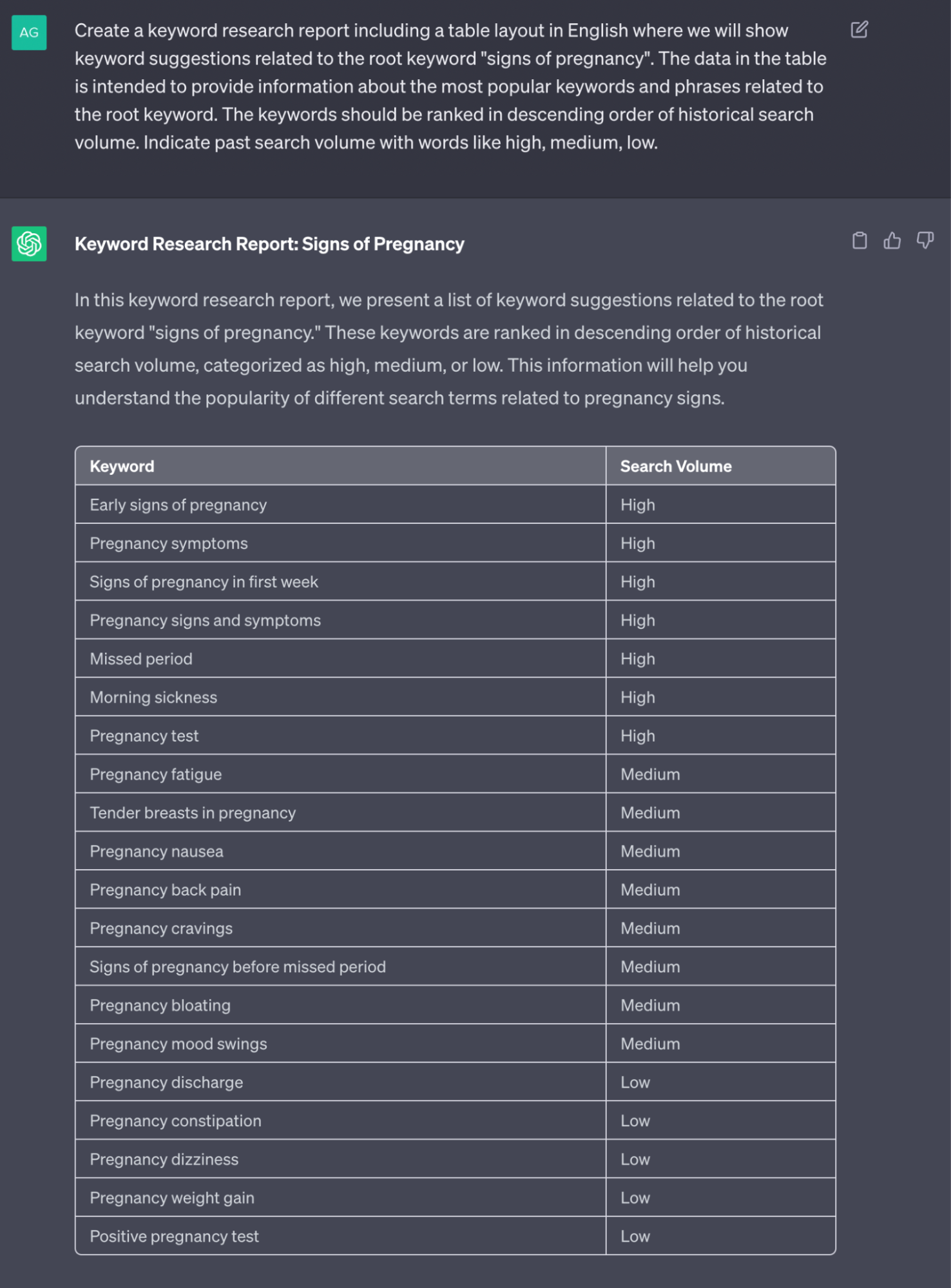
"Create a keyword research report containing a Turkish table layout that will show keyword suggestions related to the root keyword 'Pregnancy Symptoms.' The data in the table aims to provide information about the most popular keywords and keyword phrases related to the root keyword. The keywords should be sorted from highest to lowest based on past search volume.Search volumes should be indicated as low, medium high."
Now, Let's Create Subheadings and Determine Keyword Density!
The first step gave us an initial set of keyword ideas and some direction for the topic. Next, we need to decide which headings the content should cover. Once the headings are clear, it becomes easier to plan keyword density.
The prompt we will use to generate subheadings is as follows:
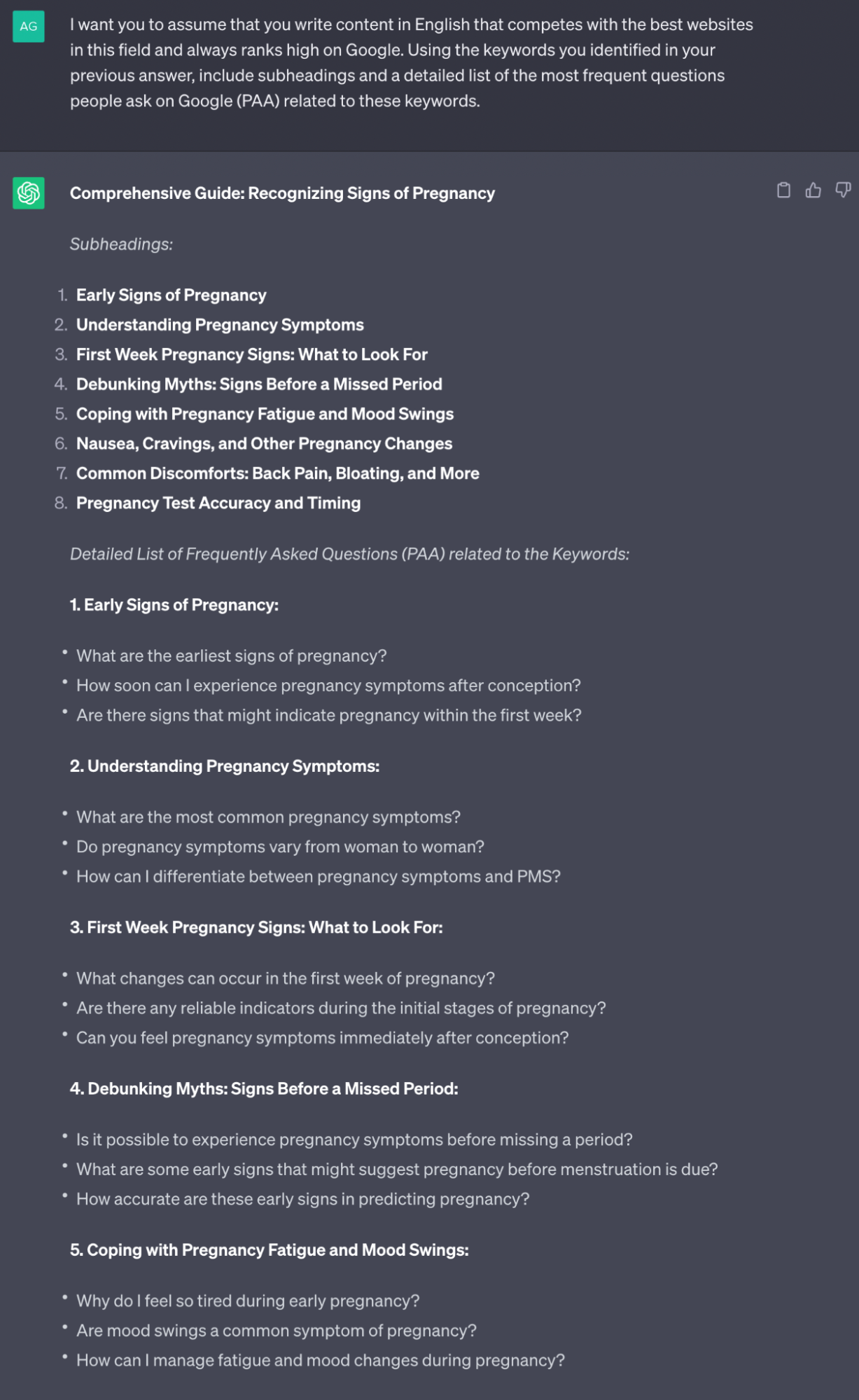
I want you to assume that you write Turkish content that competes with the top websites in this field and consistently ranks high on Google. Utilize the keywords you identified in your previous answer to create subheadings, and provide a comprehensive list of frequently asked questions (PAA) related to these keywords on Google.
Determining Keywords Based on Subheadings
We now have an idea of which subheadings to use in our content, along with an understanding of the questions people will want answers to. Our next step is to prepare a draft of a keyword list that matches the subheadings and also includes frequently asked questions. We can quickly solve this problem with a short prompt.
Our prompt for identifying keywords with ChatGPT:
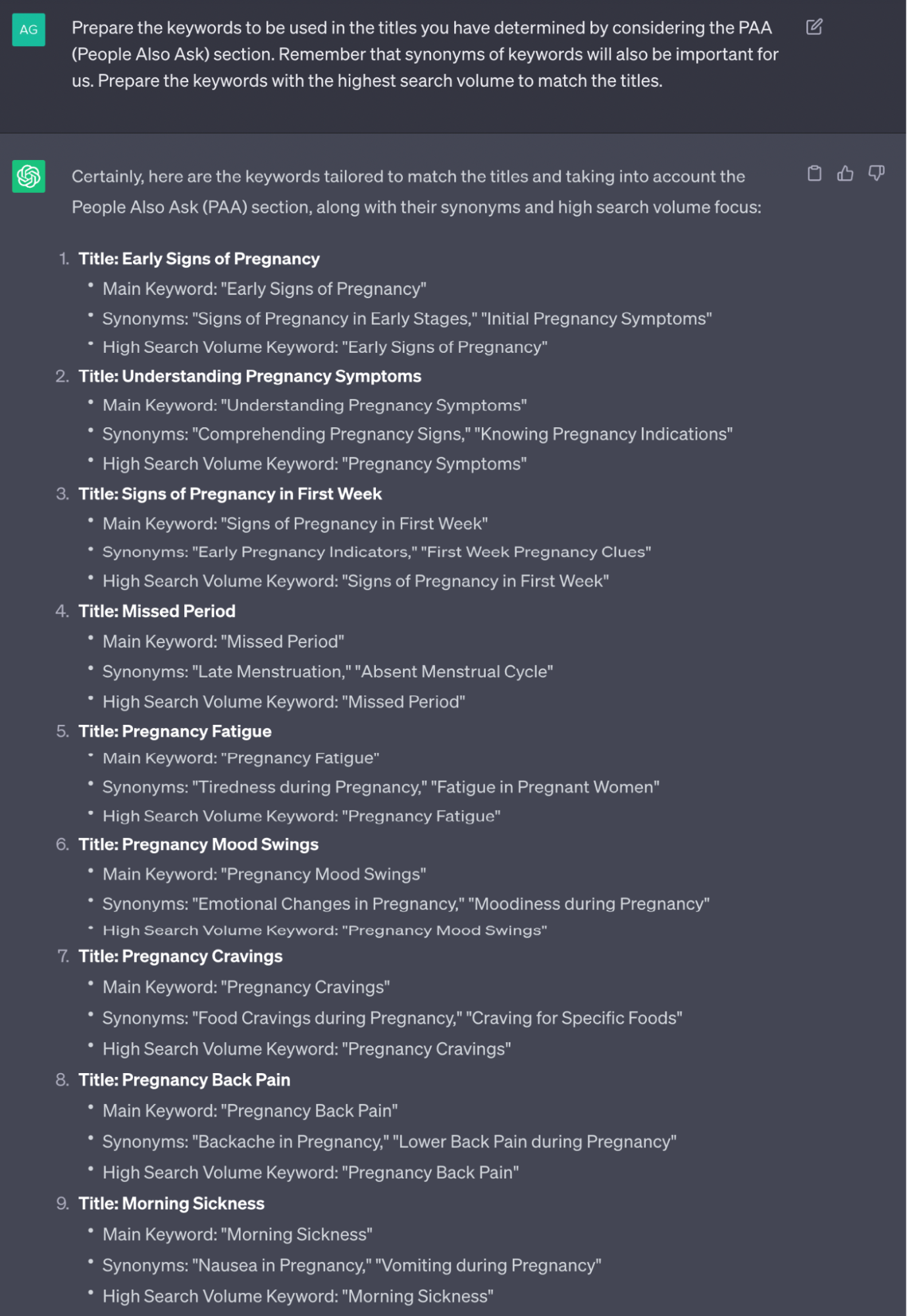
Prepare the keywords to be used in the headings you've determined, taking into account the People Also Ask (PAA) section. Remember that synonyms of keywords will also be important for us. Prepare the keywords with the highest search volume to match the headings.
Our output is just as we wanted:
Time to Combine All the Data!
Up to now, the data we've gathered includes keyword ideas, synonyms, search volume estimates, and the most frequently asked questions related to our main root keyword. Additionally, we have insights into subheadings we can use when publishing content.
Seeing all of these in a table and providing a general overview will complete our keyword analysis. While ChatGPT's provided data is generally based on predictions, it also offers quite insightful ideas.
Now, let's run our prompt to create our table:
**Your task is to prepare a keyword analysis report. Task details: Transform the report you prepared with the keywords to be used in the determined headings, taking into account the People Also Ask (PAA) section, into a detailed table. The columns of the table should be: keyword, search volume estimate (high, medium, low), synonymous keywords, People Also Ask (PAA) questions.**
**Each column should contain up to three People Also Ask (PAA) questions. Select keywords primarily from those with the highest possible search volume.**
And our output will be as follows:
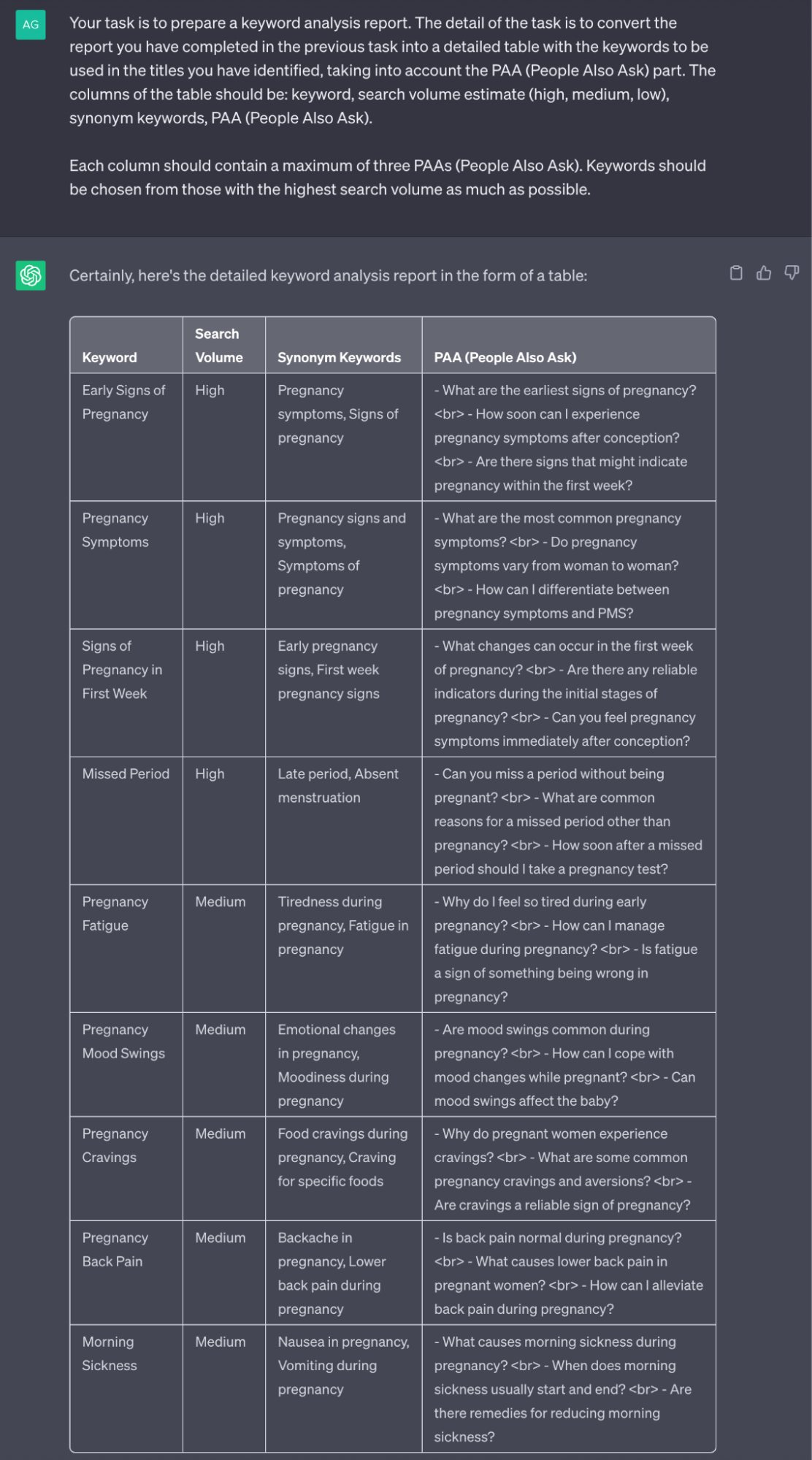
The output we received provided us with quite good ideas, and if you're a ChatGPT Plus user, we can say that this table will expand even further. In this article, I completed my keyword analysis using ChatGPT, which is accessible for everyone for free. A small tip; you can achieve a more comprehensive table by using the "Regenerate response" button or by providing the same prompt again.
A Little Surprise for Those Who Have Reached the End!
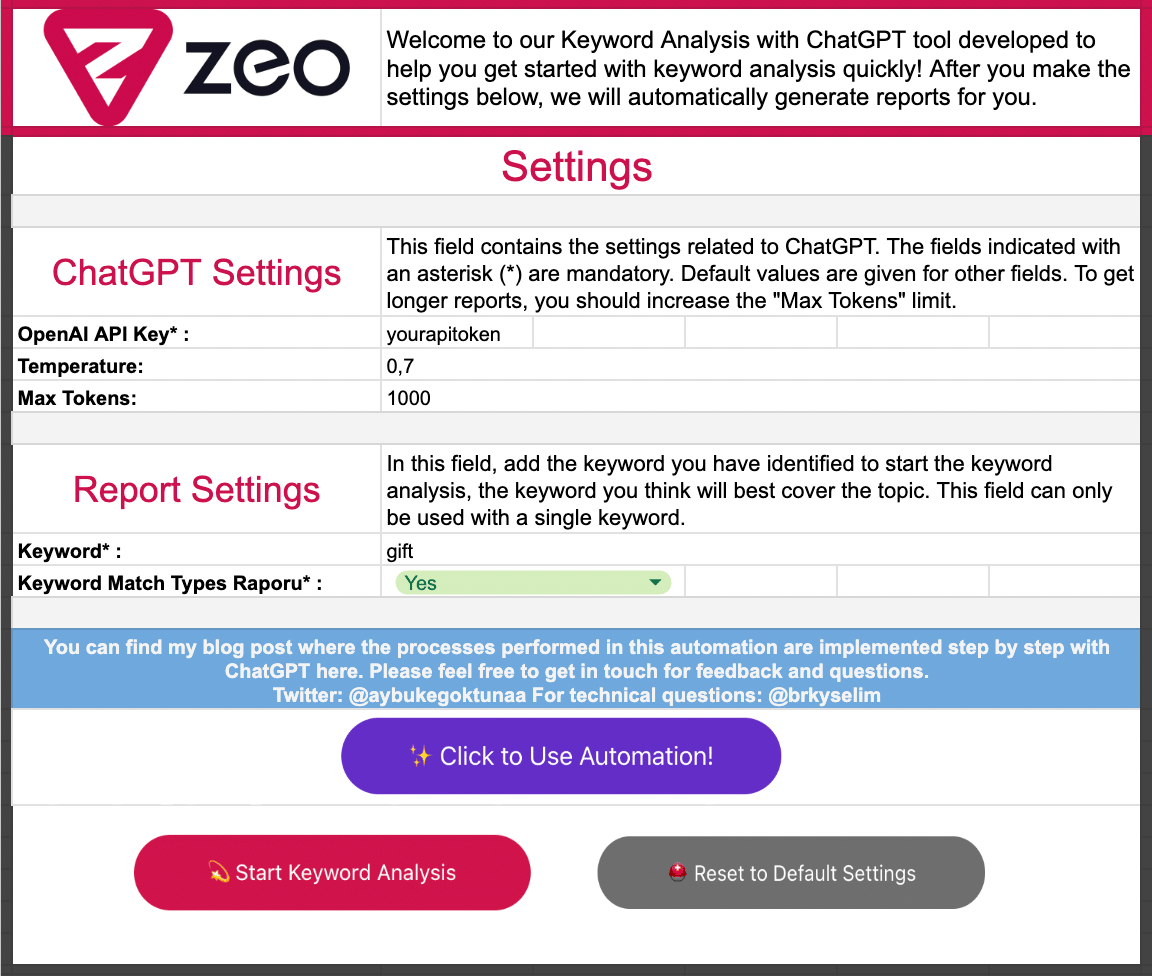
Up to this point, we have completed our keyword analysis using ChatGPT by writing our prompts step by step. If you want to quickly generate your keyword analysis report via Google Sheets without spending time on these, I have prepared keyword analysis sheets automation for you with ChatGPT. To use the automation, simply click the "Click to Use the Automation!" button. This way, you can copy the Sheets automation to your own workspace and start using it right away.
Click here to perform keyword analysis with ChatGPT using the Sheets automation I've prepared!


