


Web Vitals is Google's attempt to provide unified guidance for the quality signals essential to delivering a great user experience on the web.
In this tutorial you will learn how to send your web vitals metrics to Google Analytics through Google Tag Manager.
We will use this Web Vitals NPM package for collecting web vitals metrics on client side. It will be starting to collect core and other web vitals below:
- Cumulative Layout Shift (CLS)
- First Input Delay (FID)
- Largest Contentful Paint (LCP)
- First Contentful Paint (FCP)
- Time to First Byte (TTFB)
Creating Tag
First, you have to create a new tag called Web Vitals - CDN as Custom HTML on GTM.
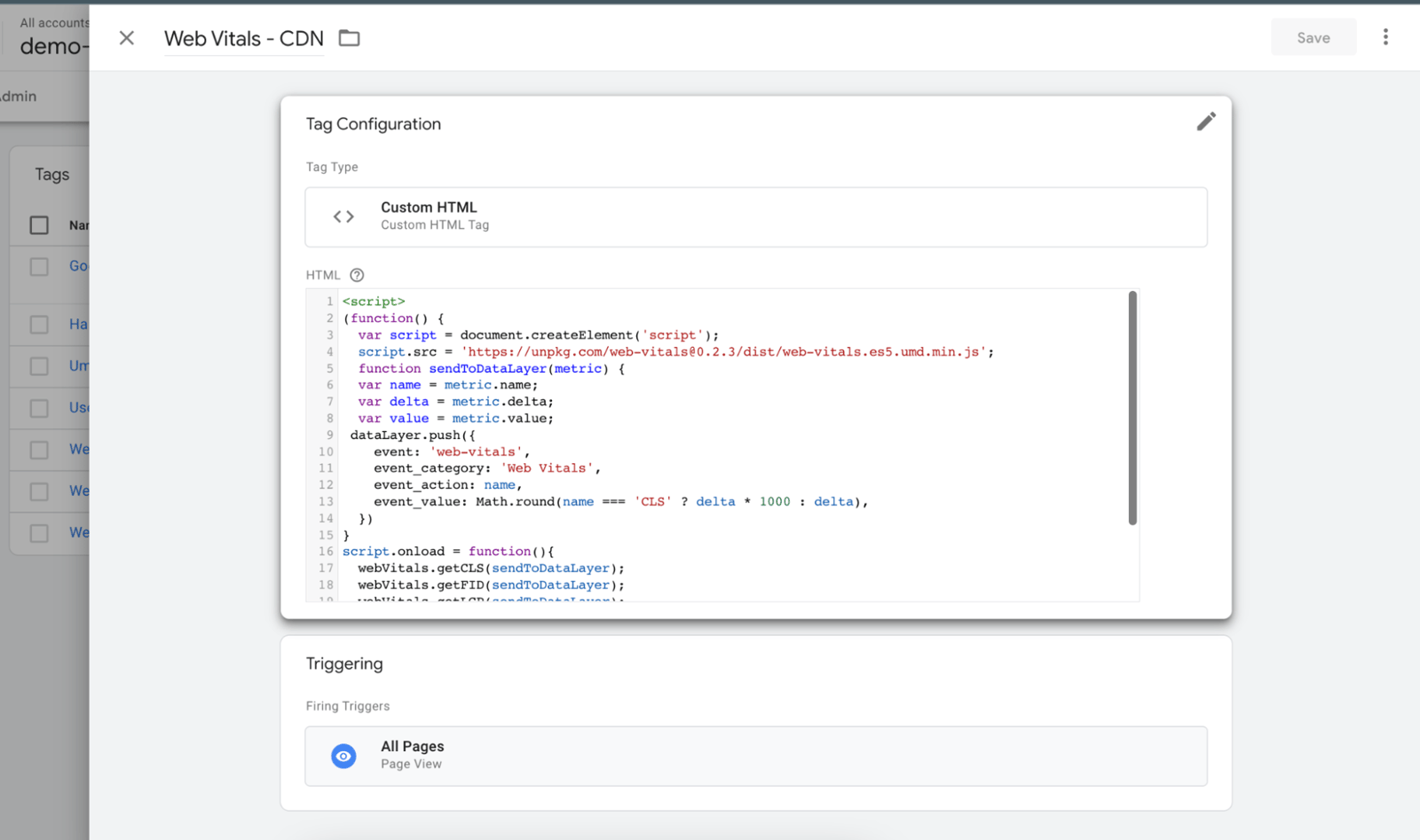
Copy and replace with this code:
<script>
   (function() {
     var script = document.createElement('script');
     script.src = 'https://unpkg.com/web-vitals@0.2.3/dist/web-vitals.es5.umd.min.js';
     function sendToDataLayer(metric) {
     var name = metric.name;
     var delta = metric.delta;
     var value = metric.value;
   dataLayer.push({
       event: 'web-vitals',
       event_category: 'Web Vitals',
       event_action: name,
       event_value: Math.round(name === 'CLS' ? delta * 1000 : delta),
     })
   }
   script.onload = function(){
     webVitals.getCLS(sendToDataLayer);
     webVitals.getFID(sendToDataLayer);
     webVitals.getLCP(sendToDataLayer);
     webVitals.getTTFB(sendToDataLayer);
   }
     document.head.appendChild(script);
   }())
   </script>
Add an All Pages trigger and save the tag.
Creating Trigger
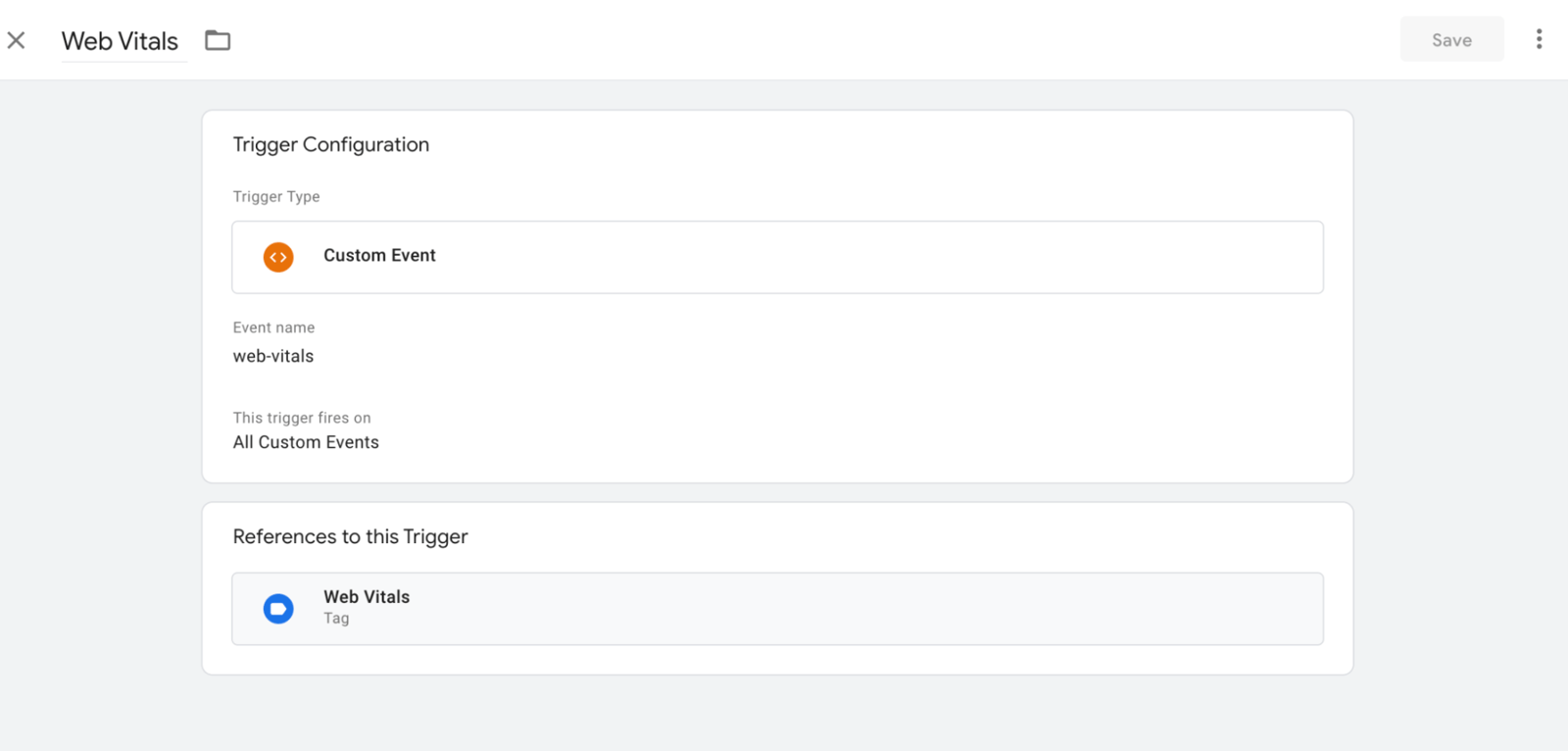
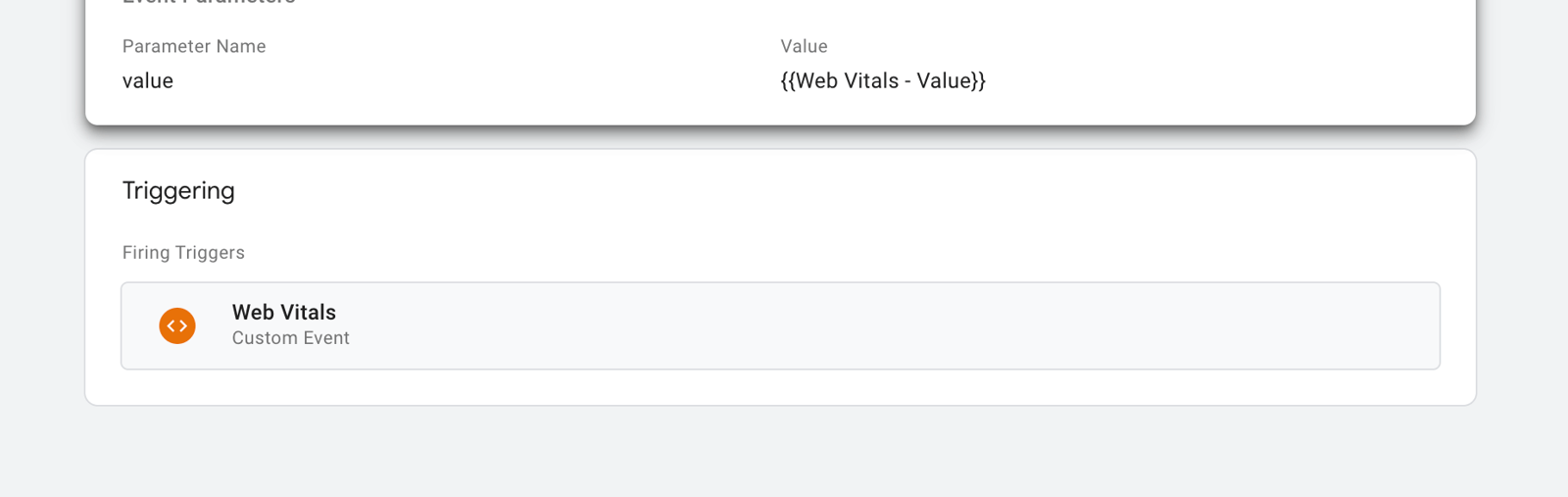
Create a new trigger called Web Vitals as Custom Event, and set the event name to web-vitals, according to your script above.
Creating Variables
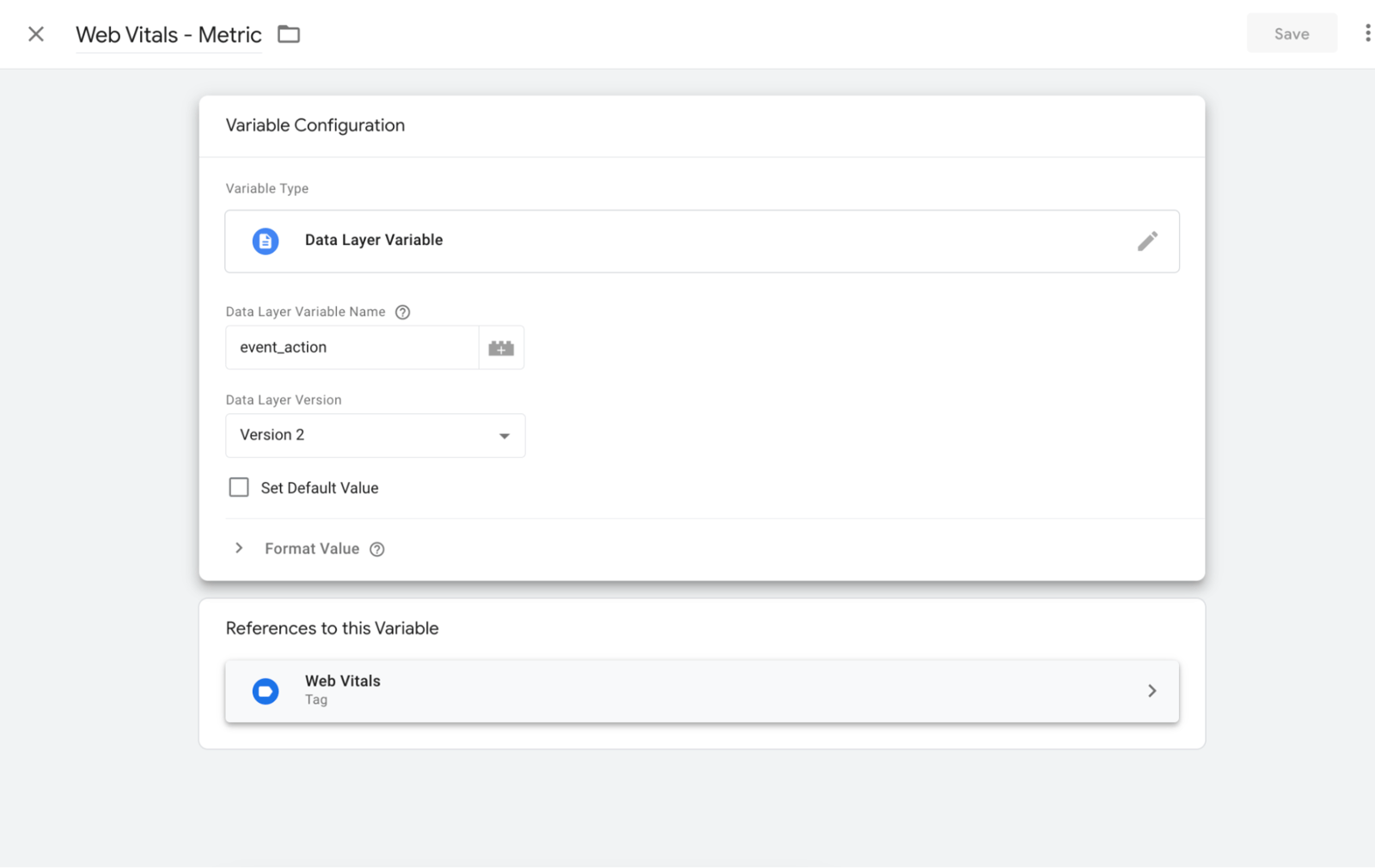
Create a new variable called Web Vitals - Metric, and set it to refer to the event_action variable from the data layer.
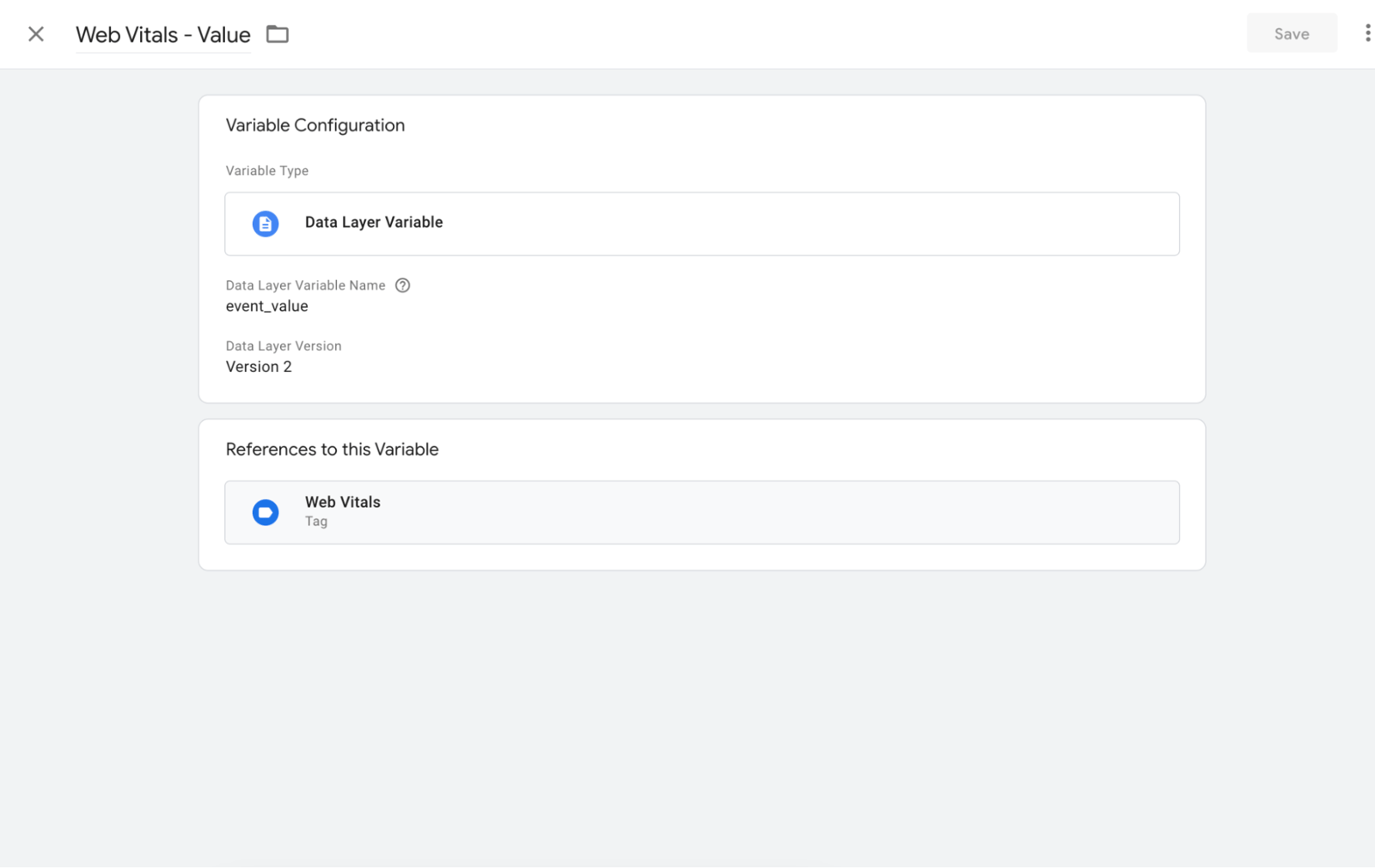
And then, create another variable for metric values called Web Vitals - Value, and set it to refer to the event_value variable from the data layer.
Creating GA4 Event Tag
Create a new tag called Web Vitals for collecting and sending events to GA4.
The point to be noted here is that the event names are compatible with GA4. In other words, you should not use the Universal Analytics event schema like Category, Action, and Label here, even if the base script collects that way.
Instead of more generic naming, you should send the event name more semantically, as the event itself.
You can find more details here.
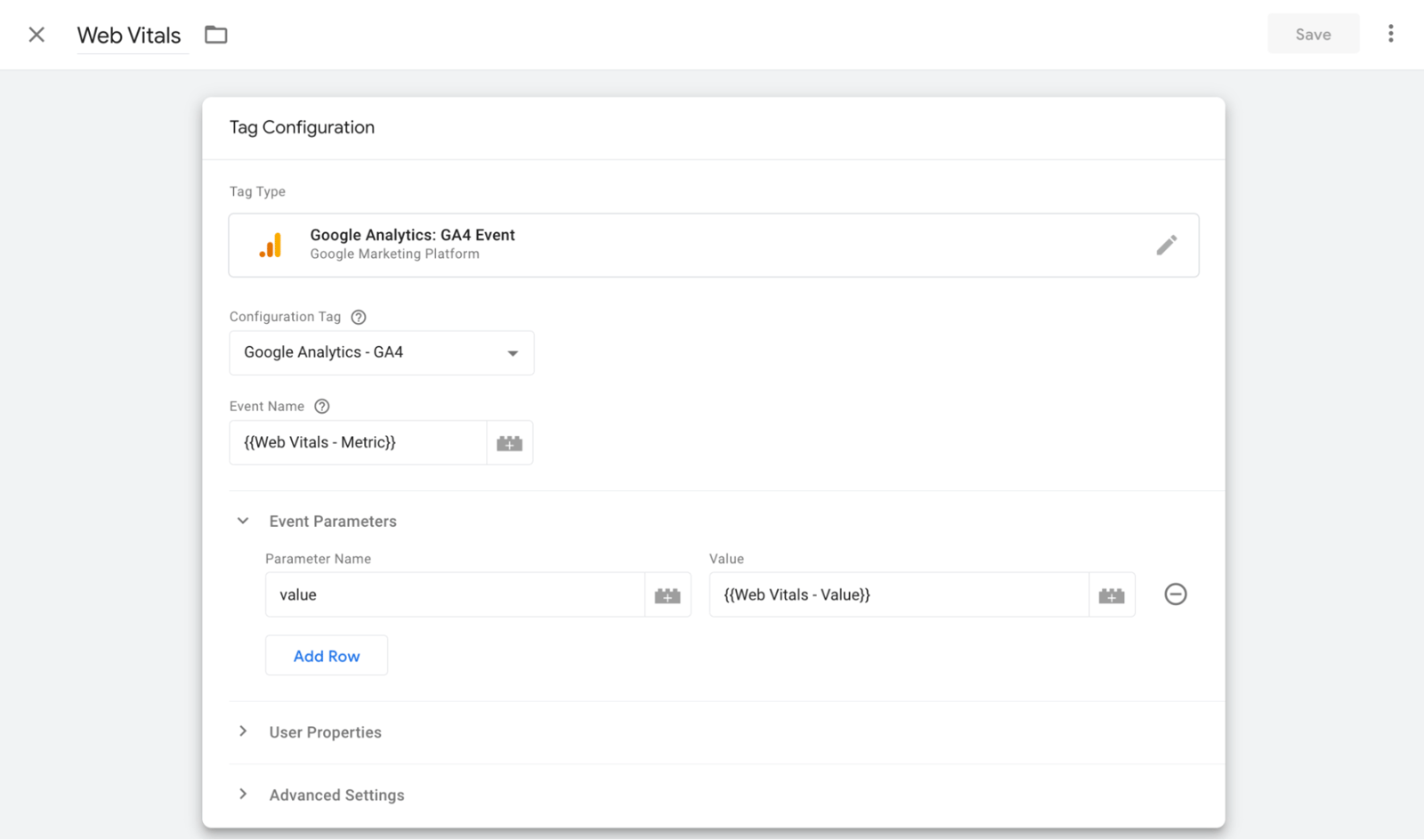
So, each Web Vitals metric will be collected like FCP, TTFB, etc…
You should add event parameters such as name and value.
| Parameter Name | value |
|---|---|
| Parameter Value | {{Web Vitals - Value}} |
And then add your custom trigger. Save the tag.
Debug on GTM
Click to Preview to debug your events.
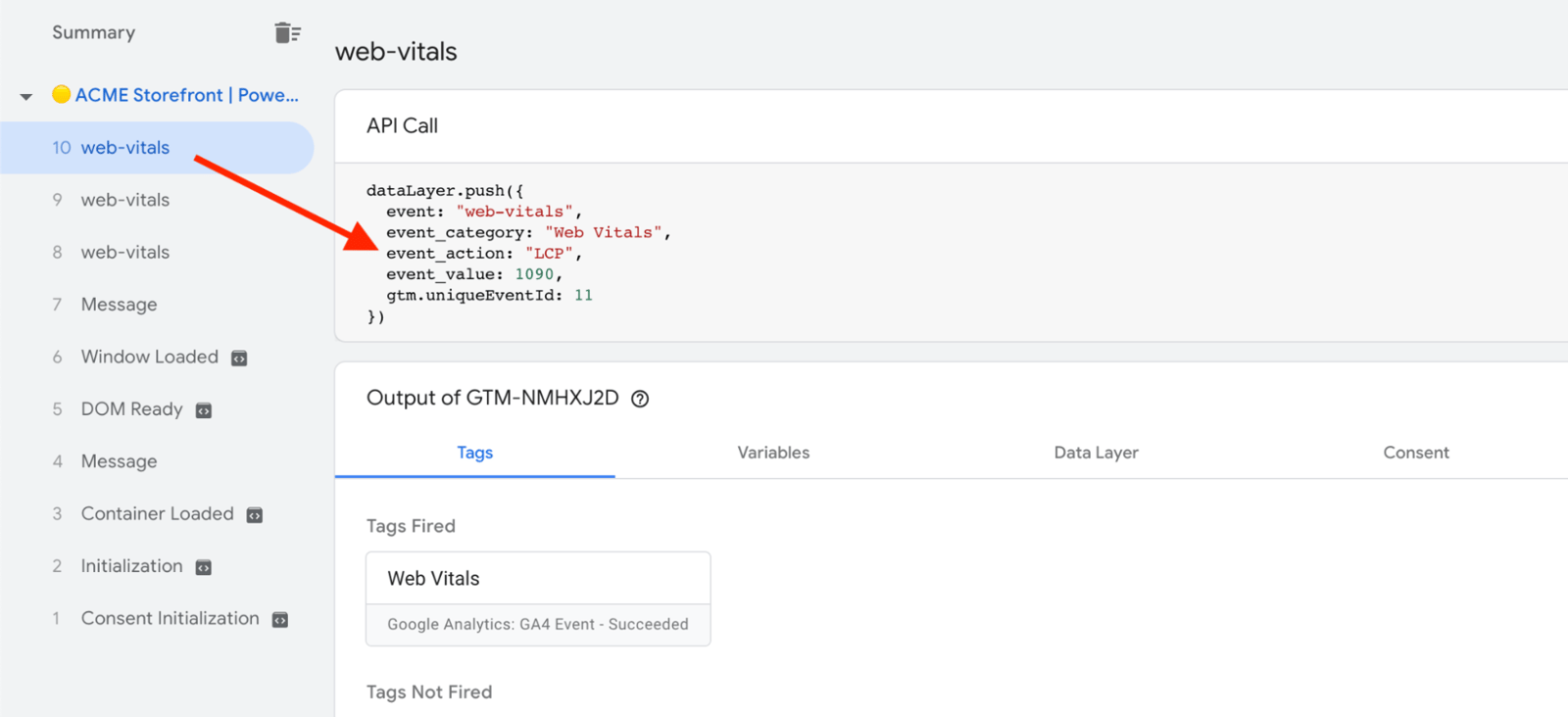
You should see events like this every time a web vitals metric is collected on any page.
Debug on GA4
To test your metrics on GA4, go to Configure>DebugView from the sidebar. You should see each metric on the timeline, and each metric’s value.
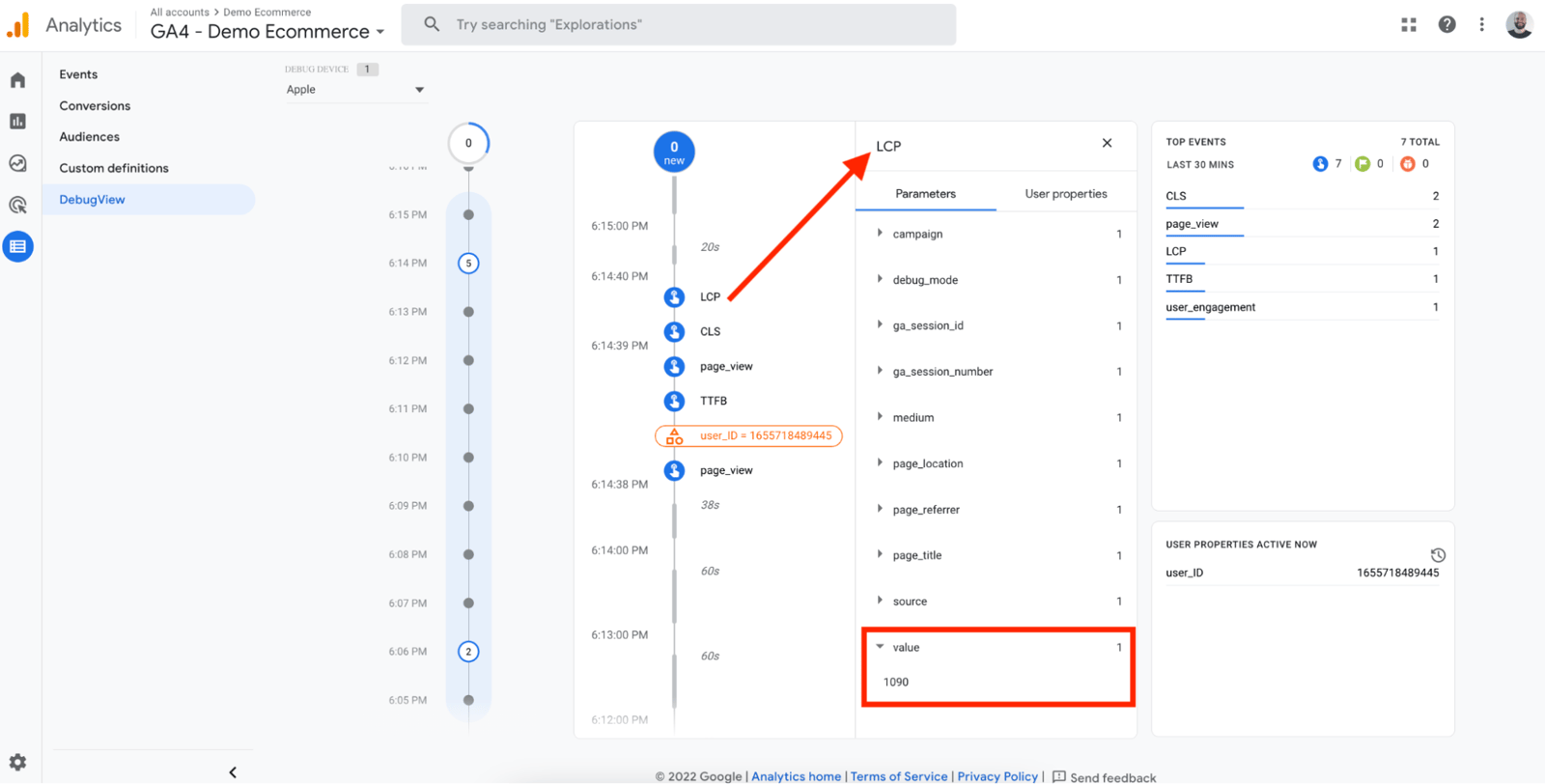
Congrats on setting up Web Vitals metrics in GA4 using Google Tag Manager and the Web Vitals NPM package.


