


Hello everyone! In this article, we'll look at why producing video content matters so much, what to pay attention to while creating it, and which free tools can make your videos more effective.
First, let's talk about what video marketing actually means. It's one of the more effective marketing methods for making a bigger impact on the audience for the products or services you offer. In other words, it means promoting your brand through video content. There are many ways to do this: a television ad, reel content on Instagram, or a short or regular video posted directly to YouTube. So how do you decide which one works best? That depends on the products and services your business offers, and the budget you allocate to video marketing matters too.
What to Consider When Creating Video Content?
We live in an age where the average person has an attention span of 8.25 seconds, exactly 4.25 seconds less than in the year 2000, and it keeps shrinking. With so many distractions competing for attention, you need to make your content short and striking, whatever type it is. For video especially, the first 5 seconds decide whether people stick around and keep watching. So what should we pay attention to when creating our videos?
Consider Your Target Audience in Platform and Content Selection
Identifying your target audience is the first stage of video content marketing. Without analyzing their interests and needs, you're unlikely to get much out of a video marketing strategy.
For example, if your target audience was born in the digital age, what we call Generation Z, you can closely follow current trends and use trending video formats.
According to the report by Morning Consult, 88% of Generation Z use YouTube more than any other platform, followed by Instagram at 76%, TikTok at 68%, and Snapchat at 67%. If your business targets Gen Z, you can build a strategy around trending video formats by prioritizing these platforms.

Keep Your Content Short
More than 90% of what we commit to memory every day comes through our visual receptors, which is why video marketing is one of the most effective ways to reach people today. That said, don't let your video drag on with unnecessary details, since that's a quick way to lose viewers. Keep it as striking, short, and engaging as possible, and you can build a video marketing strategy that holds people's attention instead of losing it.
Highlight Your Message in the First 5 Seconds of Your Video
In an era of easy access to information, distractions are just as easy to come by. So use the first 5 seconds of your video to open with something engaging, whether that's a compelling topic or a problem your target audience deals with. That's what pulls people in and keeps them watching to the end.

Pay Attenti**on to the Positioning of Your Logo**
Depending on the area you serve, where you place your brand logo is another important consideration. According to ‘Think with Google's research’, brands who want to emphasize their logo in the first five seconds of a video should place it in a product-related spot as much as possible. Research shows that this leads to higher brand awareness and recall.
For example, if you're creating video content for a mayonnaise company, you can highlight your brand logo on the mayonnaise bottle featured in your video. If your business doesn't have a tangible product to place a logo on, try positioning it somewhere that fits the services you offer instead. Either way, make sure your logo doesn't show up in more than one place.
Determine Your Story According to the Topic You Want to Emphasize
Depending on your industry, the message you want to emphasize and the story you focus on will vary too. Say you work for an insurance company: your story will likely center on 'thinking about possible losses in advance and taking precautions accordingly', while if you're preparing a video for a company that has introduced a new product, you can focus on a story about that product's benefits and what sets it apart.
Determine the Language to Build Your Stories
It's also important that the videos you create match your identity in the industry you serve. In a study conducted by Google, researchers found that users are more likely to watch funny videos, and that these videos performed better in terms of memorability and brand awareness. With that in mind, try using a fun theme when creating videos that highlight your services, but don't forget to bring your own creativity to each of these steps!
Create Videos that Target Your Audience
Before you create video content, spend time researching and empathizing with what your target audience needs and wants. By the end of that process, you'll have plenty of data to build your video content around. You might already have the solution to their need, but looking at it through your consumer's eyes and creating content in that context is what will set you apart from other brands in your sector.
For example, say you're a human resources firm that places the right people in the right positions. Start by putting yourself in the shoes of a new graduate waiting to be hired. Once you understand what they need, or how they'd prove themselves from that perspective, you're ready to start planning the video!
Regularly Analyze the Video Content You Share
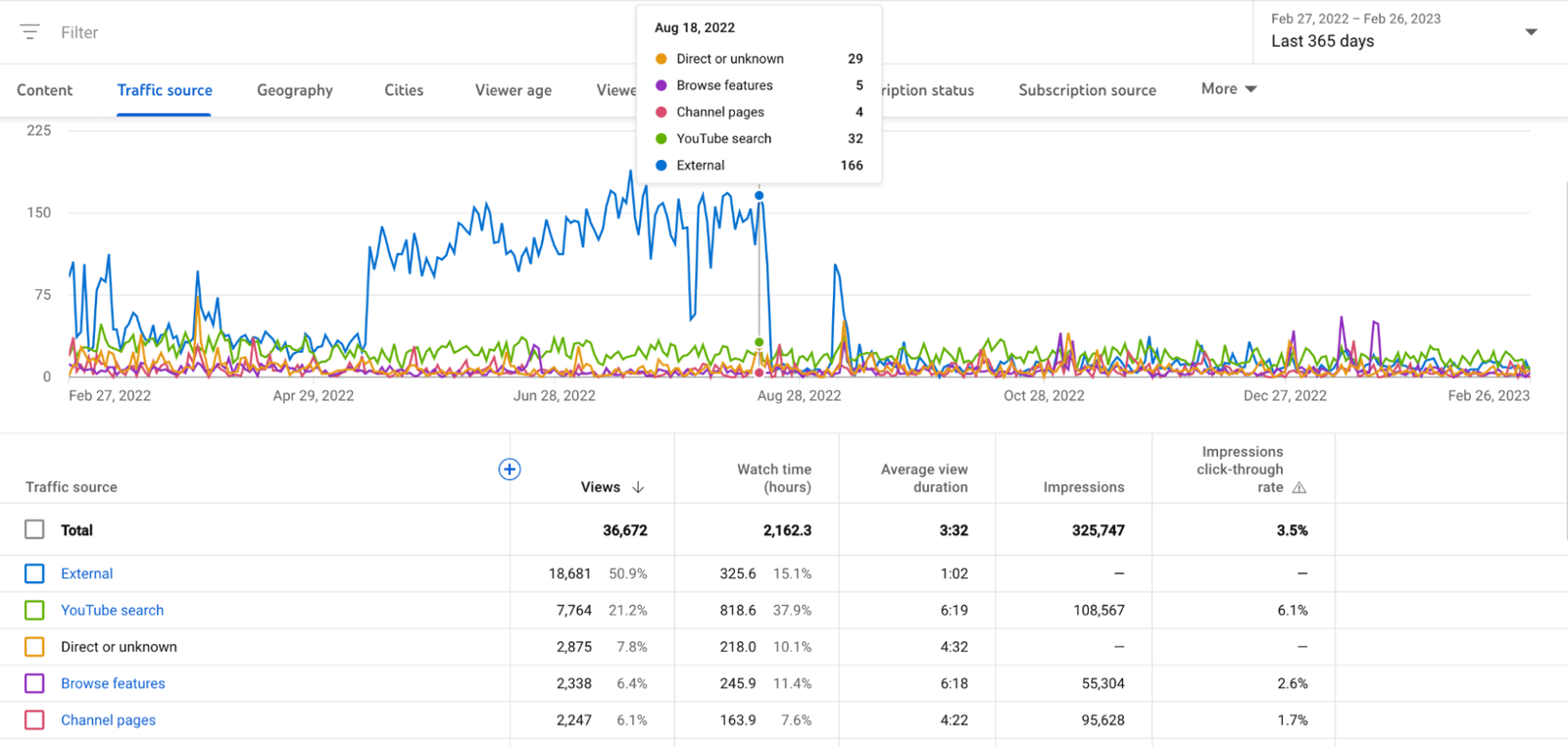
Measuring how well your videos connect with your target audience is an important guide for shaping your next video strategy. You can measure YouTube content with Youtube Analytics, TikTok content with TikTok Analytics, and the reels and stories you create on Instagram with Instagram's own analytics section, all for free. You can also visit our article for the best social media management tools.
Give Yourself a Grade
Give yourself a grade after each video strategy! Evaluate what worked and what didn't as objectively as you can, and build a report using the analysis from the previous step. Note what's working in the content that gets a lot of attention, and what's not working in the videos that get fewer views, then let that guide you toward the right strategy.
Best Free Video Creation Tools
As technology keeps advancing, the variety of digital media tools keeps growing with it, and that means we now have access to genuinely useful tools for free. In this last part of the article, we'll walk through the free video creation tools we've compiled, along with the other perks they offer.
Canva
Canva is a free, easy-to-use tool that I actively use myself. With Canva, you get ready-made templates suited to your social media strategy, plus the ability to create video content with easy editing tools, tailored to whichever platform you're preparing for. If you'd rather skip the templates and build your video from your own creativity, you can start from scratch instead.
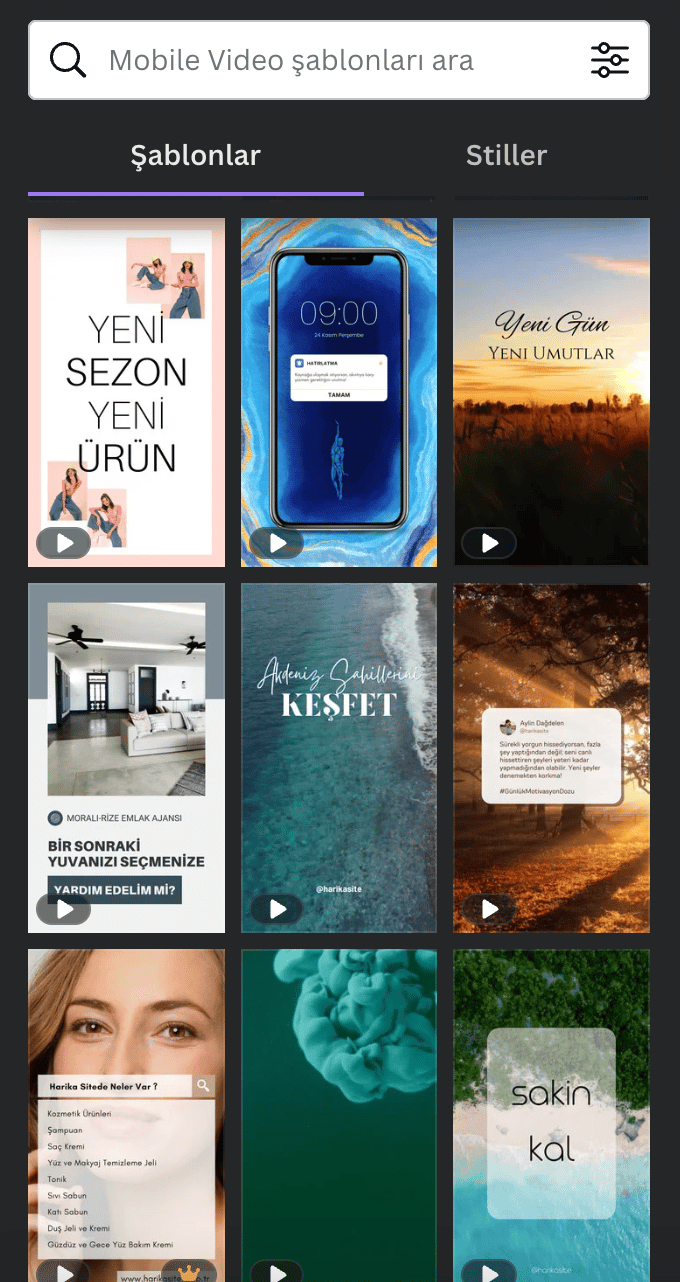
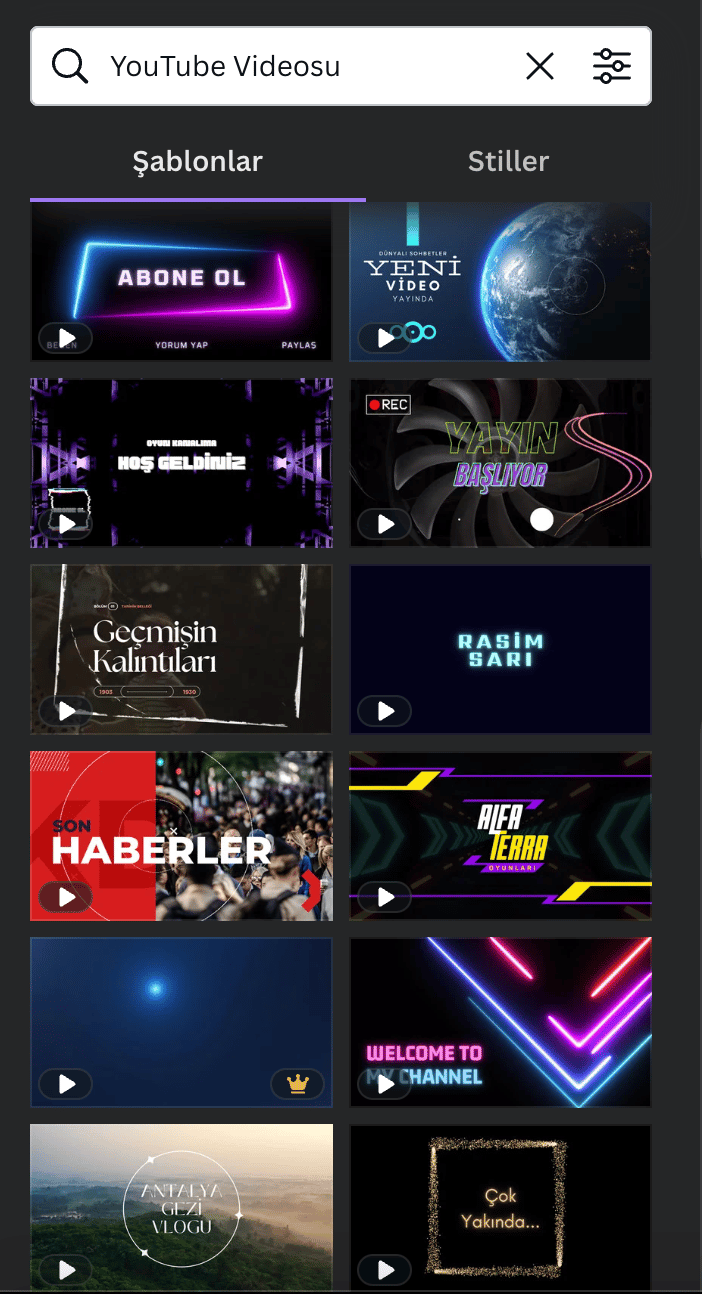
With this free app, you can edit alongside your friends at the same time and download your finished video clips for free. No surprise charges once you're done!
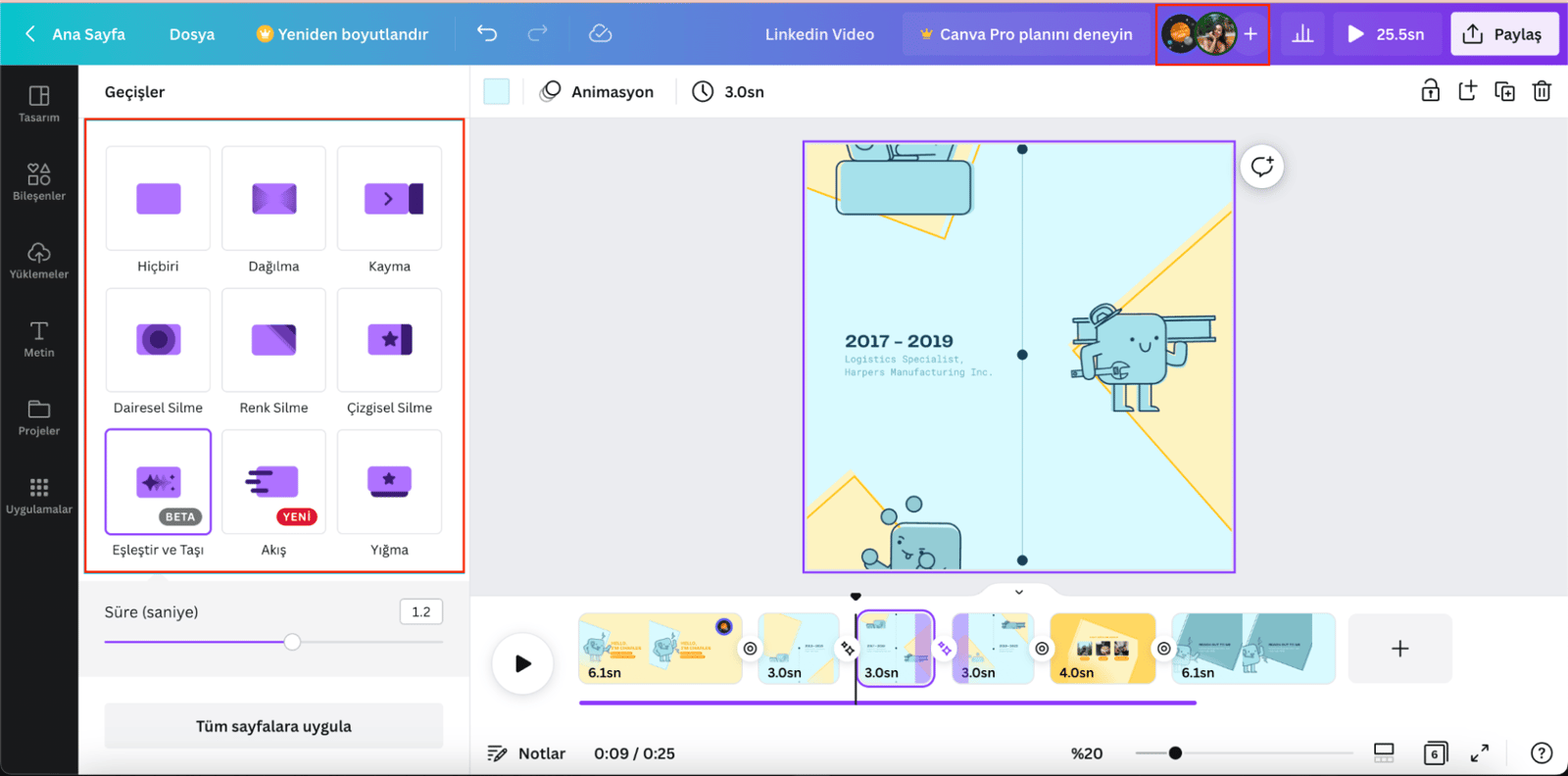
On top of the many transition styles available between pages, if you want to add music, you can pull tracks from the left-hand panel into Canva's library and drop them wherever you want in your video. You can use that same section to add an image or an external video too.
PS: Some ready-made Canva templates come with music already added, and you'll need Canva Pro to download videos made from those templates. When you're adding your own music, check whether the tracks you pick are included in the free plan.
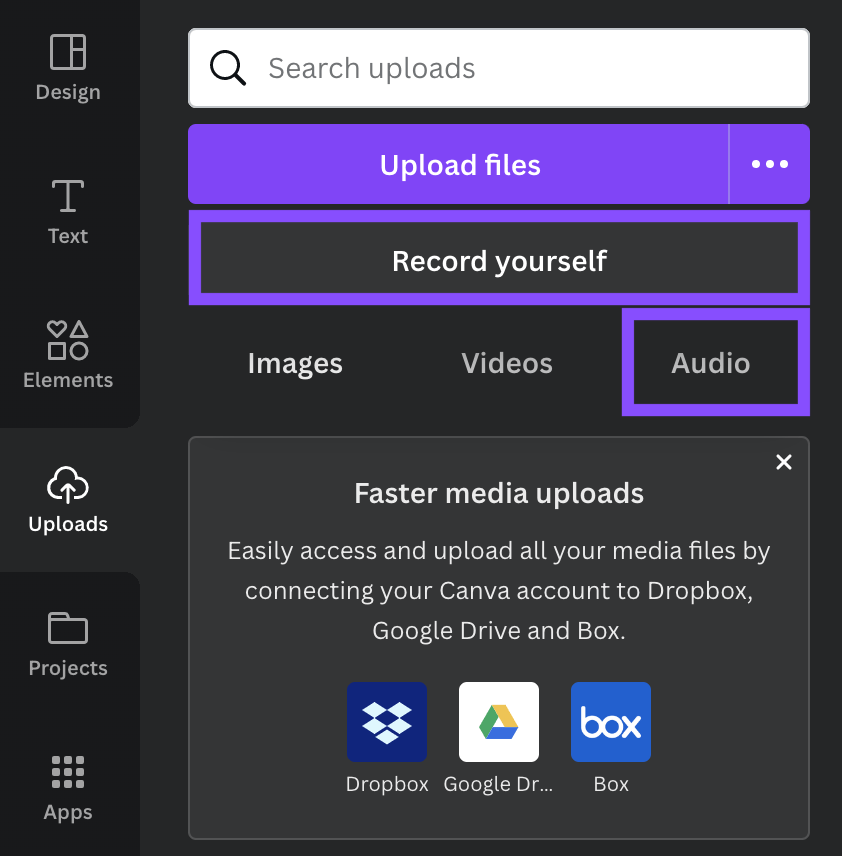
You can record your video with audio and your narration in the ‘Record yourself’ section in the image above. For example, if you're preparing a video for a presentation, adding your voice and narration style will grab more attention than a monotonous video made up of just visuals and icons.
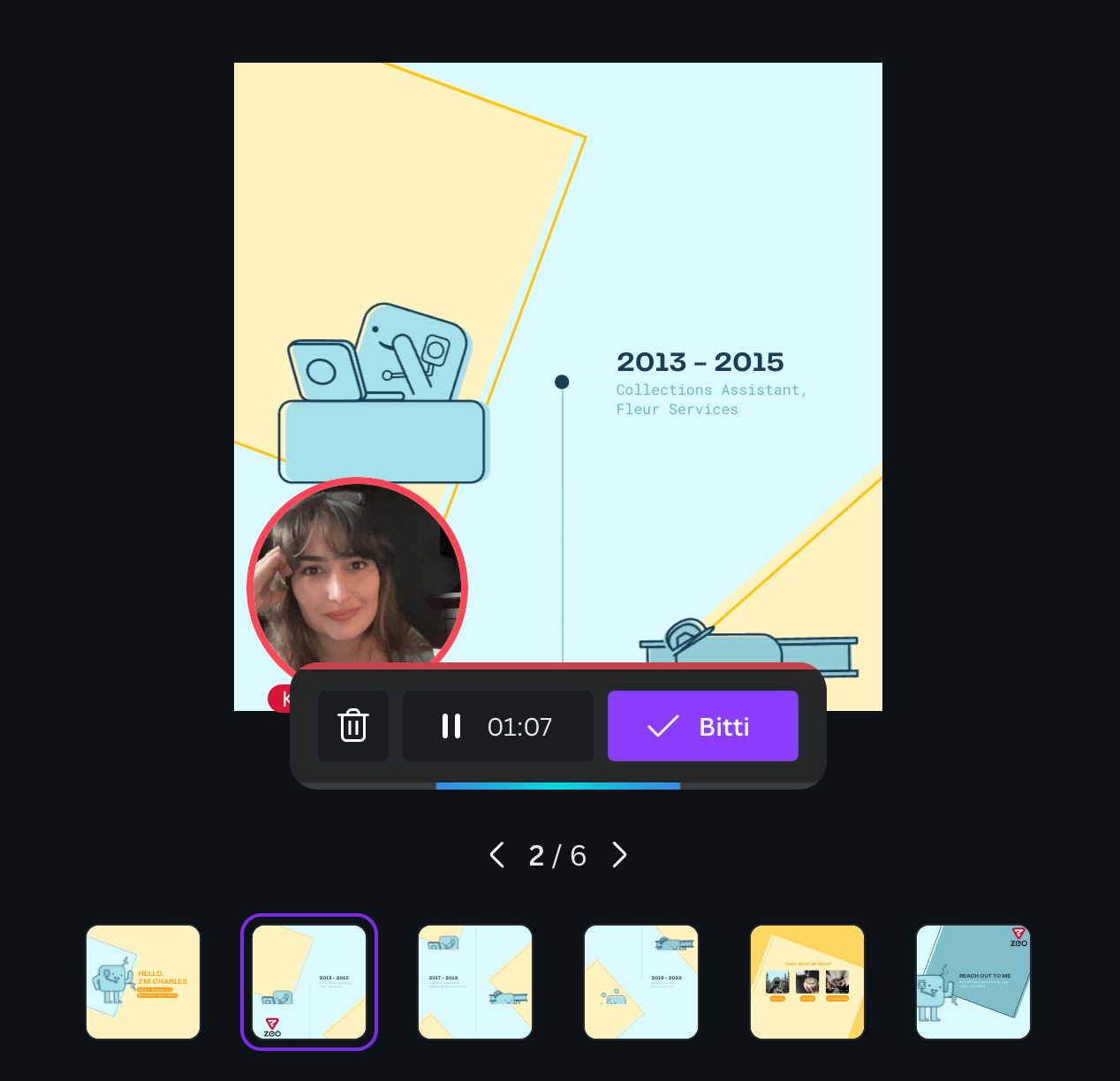
You have the freedom to record yourself at any point in your video. You can add a quick statement about something you want to draw attention to in the middle and then continue your video as normal, or you can record yourself at the end and close it out. This feature of Canva is currently available for free, but we don't know what will happen next :)
Some templates on Canva are part of the premium tier, and if you want to go premium and use everything without restriction, you can make that happen for 99.99₺ per month. Canva also has a separate payment plan for team use, priced at 134.99₺ per month for 2-5 people. That said, my take is that you'll get a lot of value even without Canva Pro. After that, it's up to you! Ready to put your creativity to work and give your business some breathtaking videos? Click here to start trying Canva for free!
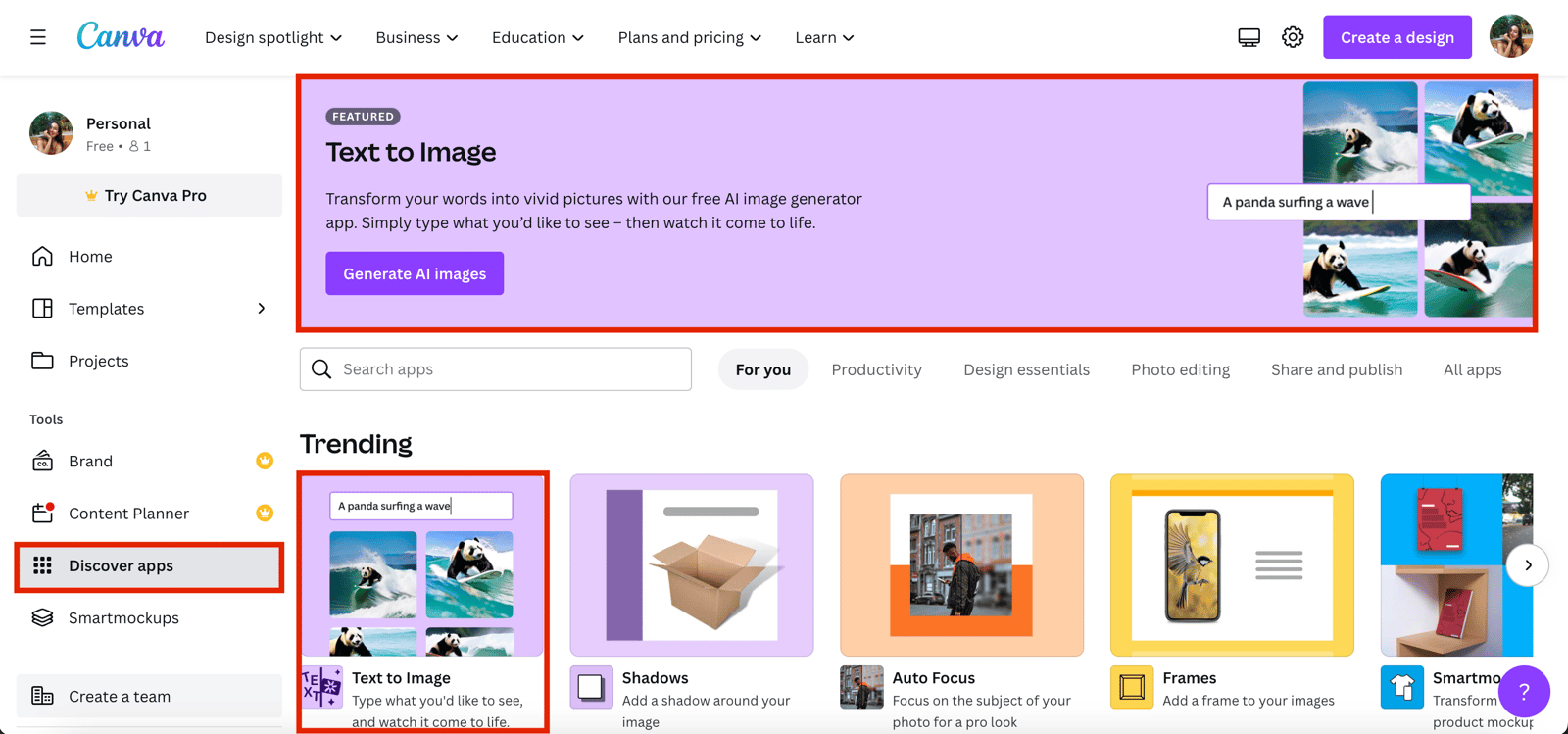
BONUS: Canva has started to provide augmented reality (AI) services for people who know no limits to creativity! While creating your videos, you can have Canva render the image that comes to life in your mind by transcribing it into text, making your video unique. With AI on the rise, you can use Canva's AI-powered area to create a design that's entirely unique to you, and it's completely free for now. So how can we do this? On the page that opens after clicking on the "Explore Apps" section on the Canva home page, you take the first step to creating your dream images with artificial intelligence by clicking on the "Create an image with AI" section.
Afterward, you can start creating AI-powered visuals for your video content by selecting the "Video" section (shown in the image below).
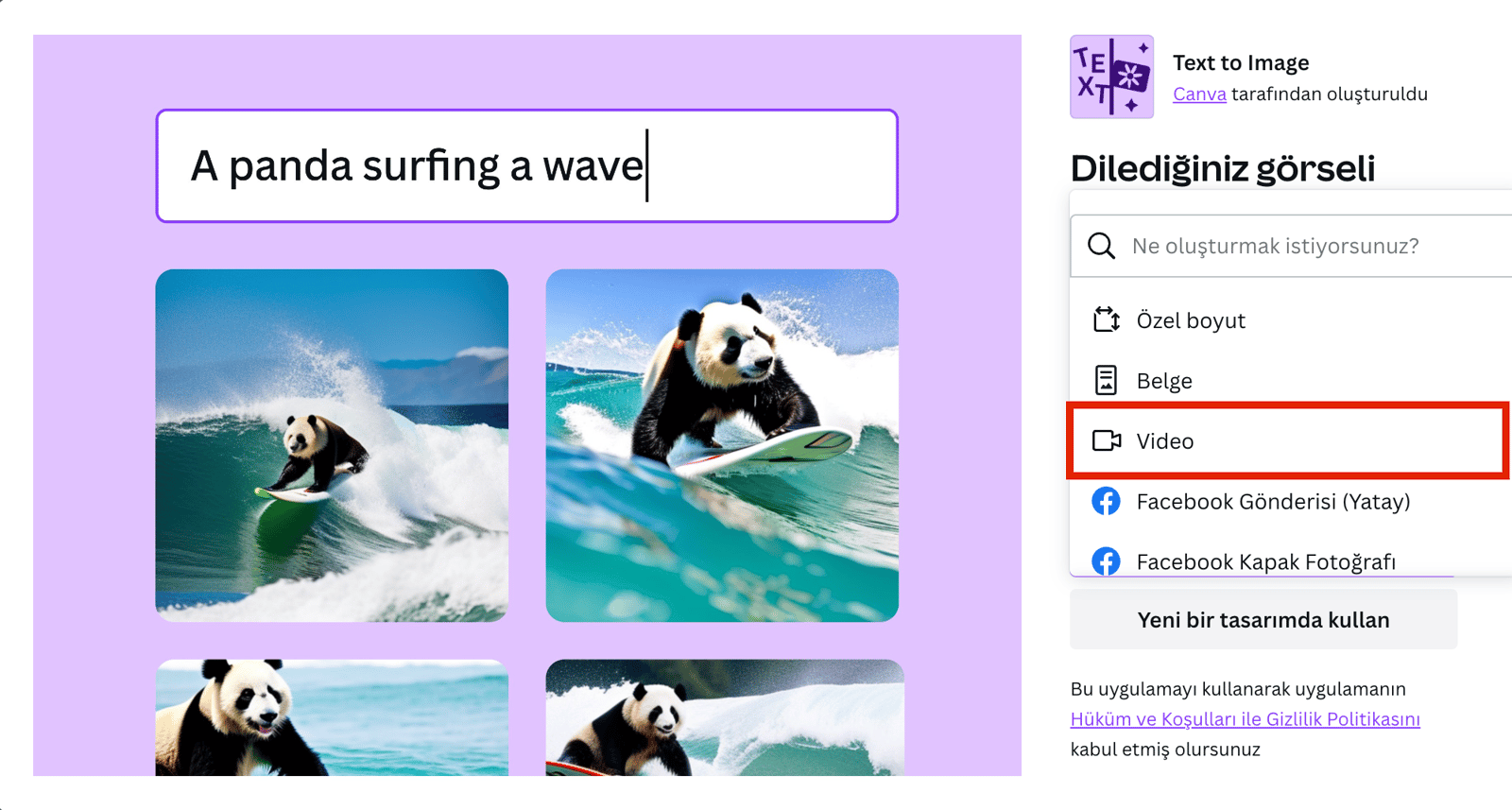
Let's take a sample image of robots and aliens playing football on the moon. In this section, it's important to write a clear description of the image you want to create. Once you've written a detailed description, you can access images that best match what you wrote in a short time.
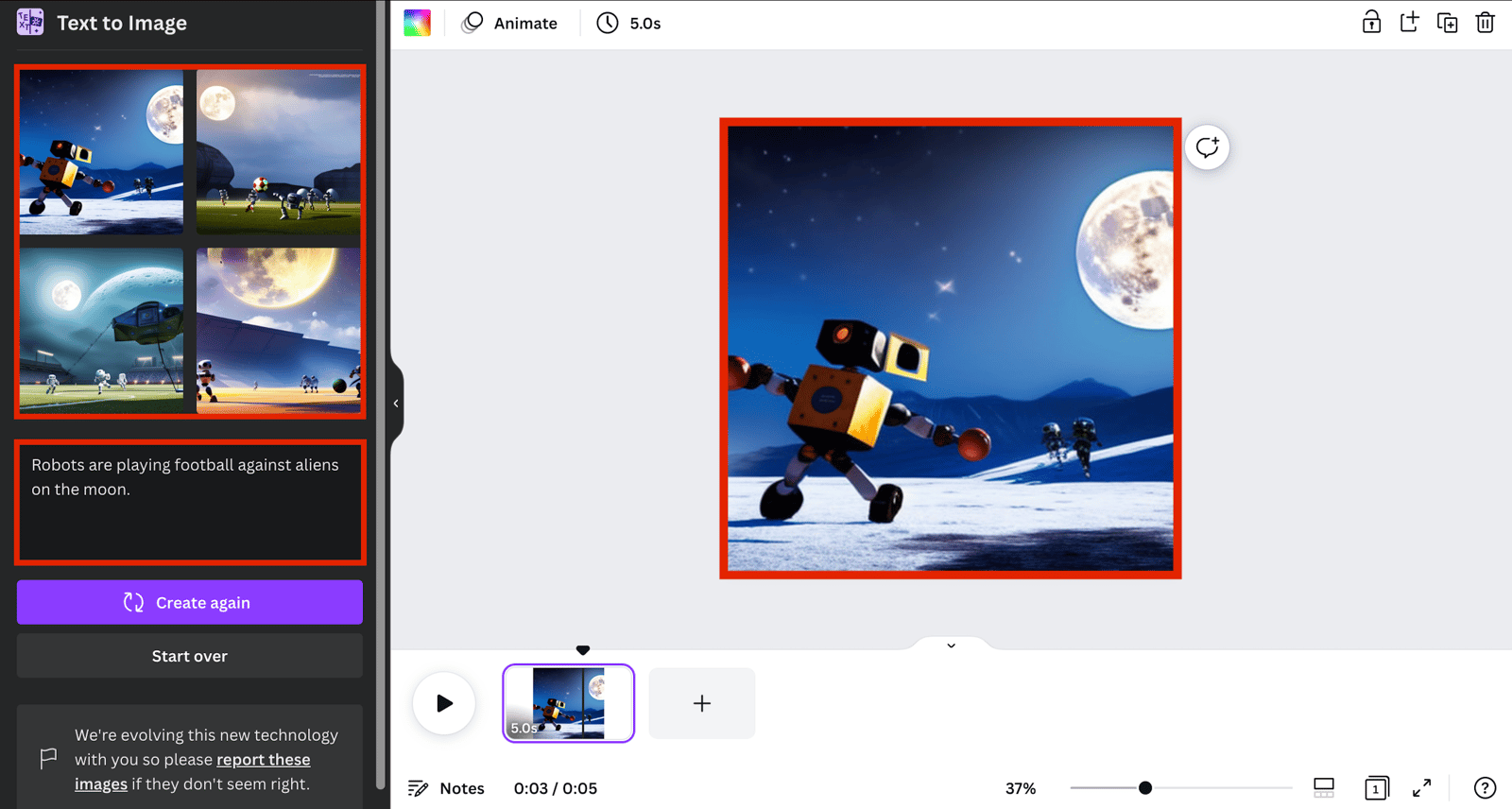
On top of that, you can also edit the style of the image to be generated by AI and the dimensions you want in the section below. This feature, which has many variations, will add variety to your video content.
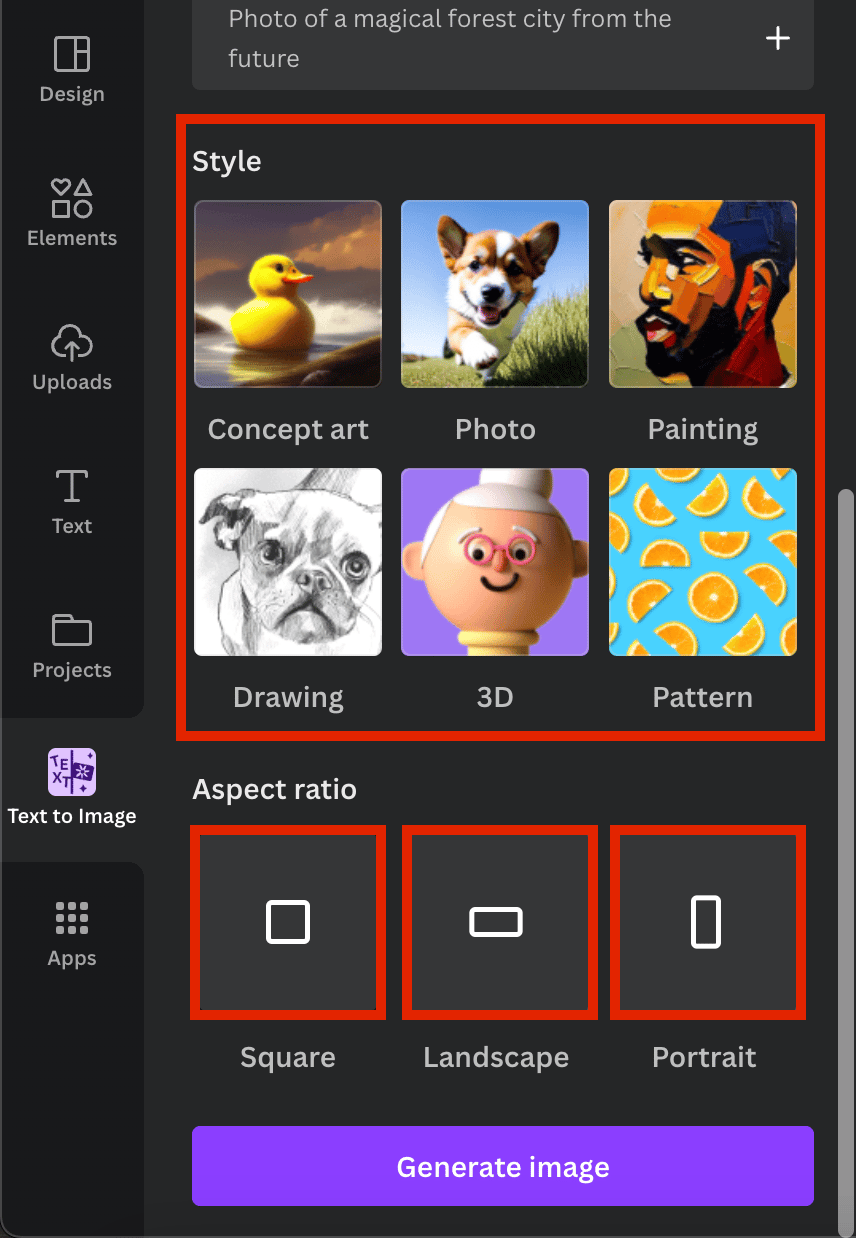
With Canva, it's that simple to create content nobody else has made before. The only drawback is that the text you prepare for the image you want to create is limited to 280 characters. That said, I believe the character limit will increase over time and many new features will be added. You can click here to start trying it now!
Adobe Express
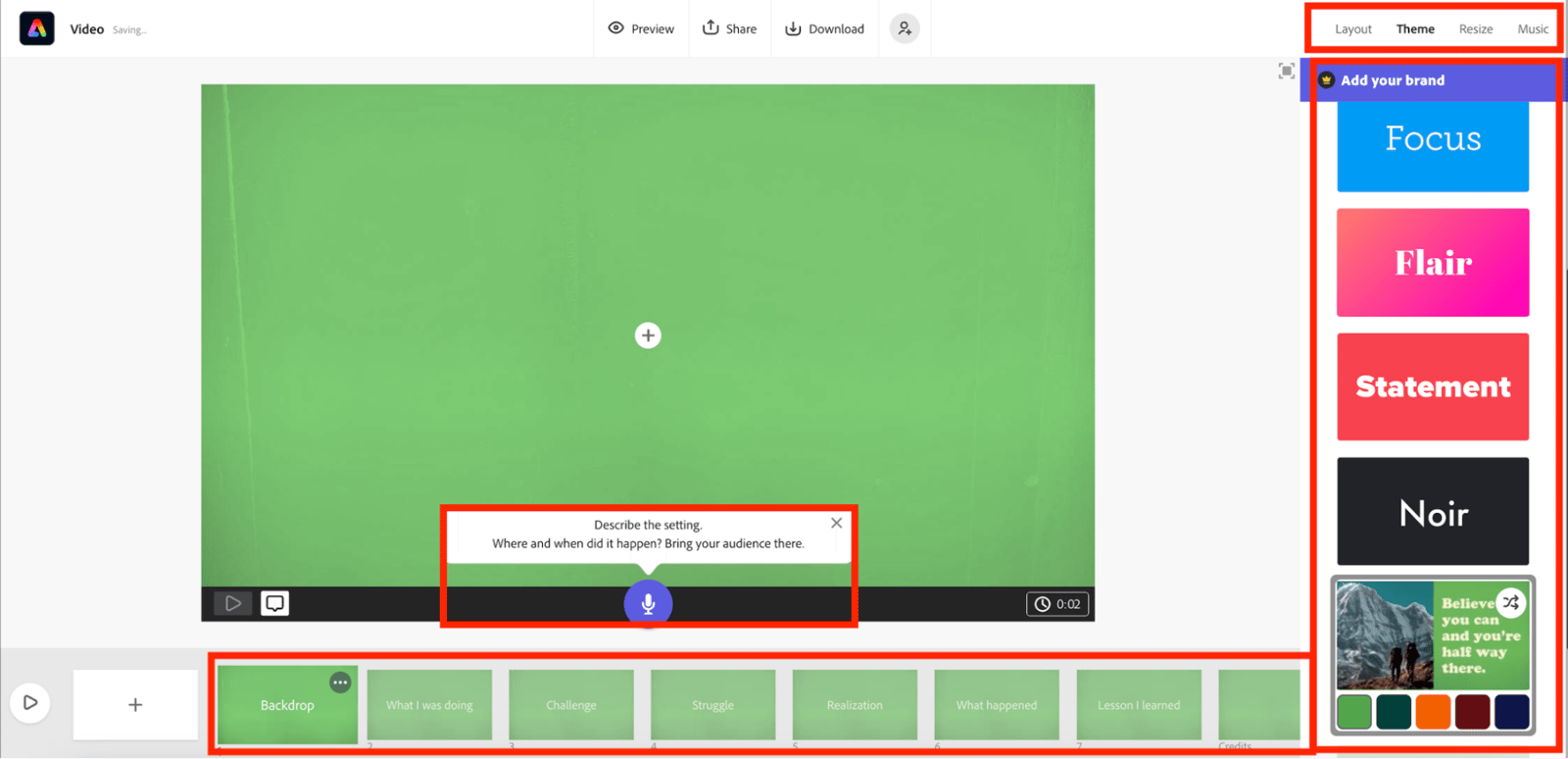
Adobe Express, like Canva, is another tool that lets you create videos for free. When you first open Adobe Express, you'll see the interface below: a library of your previously imported images, music, and videos on the left, and a quick-action area at the bottom. That area makes it fast to cut your video, change its speed, or merge two videos together.
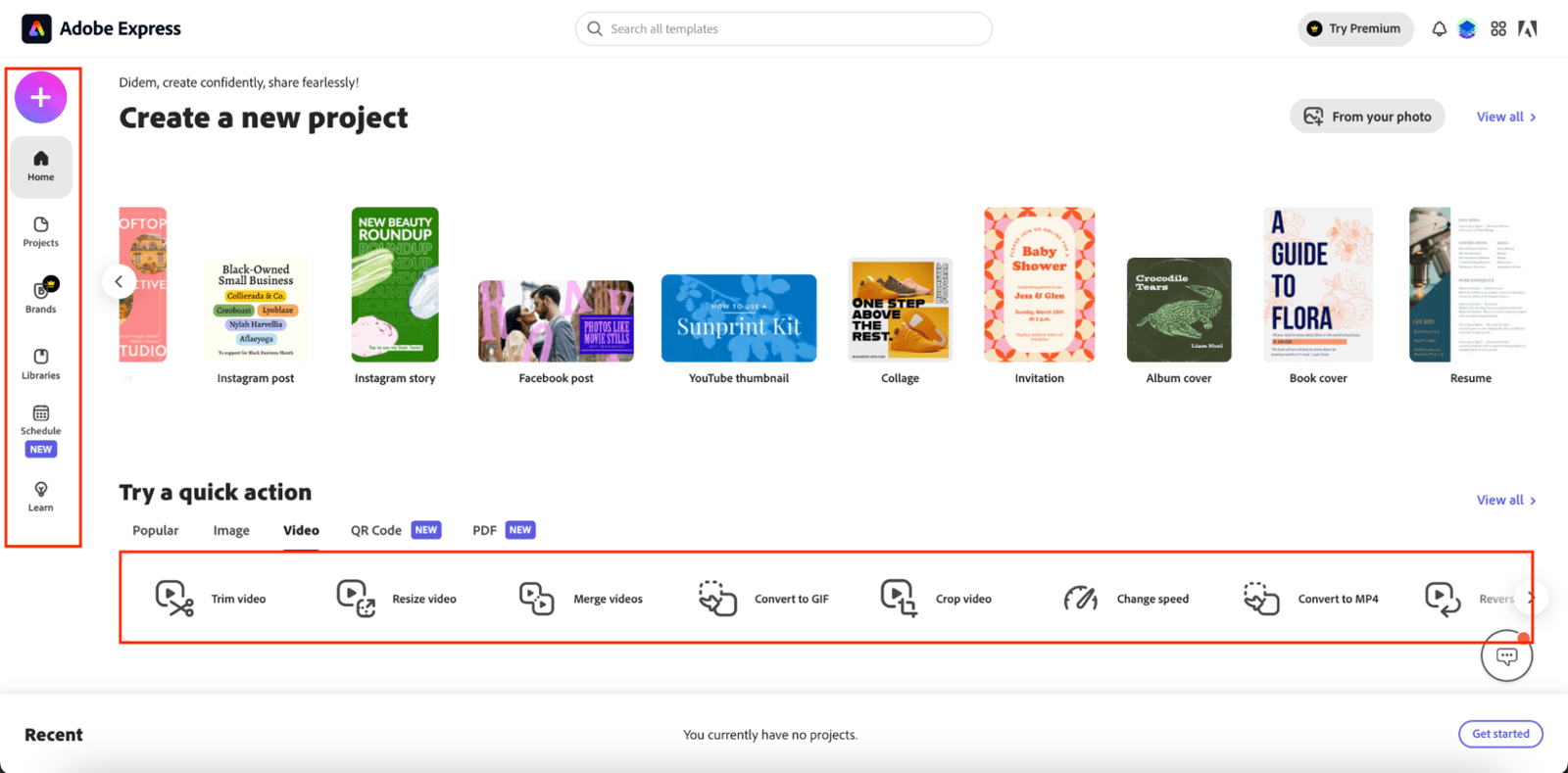
Adobe Express also offers a large number of ready-made templates to make the video-making process more practical, though page load times are slower compared to Canva.
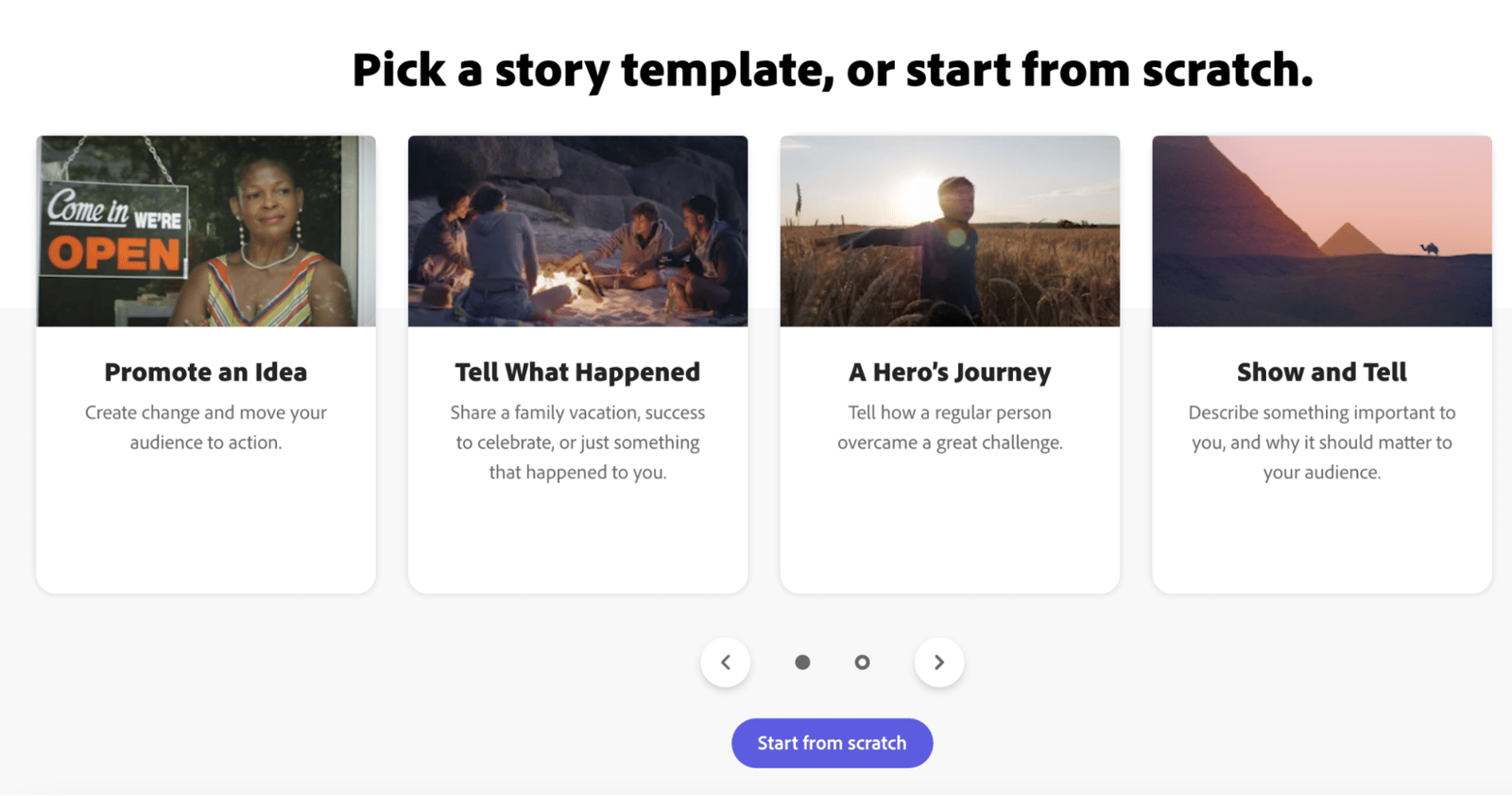
Once you choose the template that best suits your story, you can see what you need to talk about on each page, depending on your choice. You can also choose the theme that best suits the video you want to create from the area on the right. Likewise, you can add music or resize your video from the area on the top right. You can also record your voice from the audio recording section in the center of the image and build your video with storytelling.
If you'd rather not use a ready-made template, you can build a video however you like by selecting the layout option at the top right and choosing the kind of layout you want to use.
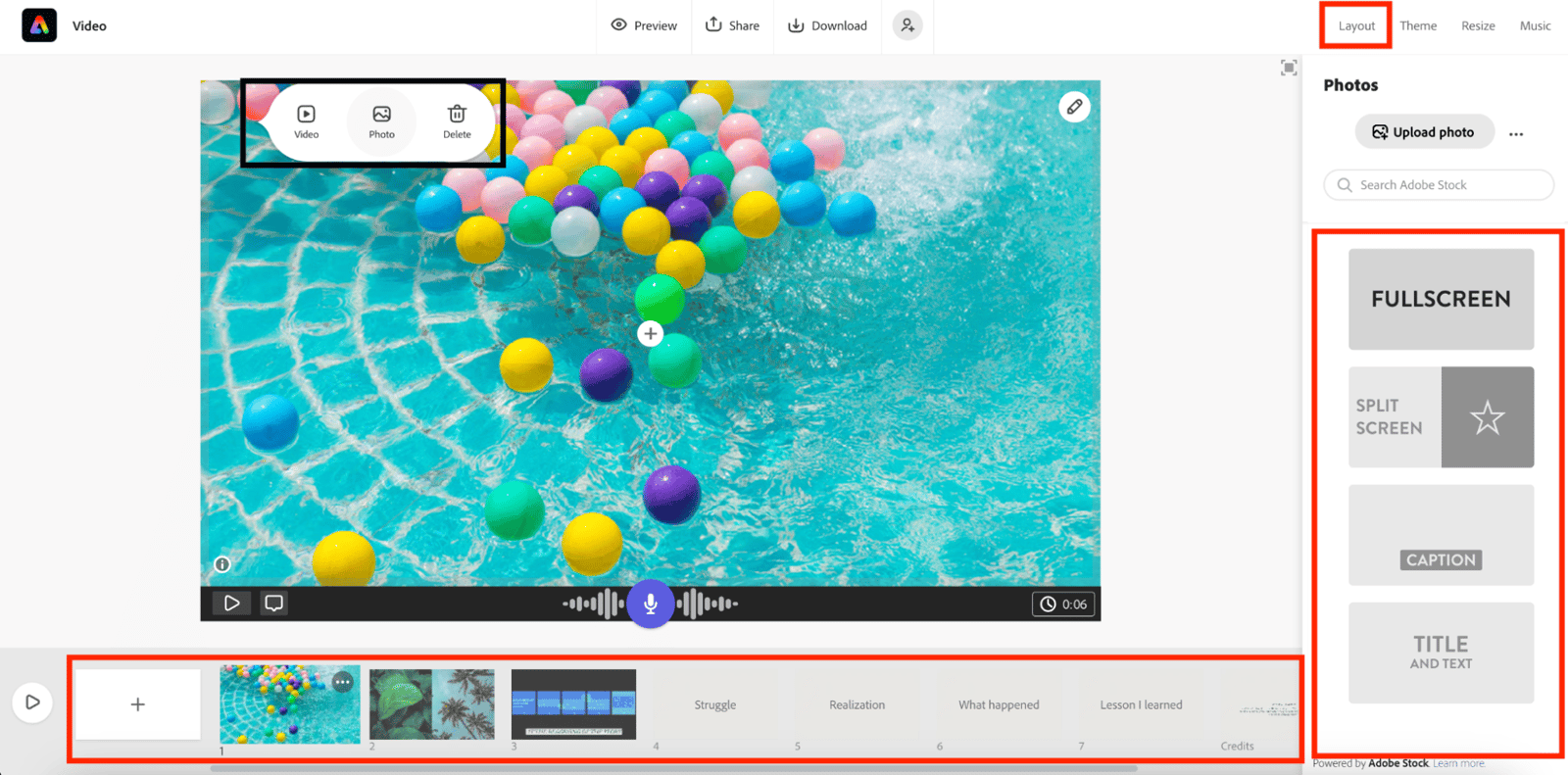
On some pages, you can use free stock photos from Adobe and add background music, while on others you have the option to use a ready-made video and record it with your voice in the background. You can add text to any part of the page, and some pages can be split in half. It's all up to your creativity, and it's completely free! If you want to buy the premium version of Adobe Express, you can have it for 62,68₺ per month. You can click here to try it for free.
CapCut
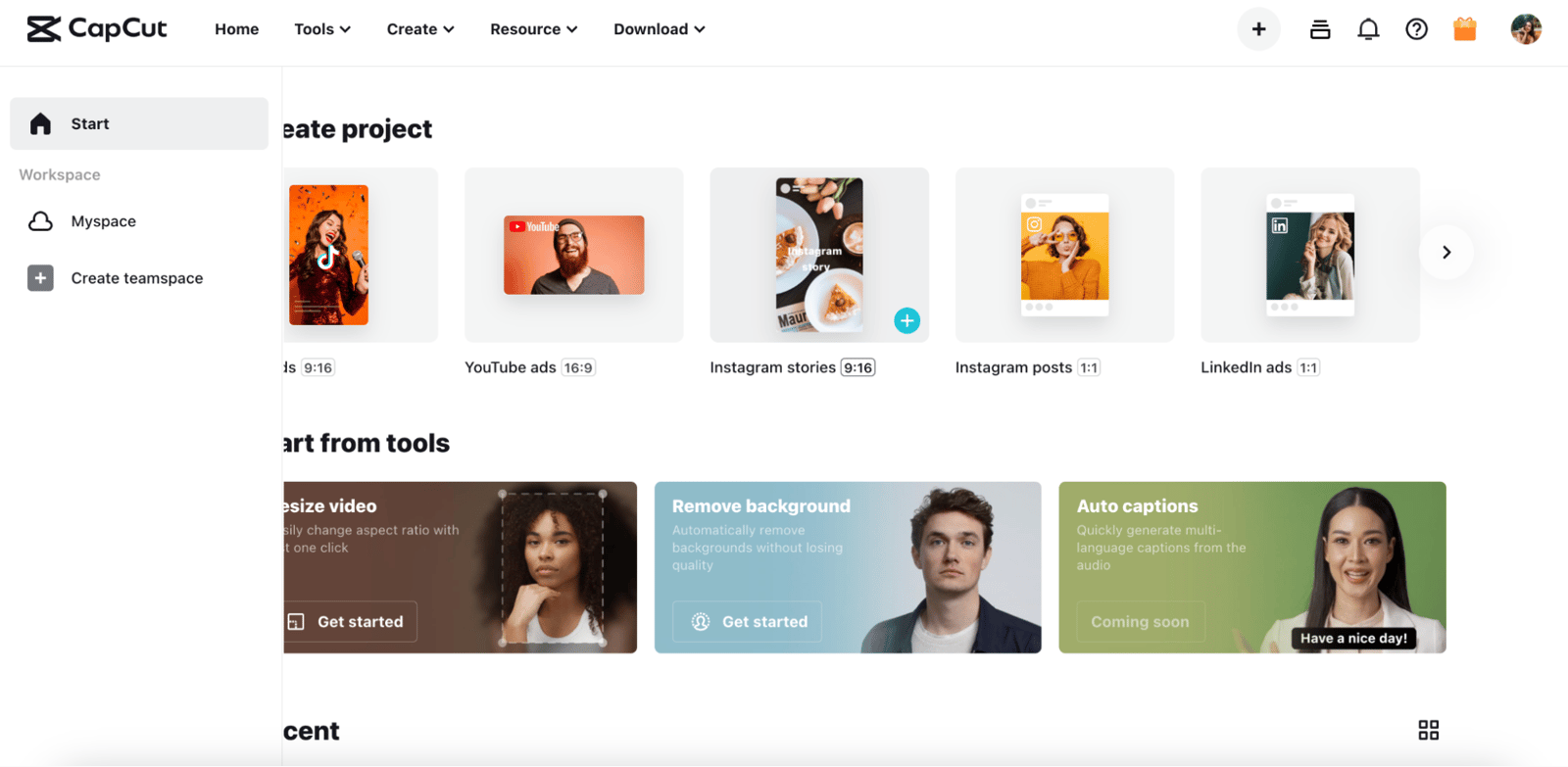
When you first enter CapCut, you're greeted by an interface like the one below, and after you choose the size according to the platform you want to create a video for, your video creation adventure begins! In this article, I'm assuming that I'm creating a video for my Instagram stories, and I'm clicking on that part.
Then I select the stock videos I want from the field that opens, edit them as I wish, and continue by adding music to the background. Of course, each stage has plenty of detail. For example, with the noise reduction option in the music I add, I can remove unnecessary buzzing in the background, and from the speed section, I can increase or decrease the music according to the speed of my video. I can also edit the music of the stock videos I add differently and apply special effects to some places.
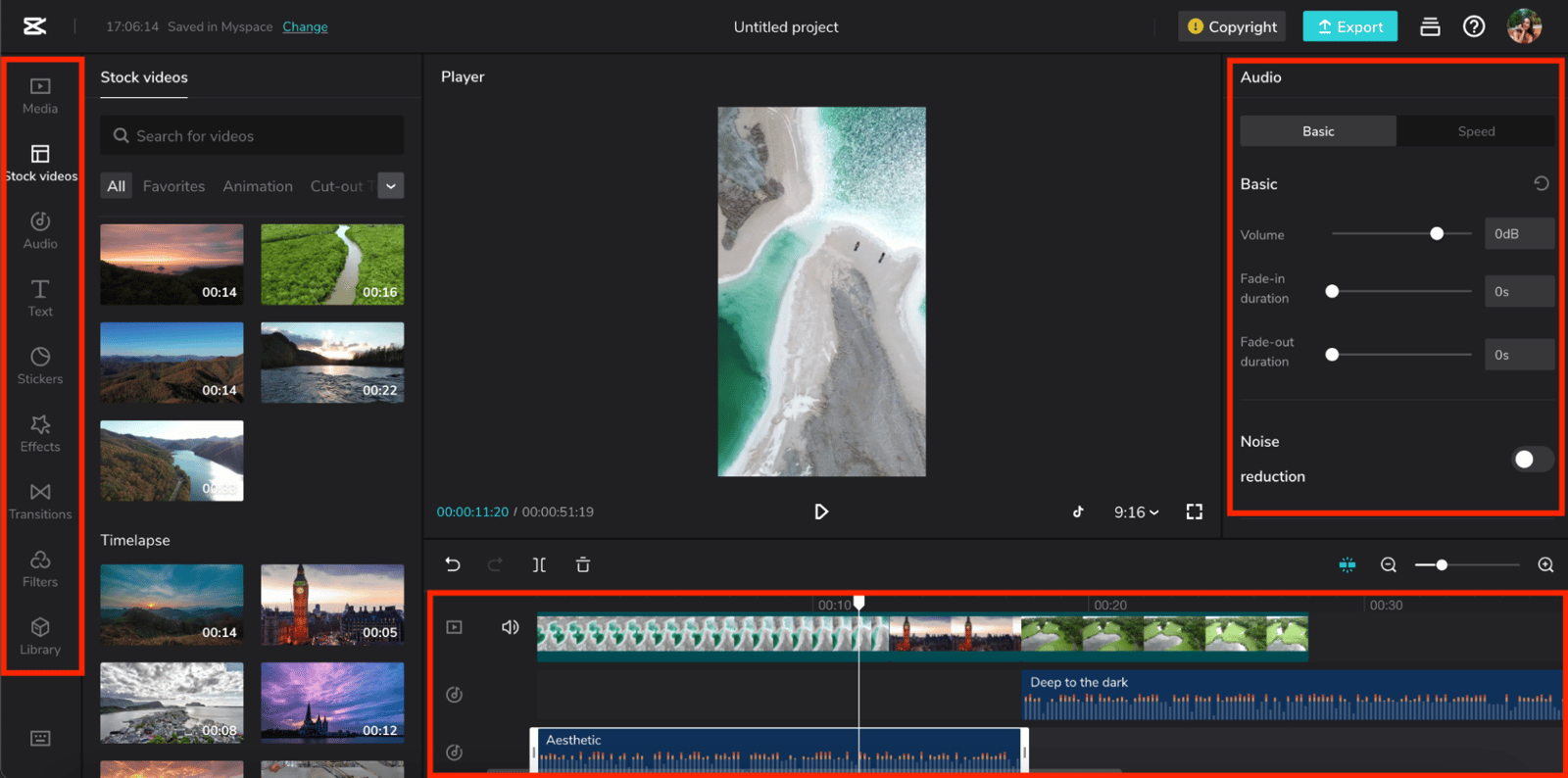
CapCut is the ideal platform to edit transitions between videos with its many alternatives and apply effects and add text and stickers to videos. Once you've done all this, you can proceed to the free download. You can click here to try it for free.
In this article, we covered the things to consider in video marketing and the best free video tools you can use. I hope it was useful. See you in our next blog posts! :)


