


Log analysis is one of the more advanced parts of technical SEO, and it plays a big role in improving your website's structure and untapped opportunities. That said, how you make sense of the data log analysis produces matters just as much, because not every data point from a log file leads to a clear, action-oriented insight.
What is a Log File?
A log file is where the actions of every source sending requests to your website get recorded together. Because this data accumulates daily, it also supports analysis over a longer period of time. Some server providers don't keep the log file active by default, so as a website owner, it's worth checking with your server provider about what happens to your log file.
The log file must contain some information in itself. These are; IP address, date, request type, response code, source information, page, and address that made the request.
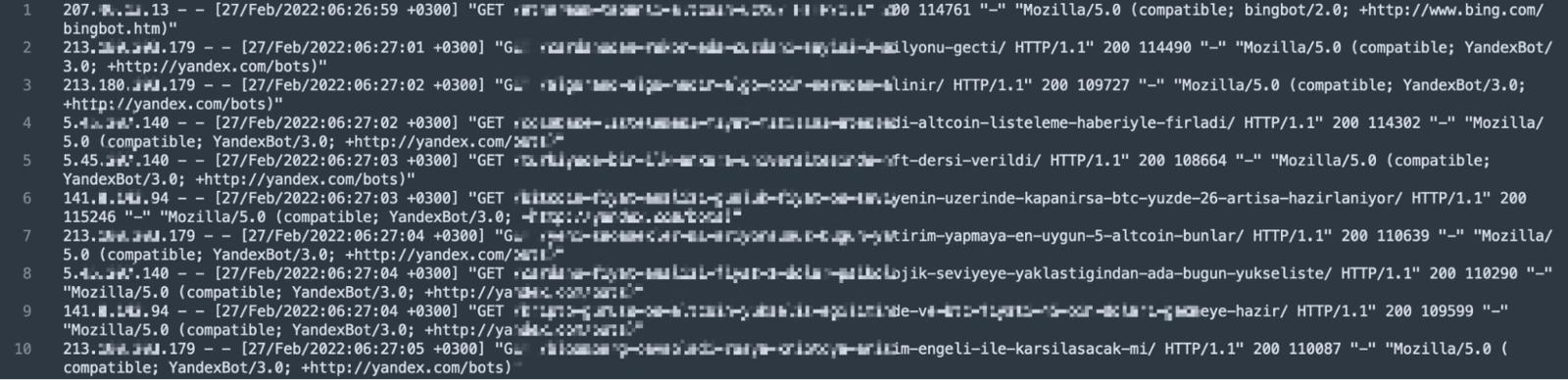
With that in mind, here's what a sample log entry looks like: 123.45.67.67 - - [27/Feb/2022:22:26:49 +0300] "GET /log-analizi-nasil-yapilir/ HTTP/1.1" 200 115387 "-" "Mozilla/5.0 (compatible; Googlebot/2.1; +http://www.google.com/bot.html)".
What is Log Analysis?
Log analysis shows you the requests that search engine spiders send to your website. That data lets you analyze how often the site gets crawled, which bots show up most, and which response code the page returns for each request. With this information, you can take action and make decisions based on data instead of assumptions. We covered log analysis for SEO in more detail, along with video content, in an earlier piece you can find here.
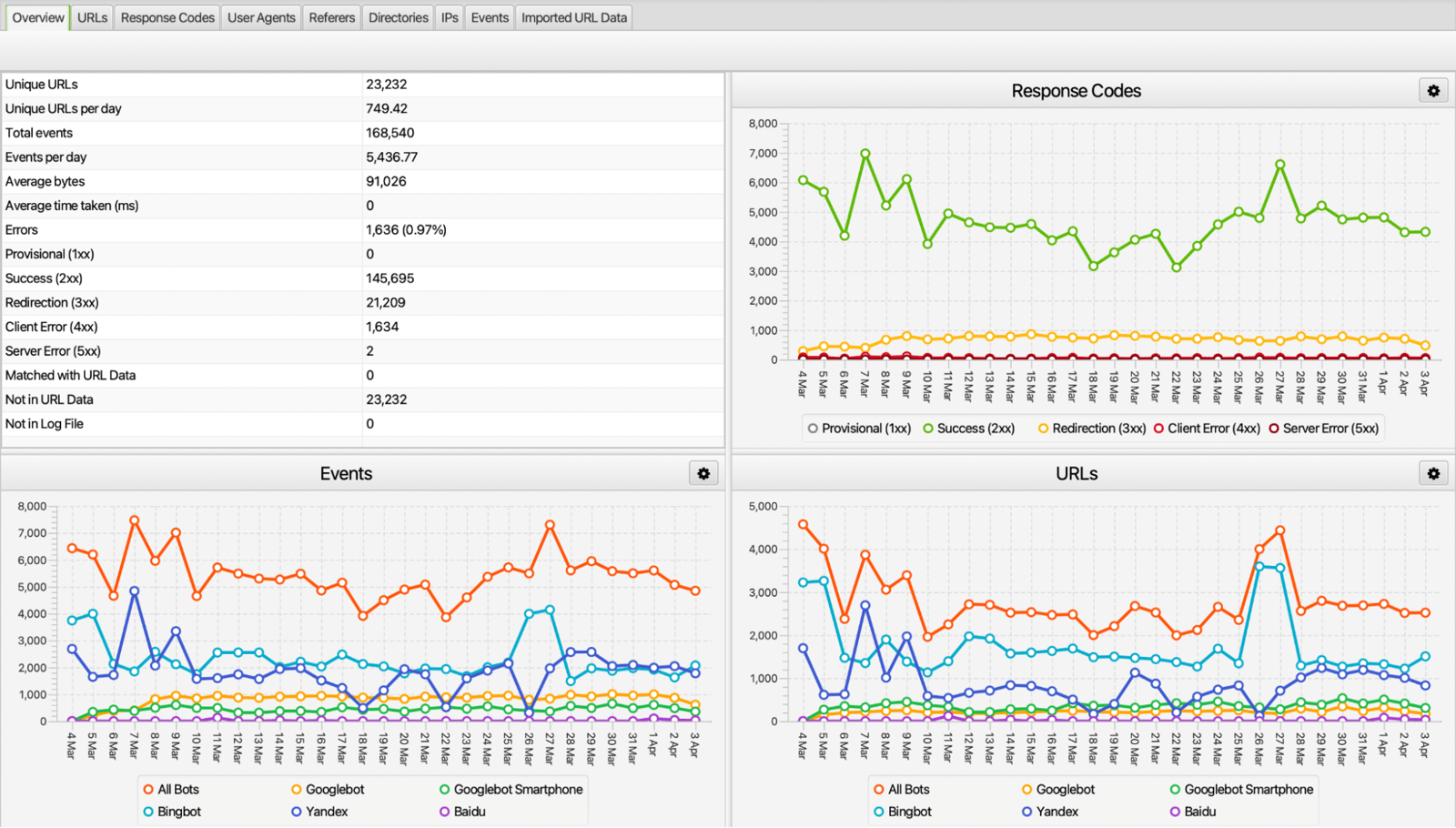
When you perform log analysis, you can dig into the details by analyzing the files day by day. Doing that gives you outputs such as the following.
- Which pages or file types get crawled frequently, and which don't.
- Which response or error code each page returns when requested.
- Crawlability checks.
- Crawl budget optimization.
- How much importance crawlers assign to different pages, based on how many requests they send.
What is Crawl Budget?
Crawl budget refers to the time search engine bots spend crawling and re-crawling the pages they've indexed on your site. Because of that, crawl budget isn't the same for every site.

In short, it's the effort bots put into crawling the number of URLs on your website. Reducing that effort is what we call crawl budget optimization, because when bots skip the pages you're not targeting, they use the crawl budget allocated to your website more efficiently.
10 Tricks of Log Analysis with Screaming Frog Log Analyzer
The Screaming Frog Log Analyzer has many sections, and each one analyzes the data from a different angle. The overview section alone gives you the number of requests from crawlers, how many URLs they hit, what status codes they return, and the number of unique URLs. Beyond that, it's just as valuable to dig into the other sections.
1. Reviewing User Agent Requests
Your website gets requests from many crawlers, such as Googlebot, YandexBot, bingbot, and Baidu. Ideally, these should be the crawlers of the search engines your users actually prefer. For example, if hardly any of your users come from Bing, but your log review shows bingbot sending a lot of requests, that's a signal you should take action.

You can increase Bingbot's Crawl-delay value to make it visit less often, or turn bingbot off from the robots.txt file entirely. That stops a user-agent that isn't contributing to your website, and is receiving unnecessary requests, from spending your crawl budget.
2. Response Code Checks
Every request to a URL on your website gets a response code, and each code tells you something different. A 500 response code, for instance, points to a server problem, while a 200 means the page opened without any issues. Log analysis lets you draw conclusions from these response codes. Say you recently redirected your AMP pages to their main versions with a 301: in that case, requests to pages containing /amp may run quite high.
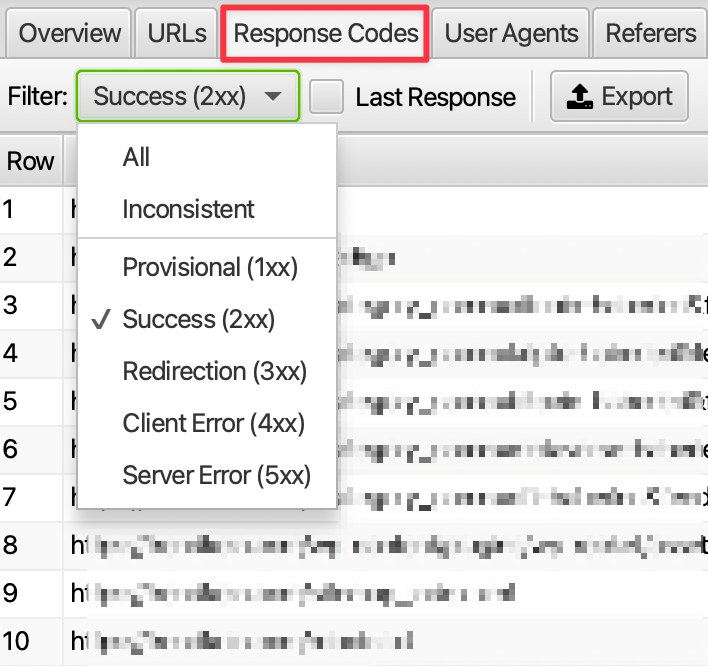
If these URLs aren't in the index, you can cut down on the unnecessary requests by turning off crawling for them through the robots.txt file. Depending on what the log outputs show, different situations may call for different, specific actions.
3. Analyzing the Number of Requests
You can identify the pages where crawlers send the most, and the least, requests. With source filtering in particular, you can narrow the view to just HTML or images and see the total number of requests for a given date range.
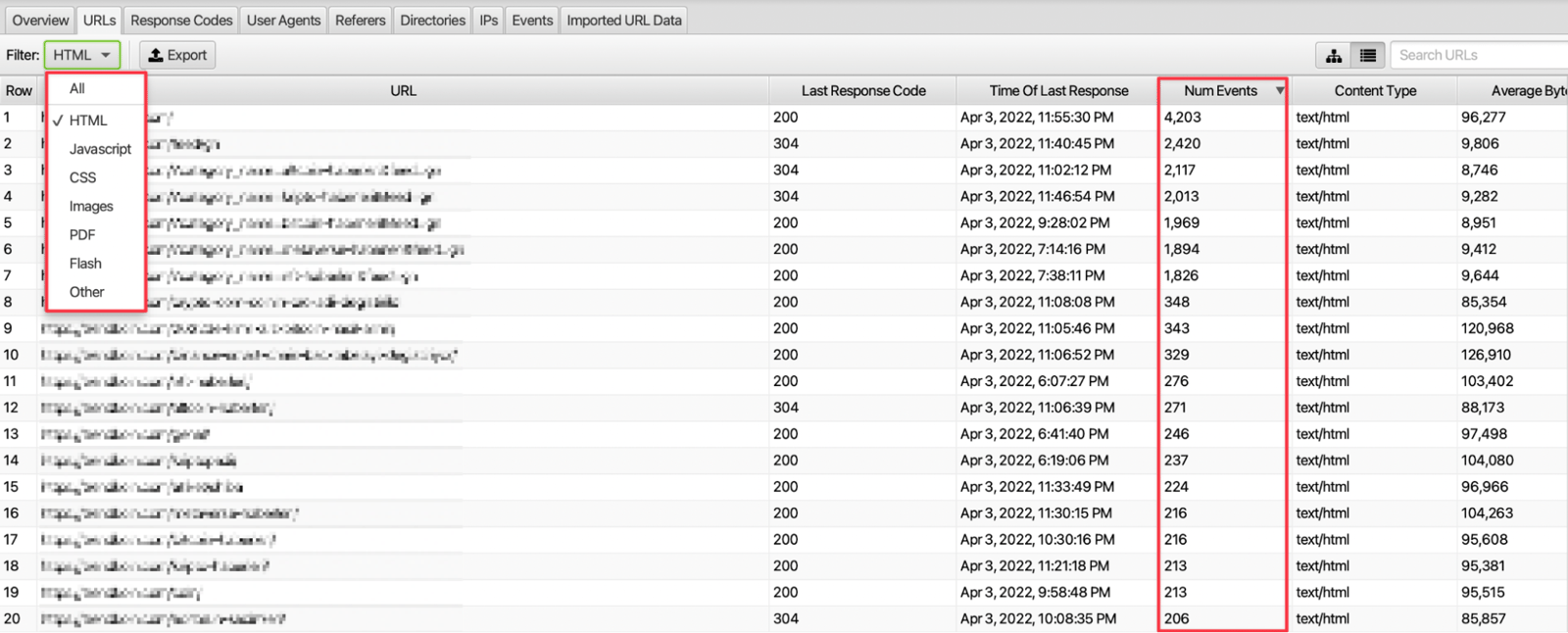
Analyzing request volume this way shows you which types of resources search engine spiders are sending more crawl requests to.
4. Analyzing The Browsing Frequency of Pages
You can see how often your pages get crawled, broken down by user-agent and status code. Scroll the URLs screen to the right, and you'll also see which bots are sending the most requests to those pages. The Response Codes section, meanwhile, shows which response code shows up for requests to the relevant URLs.
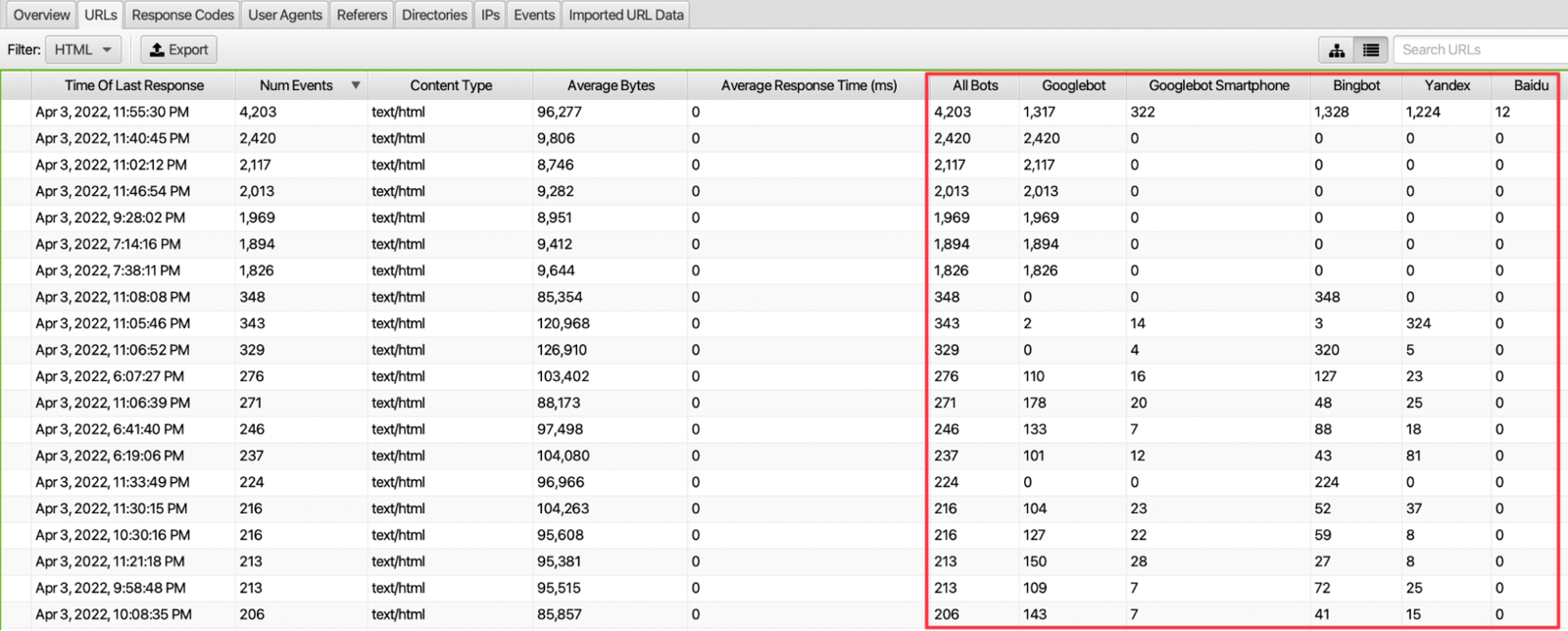
You can find the average number of requests per page by dividing the total requests to the website by the number of URLs in the given date range. Comparing that figure against the request counts for your other pages tells you how crawlers are treating specific parts of your site. If a page is getting serious crawler traffic that you consider unnecessary, you can act on that by closing it off to crawling.
5. Crawler Crawl Frequency by Directory/Subfolder
The Directories tab lets you examine how often crawlers visit each subfolder in your website's URL structure. Since a subfolder structure usually maps to a category or another kind of breakdown, this tells you which parts of your website get visited most.
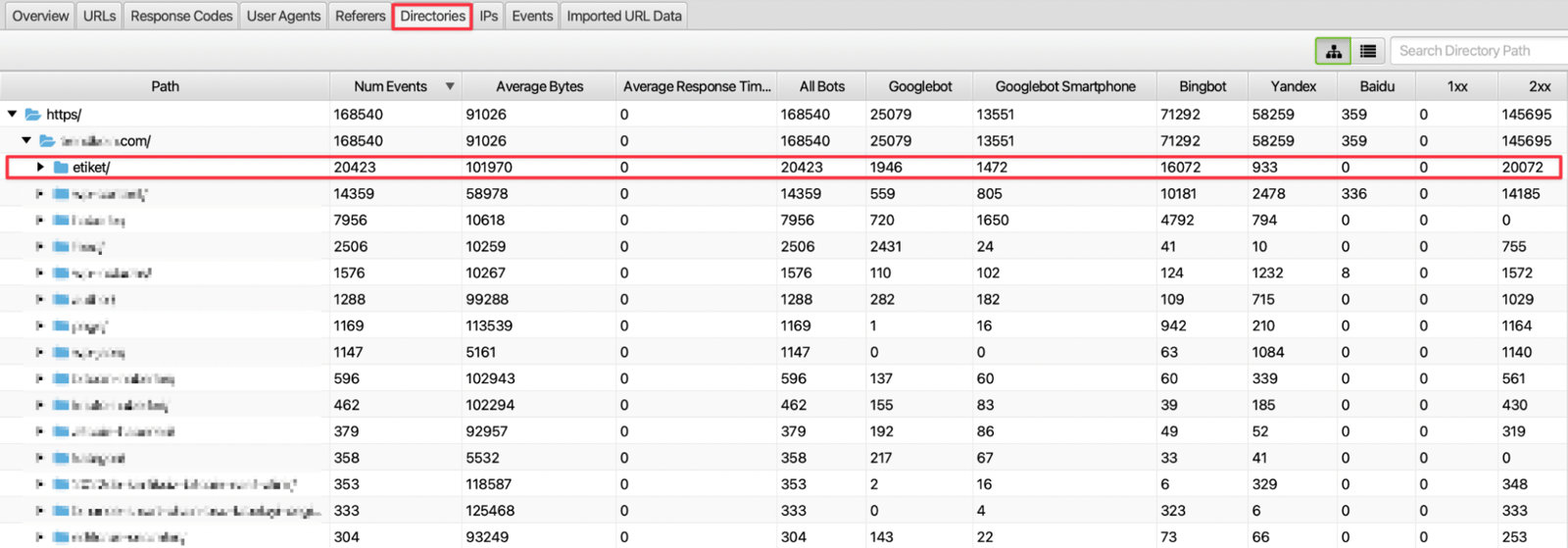
For example, the image above shows tag pages receiving more requests than other subfolder structures, with a significant portion of that traffic generated by Bingbot crawling. In this case, it's worth examining the subfolder structure for crawlers more closely. From the subfolder structures you detect, you can build an on-site linking strategy toward your other relevant categories or pages, which helps direct crawlers there and makes for a more effective crawl.
6. Detection of High Dimensional Sources
To use the crawl budget crawlers allocate to your website efficiently, you should check the size of your resources. Optimizing your largest resources helps ensure effective use of the crawl budget.
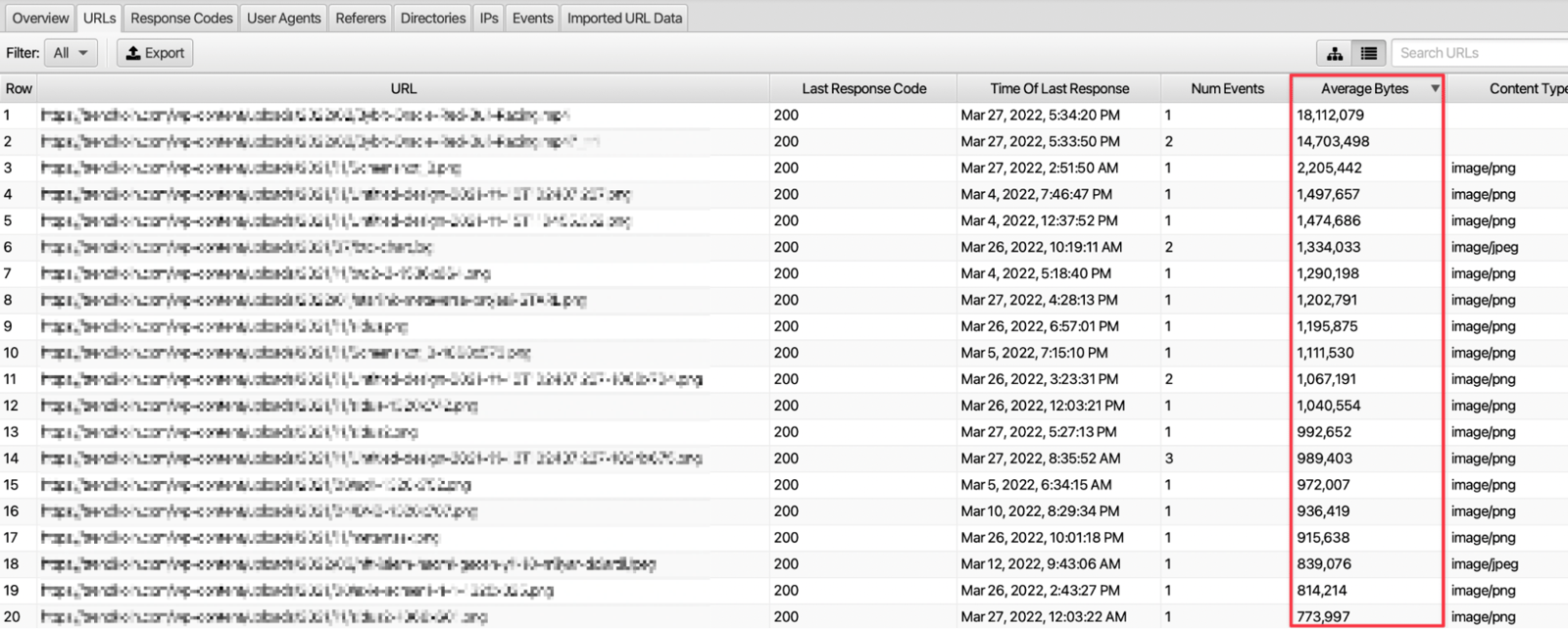
You can find each resource's size in the Average Bytes column of the URLs section. Frequent crawling of large resources such as JS and images can waste your crawl budget, so you should optimize pages with both high request frequency and large size as much as possible.
7. Scanning Frequency by File Type
A URL on a website can point to a page or to a file type, such as a resource or an image. For example, you can access information about how often crawlers visit the images on your site and which bots send the most requests.
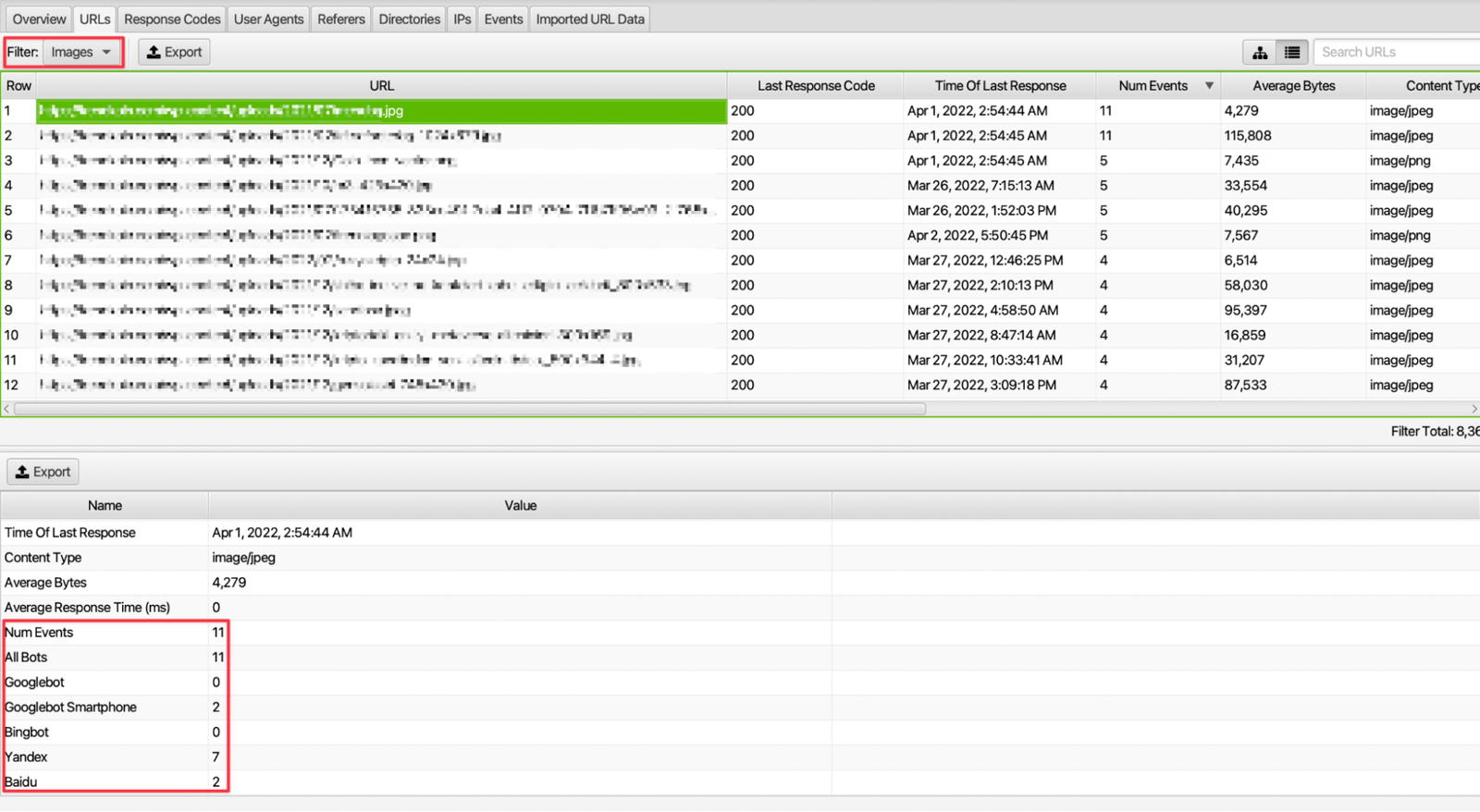
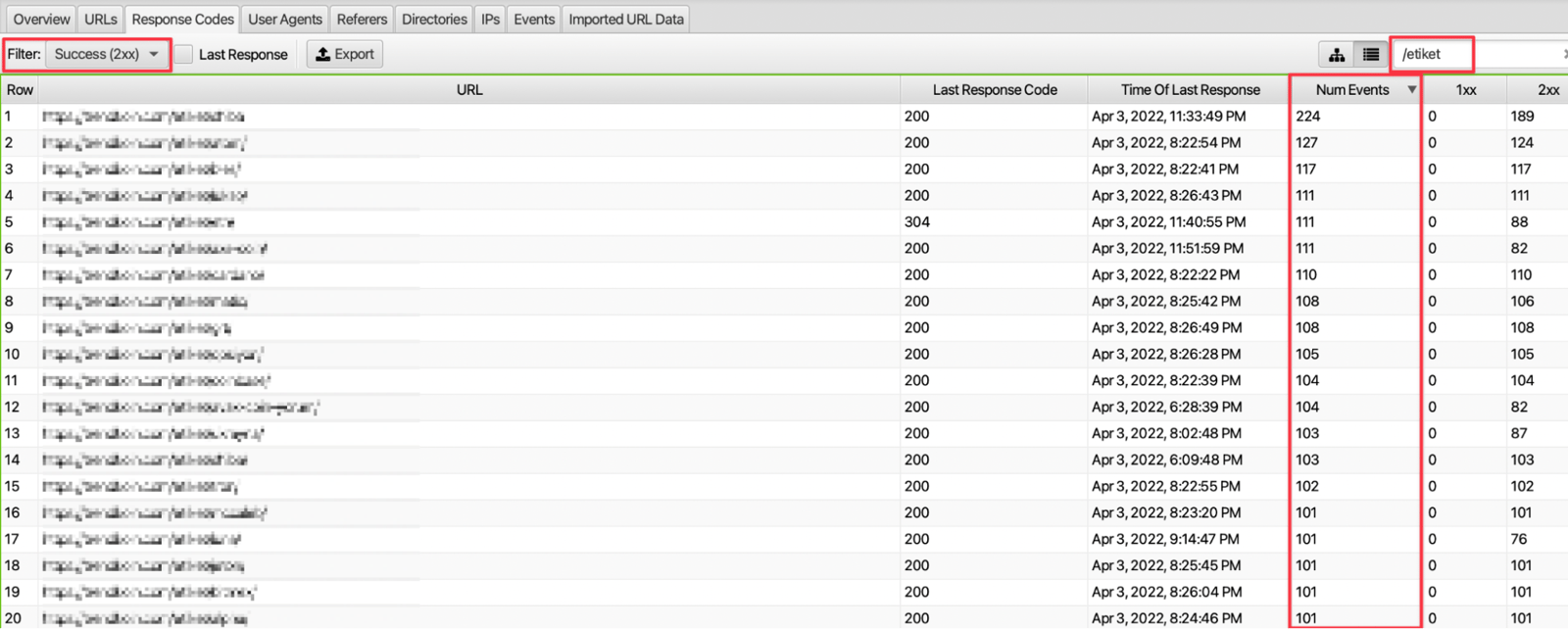
**8. Examination of URL Paths with a Focus on 200 Status Codes
**
With the filtering feature, you can access the output of page types such as tag, pagination, and AMP on the website. For example, you can see the number of requests to tag pages, the response code returned by these requests, and the response rate with 200 response codes.
9. Review of Daily, Weekly, or Monthly Crawled URLs
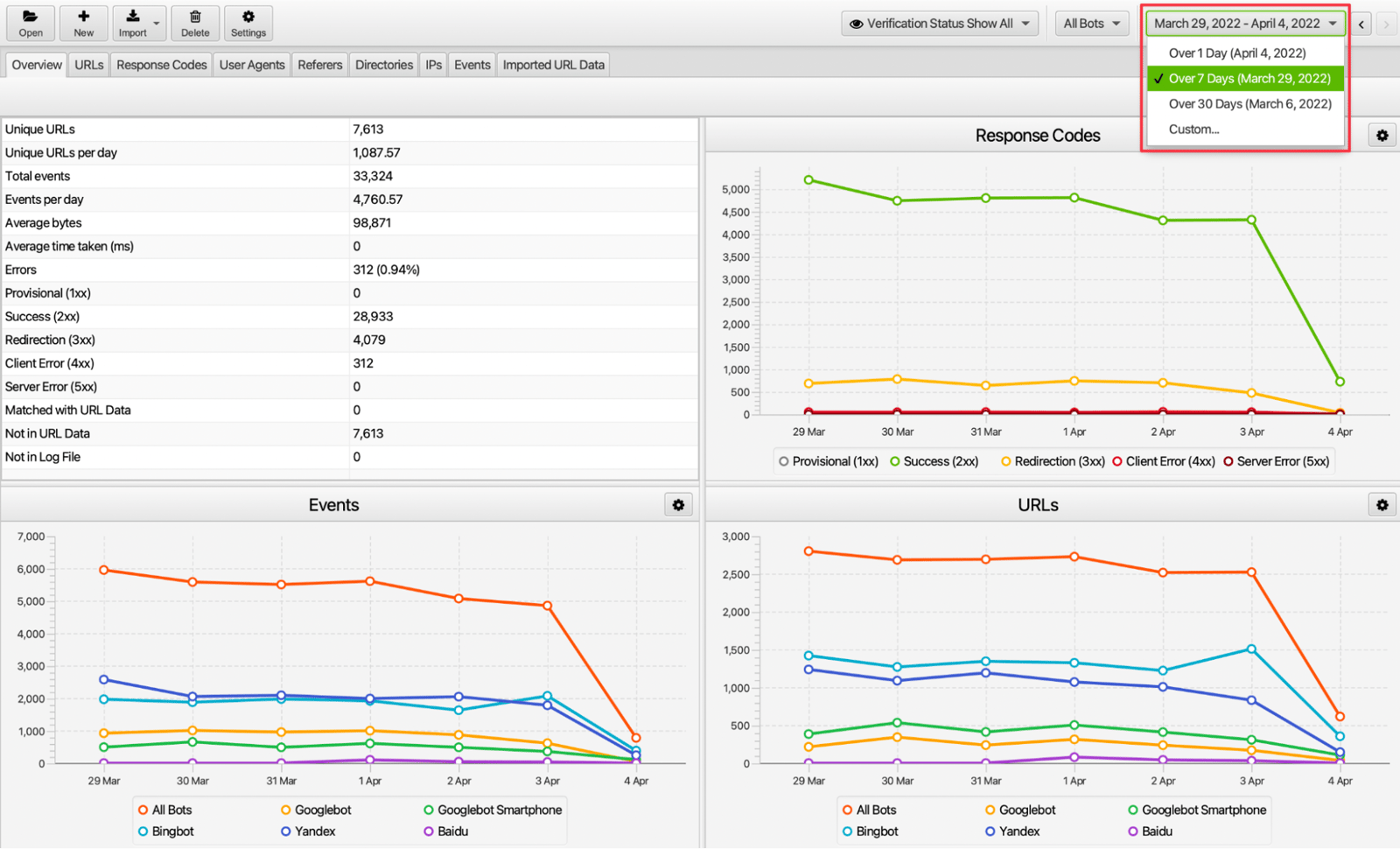
You can examine the performance of your website's log file data on a daily, weekly, monthly, or specific date range basis. For example, during the week of a site migration, you can look at user-agent frequency and the number of requests received that week to see how crawlers reacted.
**10. Server Request Review
**
The overview section of the Screaming Frog Log Analyzer lets you examine the status code, especially in cases of redirects, pages not opening, or server problems. Filtering here shows you whether server-focused incoming requests are problematic.
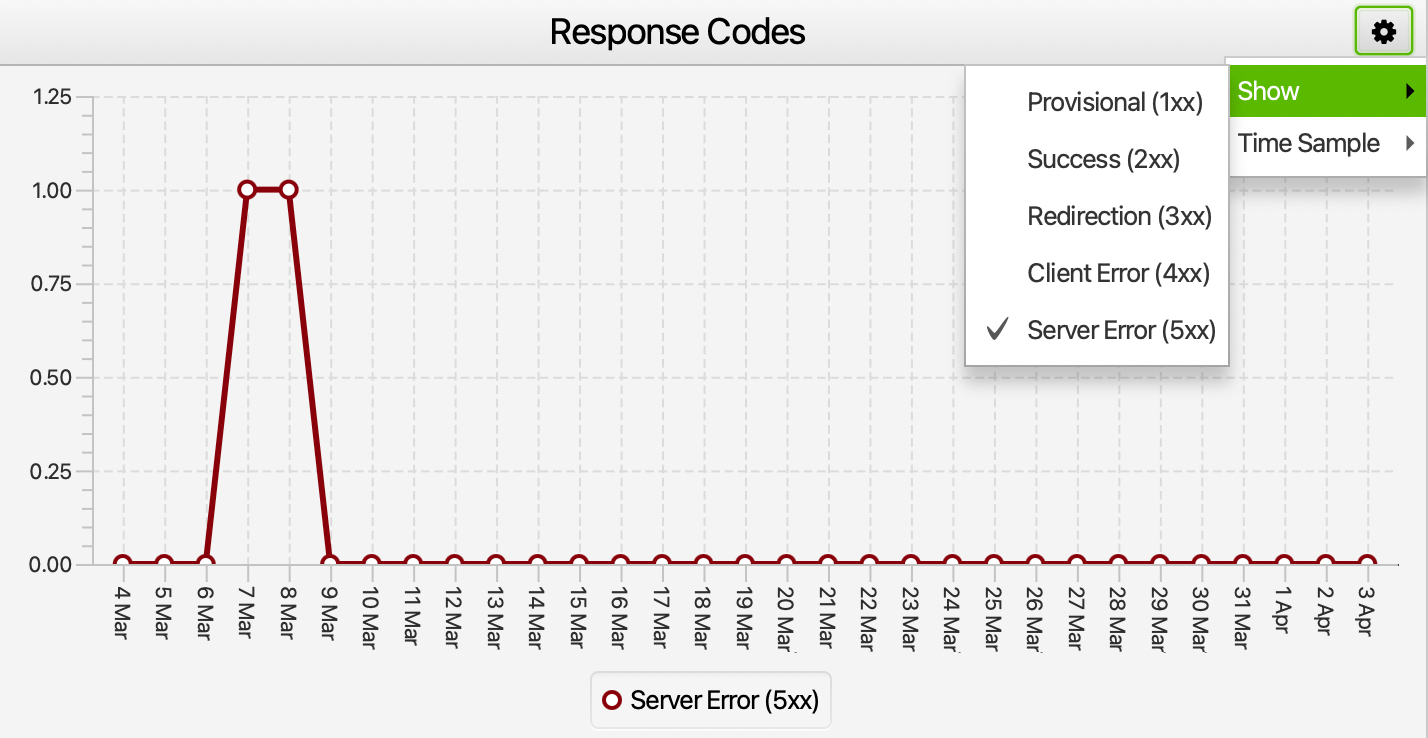
If certain days show requests causing serious server problems, you can find which pages this problem occurs on in the last response code section of the URLs tab. You can hand this information to your server provider and find out why, if there's a problem here.
In summary, analyzing the requests coming to your website lets you take meaningful action. With these actions, you can use your crawl budget efficiently and make sure the pages you want to get traffic are crawled more effectively.


