


Google and other search engines aim to give their users the most accurate results as fast as possible. To do that, their software, which we call bots, crawls web pages and adds them to an index so it can present them to users. But sometimes we may not want search engine bots crawling and indexing some of our pages. In such cases, a simple text file called robots.txt can help us.
What is a Robots.txt File?
Robots.txt is a text file that gives search engine bots some directives, usually telling them which pages they can or can't access. With this file, we can make sure some of our pages, groups of pages, or even our entire website aren't crawled by search engine bots. Some people ask, "Why would I want that?". But in some cases, using the robots.txt file to block our page or pages from crawling can be a very logical move.
For example, we may have pages we don't want search engine bots to access and index. Or, because we have many web pages, we may want to make better use of the resources search engine bots allocate to us, i.e., our crawl budget. That way, we can make sure search engine bots focus on our more critical pages. In such exceptional cases, the robots.txt file can be a lifesaver for us.
Why is Robots.txt File Important?
Search engine bots examine this file first, before they visit our website, and then start crawling our web pages based on the commands in it. That's why we need to be sure every command in the robots.txt file is correct. Otherwise, we might accidentally close off all, or a significant part, of our website to crawling, which can be a major disaster for our SEO performance.
In the other scenario, we can close our unimportant pages to crawling with the robots.txt file to optimize our crawl budget. This can positively impact our SEO performance, because it makes sure search engine bots spend the resources they allocate to our website on our essential pages instead. The robots.txt file and its commands are necessary for a website.
How to Create a Robots.txt File?
You can use a text editor such as Notepad, TextEdit, etc., to create the robots.txt file. As long as you know the necessary commands, all you need is a simple text file with a "txt" extension.
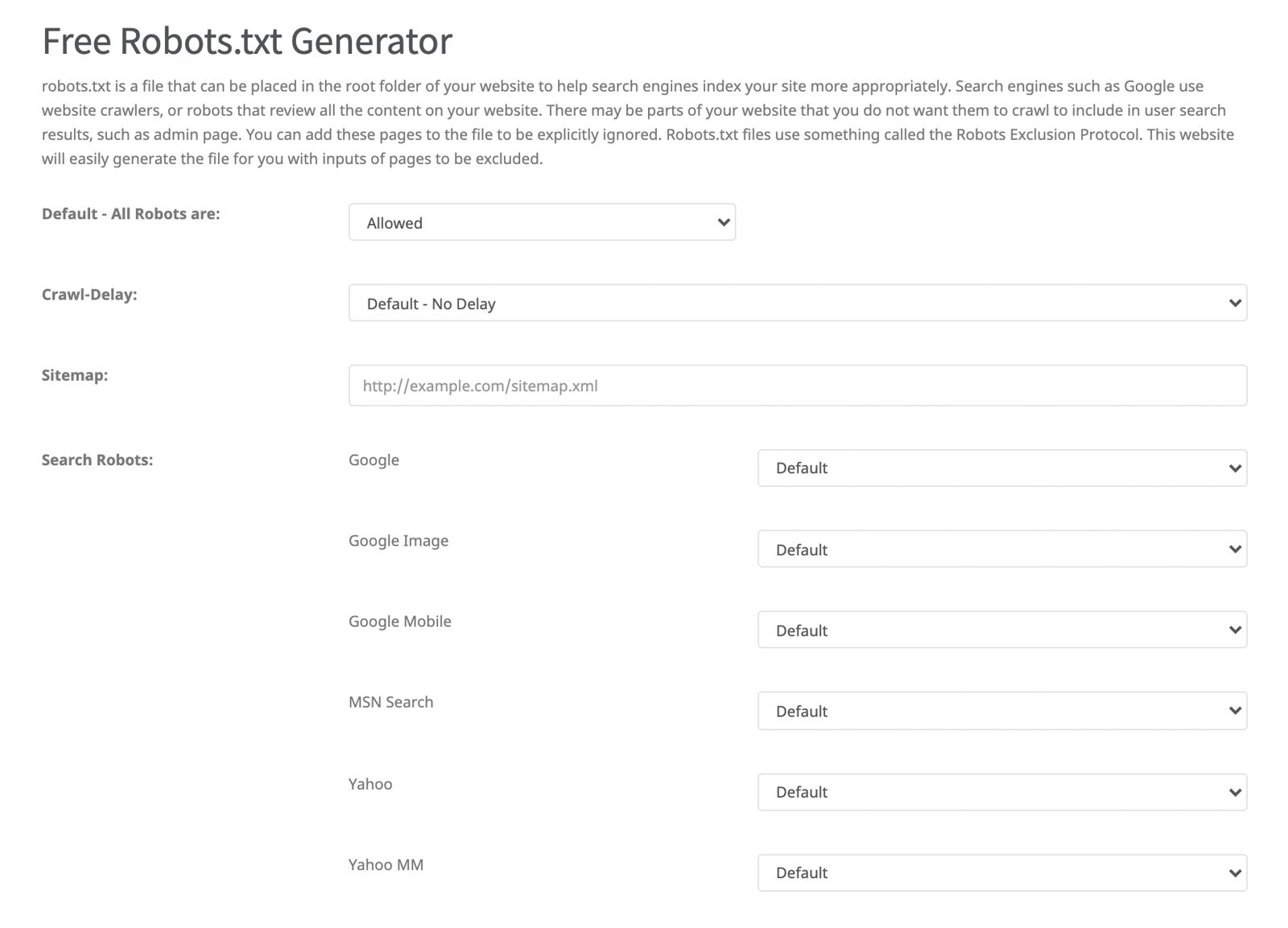
You can also use free robots.txt creation tools for this process. Searching "robots.txt generator" on any search engine will turn up tools similar to the example screenshot below. Using one of these tools will also reduce the chance of mistakes in your commands.
Important Robots.txt Commands
There are some basic commands you'll see in every robots.txt file. Below, you can find a sample robots.txt file, along with the directives in it and what they mean.
User-agent: This command lets us select the search engine bot we want to direct. In the example below, the "User-agent: * " command means we're allowing all search engine bots to crawl our web pages. We can also use the "User-agent" command more than once to give different directives to different search engine bots.
Allow: With this command, we specify the web pages or groups of pages we want search engine bots to access.
Disallow: With this command, we specify the web pages or groups of pages we don't want search engine bots to access.
Sitemap: With this command, we point search engine bots to our sitemap's address.
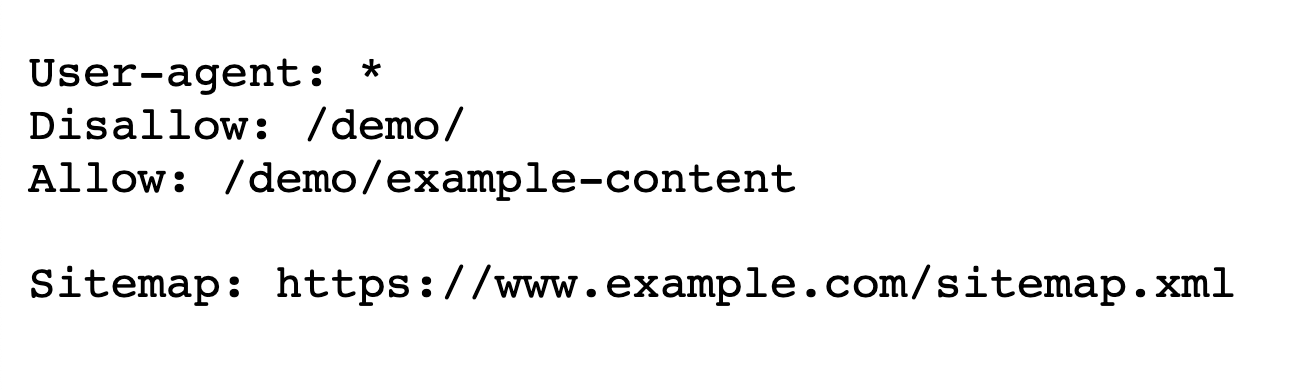
In summary, the example robots.txt file above shows a website that's open to all bots, except that it blocks search engine bots from accessing pages under the /demo/ path, other than the "/demo/example-content" page. Finally, the "Sitemap" command gives search engine bots our sitemap's address. We can use the commands above more than once to build different strategies.
Example Scenarios
Let's walk through a few simple example robots.txt commands together, to make the information covered so far more memorable and easier to follow.

- The website is open to all search engine bots
- No pages are crawled by search engine bots

- The website is open to all search engine bots
- All pages can be crawled by search engine bots

- The website is open to all search engine bots
- Don't crawl pages whose URL starts with "/zeo/"

- The website is open to all search engine bots
- Don't crawl pages whose URL starts with "/zeo/"
- But do scan the "/zeo/team" page

- The Googlebot-Image bot shouldn't crawl URLs ending with ".jpg"
Important Note: The "$" at the end of the command means URLs that end this way, while the "/*" before it means whatever precedes the URL.

- Googlebot won't crawl any URL with "/try/" in it
Note: Using "*" in front of and at the end of a command like the one above means that no matter what's in front of or behind it, if it contains "/try/" it won't be crawled.
Robots.txt Test Tool
If you want to make changes to the commands in the Robots.txt file, I recommend using Google's Robots.txt Testing Tool first. You can access the relevant tool here.
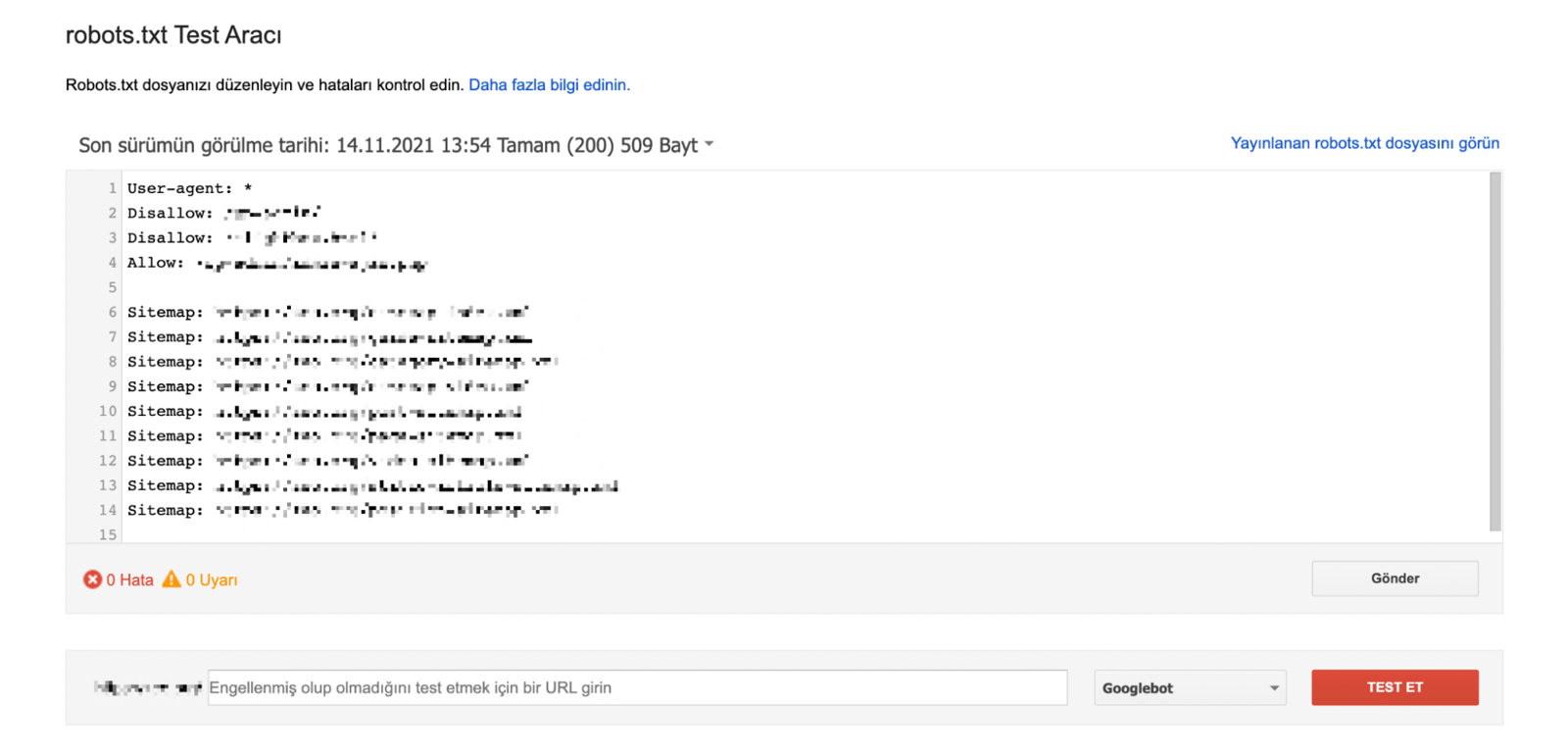
With this tool, you can easily test whether the commands you've already added, or the commands you've added for testing on the tool, are working correctly. It's especially useful to test whether the sample pages are crawlable with this tool before you publish mixed combinations where you add more than one "Disallow" and "Allow" command.
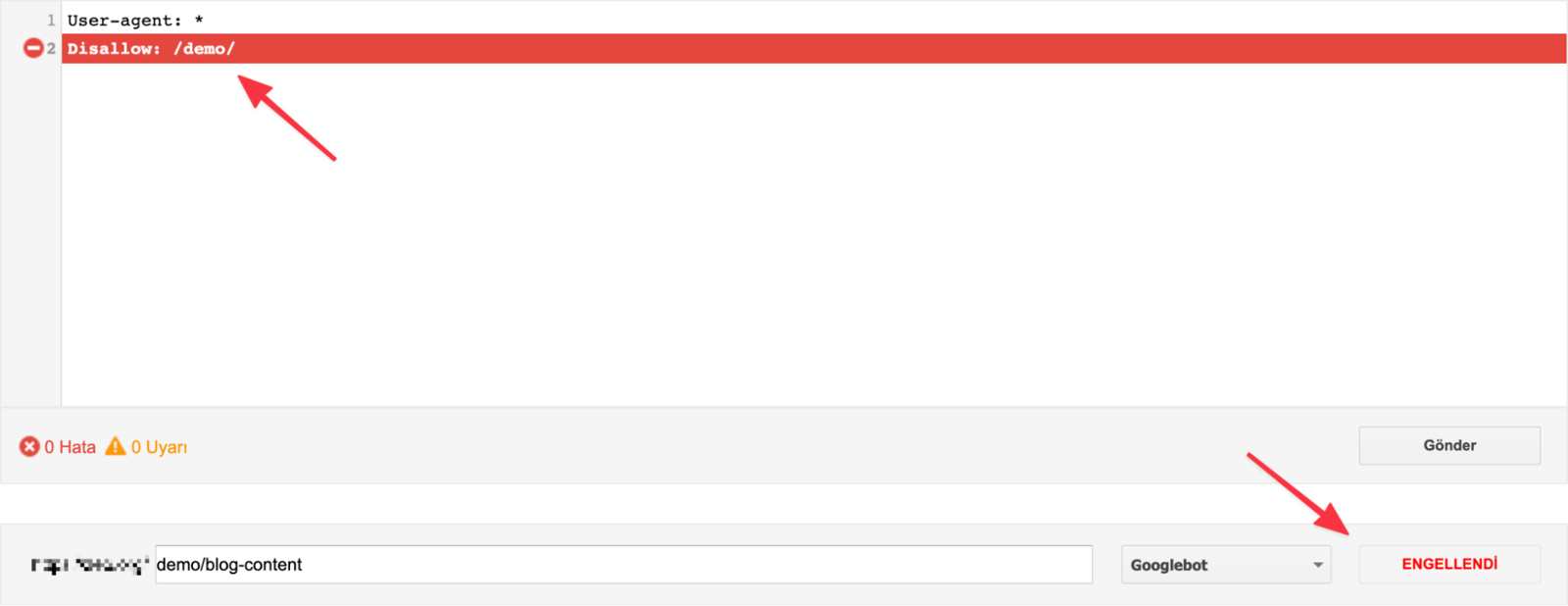
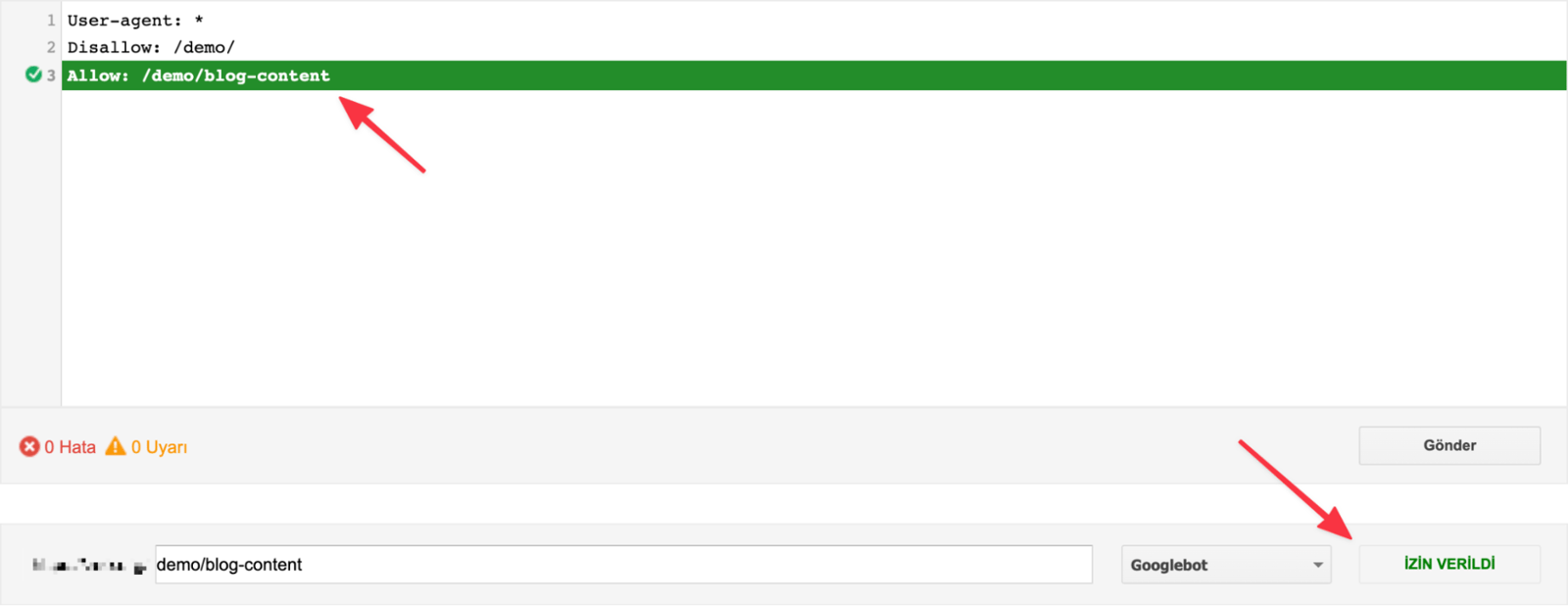
Also, if you've added commands for different search engine bots of Google, you can click the "Googlebot" button in the bottom right to see whether the command you added works for that search engine bot.

Once you've run the tests you need, just click the "Submit" button to publish the final version of the file.
Search Console Controls
After logging into the Search Console tool, you can see a lot of detail about your indexed and non-indexed web pages by clicking the "Scope" button in the left menu.
After logging in here, you can also see the pages blocked because of commands in your robots.txt file, and the pages that got indexed despite being blocked.


You may find that pages you want crawled are blocked because of a command in the robots.txt file, or that some of your pages that shouldn't be indexed are in the index anyway. That's why it's useful to check these pages periodically, especially after updating the commands in the robots.txt file.
Important Points and Curiosities
We've mentioned how vital the commands in the robots.txt file are. Because a single character, or a small detail about this file, can cause many different problems, it's essential to pay attention to a few points.
Main directory: The robots.txt file should sit in the root directory, as "example.com/robots.txt".
File name: The file name should be "robots" in lowercase, with a "txt" file extension.
Number of files: You should only have one robots.txt file for a website.
Subdomain-specific robots.txt: You can create a separate robots.txt file for each subdomain you create. Let's say you created a separate subdomain for the blog. In that case, the robots.txt address should be blog.example.com/robots.txt.
Case sensitivity: Search engine bots read commands as case sensitive. For example, if you added a rule like "Disallow: /demo/", a page like "example.com/DEMO/" would still be crawlable. But if you use lowercase for all your URLs, you don't need to worry about this.

Sitemap command: Add the sitemap command at the beginning or end of the file. If you've given orders to different search engine bots and the sitemap command sits in between them, you may end up only pointing your sitemap to that one search engine bot.
Robots.txt and the index: The "Disallow" command used in the robots.txt file isn't a command to keep the page out of the index. It's only about search engine bots not accessing the relevant pages. Because of that, the relevant page can still end up indexed; you can use the "noindex" tag to prevent that.
File types: In addition to web pages, you can also give commands for images, videos, audio, and resource files through the robots.txt file.
Off-site links: Even if you close a web page to crawling from the robots.txt file, search engine bots can still follow links to it from other websites and index the page if it's linked there. In that case, it's helpful to use the "noindex" tag again.
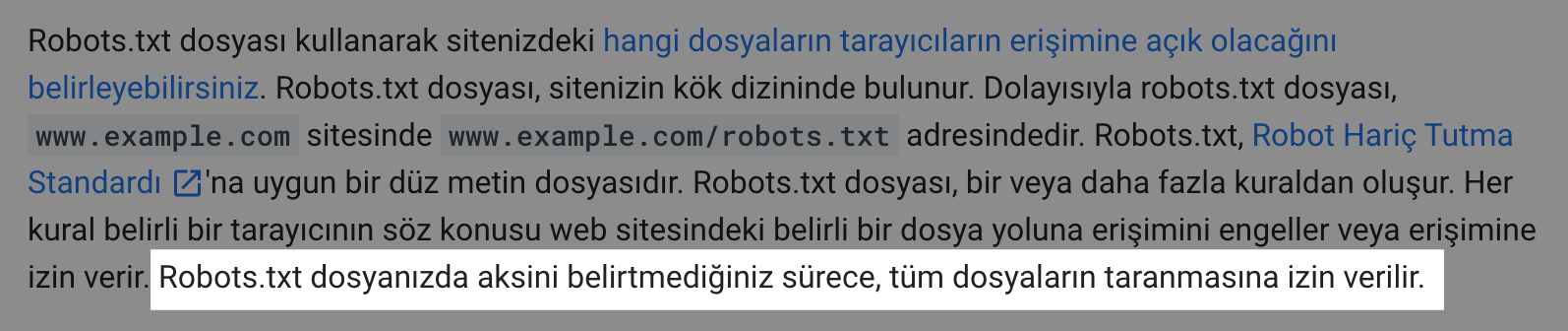
Robots.txt requirement: Not every website has to use the robots.txt file. If search engine bots don't find a robots.txt file when they visit a website, they can crawl the pages as usual and add them to the index. But it's recommended to use one.
Multiple sitemaps: If you have more than one sitemap, you can add them all in order. There are no restrictions on this.
How to write commands: You can technically write the commands in the robots.txt file side by side. However, to avoid confusing search engine bots, it's helpful to write each command on its own line.
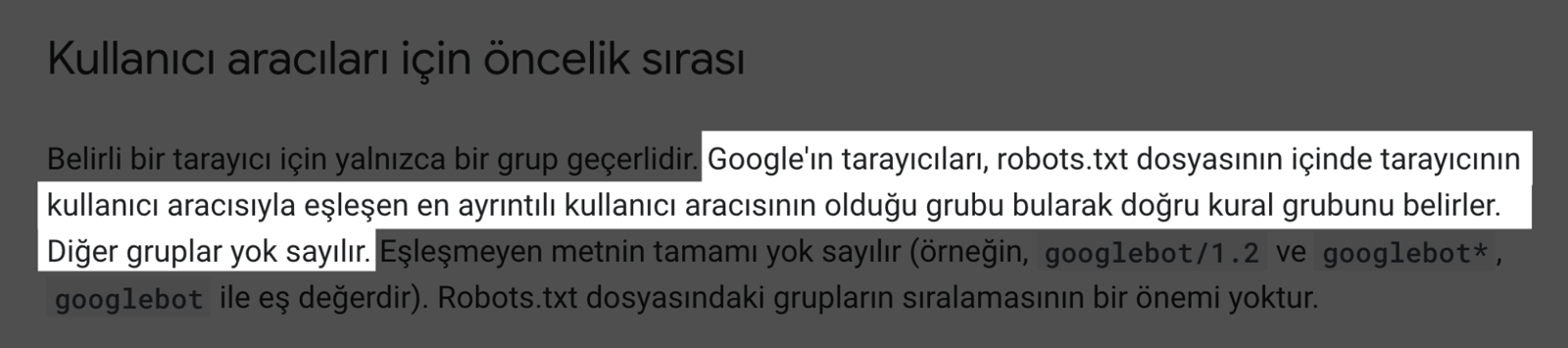
User-agent-specific command: When we give a specific order to a user-agent, it will ignore the other general commands. For example, say we've closed the site to all search engine bots, but on the following line, we've given the order to Googlebot-Image to crawl URLs ending with ".jpg". In this case, even though all pages are closed to search engine bots, Googlebot-Image will ignore the other general commands and crawl URLs ending with ".jpg", because it's been given a specific order.
Pages not to be indexed: If there's a site migration or design change, it makes sense to close the web pages that aren't ready to be indexed yet via robots.txt.
In this piece, we covered a lot about the robots.txt file, its commands, and why this file matters, touching on plenty of important points along the way. I hope it was useful. See you in other blog content. :)
Sources
https://ahrefs.com/blog/robots-txt/
https://yoast.com/ultimate-guide-robots-txt/
https://developers.google.com/search/docs/advanced/robots/intro?hl=tr


