


On September 24, Google announced new meta tag properties and new HTML attributes. The announcement, posted on Google's Webmasters Central blog, is particularly relevant to content owners and websites that don't want their content published in the featured snippet, which we call zero-rank. As you know, in addition to structured data fields, Google can include text content as featured snippets in search results. This created negative effects for sites that lost traffic because of their own content or a competitor's in this area. Take a song lyrics site as an example.
When we search for a popular song's lyrics on Google, it shows us all the lyrics for that song at zero-spot, which likely cuts into a lot of that website's SERP traffic. For example, when you search for Rihanna - Diamonds on Google, as you can see at the screenshot below, all lyrics are shown in zero-spot.
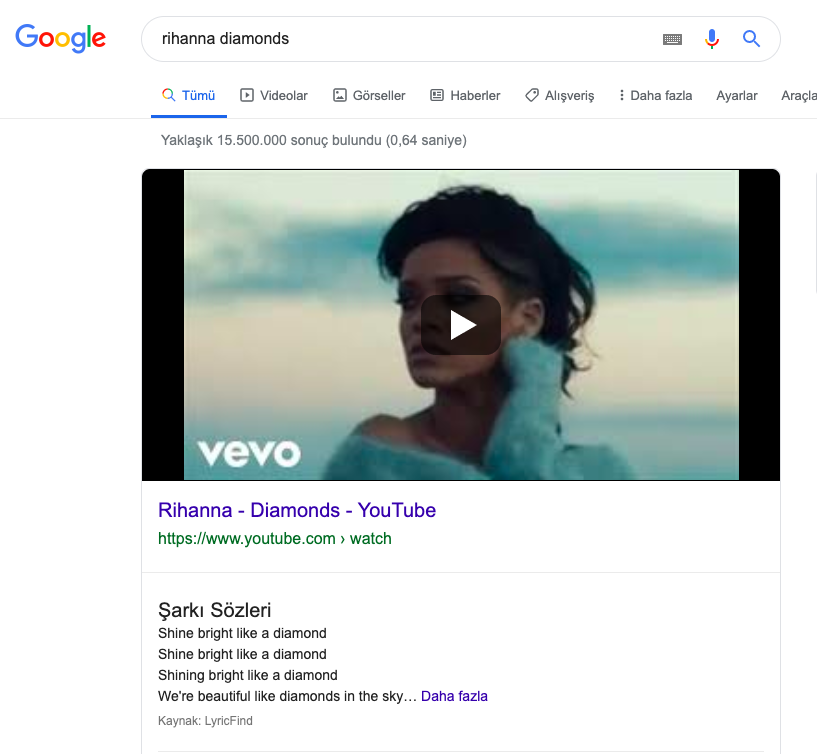
This reduced both competition and site traffic while also creating legal problems, and it became a serious point of debate. However, Google seems to be putting an end to these discussions by announcing the new meta tags and data-nosnippet, which we'll review in detail below. With new tags, site owners will be able to prevent their content from being displayed as snippets, but this raises its own questions. If you remove your content from the zero result, can you trust that your competitors will do the same? And even if the zero result is costing you traffic, can you afford to give up competing with your competitors for this area? We'll see the answers to these questions play out together in late 2019 and 2020. Now let's look at the new tags and features.
New Meta Tags and Usage
First of all, with these new improvements, Google has introduced features that let us show featured text snippets more effectively. The first of these is the ability to mark or restrict our snippets using meta tags. Here's how Google explains these new features in the content it publishes:
nosnippet
The nosnippet tag already exists, and it tells Googlebot that we don't want any written snippets shown from the relevant page.
max-snippet:[number]
With this new tag, we can specify the maximum text length of the snippet for our page, in characters.
max-video-preview:[number]
With this tag, we can specify the length, in seconds, of an animated video preview.
max-image-preview:[setting]
Finally, this tag lets us control the way images are displayed in thumbnails in 3 different ways. For this, we can specify the size we want by writing “none”, “standard,” or “large" in square brackets. And when we want to use several of these features together, we can specify them to the search engine bot with a single tag instead of adding individual tags.
For instance:
<meta name="robots" content="max-snippet:50, max-image-preview:large">
Data-nosnippet
In addition to the meta tags, a new markup has been announced that will allow us to control the rich text content that was previously randomly selected and shown in the search results. In HTML, we can add “data-nosnippet” parameter in span, div and section elements so that the relevant section is not selected as text snippet. So although we still can't directly choose which part to use, we can at least specify which parts we don't want used for this snippet. You can see an example usage scenario in the following code.
<p>This part can be shown in snippets.
 <span data-nosnippet>This part won’t be shown in the snippet</span>.</p>
<div data-nosnippet>Won't be shown in the snippet</div>
<div data-nosnippet="true">This part is not included in the snippet</div>
<div data-nosnippet>text part</html>
<!-- unclosed "div" will then be included in all content -->
<mytag data-nosnippet>some text</mytag>
<!-- Invalid: span, div, or section tag does not exist.--
Usage in AMP Format
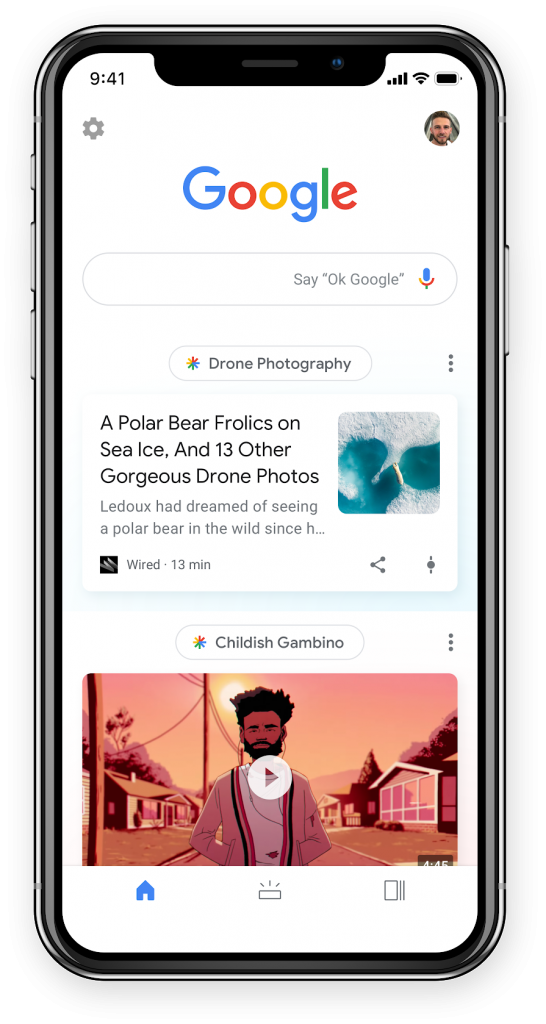 AMP, accelerated mobile pages, is a mobile page acceleration feature which, as you know, offers pretty good features for websites to increase mobile site speeds and is shown with a lightning bolt next to the page in search results. This feature also allows us to use traffic channels such as Google Discover, so our content can perform better and increase its chance of getting a high ranking. With the new features announced, we've gained important capabilities for our amp pages, especially in terms of visual dimensions. Using the meta tag features above, we'll be able to optimize our visual dimensions to be shown in search results. We can use the "none" or "standard" tags, especially if we don't want to use large images. However, when we look at data from Google Discover, we can see that using high-quality images of at least 1200 px provides better ranking and performance.
We also recommend that you pay attention to using the visual size and the size attributes specified in the meta tag. This is because if you select a large-size display for a low-resolution image, this may lead to deterioration of your visual quality (this hasn't been tested yet). We see that the use of large size and high quality images increases the clickthrough rate by 5%, the time spent on the page by 3% and the user satisfaction by 3%. The full text of the Google announcement is currently available in English here.
FAQ About The New Copyright Law in France

Q- Which publishers will be affected by the new copyright law?
A- Since the current law does not include a list, Google says it is mandatory to conduct initial reviews broadly and without a fixed guide. According to the announcement, the next update will include all European journalism transactions that are part of Google News. It is said, however, that non-journalistic sites, such as, but not limited to, academic journals, personal blogs, or the content of sports teams, are not included. If your site is not included in this process, you can include it through Search Console, or if you think your site was accidentally added / want to exit, you will still be able to do so from your Search Console account.
Q- How do I know if my site was affected by this update?
A- Google says that you can check the current status of your site through your Search Console account to see whether your site is affected by the European Press Publication law.
Q- My site was not eligible to update, I have configured. When can I see the changes?
A- Google says that the status of affected sites updates within a few days, and that the update is available across the site and is recognized quickly, without having to crawl individual URLs.
Q- Is there a way to apply meta tags throughout the site?
A- Unfortunately, there is nothing that can be done about it. Meta tags need to be added individually for all pages, and pages need to be scanned and discovered one by one. That said, we may see add-ons in the near future that allow bulk edits.
Q- Can I set different snippets for each page?
A- Yes. Thanks to the new meta tags, it is possible to make different snippet adjustments for each page with these new features. Along with the short summary we have compiled for you above, you can reach the original version of the announcement in English here.
Attention for the Wordpress and Yoast SEO Plugin Users

In parallel with these developments, there was an important development that closely concerns the users of the Yoast SEO plugin. Yoast announced that it has introduced an update to prevent text snippet and video preview for all its users in parallel with Copyright Laws in France. So if you are a Yoast user who wants your text snippets to appear in the zero rank, you need to correct this by using the Yoast settings or by manipulating the code. Otherwise, as mentioned above, if Google crawls your pages, you may lose your text snippet fields, if any. Click here for the original full text of the announcement, though the content is in English.
So What Should You Do?
First of all, it is possible to change this tag automatically. You can find the wpseo_robots filter and make your changes here. In addition, Yoast has begun collecting requests for users who wish to access this area via its own panel, and has announced that it will be able to add this feature to versions 12.2 or later released on October 1st.
Final Thoughts
These new meta-tag features, which serve mostly as legal protection, offer very useful options for site / content owners who don't want to display their content in zero rank. With these new features, you can prevent your content from being used as a text snippet, choose the length, or specify which sections of the content you don't want included in this field. In addition, the size of your visuals and video preview time can also be configured with these new features. However, we need to pay particular attention to the fact that in parallel with the Copyright Law in France, the Yoast SEO plugin will prevent text snippet display and video display for all users. As Zeo Agency, we recommend changing this code from the relevant filter or plugin if you want to be in the zero rank. Otherwise, you may lose your video preview and text snippet across your entire site. What do you think about the new changes? If you have any questions, please feel free to contact us via comments. We'd be glad to answer your questions.


