


On February 3, 2026, Google changed its crawl limits by updating the Googlebot documentation. The crawl limit for HTML files was reduced from 15 MB to 2 MB. To be honest, while many sites today will not reach this threshold, I believe a comprehensive check will be useful.

In short, what we need to know:
- Download limit**:** 15 MB (The amount Googlebot downloads)
- Indexing limit**:** 2 MB (The amount Google actually reads and ranks)
- Limit for PDF files**:** Still 64 MB (unchanged)
HTML pages and content exceeding 2 MB are ignored for indexing purposes. They are not cached and not crawled for ranking signals.
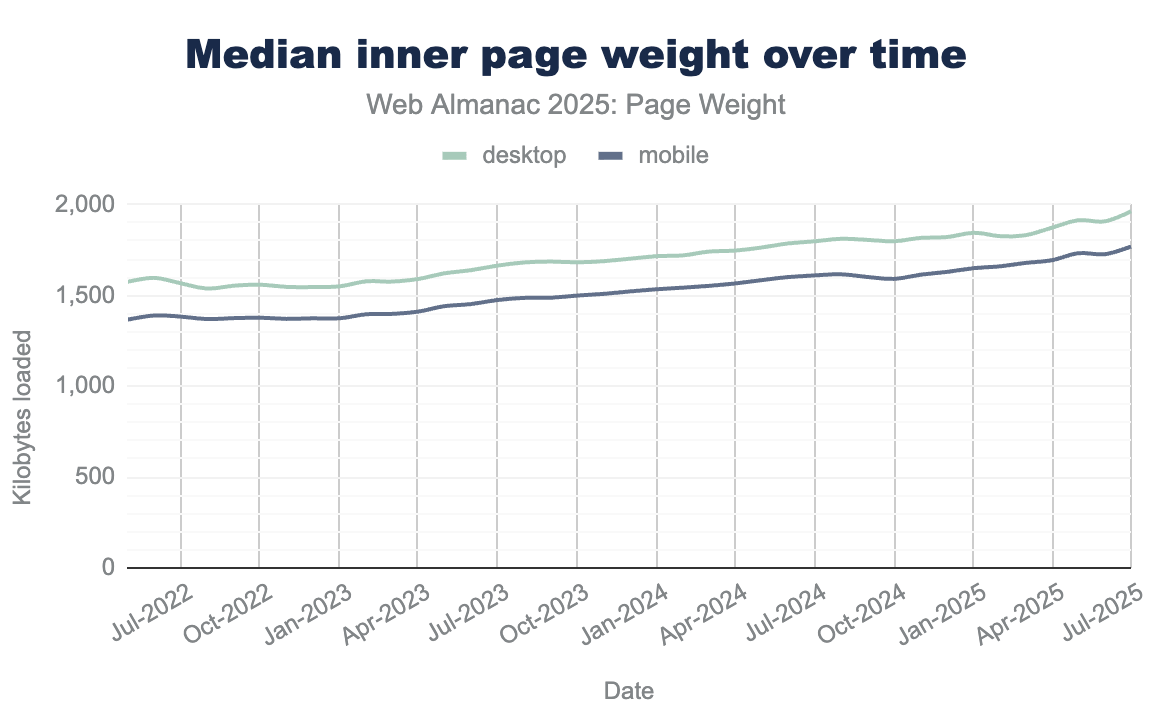
According to Httparchive data from last year, the average desktop homepage contained 22 KB of HTML source. This means our pages would need to be nearly 90 times heavier to hit Google’s new limit; however, it is also a reality that page weights generally increase year over year:
Examples That Can Increase HTML Size
Uncontrolled implementation of the following structures can lead to performance problems by increasing DOM size and rendering time:
Faceted Navigation Pages
Pages where multiple filters such as price, color, size, feature and brand are selected and open to crawling. Pages rendered with full HTML instead of Ajax can be considered within this scope.
Reviews
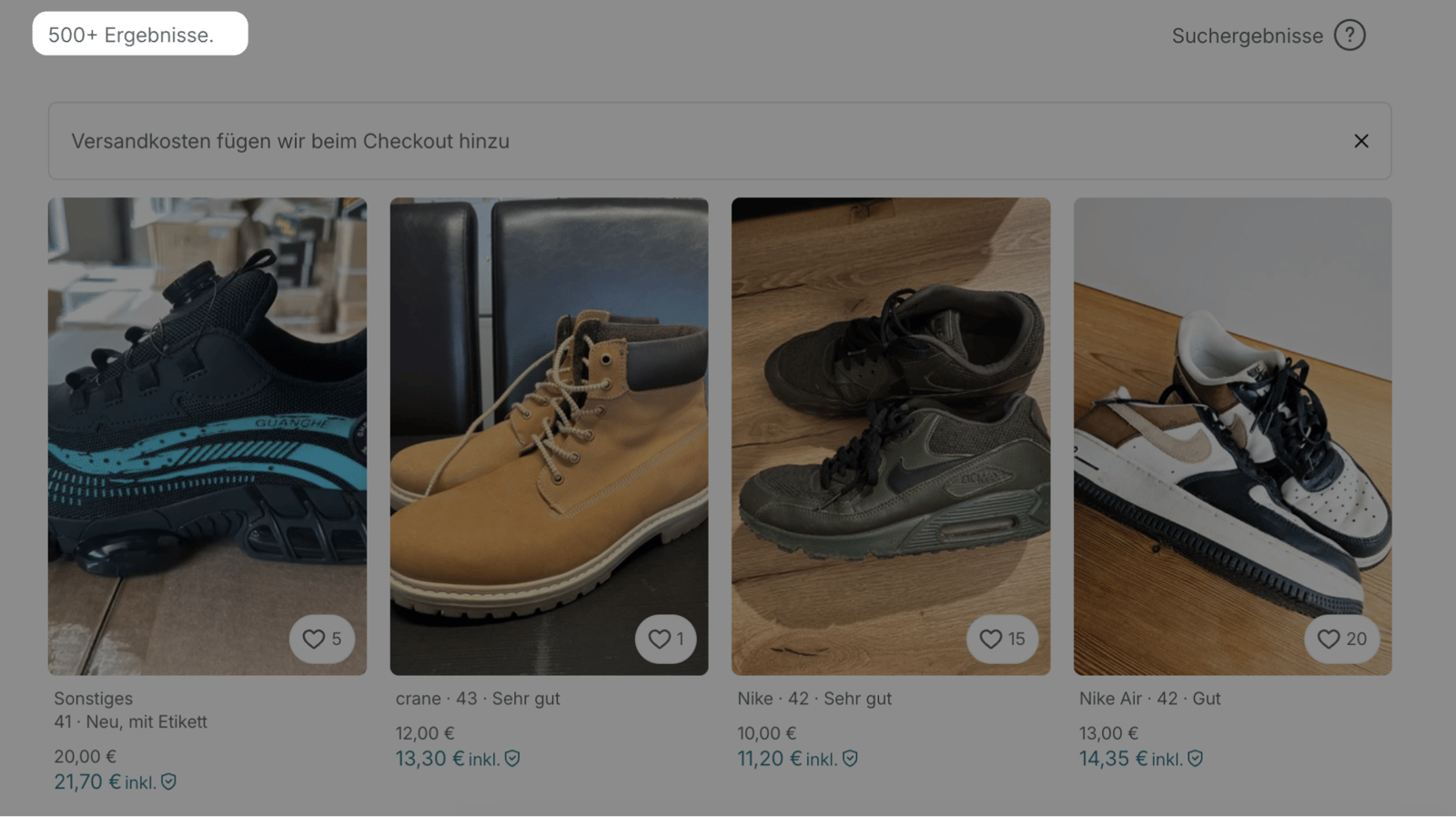
For example, product detail or similar pages containing full texts of 1000+ reviews.
Dynamic Comparison Tables
Comparing 20+ services or prices or using multiple tables together.
Excessive Image Usage + Structures Without Lazy Load
Before/after galleries, 30+ unoptimized images, inline SVG icon sets, Data URI images, and especially inline SVGs bloat the HTML.
Service Areas
Giving very detailed information for 81 provinces along with location descriptions on a single page.
Number of Products
Pages where more than 200 products are listed on PLPs.
Frequently Asked Questions
Having 100+ FAQs on a page can make it heavier. There might also be hidden or duplicate FAQs built with display:none structures.
With the structures above, I just wanted to summarize the extra loads that can occur on pages.
How to Check the 2 MB Crawl Limit?
- You can check quickly with the terminal as follows:
# HTML boyutunu kontrol edin (Mac)
curl -s "https://sametozsuleyman.com.tr/koh-samet-gezilecek-yerler/" | wc -c 
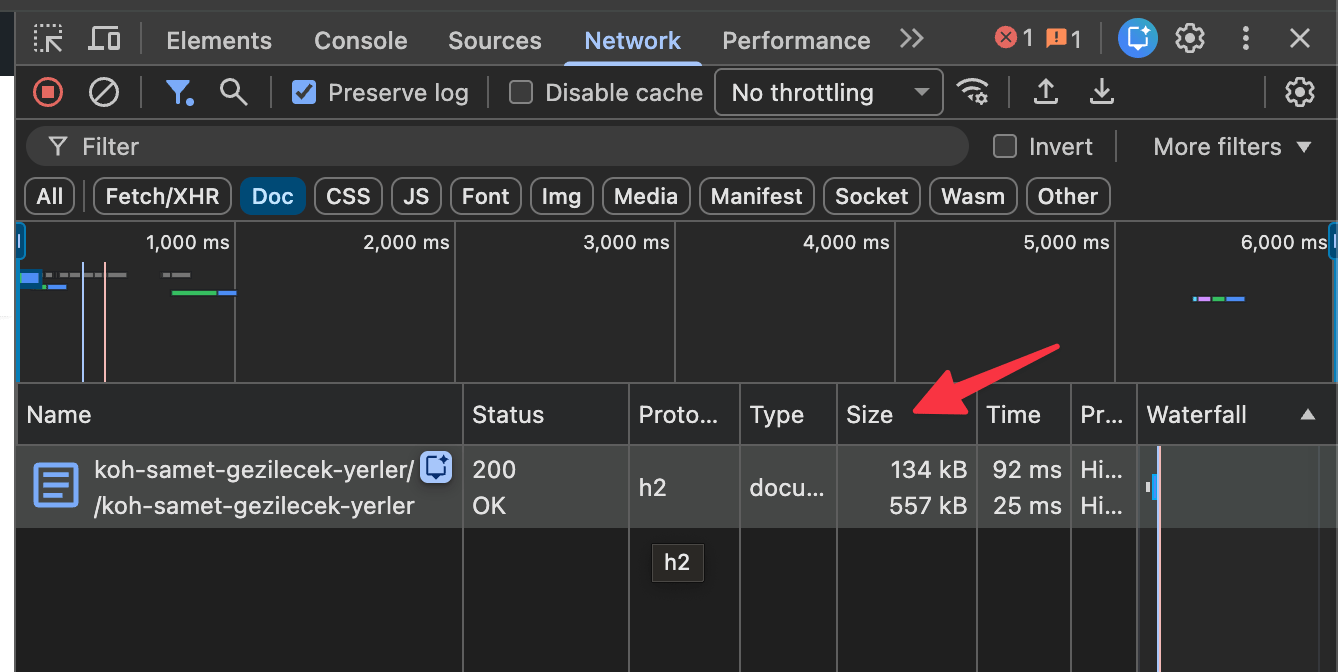
The HTML content of the example page is 154,426 bytes (approximately 154 KB) in size.
- If you want to check simply with Google Chrome, you can see the size of your HTML page in the Network section:
- Finally, you can check the crawl results from the “HTML Document Over 2MB” section under Validation in Screaming Frog:

If you see results over 1.5 MB according to all these analyses, it is time to optimize and change your strategy. Here are some suggestions for these optimizations:
Tired of reading?
You can also listen to this blog post as a podcast we created with Google NotebookLM on Spotify.
Optimization Suggestions
1) Pagination
Instead of showing 100+ products on product or listing pages, cap the template at 24 or 48 items. This reduces the load in the HTML. After making the change, check the traffic of your paginated pages with Search Console, since subpages like page 2 or page 3 can sometimes rank better than the first page, and that difference is worth tracking. Also be careful with showing the product description of every item on the PLP, since that alone can increase the page size.
2) Lazy-Load
Don't show all 600 reviews as soon as the HTML opens. Load the first 10 to 15, then bring in more reviews with JavaScript if the user asks for them.
Before: 600 reviews = ~800 KB HTML
After: 10 reviews + lazy load = ~50 KB HTML
3) Separate into FAQ Pages
Instead of using a 200-question FAQ, divide these questions into topic clusters and combine similar ones. In the name of GEO work, teams sometimes add too many questions to a page without much thought, and the technical SEO side gets overlooked. If you cannot reduce the number of questions, another option is answering them on separate URLs like /faq/price/ or /faq/return-delivery/.
Also, you can plan to create pages for each location instead of a single page listing 81 cities. You can publish these from URLs like .../cities/samsun.
4) Reviews
Show the total number of reviews and the average score in the HTML and remember to support this with variant schema if available; however, do not fully load thousands of reviews on the page. Ensure the full text of the reviews is loaded with JavaScript after the page loads.
<!-- Initial HTML -->
<div class="movie-summary">
  <span>Inception (2010) - ⭐ 8.8</span>
  <button id="load-details">Detayları Göster</button>
</div>
<!-- Film detayları -->
<div id="movie-details"></div>
What Happens If There Are Pages Over the 2 MB Limit?
If you have HTML pages over 2 MB as a result of your checks:
- Google will not consider what is above this limit.
- You will not be able to show internal links, schema codes or other important elements that remain in the lines far down the page to Googlebot.
- Content you would consider important on the page might not be indexed because it falls past the limit.
As a next step, run the checks I outlined above. If your site is very large and you do not have enough crawl budget, check your top 100 pages, the ones that matter most to you, and decide from there where to optimize and who on the dev team to loop in.
In summary, this topic actually leads back to Core Web Vitals optimization. Faster load times contribute positively to user experience and help keep you clear of limits like 2 MB. However well you optimize your pages, you don't need to worry too much about changes like this one. Many thanks to everyone who read this far and took action!


