


ChatGPT, the dialog-based AI model developed by OpenAI, is quickly becoming part of our lives thanks to its potential, and it keeps sparking the same question: opportunity or threat? This versatile machine learning model can do everything from writing content to helping with software, and the fact that it's offered for free raises real questions for anyone whose job touches these fields. Used correctly, though, ChatGPT is less of a threat and more of a ready-made resource to make your work easier. Whatever field you work in, you can quickly boost your efficiency by weaving it into your daily tasks. How? Start with the tips we offer in this article.
1- Educate ChatGPT on your questions
ChatGPT needs detailed prompts to create original content with a specific point of view. Since every new chat starts from a blank slate, ChatGPT responds based only on the questions and prompts you give it. Short, focused commands, paired with a clear back-and-forth about the kind of answer you're looking for, will make ChatGPT better at understanding exactly what you want to learn.
For example, say you need to write a meta description tag to introduce a blog post before it goes live on a website. To get a clear, on-target answer by the end of the conversation, start by teaching ChatGPT the subject first.
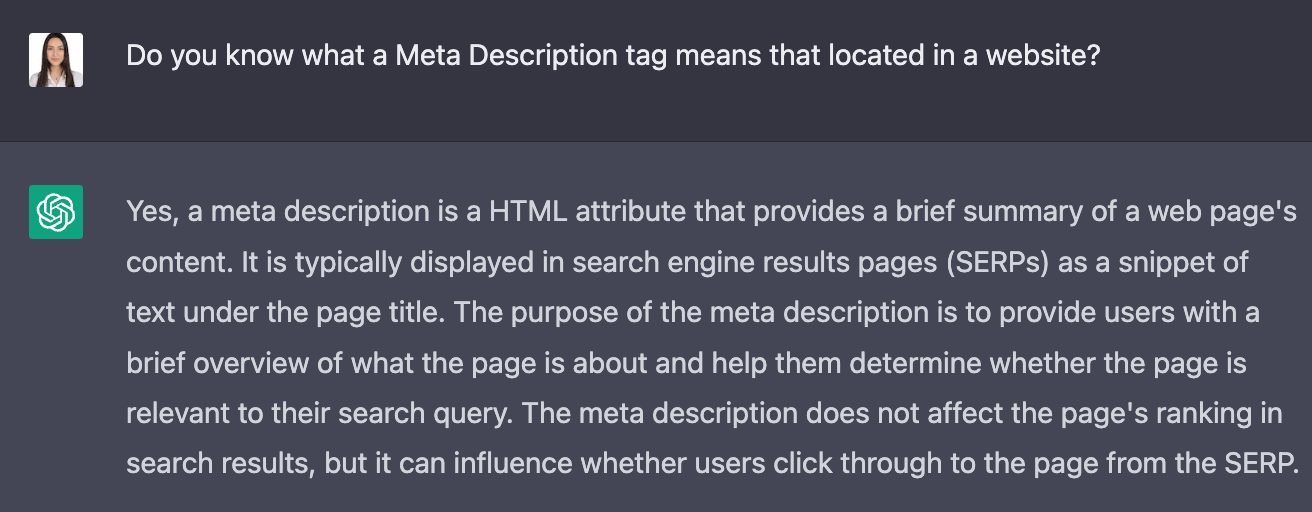
ChatGPT then takes the conversation a step further, refining its understanding as you go.
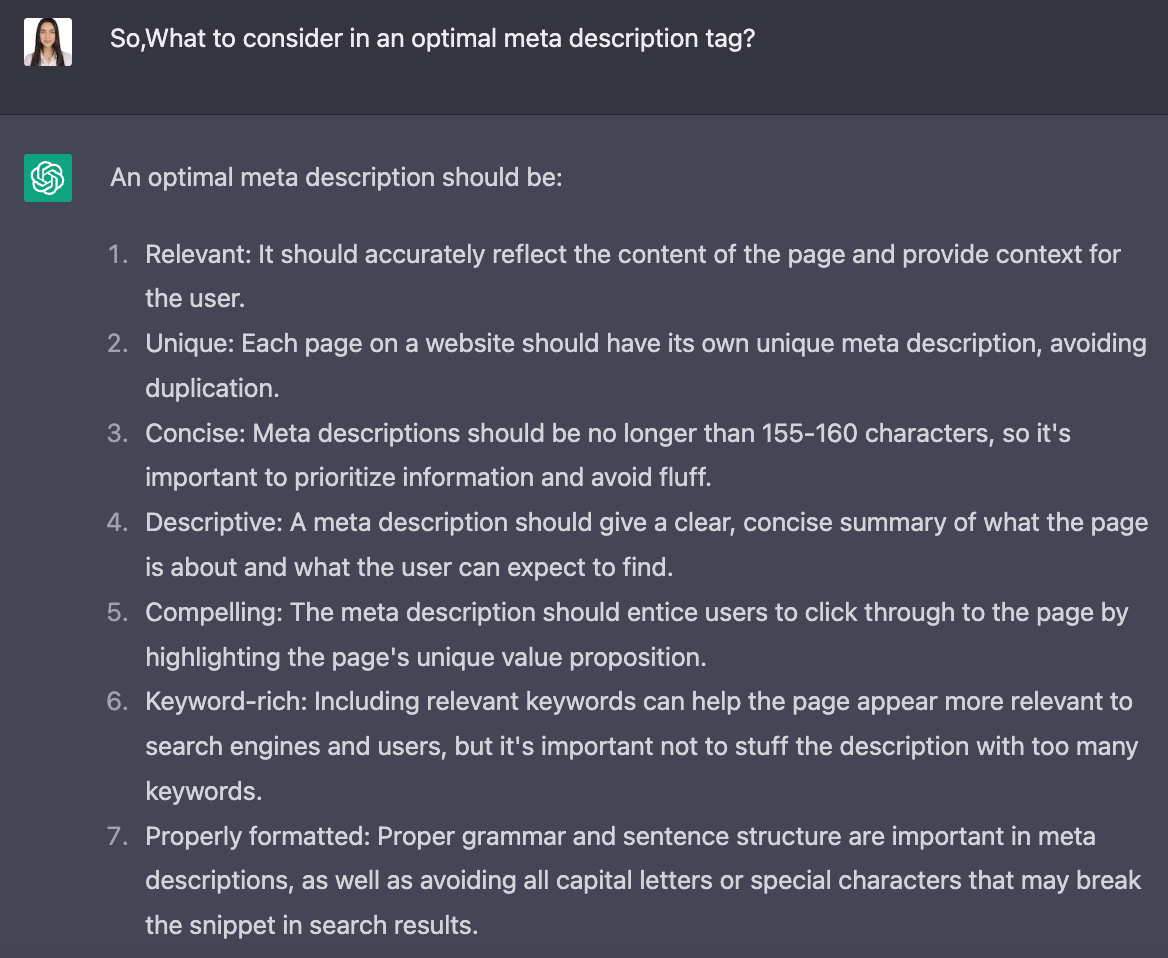
By the time you get to asking for the data you actually want, ChatGPT has already learned the subject. So when you ask your final question, it's ready to give the most useful answer based on everything it picked up along the way.
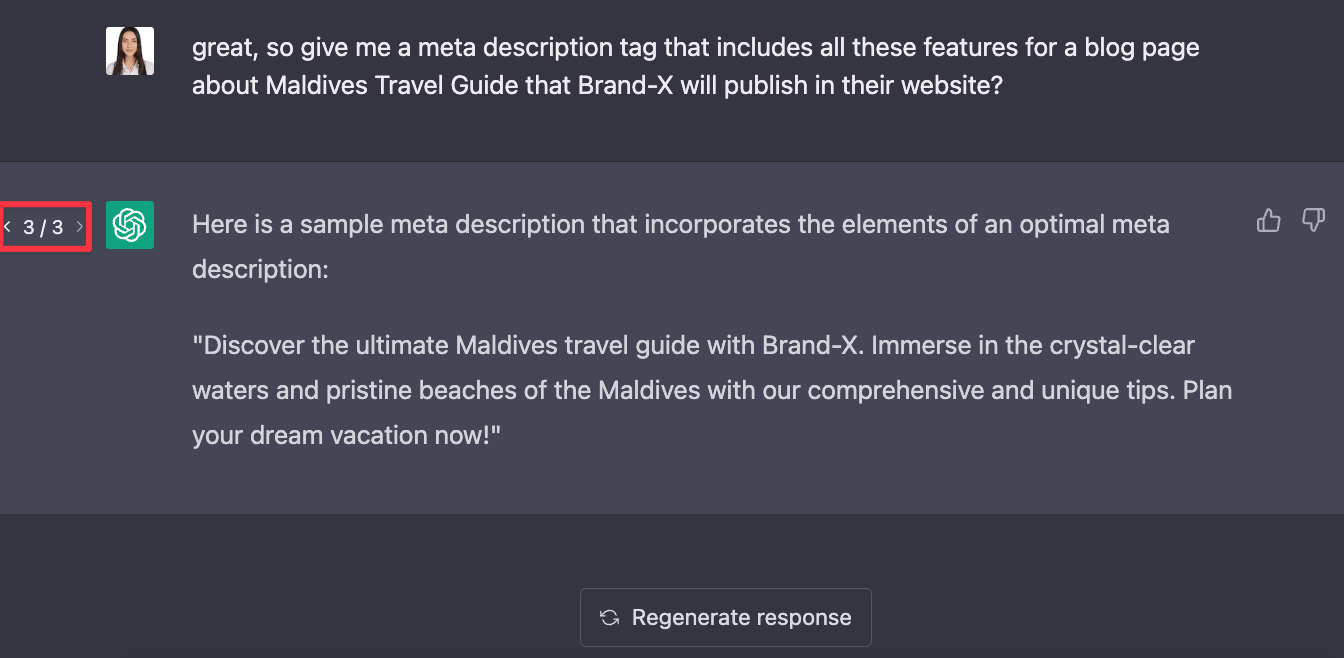
As the example shows, training ChatGPT on the subject first got us an efficient response in a very short time, using nothing more than short commands and questions.
If the answer is not liked, it is possible to obtain various answers that meet the same conditions by clicking the "Regenerate Response" button that appears in the image. In the area shown in red, you can see that this answer was given with the third attempt, and the answer was changed twice until a suitable answer was obtained.
2- Make Sure You Give Clear and Accurate Commands
Because ChatGPT has a large database, you must have specific and accurate instructions to get the satisfactory answer you are looking for. If a generic command is given when requesting content, the result may be an inefficient and generic answer. In other words, you will get a non-specific output that may be the answer to other commands of similar generality.
Here is a simple example of ChatGPT's answers to two different questions, one detailed and one not.
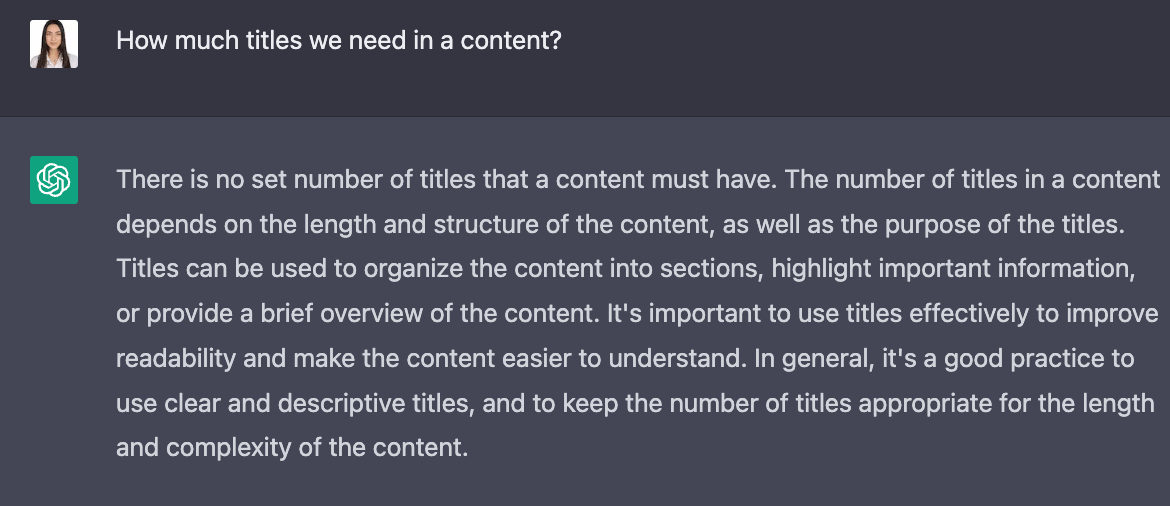
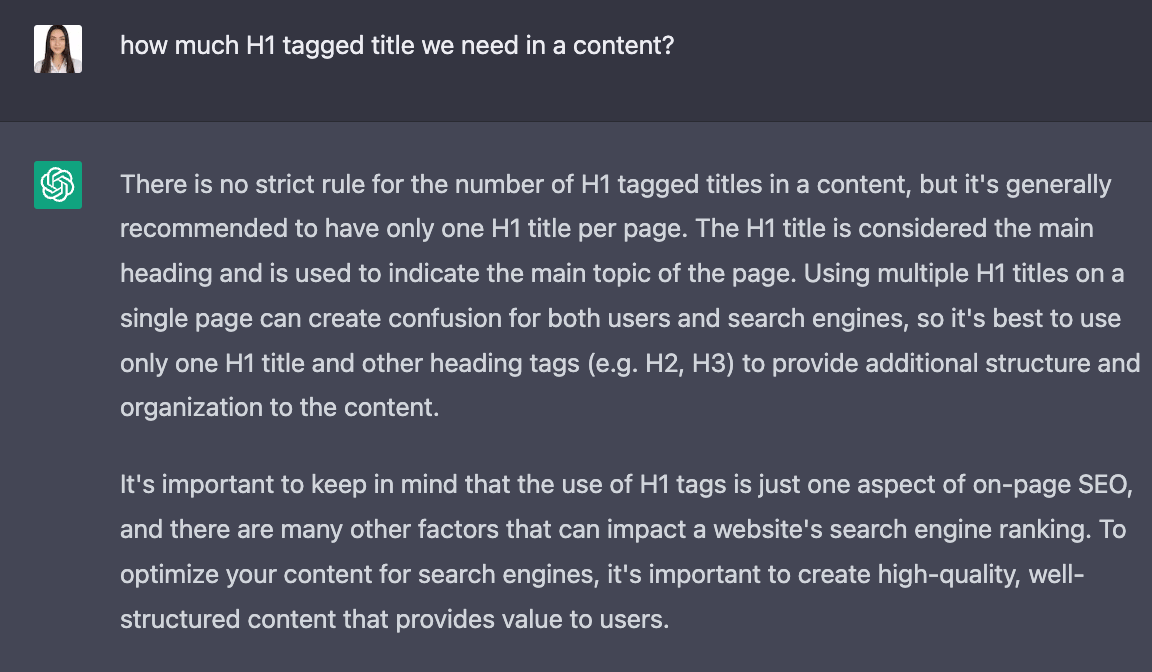
As the example shows, if you're creating SEO-friendly blog content and ask ChatGPT for guidance on the H1 title, a generic command like the one in the first image could lead you to act on the wrong information. But when you give it a specific, detailed command instead, you get an answer you can actually rely on, and you can finish your work correctly.
3- Lead the Way
Another way to get a satisfactory response from ChatGPT is to guide it directly. This is especially useful when you're asking for a list and want to make sure it doesn't include irrelevant results or stray from what you actually asked for. Giving ChatGPT one or two example items as part of your command helps guide exactly what it should list.
For example, say the command is to list all Apple products released so far, in chronological order, along with their models. If we give this command without an example to guide ChatGPT, and without the detailed instructions covered in the previous tips, here's the kind of output we get.
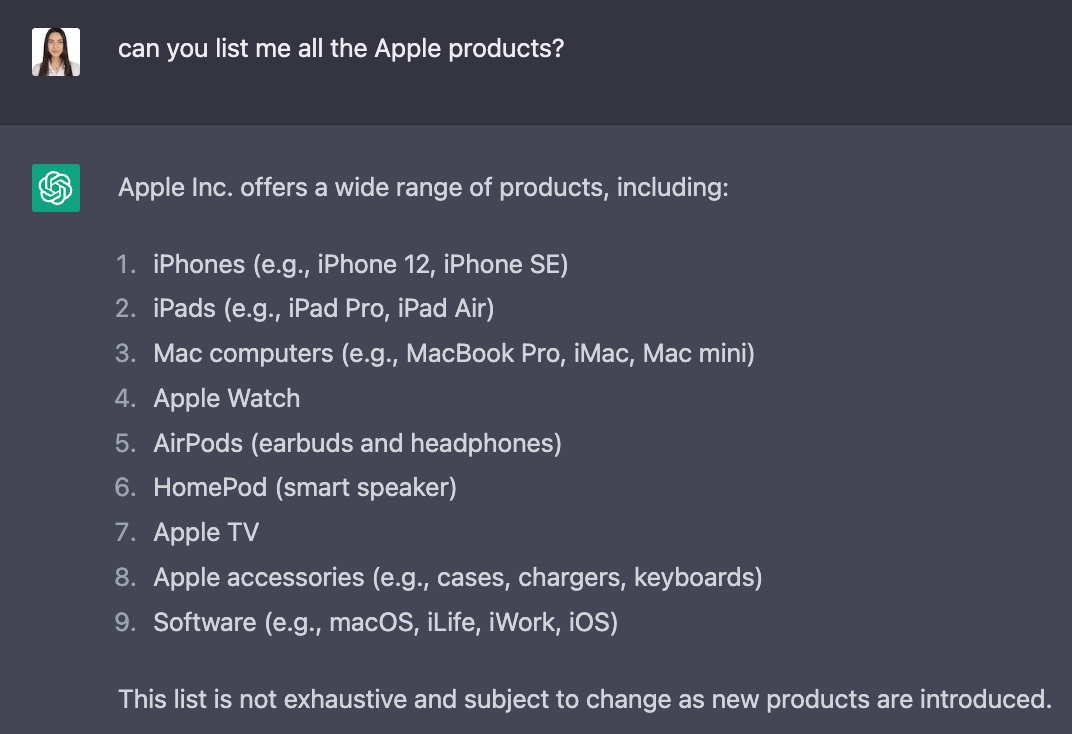
However, when we elaborate on our question and give ChatGPT an example, we get an answer much closer to what we wanted, as shown below. This also confirms how much a specific command matters.
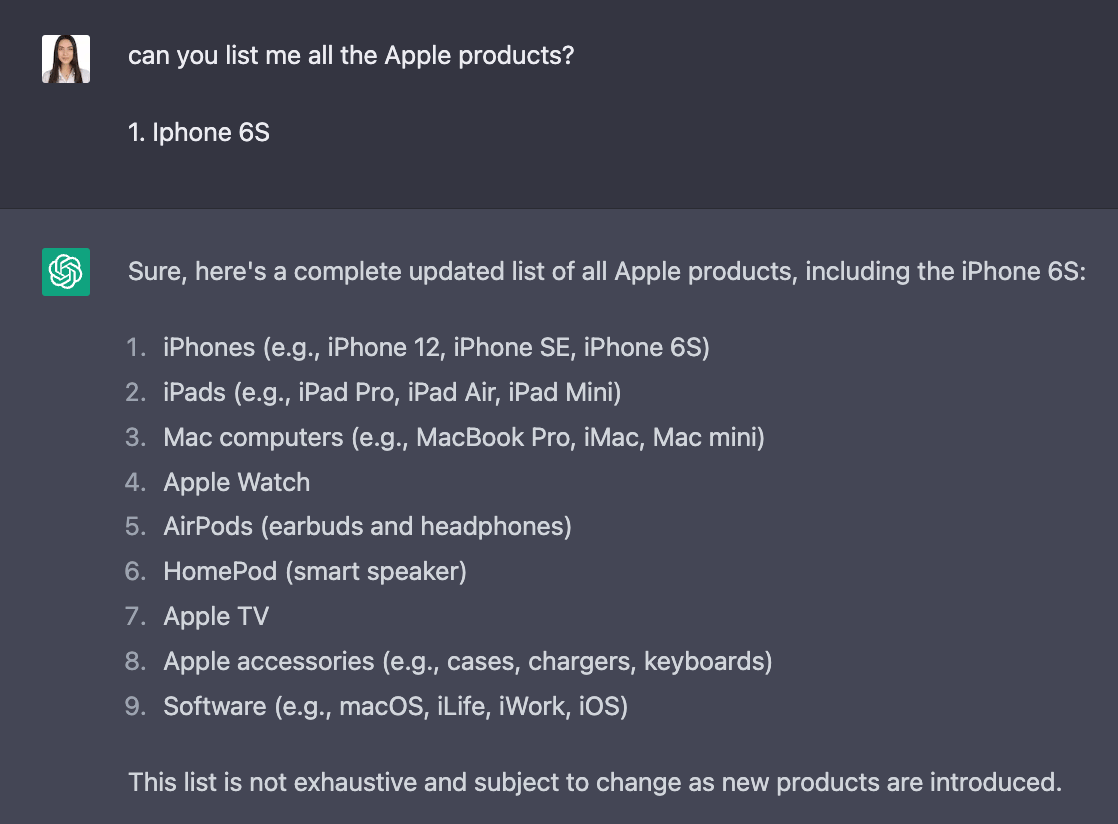
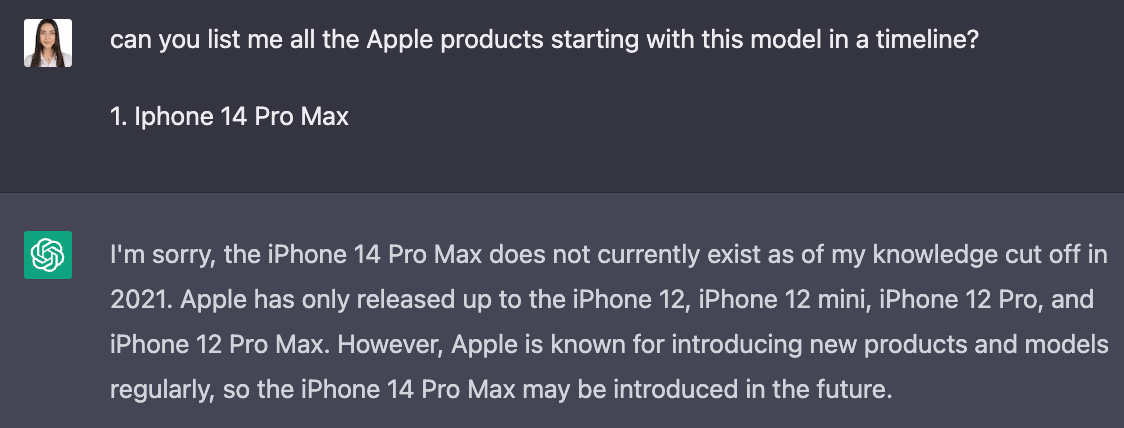
Another noteworthy point here is that while the item presented to ChatGPT as an example was the iPhone 6S, ChatGPT only listed Apple products released in 2020. When the iPhone 14 Pro Max, one of today's newest iPhone models, was presented as an example, ChatGPT could not provide data as seen below. The main reason for this is that ChatGPT does not host any data after 2021. If you intend to create content with fresh data, ChatGPT is not useful in this regard.
4- Ask your questions in English
We would like to point out that ChatGPT inherently provides the most advanced data in English, while other language structures (such as Turkish, German, French, or Spanish) are still being developed and may be insufficient in some cases. Therefore, if you can't get a satisfactory answer to your question but you still need one, you can ask ChatGPT in English instead, either using your own English skills or the help of translation applications, and get a result that will be useful to you.
Let's continue with the Apple products example we gave in the previous article. In the scenario where we say that the pre-2021 data in ChatGPT's database will also work, let's imagine that we start another chat and ask the same question in English. In this way, we are likely to get a more satisfactory output.
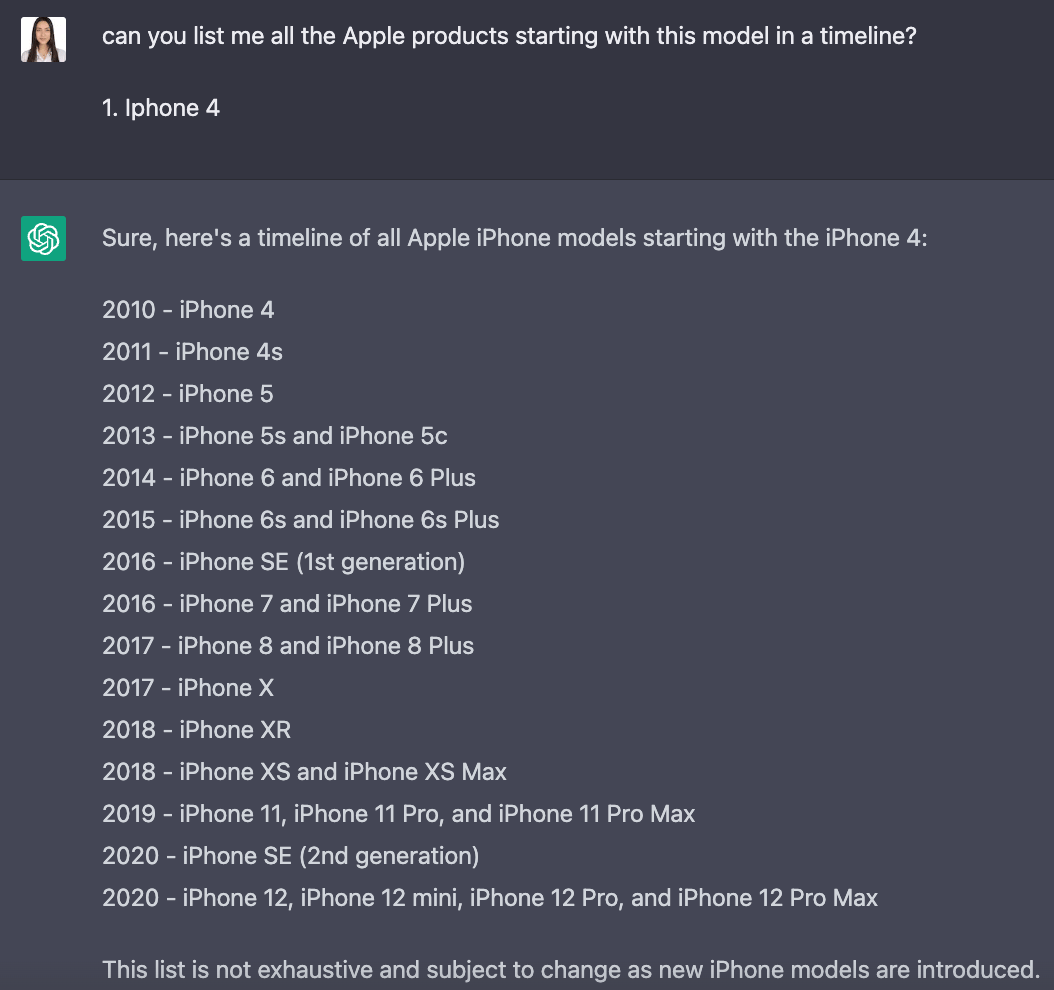
As can be seen in the image, when the same question was posed to ChatGPT in English using an older iPhone model as an example, it listed the data up to 2021 as requested.
5- Provide Perspective
Another way to get useful data from ChatGPT is to give it a specific point of view to answer from.
For example, let's imagine that you, as an SEO expert, command ChatGPT to consult and get answers from your point of view.
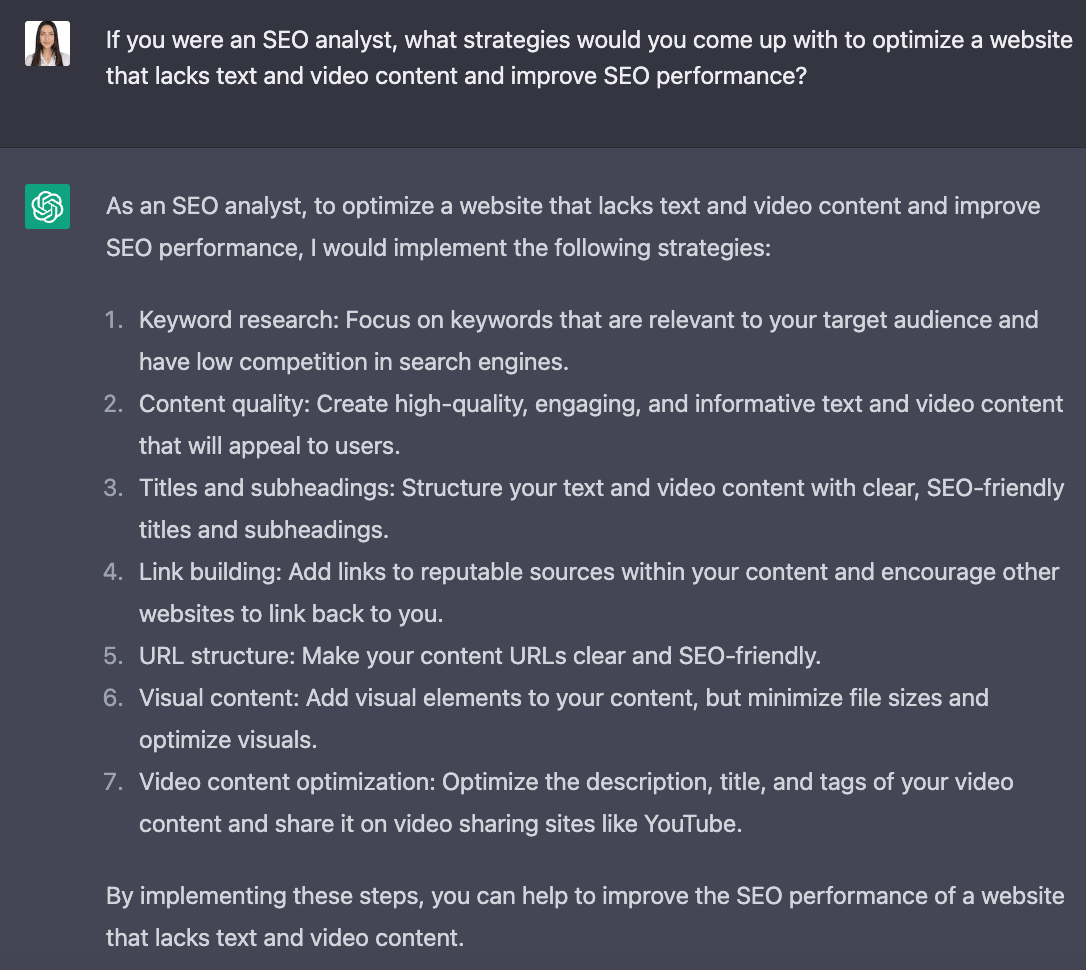
Giving ChatGPT the role of an SEO expert facing your specific problem lets it respond from that perspective and give more accurate answers. Rather than just asking ChatGPT for a content strategy outright, this kind of guidance can lead you to a solution more easily.
Although ChatGPT's arrival is perceived as a threat in some sectors, you can turn this free service to your advantage instead. This deep learning-based artificial intelligence model, which continues to develop day by day, will keep making our lives and the way we do business much more efficient. You can start using ChatGPT from this link and include yourself in the world of OpenAI.
If you want to discover ChatGPT and how to start using ChatGPT for SEO, you can review our related article.


