


In this article, you can find examples of how React can be compatible with SEO practices and how Google crawls these websites. You can follow these recommendations while changing your site's underlying structure or creating a new website.
Before moving on to SEO, the image below shows how Google crawls JavaScript and the stages a page goes through before it is indexed. Given the number of pages Google crawls daily, Googlebot can crawl the content completely and rank the page as long as it doesn't face any problems.
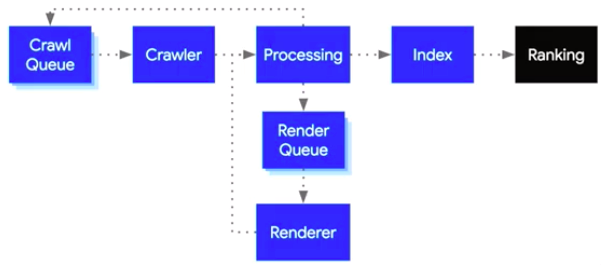
Now that Googlebot is evergreen, it can crawl and index JavaScript websites better than its old Chrome 41 version. Before we start the optimization, here's a little background on React.
Below you can see an example of a website built with the React Framework;

And below you can find 10 prominent websites built with React;
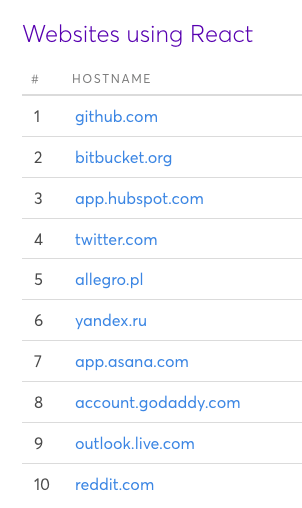
The following image shows which JS frameworks market leaders use. React ranks first;
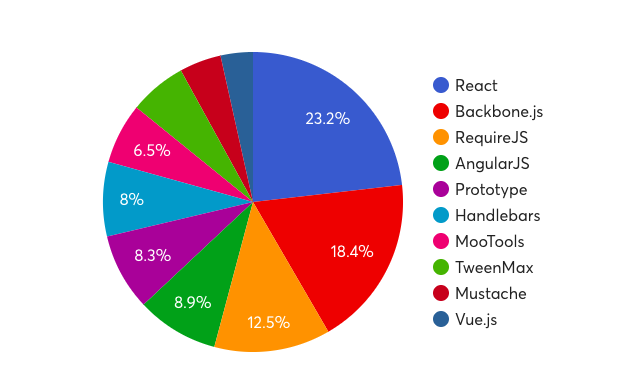
Google can render React as well as other JavaScript frameworks. As we will discuss later in the article, the pages still need the basic SEO elements.
The graph below shows the number of clicks for a website using React in Search Console. If Googlebot couldn't crawl JS, the website's traffic wouldn't have increased and it would have had indexing problems. When React is introduced to Googlebot according to the rules, Google doesn't experience any problems at the rendering stage.
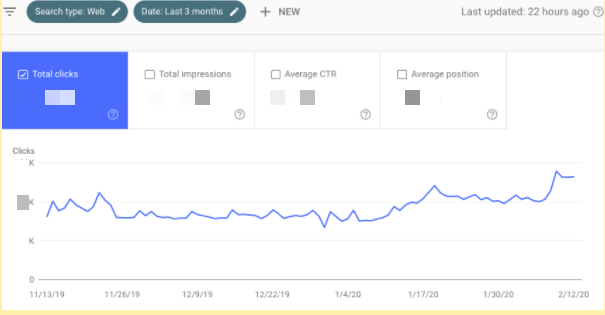
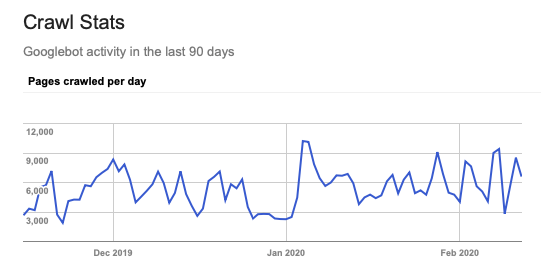
When we examine the crawl statistics, we don't see anything that hindered or slowed down crawling in the last 90 days. According to the crawl data, Googlebot can also read React.
Nowadays, among major search engines, Google supports React; other search engines do not completely support Angular or other JS frameworks.
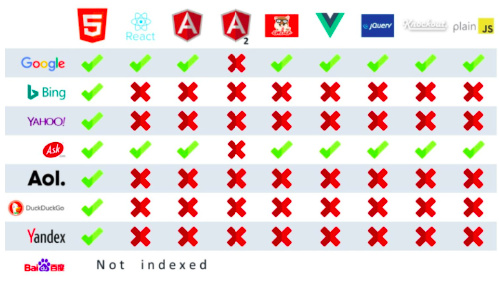
Image source.
React Router Usage
React is commonly used to build a SPA (single-page application). However, we can use the SPA model effectively as long as we properly specify certain rules and SEO elements on our pages.
It is crucial to open each page at a separate URL without a # (hashtag). As Google stated that it can't read hash-based URLs, it may not index URLs like these when they are created with React. That's why each URL should open a separate page.
Example of not recommended URL including hash: www.nameofwebsite.com/#zeo-react
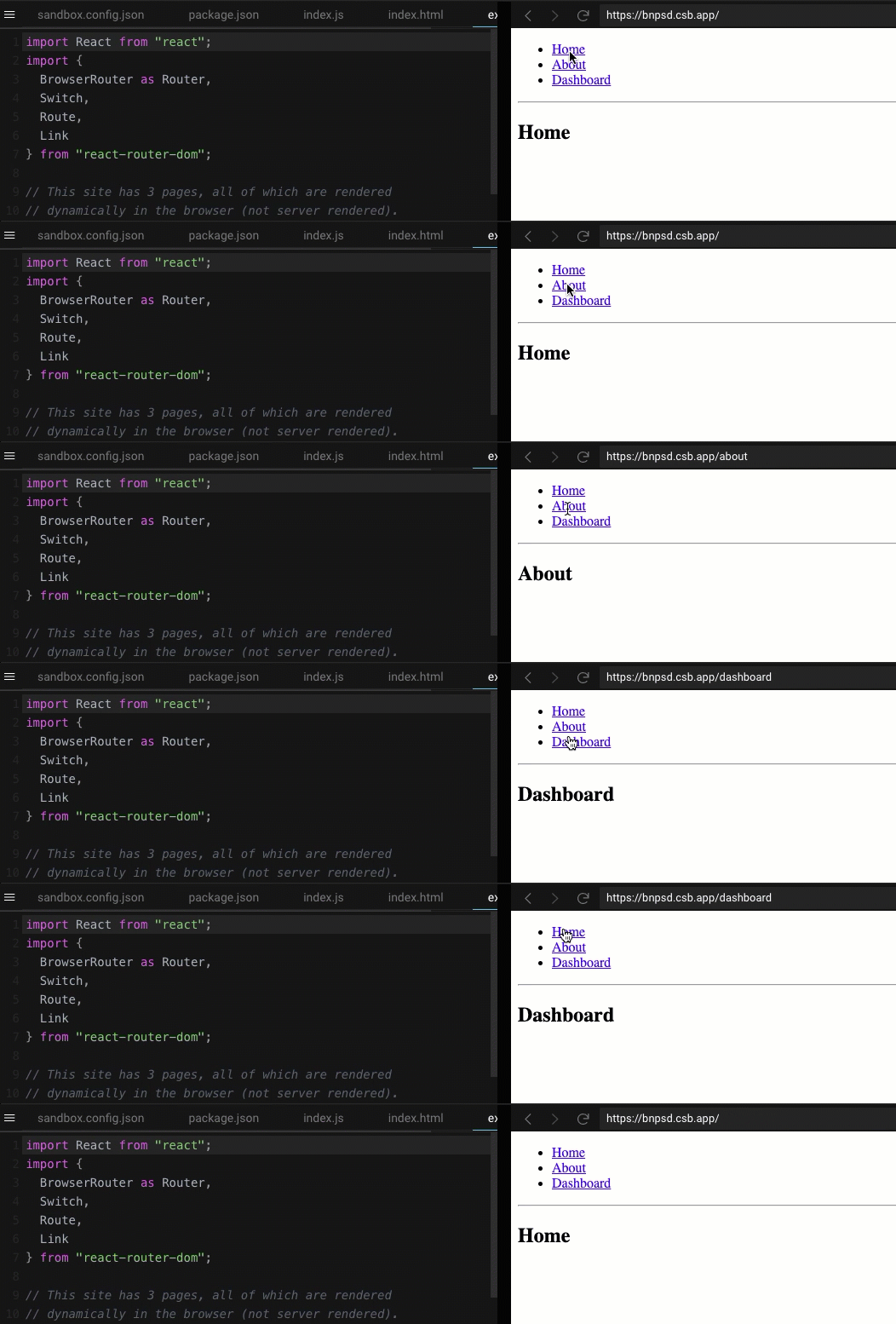
We should use React Router in URLs. Below, you can find sample display;
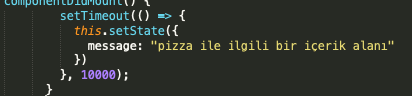
When creating content, we suggest avoiding a setTimeout process that displays it after a specified number of seconds. In such cases, Googlebot may not stay on the page long enough to read the content.
Case in URL
Using different letter cases in URLs causes Google to consider them separate pages.
Example:
/zeo
/Zeo
Google will consider the two example URLs above separate pages. Using lowercase for all URLs will help you avoid duplicate pages.
"Ahref" Usage in Links
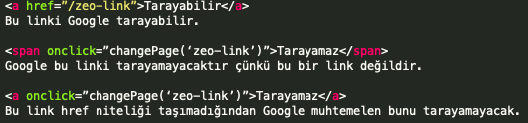
Links should be provided with "a href" because Googlebot can't read links created with onclick. Specifying links with a href allows Googlebot to find and visit other relevant pages from the page it is crawling.
React Helmet
Metadata, one of the components of SEO, should appear in the source code even when React is used. Reusing the same description and title structures may not help with CTR and other SEO metrics;
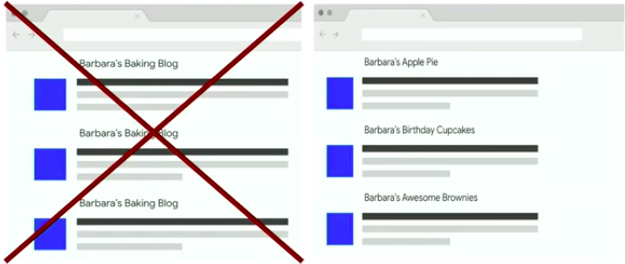
Image: Martin Splitt, React Developers
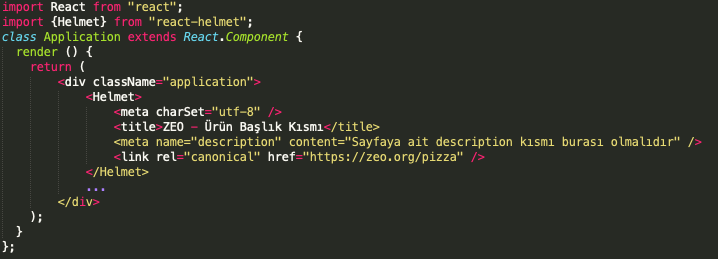
React Helmet helps in this issue. In the structure below, a sample code structure including metadata is shown;
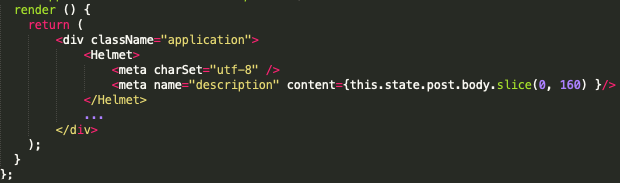
If the description element doesn't work or a page-specific description can't be provided automatically, you can fill the description with the first 160 characters of the page content.
Other than metadata, structured data items should also be in the source code. (Product, organization schema etc.)
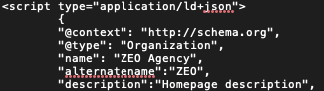
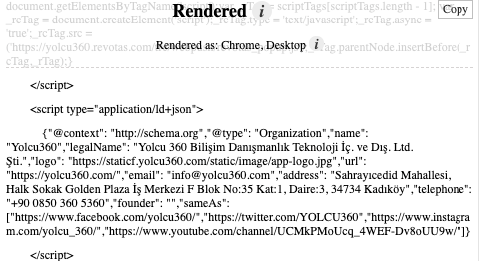
As an example, you can see the Raw and Render versions of yolcu360.com below. Structured data appear in a protected form in both Raw and Rendered parts. There is no difference between them.
Raw;
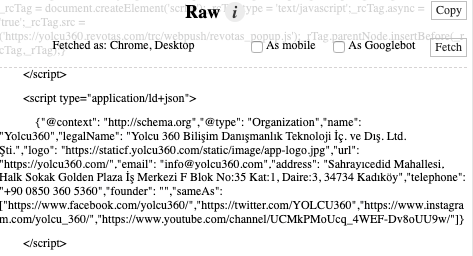
Rendered;
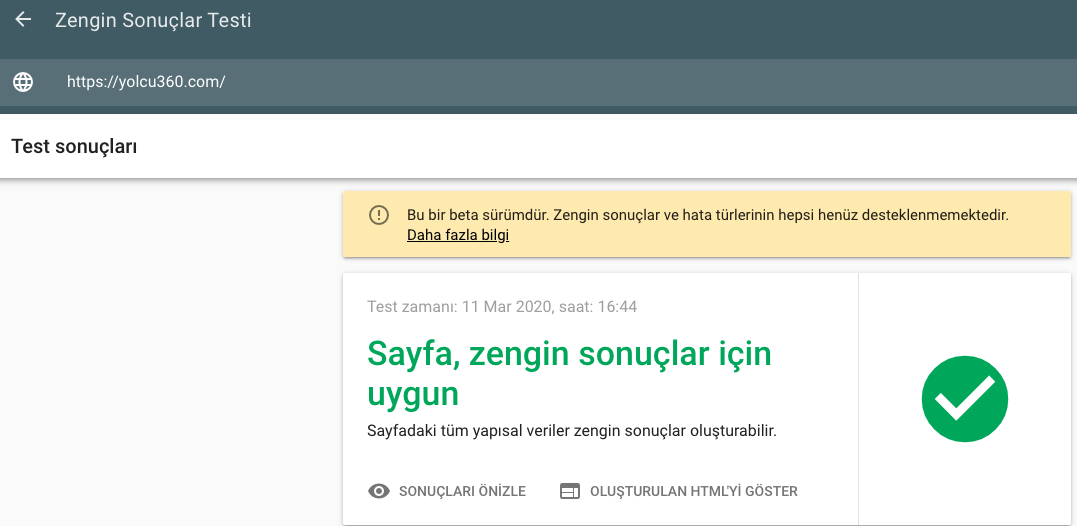
When we test the page with Rich results test tool, GoogleBot can see the structured data on the page.
You can show Google metadata in <head> and content elements in <body> by using Server-Side Rendering and Helmet together. Remember that the content should appear in the DOM. I also suggest taking a look at Dynamic Rendering.
Any errors or deficiencies in metadata may negatively affect all metrics in search results.
404 Error Code
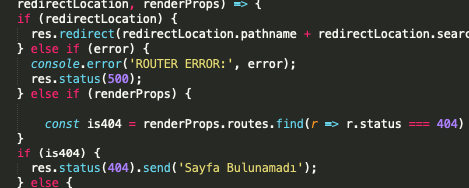
If a page is defective, it should return a 404 error code. Remember to set up files such as route.js and server.js.
A Reminder for Images
On-page images should definitely be indicated with "img src"; Googlebot announced that although it shows them in its tools without having any problems, it can't index them.
Proper use;

Using CSS background and as such with React will lead to problems in indexing images.
Wrong use;

React.Lazy
Using lazy load helps users explore the website faster and positively affects our page speed score in Google. For more details, you can check the page Using React with lazy load.
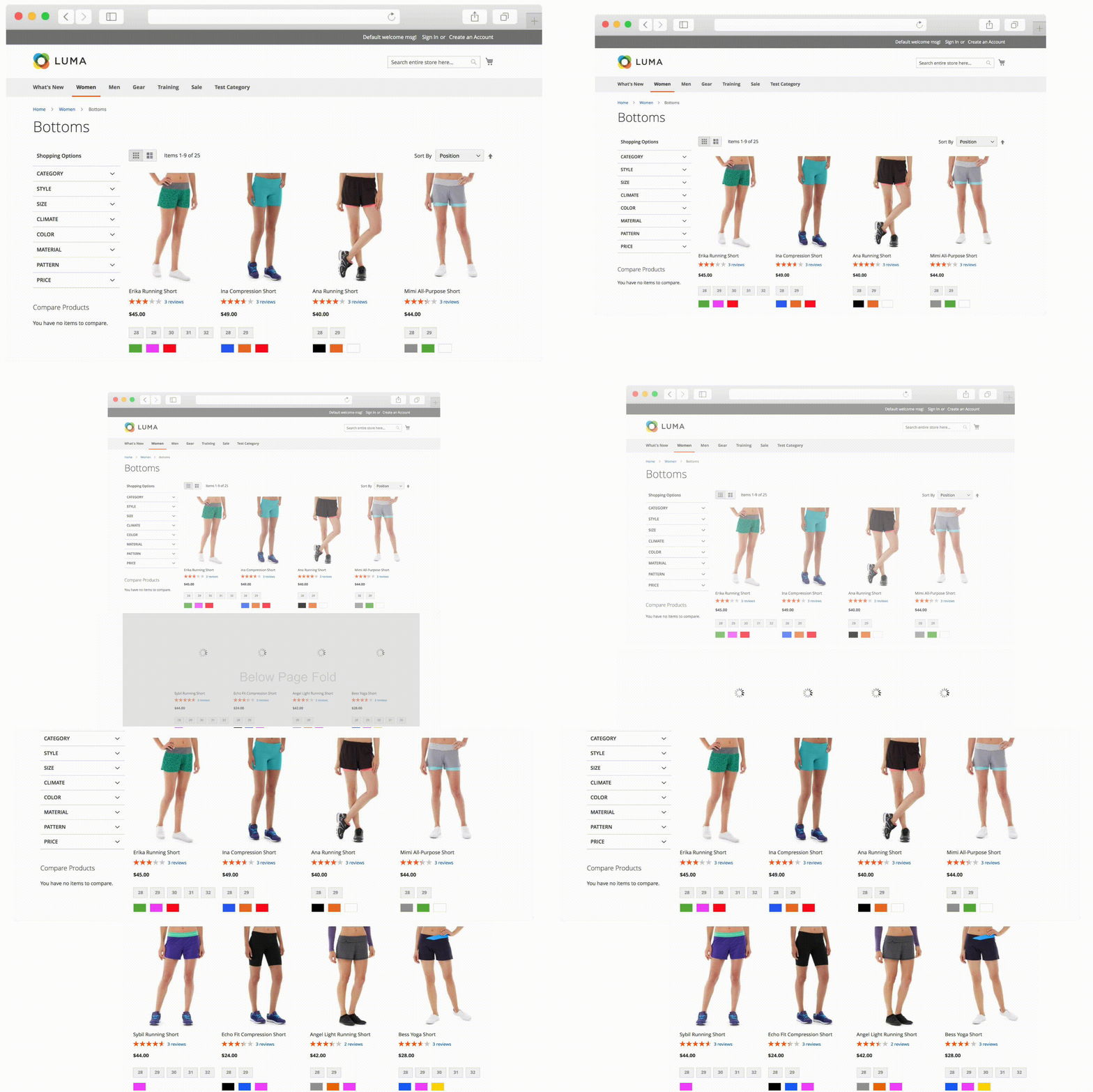
You can use React-Snap for performance improvements in website speed. Sample use;
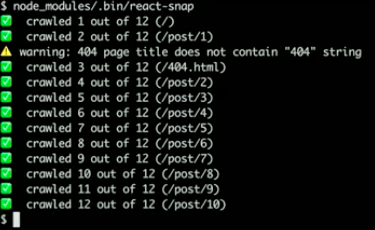
Compared with other JS frameworks such as Angular or Vue, React can produce smaller files and avoid loading unnecessary code, which has a positive effect on page speed. For instance, you can split a JS file of 2 MB into 60-70 KB files and run separate processes.
We can say that the most important topics in React in terms of SEO are React Router, React-snap, and React Helmet.
When using JavaScript, remember that Google analyzes and crawls HTML websites better than JavaScript ones. However, as we've mentioned above, this doesn't mean it can't crawl JS-based websites. JavaScript websites simply require a little more care.
See you in other articles :)


