


Faceted navigation is an on-page navigation system built for sites with large listing results, like e-commerce stores. It lets users quickly filter down to the specific products or services they're looking for, and by creating a good user experience, it positively affects your SEO performance.
E-commerce sites are the obvious use case for faceted navigation, but it's just as critical on advertising, travel, and news sites. Faceted navigation can support your SEO performance, but if it's built incorrectly, it can also create serious problems for your site. So when you're deciding how faceted navigation should work on your site, choose the filters users actually need and take technical issues like crawlability into account.
Faceted navigation example for Amazon.com.tr:
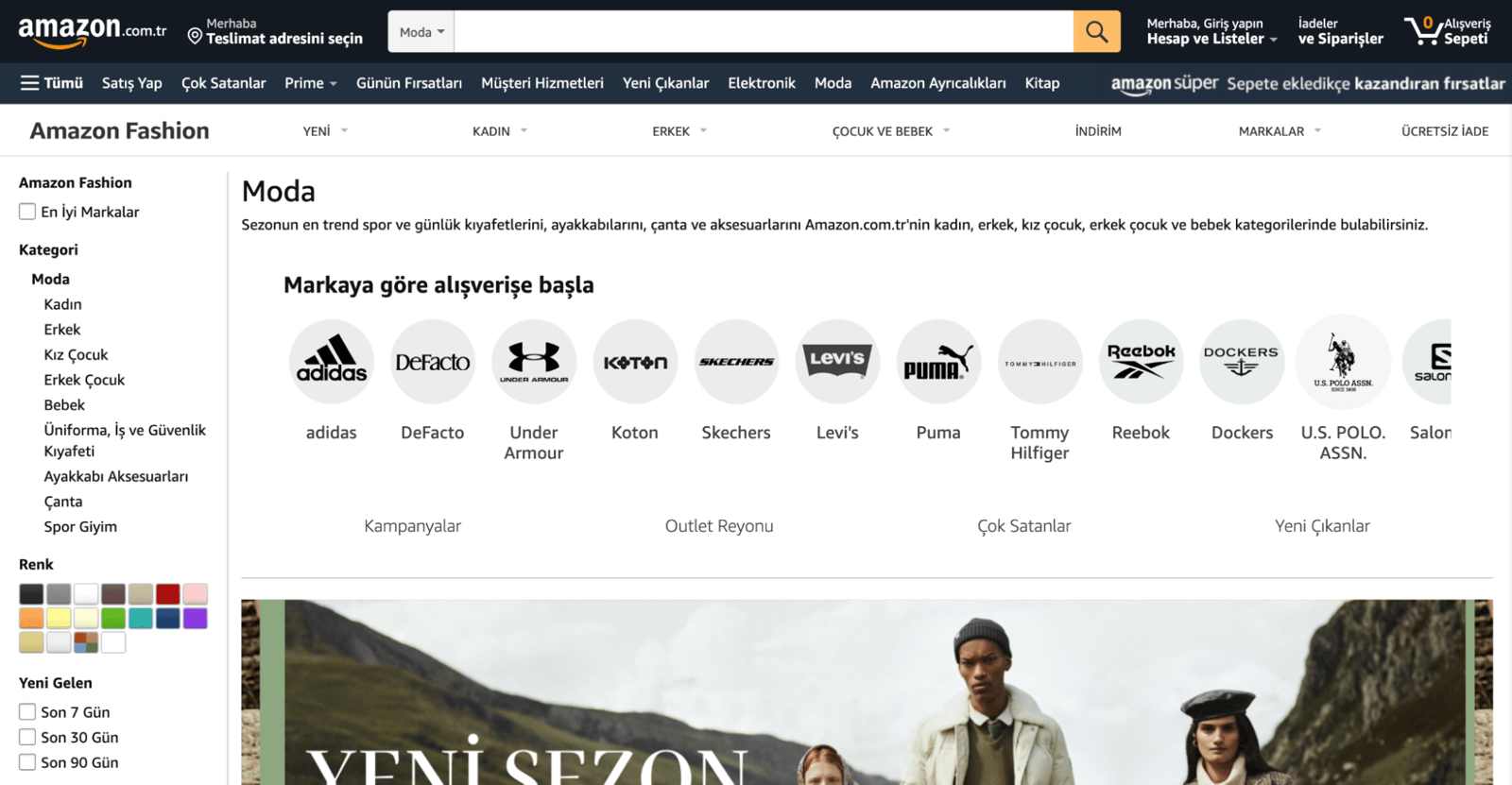
How Faceted Navigation Work?
Faceted navigation usually works in 4 different ways:
- The page doesn't reload; JavaScript updates the results in place.
- The page reloads, and the selected results appear on the reloaded page. (JavaScript not included)
- The user selects an item in the list, but nothing happens until they click the 'Apply' (or similar) button. After that click, JavaScript updates the filtered results on the page.
- The user selects an item in the list, but nothing happens until they click the 'Apply' (or similar) button. After that click, a new page is created. (JavaScript not included)
To figure out which model is right for your site, look at your own products and services. For example, if users may want to apply more than one filter to find what they need, it's more useful to show them the relevant page only after they've selected all their filters.
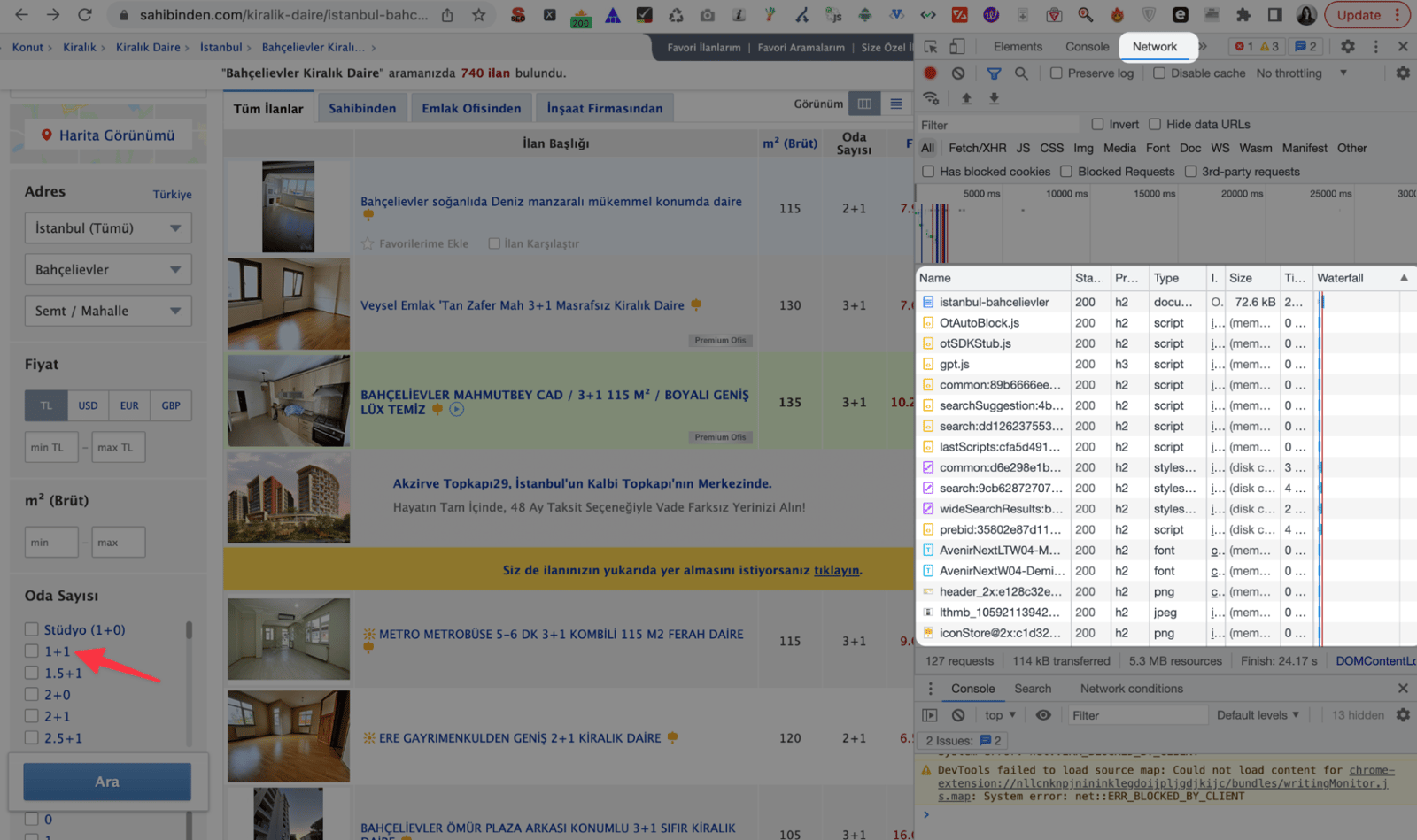
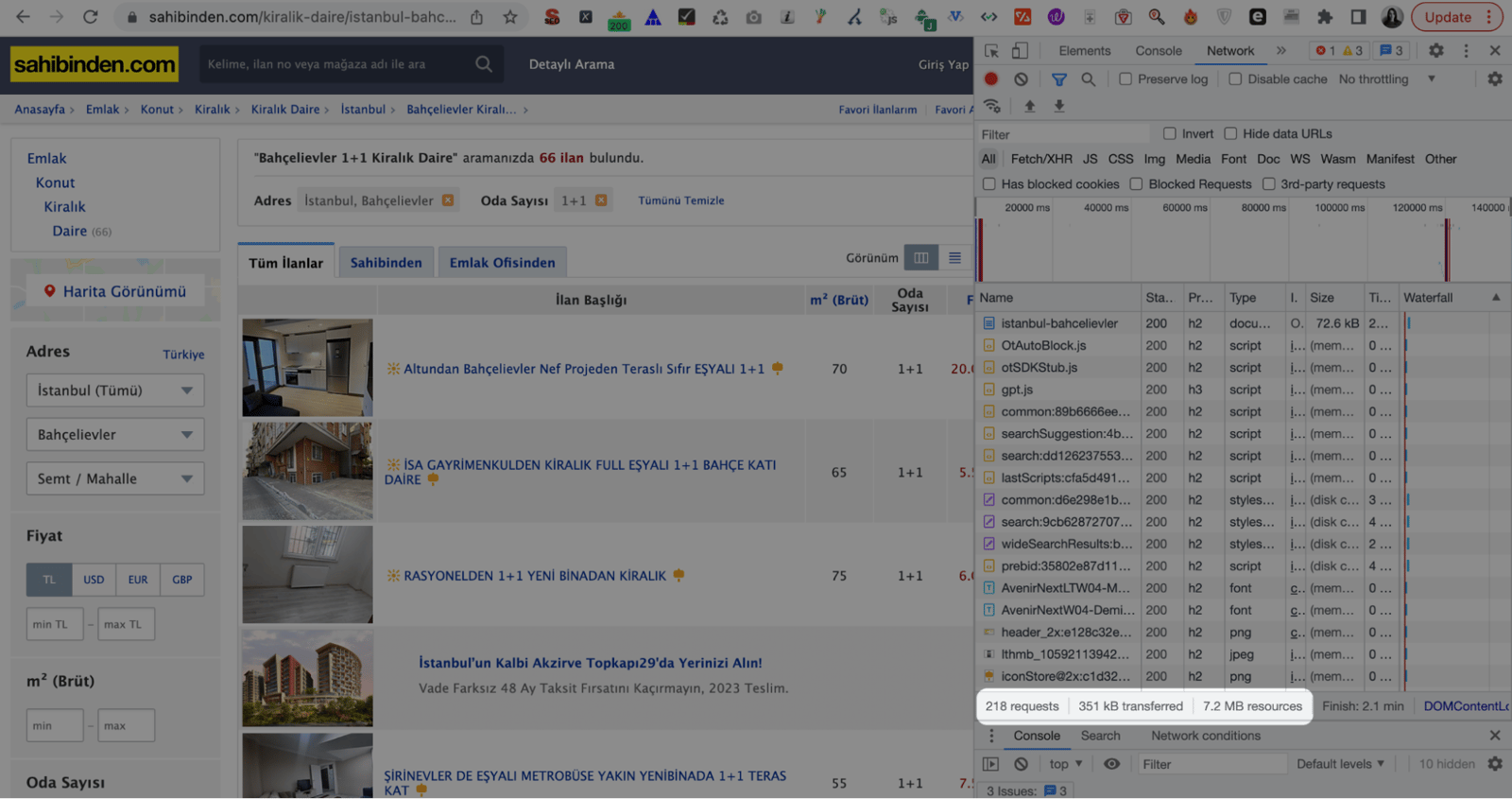
To check how faceted navigation works on a site, you can use the "Network" tab in Chrome DevTools. If the page's resources reload, we can assume faceted navigation isn't using JavaScript; if they don't reload, we can assume it is. For example, below we see that filtered pages on sahibinden.com are fetched using JavaScript. When we apply a filter for 1+1 apartments, the files on the page don't reload, the number of requests increases, new files load, and the filtered page appears for the user.
Why Faceted Navigation is Important?
As I briefly mentioned in the introduction, the main purpose of faceted navigation is to improve the user experience by making it easy for users to find the products they're looking for. Sites that use faceted navigation give visitors a simpler, more effective way to search, which also improves the user experience. This can result in a lower bounce rate and users spending more time on your site.
Faceted Navigation and URL Parameters
URL parameters serve a number of purposes, such as on-site search, pagination, session tracking, and more. Faceted navigation is also directly tied to the use of parameterized URLs. When a user selects any filter on the page, a URL gets generated to match that filter.
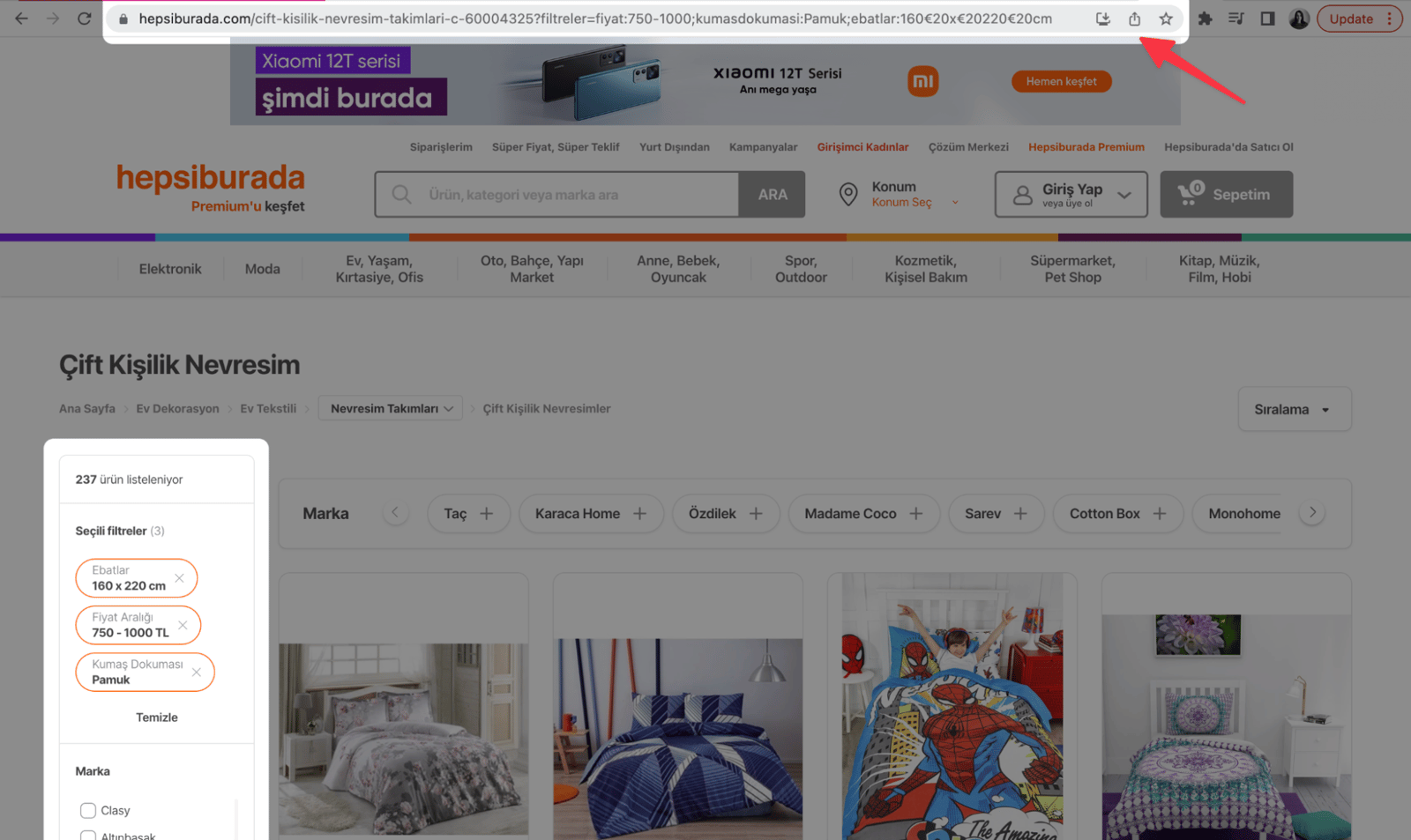
For example, when we select the size filter on the women's dress page on trendyol.com, the URL looks like this.
https://www.trendyol.com/sr?wc=56&vr=beden|m
When we also select an M size and red color filter, the URL looks like this.
https://www.trendyol.com/sr?wc=56&wcl=7&vr=beden|m
As this example shows, a large number of filter options across all categories results in a large number of parameterized URLs. This number can easily reach millions depending on the website's volume. So to avoid losing performance on the SEO side, you need to optimize the URLs that faceted navigation produces.
What Problems Can Faceted Navigation Cause?
Faceted navigation can cause the following problems
- Inefficient use of the crawl budget
- Duplicate content
- Index bloat
1- Inefficient Use of Crawl Budget
Google may allocate limited resources to crawl your pages. Crawl budget optimization should be at the top of your to-do list, especially if you have a medium or large website.
More parameterized URLs from filtering can hurt your crawl budget and make it harder for Google to tell your important pages apart from the less important ones. So you can block the parameters you don't think carry SEO value from being crawled through the robots.txt file, which helps optimize the crawl budget.
2- Duplicate Content Creation
Filters result in a large number of URLs with duplicate content. Duplicate content leads to cannibalization and can cause your similar pages to compete on the same queries. To prevent parameterized URLs from causing duplicate content issues, you can canonicalize parameterized URLs to their non-parameterized versions instead of marking them as self-canonical.
3- Index Bloat
Index bloat is the result of a large number of low-quality URLs being indexed. Indexing the parameterized URLs that faceted navigation creates not only wastes your crawl budget but also means your low-quality, SEO-unworthy pages become accessible in Google searches. This leads to a bad experience for users, such as landing on a filtered page with no products in the index.
How to Setup Faceted Navigation for SEO Compatibility?
We've covered the problems you may run into on your website when using faceted navigation. So how should SEO-compatible faceted navigation be built?
1- Use Canonical to Avoid Duplicate Content Issues
As I mentioned under duplicate content creation, you can use canonical tags to keep your similar pages from competing in search results. Google doesn't follow canonical tags 100% of the time, but it's still a good idea to signal to Google which URL it should index.
For example, say you have an e-commerce site that sells textiles. Your dress category page and your dresses for $100 - $200 page are very similar in content. Since users are unlikely to search for something like dresses from $100 - $200, the best option here is probably to set the canonical of that $100 - $200 filter page to the main dresses page.
2- Use Standard URL Encoding on Filter Pages
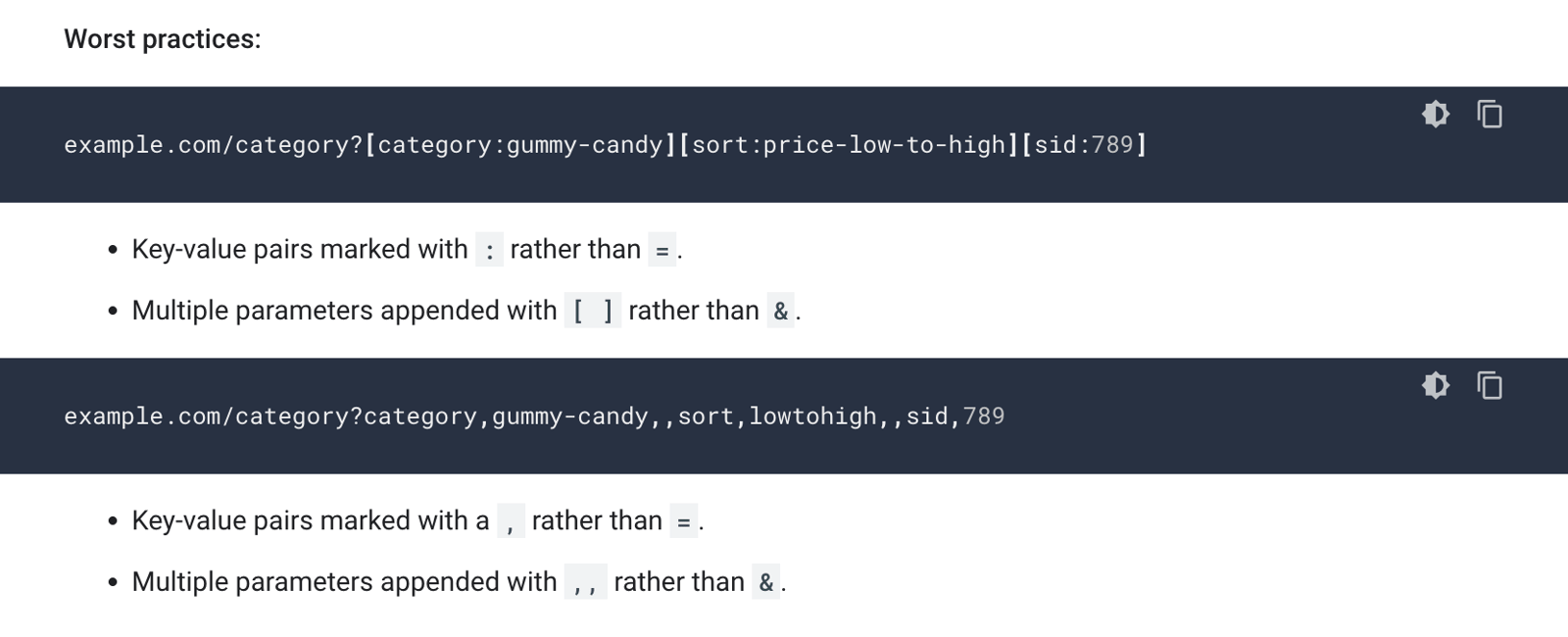
According to Google's Faceted Navigation Best Practices published in 2014, non-standard URL encoding can cause problems on the browser side, which can negatively affect SEO performance.
For example, using a colon (:) instead of an equals sign (=), and brackets ([ ]) instead of an ampersand (&), are among the worst-case scenarios according to Google.
3- Use Robots.txt File to Optimize Crawl Budget
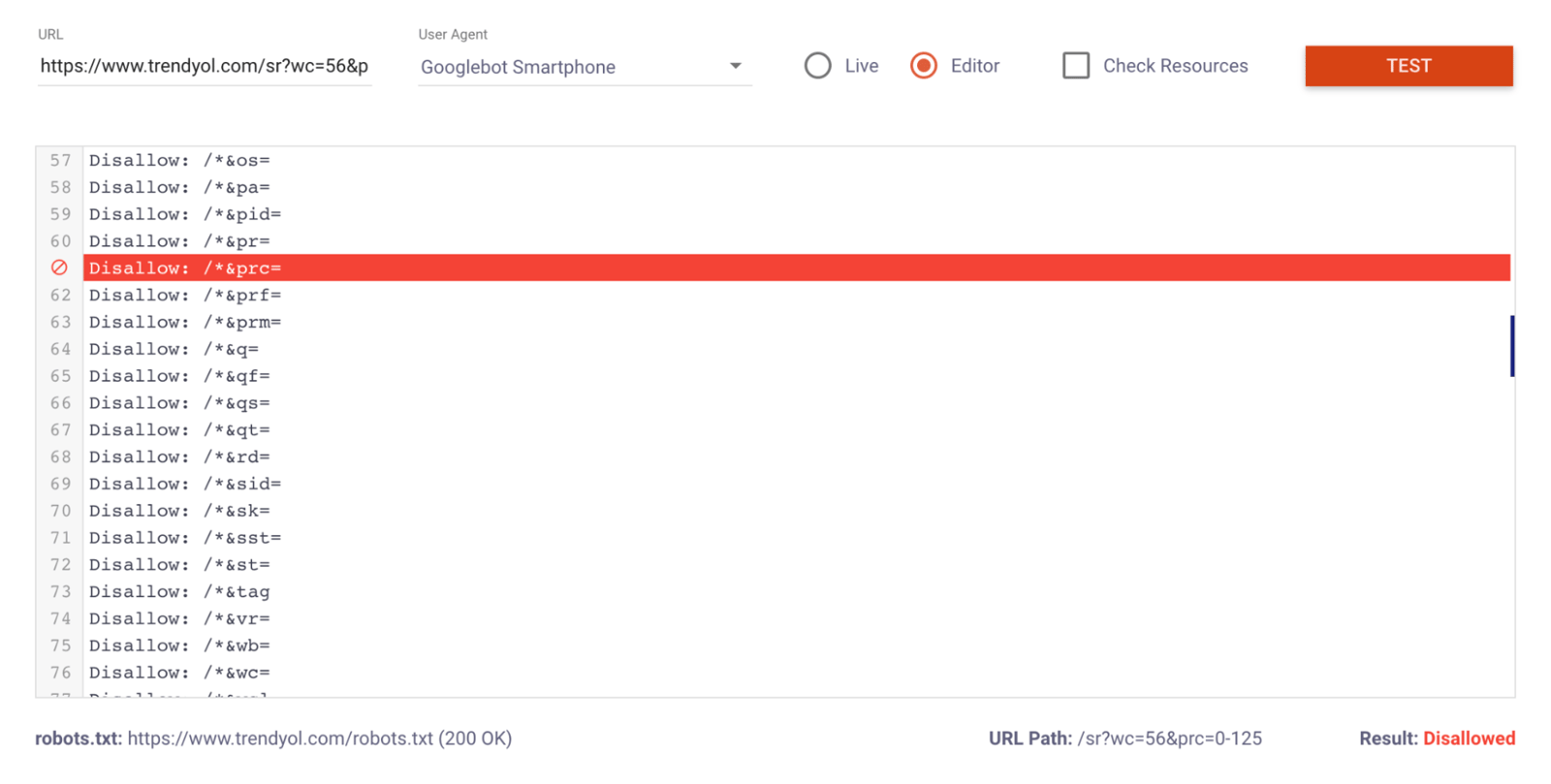
If you're having problems with the crawl budget on your site and have pages with many filters, the best option may be to block filter pages via robots.txt.
For example, you can see below that the pages resulting from the price filter on Trendyol are blocked from crawling via robots.txt. For more detailed information about robots.txt files, see our What is Robots.txt File? Why is it important? content.
4- Use Noindex to Prevent Knee Swelling
If you don't want your filter pages to cause index bloat, you can keep the pages out of the index by adding a noindex tag to them. (With this option, you need to make sure the pages are crawlable. Otherwise, Googlebot won't crawl your page and won't see the noindex tag.)
Use robots.txt blocking instead of noindex to use the crawling budget more efficiently. As you know, when using noindex, pages are still crawled; they just aren't allowed to be indexed.
5- Use AJAX
You can build your filter pages faster by creating faceted navigation with AJAX. With AJAX, the resources on the page don't reload after filter selection, which lets the user reach the filtered results faster.
Beyond fast, optimized loading, there's no problem crawling and indexing your pages either, since AJAX doesn't add internal links with an href tag to the page.
6- Make sure filtering results in shareable URLs
Generating new URLs for filtered pages matters a lot for shareability. If the URL doesn't change when a filter is selected, then when a user shares the page, whoever opens the link lands on the main URL instead of the filtered page, which makes for a bad experience.
7- Consider that there may be filtered pages with search volume
We can guess that most users won't search for something like red linen pants with slit detail. But since search volumes can be high for queries such as linen pants and red pants, you need to make sure you have a crawlable and indexable page to meet these queries.
If high-volume filter pages aren't crawlable and indexable, it can be useful to create these pages on a new URL. Building new pages to target these queries can also improve your long-tail keyword performance and give you a faceted navigation setup that performs well for both users and Googlebot.
In summary, no matter which method you use for faceted navigation, start by considering the needs of the users who visit your website. Then, by choosing the setup best suited to your site, you can build faceted navigation with a strong user experience, sound technical footing, and better SEO performance.


