


Chapter 1: Basics of Keyword Research
This first chapter covers the fundamentals of SEO keyword research. Before we get into the process, I will explain what keyword research is and why it matters for SEO. If you are new to SEO, you may also want to read our SEO Guide in All Aspects for Beginners blog post. Here, you will learn how to conduct keyword research, what it is used for, and why it plays an important role in growing your site. Let's begin with the first question.
What Is a Keyword?
A keyword is a word or phrase that people enter into a search engine to find information on the web.
What Is Keyword Research?
Keyword research is the process of finding keywords related to a topic, URL, or website. It can reveal new content ideas, identify content optimization opportunities, and help you track the keywords associated with a website. For this reason, it is usually the first step in SEO work. But how do you use it? When Google crawls your site, it indexes pages that are open for indexing and identifies the keywords and keyword density in their text so that they can appear in relevant searches. Pages that rank in the first position often account for this by including high-volume and related keywords in their content before beginning the rest of their SEO work. This is what we call keyword research and analysis.
Why Should Keyword Research Be Done?
We conduct keyword research and analysis to decide how to build our content. It helps us discover the keywords people search for and create comprehensive, high-quality content that answers those searches.
How to Do Keyword Research?
I will answer this question in detail throughout the guide. In simple terms, keyword research means using paid and free tools to find and analyze the keywords for which our site and competitors rank. We can also use it to find the most searched keywords related to a topic and shape the basic structure of the content, such as its Title-H1-2-3 titles. The following chapters explain each part of this process.
Historical Google Updates About Content That Affect Keyword Research and Analysis
As technology has developed and our needs have become more complex, keyword research and content creation have changed dramatically. In the early 2000s, for example, keyword research might have focused on finding high-volume keywords and using some keyword stuffing. As Google users' expectations changed, Google continued to update its algorithm in response. The following major updates affected keyword research and content:
- Google Panda - penalized thin content, duplicate text, and low-quality content
- Google Penguin - penalized unnatural keyword use, ie keyword stuffing
- Google Hummingbird - improved semantic search with a stronger focus on user intent
- Google Bert - improved natural language processing and began listing more appropriate results for searched keywords.
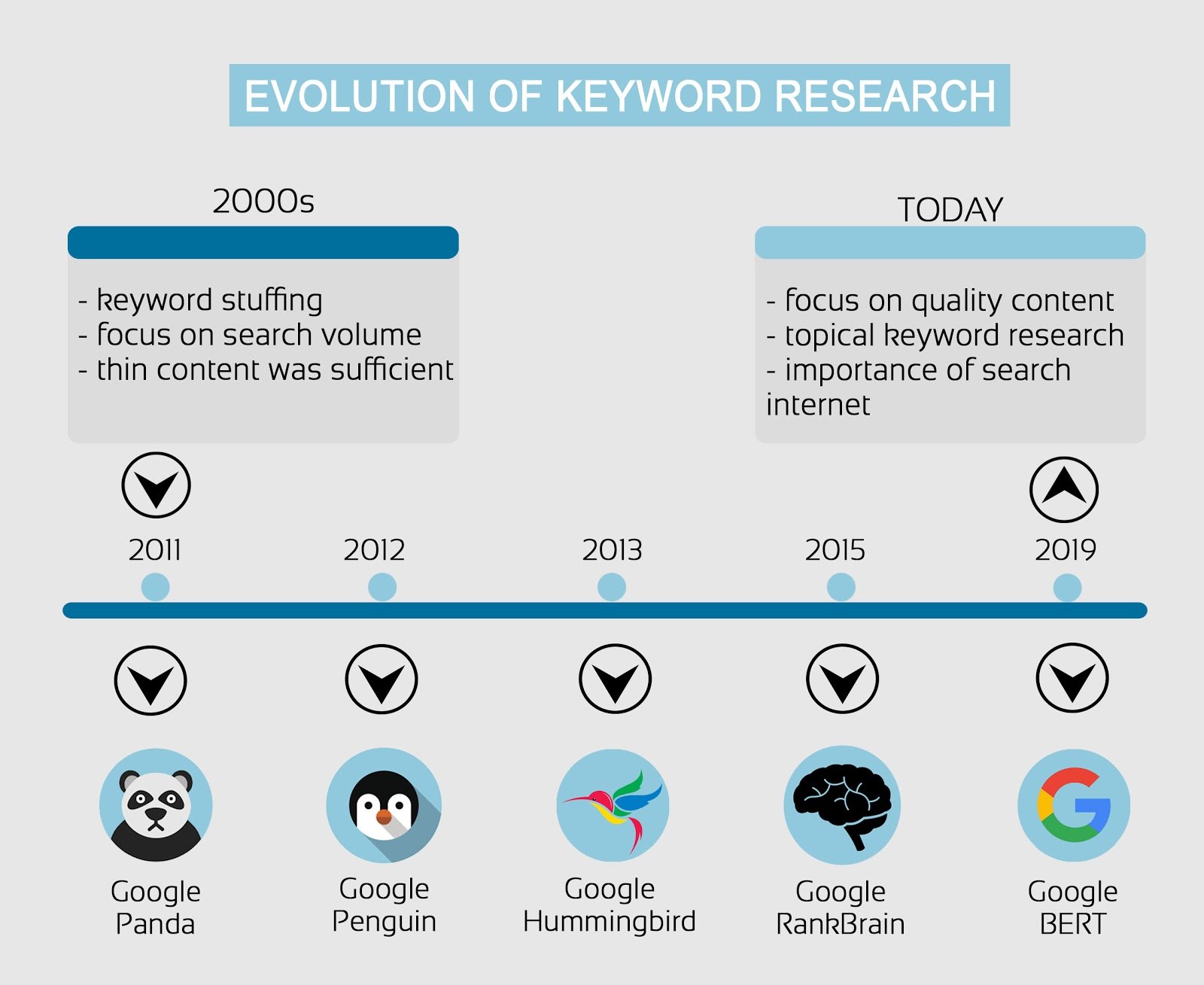
Today, placing the right keywords in the right places matters more than simply adding high-volume keywords to content. As technology evolves, Google continues to develop its search engine and provide higher-quality results by better understanding what people want.
Google Rankbrain
Google Rankbrain is another algorithm update that Google developed using artificial intelligence and machine learning. The update gave Google two key capabilities for improving search results:
- Began learning how users interact with organic search results
- Improved its understanding of users' intent to show more relevant results
Taken together, these updates show that keyword research and analysis is more complex than it once was. The focus has shifted from individual keywords toward topics, making it increasingly important to cover every relevant aspect of a subject in detailed, high-quality content. The practice of finding high-volume keywords and spreading them throughout a page has given way to creating well-organized content that covers the subject as a whole. So what does the keyword research and analysis process include?
Stages of Keyword Research and Analysis
The keyword research process has three main stages: 1- Researching related keywords and creating a keyword pool 2- Analyzing those keywords against the criteria I will explain in the following sections, then selecting the most accurate and in-depth options 3- Deciding where and how often to use the keywords in the content. We will focus on the first two stages because the third is more closely related to creating SEO-compatible content. We may prepare a comprehensive guide on that subject in the future. First, however, let's start with the most basic question.
Chapter 2: How to Find New Keyword Ideas?
Now let's look at how to find new keyword ideas. In this section, I will explain the methods we use and cover 3 different ways to build your list. We will consider both free and paid approaches to finding new keyword ideas for SEO.
Brainstorming
Brainstorming begins by listing the ideas already on our minds and noting the ones that suit our needs. Start by writing down topics related to your business and purpose. As you work, ask yourself, “Which topics can help my target audience to find me online?” If you run a digital marketing agency, for example, you might consider these topics:
- SEO
- SEM
- Content Marketing
- Social Media
- Email Marketing
- Growth Hacking
Once you have identified the basic keywords relevant to your business, find more terms related to each topic and use them to build a keyword pool.
You can find related keywords with Ahrefs' Having Same Terms feature.
First, enter your keyword in the “keywords explorer” tool.
 You can then find related keywords in the “Having Same Terms” section.
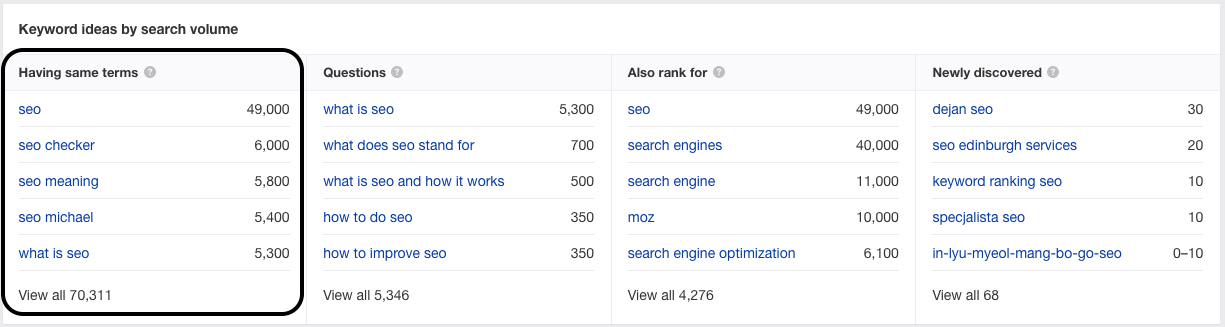
For example, "Email outreach templates" may be a useful keyword for your content if you are targeting email marketing. There is also another way to find keyword ideas.
Competitor Keyword Research
If you have created a new website and do not yet have much content, analyzing larger websites in your industry can help you find new keyword ideas. Start by identifying your competitors and reviewing their content. A tool such as Ahrefs can make this easier. You can analyze a competitor's domain to find the keywords and pages that bring it the most traffic, or use the content gap feature to discover keywords for which the competitor ranks but you do not.
Finding Content Gap
If you know your competitors and they are larger than your site, you can use Ahrefs’s content gap feature to find new content ideas. First, search for your own website in Ahrefs.

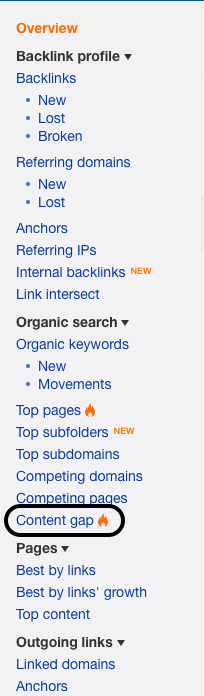
Then click "content gap" in the left menu.
Enter your competitors in the relevant fields to find keywords that they cover but we do not.
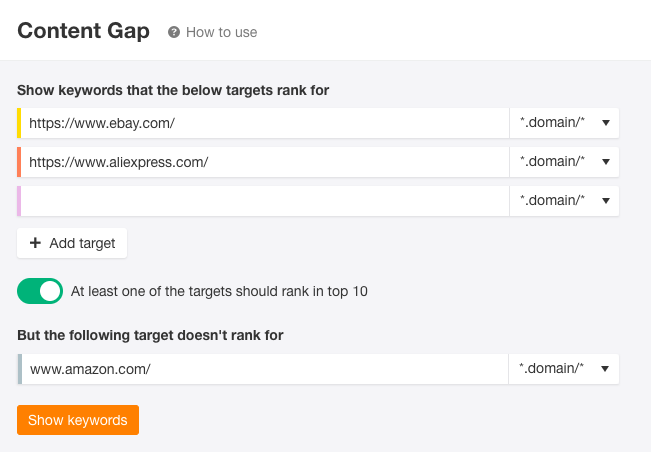
The results can reveal useful keyword ideas like these:

Next, let's examine our competitors more closely for additional keyword ideas.
Chapter 3: How To Find Relevant Keywords
After finding your target keyword, build a keyword pool by adding related terms, also known as LSI keywords. Many paid and free keyword research tools and methods can help you find LSI keywords. This chapter covers them all, beginning with the most basic options.
Google Suggestions and Youtube Suggestions
Once you have found your target keyword, search for it on Google.

Google will display its recommended keywords.
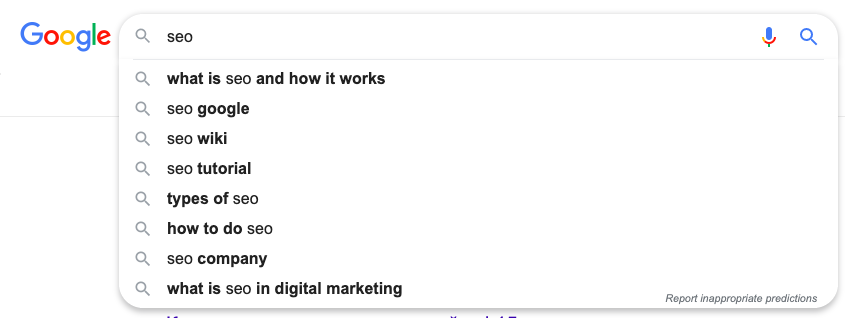
These are useful additions to your keyword list because Google generates them by examining similar searches and identifying relevant terms. They are therefore related to your content and probably receive a high number of searches. You can also vary the suggestions with advanced search characters. For example, add “*”, ie asterisk, to the end of the keyword to see suggestions that extend the end of the term.
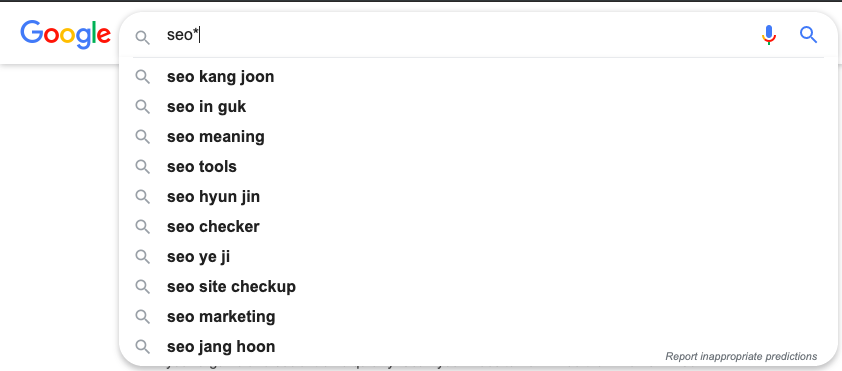
Now place the same mark before the keyword:
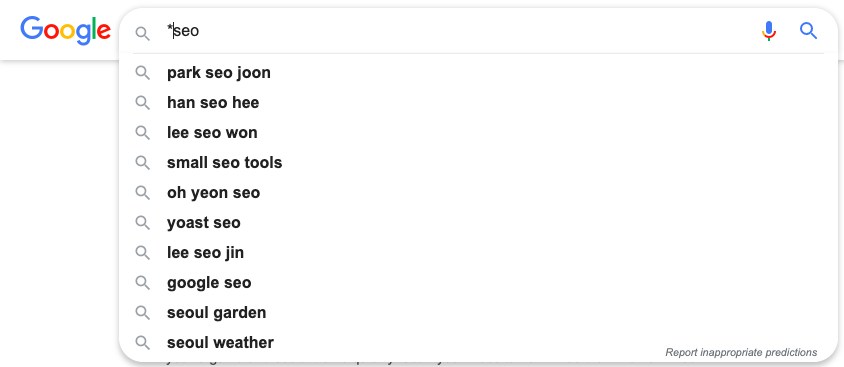
You do not have to stop there. You can find more keywords through Youtube, the world's second-largest search engine.
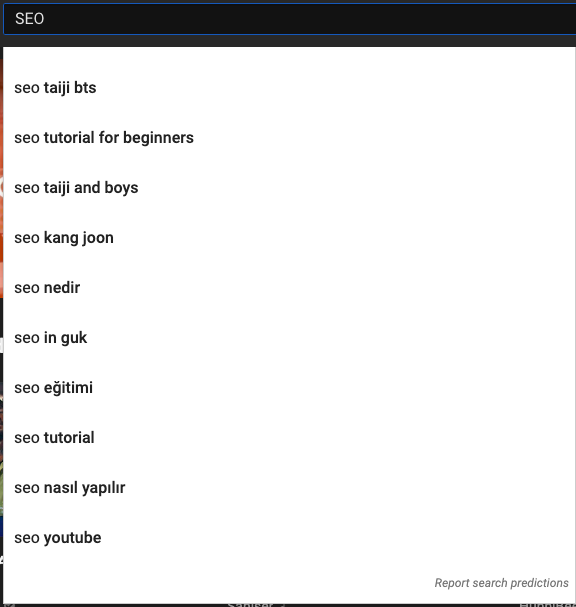
These are not the only options. Google provides more keyword ideas and can serve as a free keyword tool. Here is another method.
Using Searches Related To
Another useful method is Google's "searches related to" feature, which appears in each SERP. It shows related keywords that people search for most often. Suppose we search for "SEO".
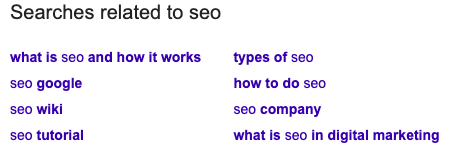
At the bottom of the page, you will see a section like the one above. It gives us another opportunity to expand our keyword pool. To find even more terms, click any of these keywords and review the “searches related to" section on the next results page. These are useful basic methods, but social networks where your target audience spends time can offer more. Let's see how Reddit can help us find additional keywords.
Finding Keywords on Reddit
Reddit is one of the most widely used social platforms, and your target audience may use it extensively. It is also a useful place to find niche topics and related keywords, especially when your subject is well known. Using the same example, search for “SEO" in the Reddit.
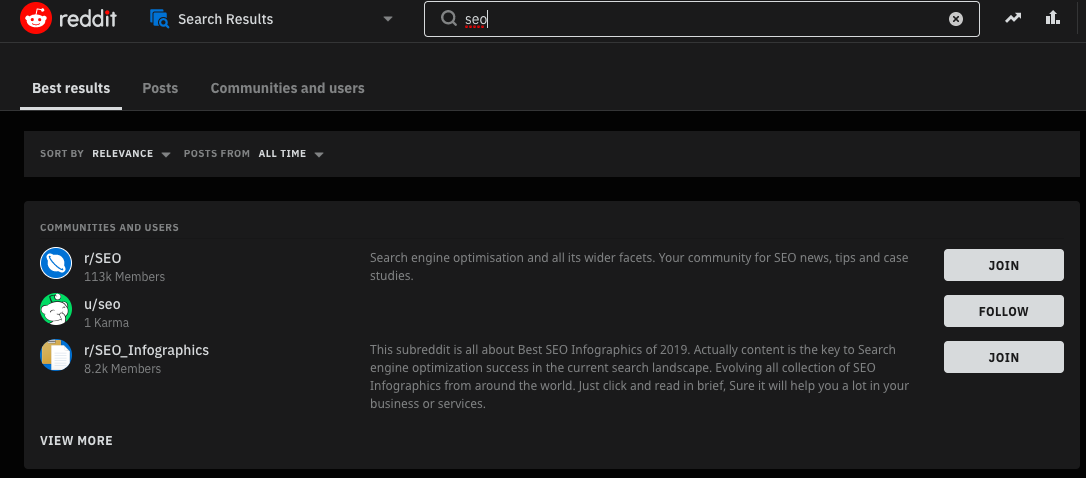
The results show popular subreddits devoted to the topic. Choose a broad, popular subreddit with the most content. Sort its topics by popularity, then use the leading discussions to find new keyword ideas. For example:

You can add the keyword "Outreach SEO techniques" to your list and use it to enrich our content.
Pro Tip
Use keyworddit.com as a free keyword tool by entering the name of the subreddit we found above. The tool returns its most frequently used keywords and their volumes.
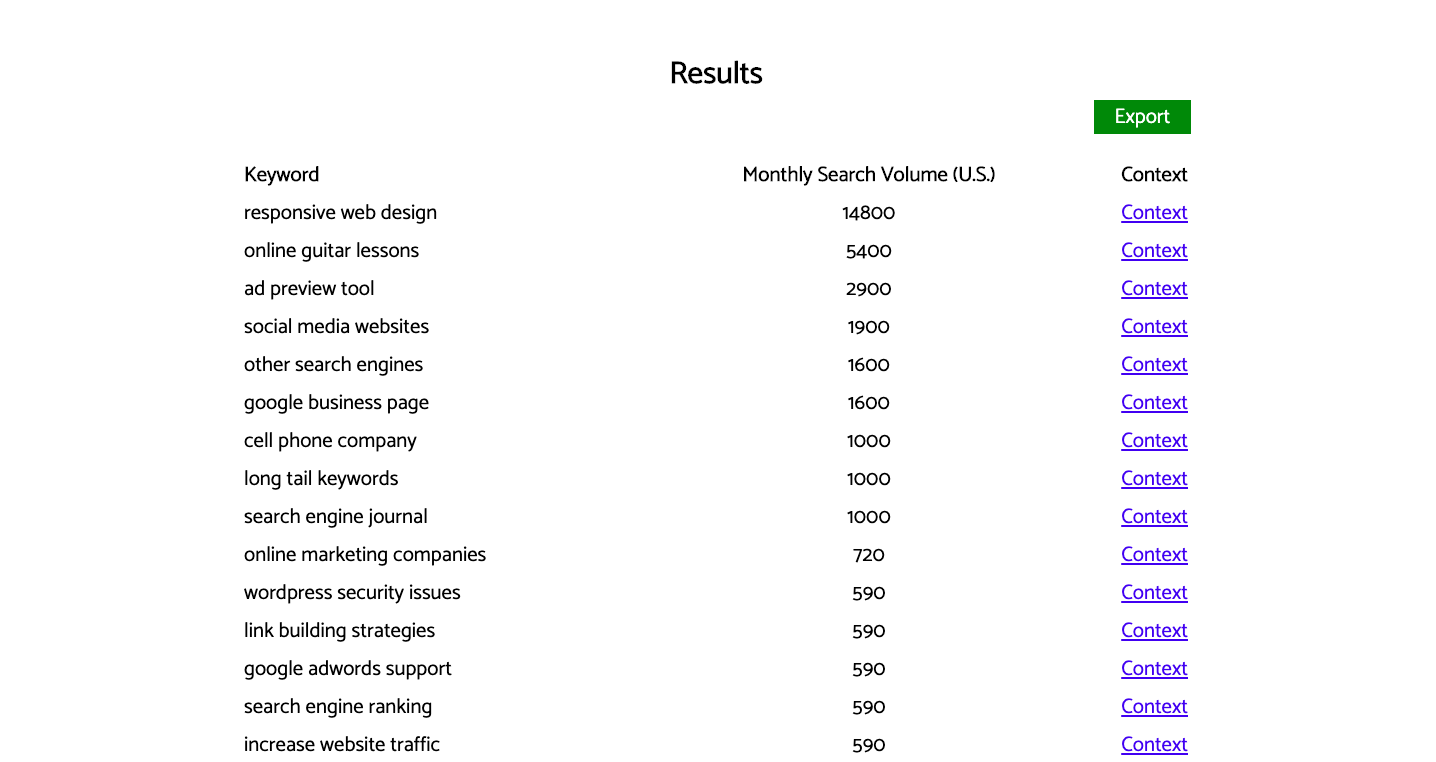
This gives us another practical way to expand the list.
Wikipedia’s Table of Contents
Wikipedia is known as the world's largest free online encyclopedia. Its detailed articles include contributions from many industry experts. We can use a "table of content" to find niche topics and expand our keyword pool. Now let's look up our keyword “SEO’ on Wikipedia.
The search takes us to a content page with detailed information about the topic.
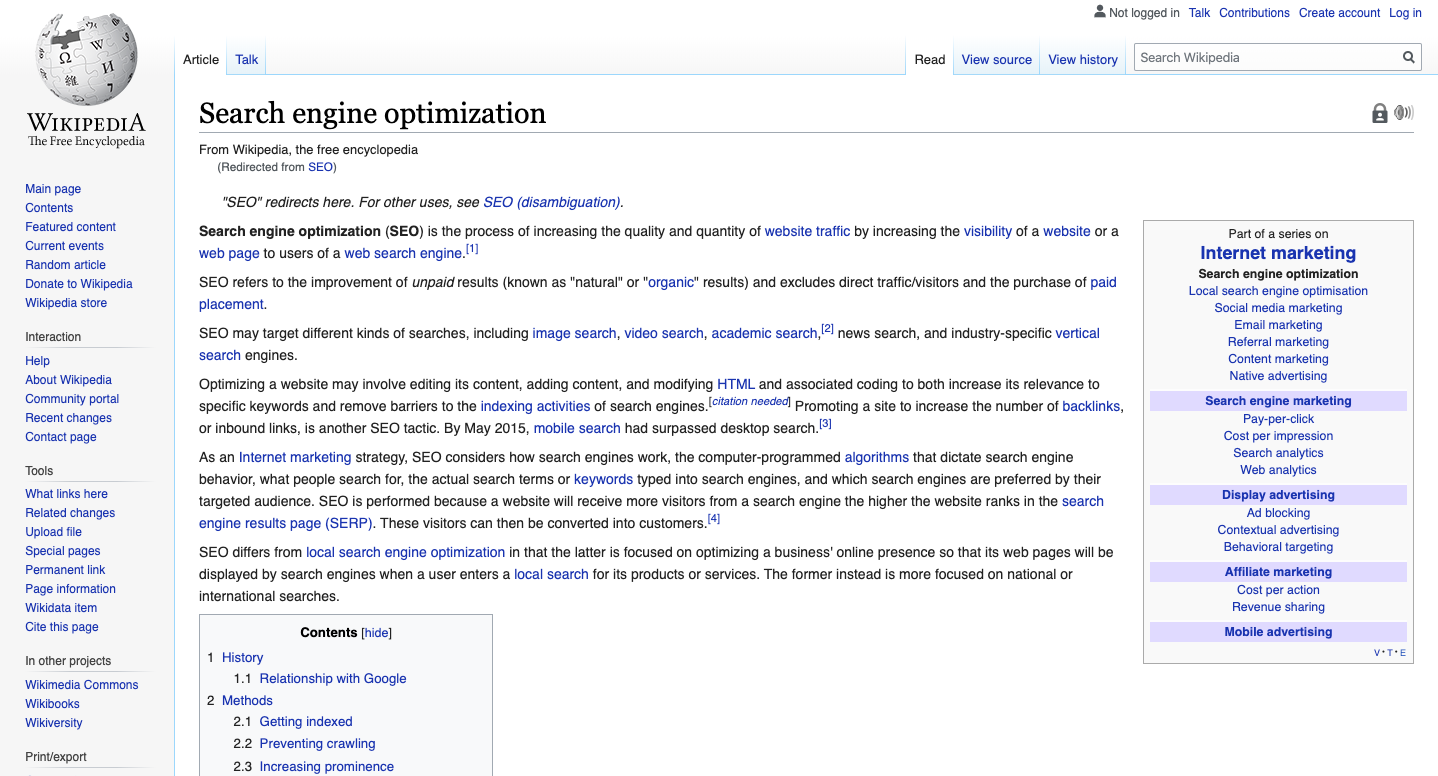
Farther down the page, the contents section lists its carefully organized topics.
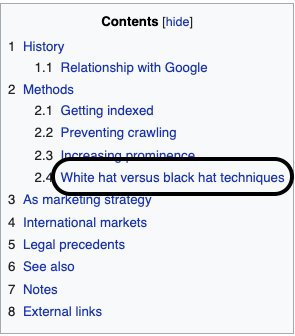
We can use this section to find new keyword ideas. For example, the highlighted keyword above did not appear in our earlier research. You can also click one of the internal links and explore the table of contents on another relevant page for different keywords.

This approach can uncover terms that other methods miss. Keep reading for more options.
Find Popular Topics by Using Forums
Forums are active 24/7 and are likely to contain discussions about the topics that interest your audience. Use the following queries to identify relevant forums through Google: “keyword forum” “keyword” + “forum” “keyword” + “forums” “keyword” + “board” Once you find forums that cover the subject you are researching, note how they group their discussions. Each topic could provide a potential keyword.
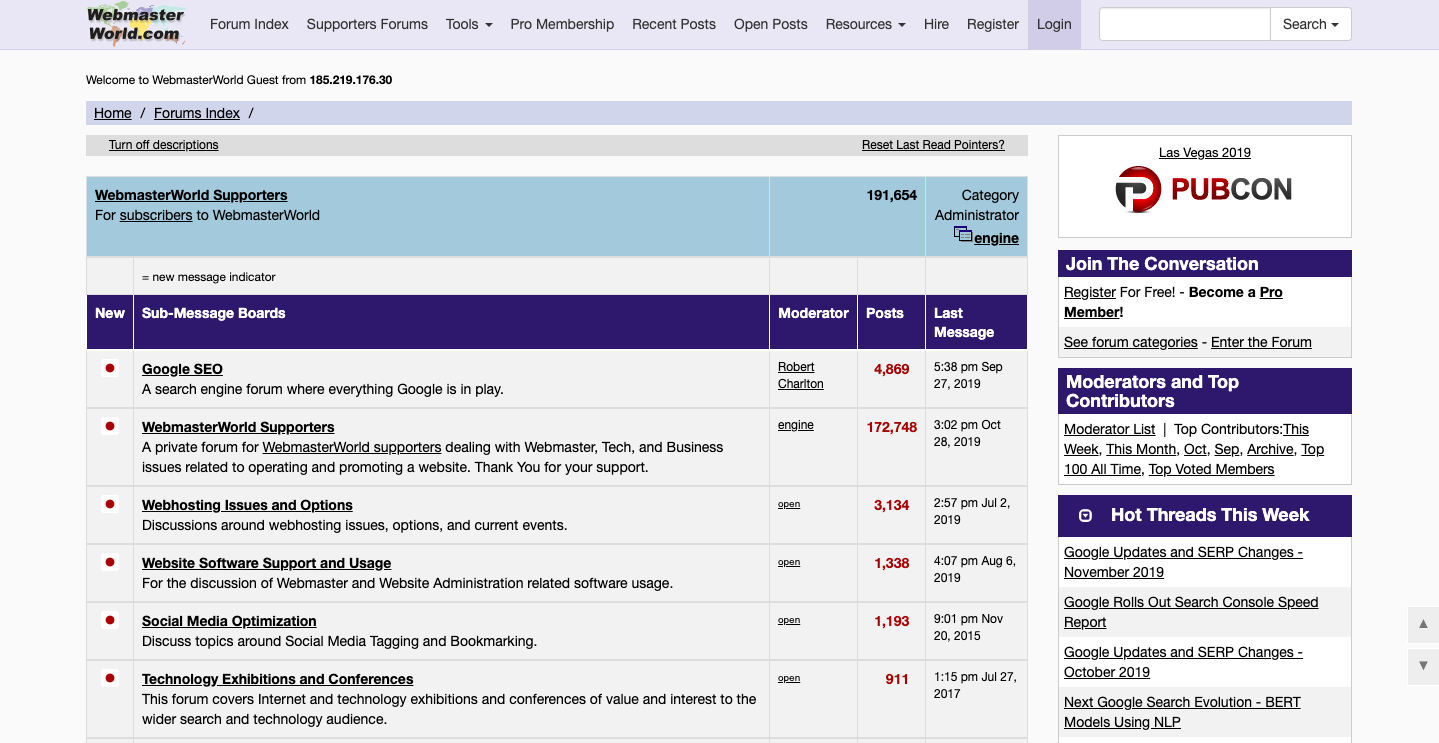
To go deeper, review the messages within these groups and continue exploring possible keywords.
Competitor-Based Keyword Research
Finding the keywords for which a competitor already ranks can save us time. We can use our favorite tool Ahrefs for this. First, find all the keywords associated with a competitor's page and sort them by volume. Search for the competing page's URL from the dashboard.

The results show the page's overall performance. For now, however, we are interested only in its keywords, so click Organic Keywords.

Filter the table by volume to see details such as the keywords for which the page ranks in each country.
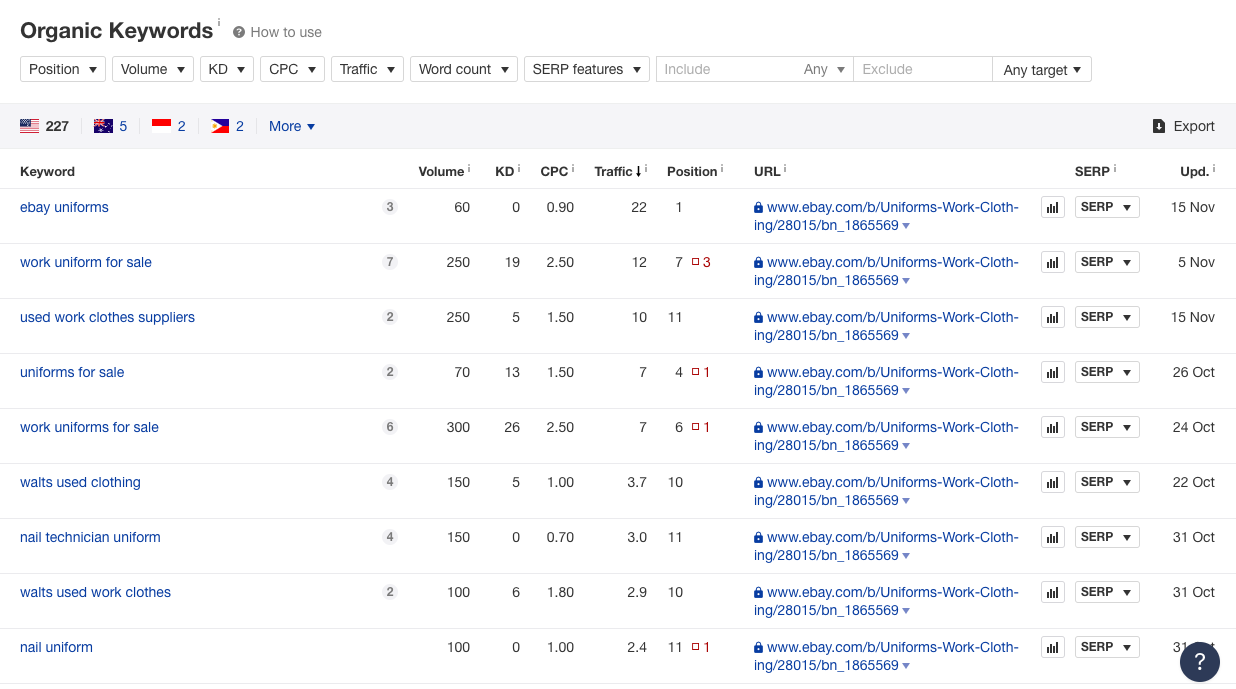
This process lets you expand your keyword pool with information from your competitors.
People Also Ask and People Also Search For
Google search results are a valuable source of keywords. Beyond the methods already covered, they offer two more opportunities. First, consider the "people also search for ” feature. If you click a search result and then return to the results page, you will see suggestions like those below to help you find related results on the topic.
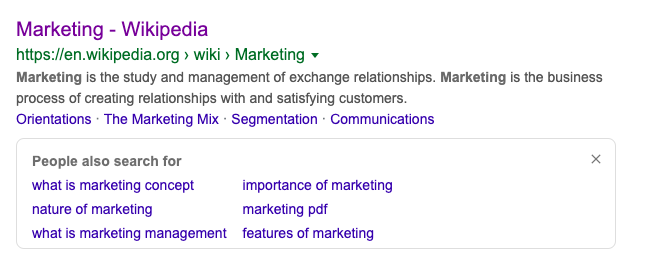
Google works to give users accurate and relevant results. We are also trying to create content that helps people find everything they need. Because we share the goal of offering relevant, high-quality content, we should make full use of the information Google provides. These suggestions represent other related keywords that people might search for, so add them to the keyword research and analysis file. Now let's examine the "people also ask ” feature.
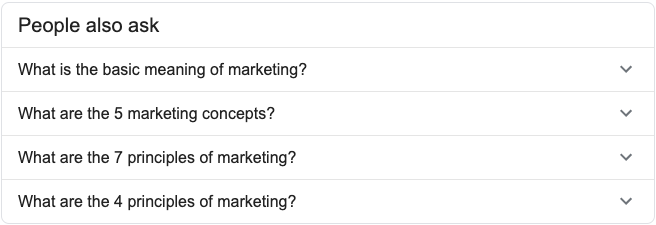
When we search for the keyword “Marketing", this feature appears in a box like the one above. The box also reveals more questions each time we open one. Let's examine how it works.
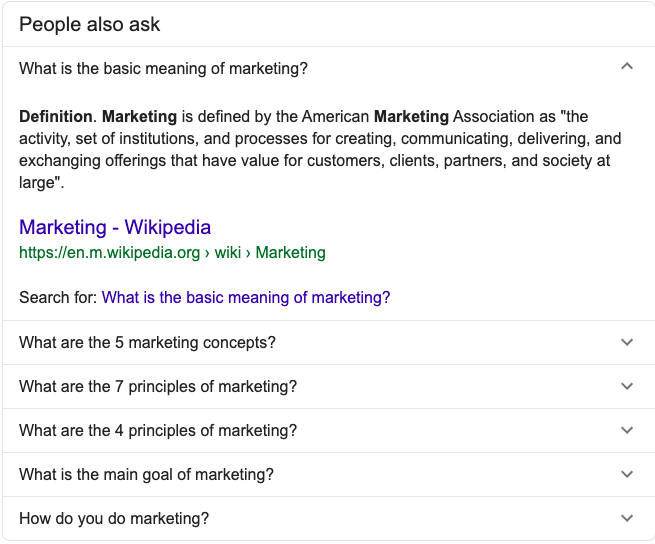
This feature shows the most frequently asked questions, commonly known as FAQs. It does not appear for every query, but when it does, you can use the questions to enrich your content. Add them as frequently asked questions at the end of the content or address them under separate headings.
Pro Tip
When you add questions in this way, you can also enhance your search result by using the FAQ schema structure. A basic FAQ schema example follows:
<script type="application/ld+json">
{
"@context": "https://schema.org",
"@type": "FAQPage",
"mainEntity": [{
"@type": "Question",
"name": "What is the return policy?",
"acceptedAnswer": {
"@type": "Answer",
"text": "Most unopened items in new condition and returned within <strong>90 days</strong> will receive a refund or exchange. Some items have a modified return policy noted on the receipt or packing slip. Items that are opened or damaged or do not have a receipt may be denied a refund or exchange. Items purchased online or in-store may be returned to any store.<br /><p>Online purchases may be returned via a major parcel carrier. <a href=http://example.com/returns> Click here </a> to initiate a return.</p>"
}
}, {
"@type": "Question",
"name": "How long does it take to process a refund?",
"acceptedAnswer": {
"@type": "Answer",
"text": "We will reimburse you for returned items in the same way you paid for them. For example, any amounts deducted from a gift card will be credited back to a gift card. For returns by mail, once we receive your return, we will process it within 4–5 business days. It may take up to 7 days after we process the return to reflect in your account, depending on your financial institution's processing time."
}
}, {
"@type": "Question",
"name": "What is the policy for late/non-delivery of items ordered online?",
"acceptedAnswer": {
"@type": "Answer",
"text": "Our local teams work diligently to make sure that your order arrives on time, within our normaldelivery hours of 9AM to 8PM in the recipient's time zone. During  busy holiday periods like Christmas, Valentine's and Mother's Day, we may extend our delivery hours before 9AM and after 8PM to ensure that all gifts are delivered on time. If for any reason your gift does not arrive on time, our dedicated Customer Service agents will do everything they can to help successfully resolve your issue. <br/> <p><a href=https://example.com/orders/>Click here</a> to complete the form with your order-related question(s).</p>"
}
}, {
"@type": "Question",
"name": "When will my credit card be charged?",
"acceptedAnswer": {
"@type": "Answer",
"text": "We'll attempt to securely charge your credit card at the point of purchase online. If there's a problem, you'll be notified on the spot and prompted to use another card. Once we receive verification of sufficient funds, your payment will be completed and transferred securely to us. Your account will be charged in 24 to 48 hours."
}
}, {
"@type": "Question",
"name": "Will I be charged sales tax for online orders?",
"acceptedAnswer": {
"@type": "Answer",
"text":"Local and State sales tax will be collected if your recipient's mailing address is in: <ul><li>Arizona</li><li>California</li><li>Colorado</li></ul>"}
}]
}
</script>
Customize the example above with your own questions and answers, then add the relevant code to the <head> section of your page. You can test whether the code works correctly with the Structural Data Testing Tool. The maximum number of questions recommended for FAQ Schema is 7. You can also use this FAQ Schema Generator Tool to generate well-defined FAQ Schema code more easily. Once implemented, your FAQ page can look like the following in the search results.
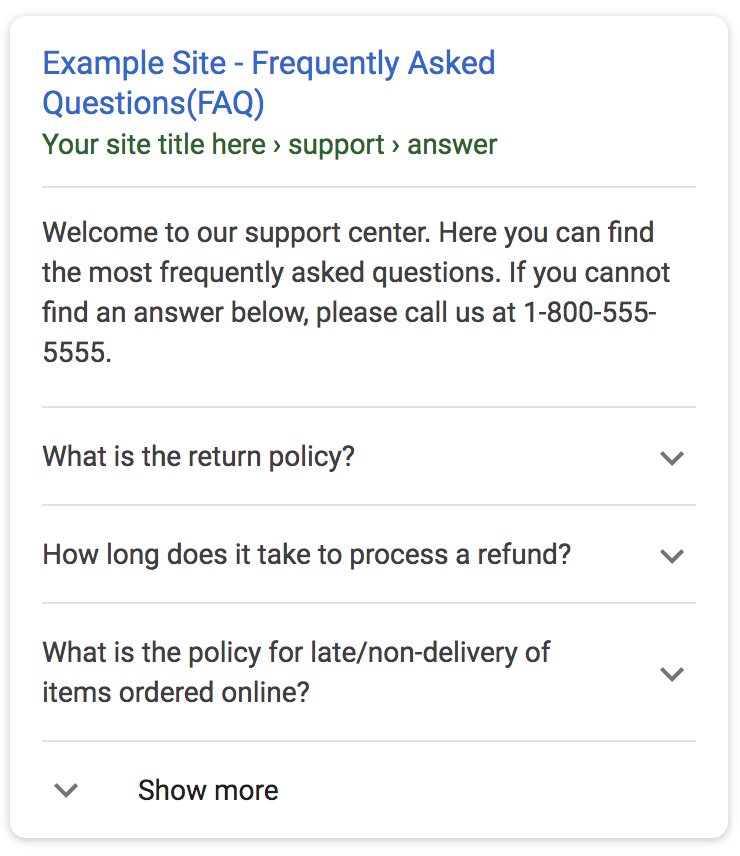
This allows you to increase your page's CTR, ie click-through-rate, and improve its chances of appearing in the “people also ask” section. If this feature does not appear for your query, Quora can help. It is one of the best-known social networks built around questions and answers.
Quora
Quora is a question-and-answer social media platform where anyone can ask about a subject that interests them. How can we benefit from this? People use search engines to find answers, expressing their needs as both short keywords and direct questions. One example is "what is the basic meaning of marketing?" Some difficult questions do not have good answers in Google SERP at first glance. Quora is the only platform that can help us explore these kinds of questions. To try it, search for our keyword "SEO" in Quora and review the questions listed by popularity.
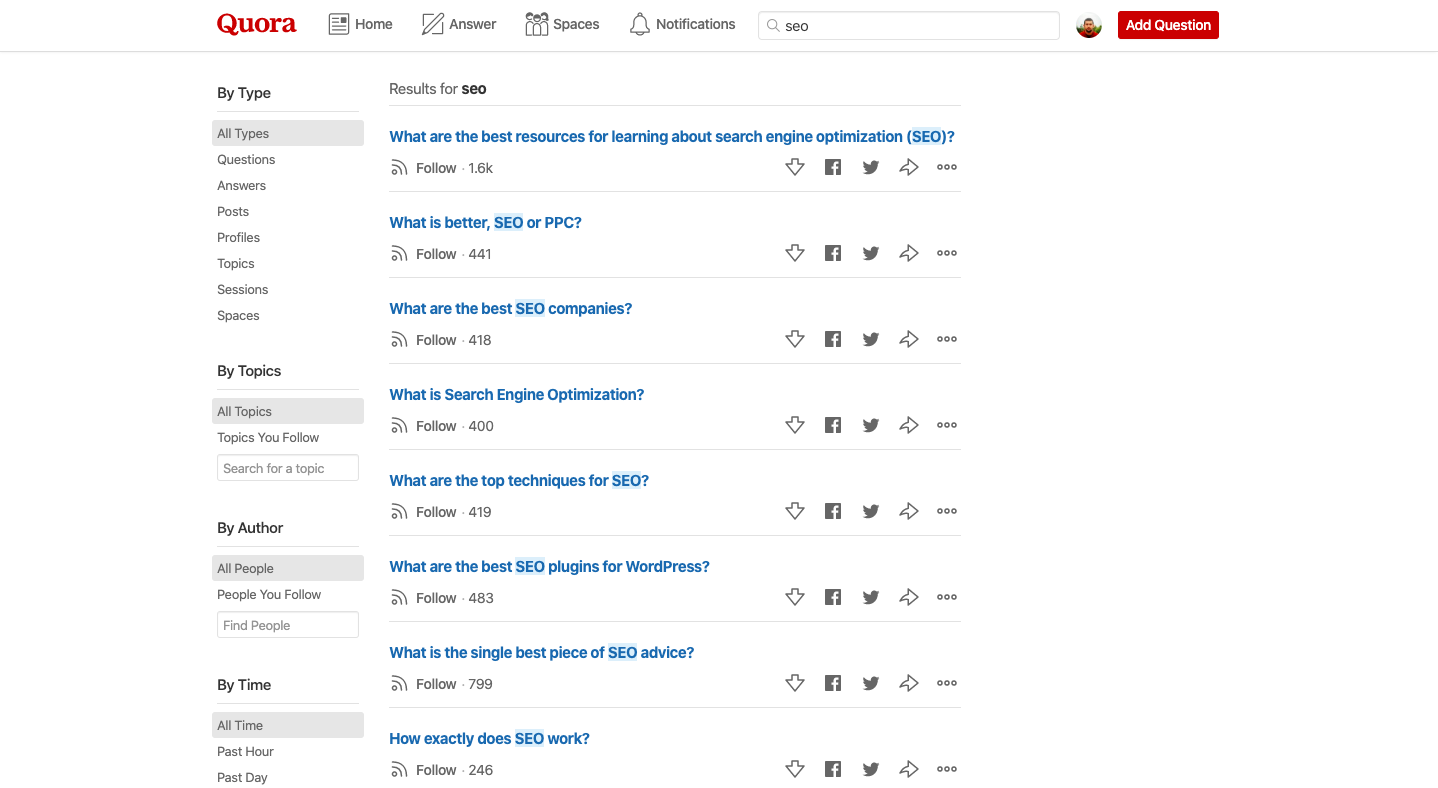
Some of these questions can be difficult to uncover through conventional keyword research. Open one and examine the details.
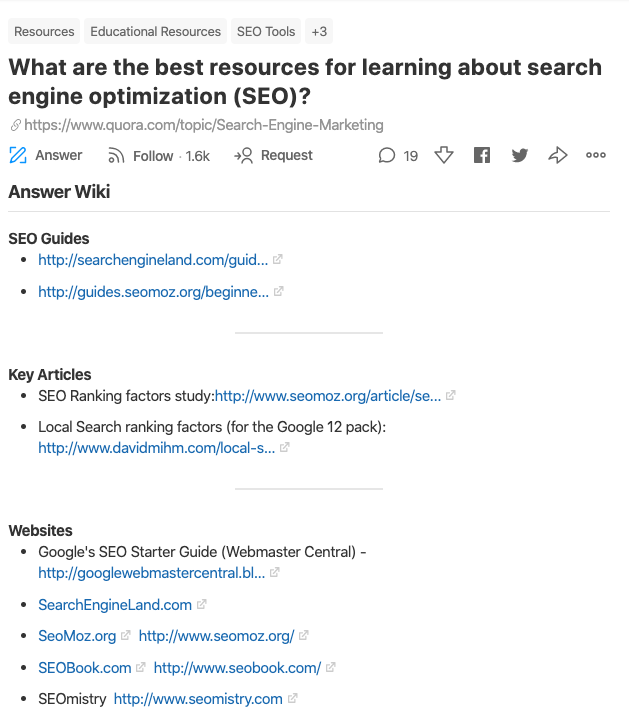
Above the individual answers, Quora displays an Answer Wiki section compiled from responses for its users. Reviewing both this section and the answers can reveal topics, keywords, and responses we had not considered. You can also use the section below to find similar questions and expand your question pool.
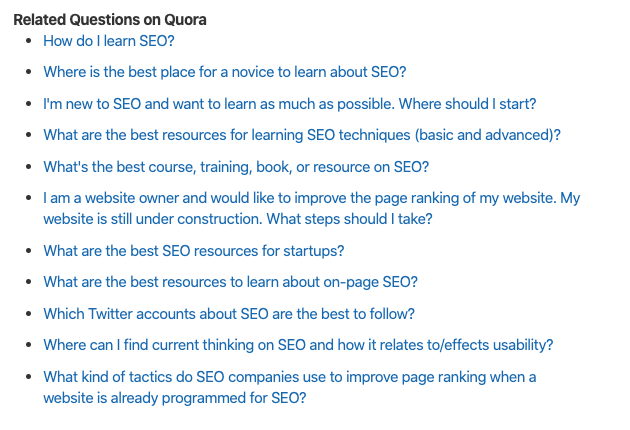
This contributes to what we call 10x content: content that is 10 times more powerful than your competitors' and leaves almost no question unanswered.
Pro Tip
You can use the platform to answer questions relevant to your sector. You can also add a link to a related post or product page to attract traffic from Quora. It can be impressively useful for attracting traffic. Review how different businesses use the platform for traffic, but keep one point in mind: do not be spammy.
Chapter 4: Keyword Research Tools
Keyword tools make these research processes much easier, especially at scale. This section lists the best paid and free keyword research tools. We will begin with the free options.
Best Free Keyword Research Tools
Ubersuggest Keyword Tool by Neil Patel
Ubersuggest is one of the most popular and impressive free keyword research tools we’ve tried so far. Offered by Neil Patel, one of the most frequently followed names in SEO, it provides keyword volumes on a country-by-country basis.
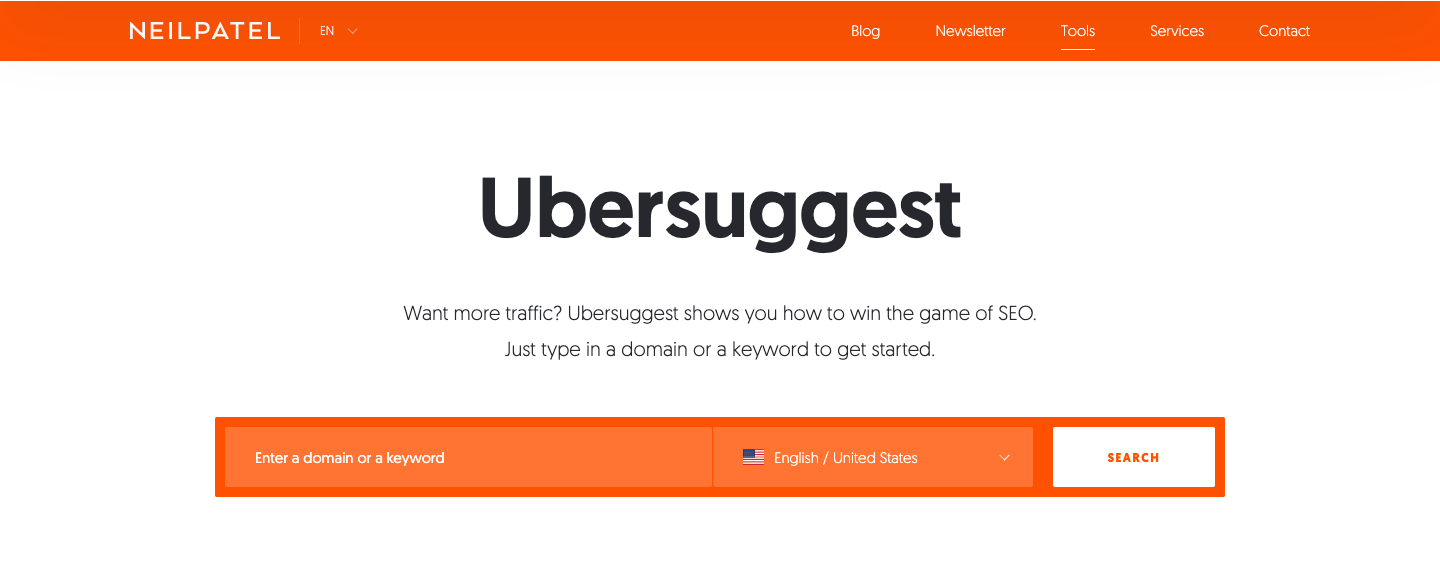
Enter your keyword and choose the target country and language to get detailed results. For example, let's search for the keyword "marketing".
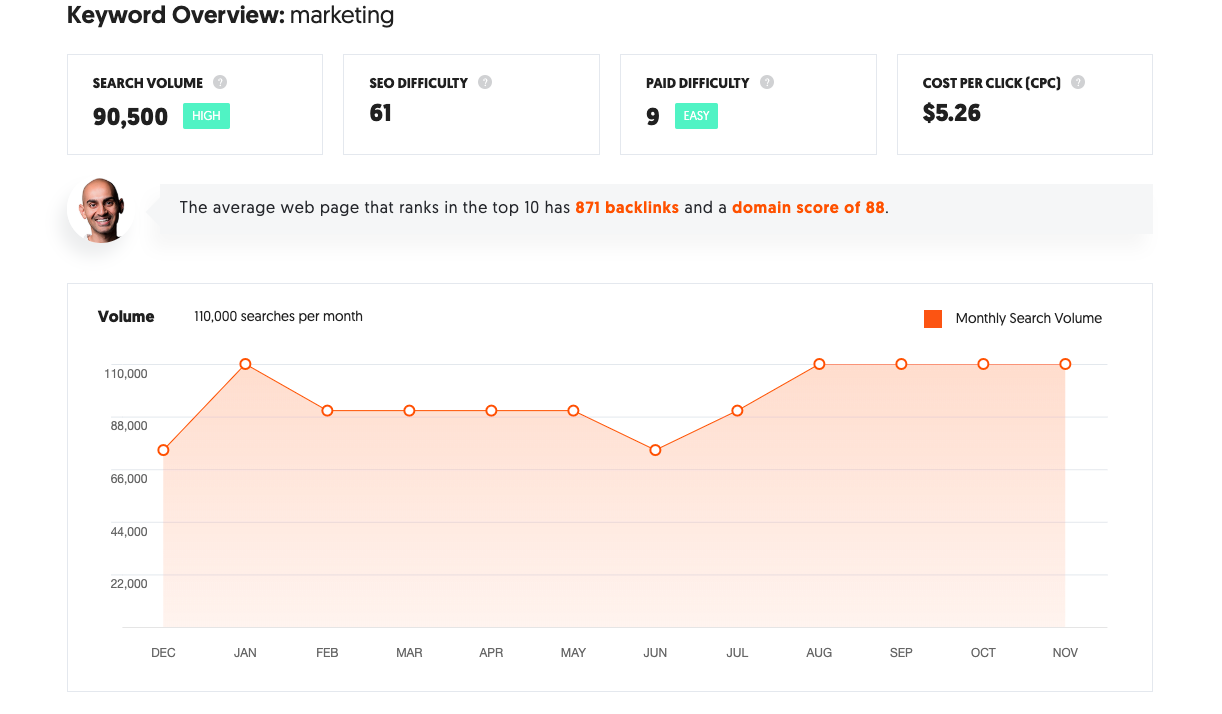
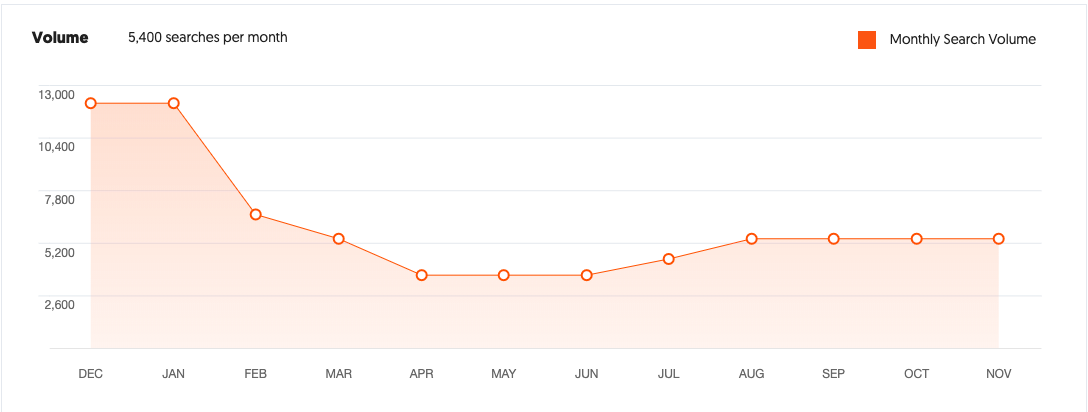
Here, we can see the keyword's search volume, difficulty, paid difficulty, and estimated average CPC. The orange chart also shows monthly search trends. This data helps us understand the keyword's seasonality. If we search for winter sports instead of marketing, for example, we can infer when to target the keyword and set our expectations accordingly. Content about winter sports created during the summer is unlikely to attract high traffic immediately because search trends generally fall in that season.
Returning to our keyword "marketing", the tool also provides a detailed list of keywords that contain our query.
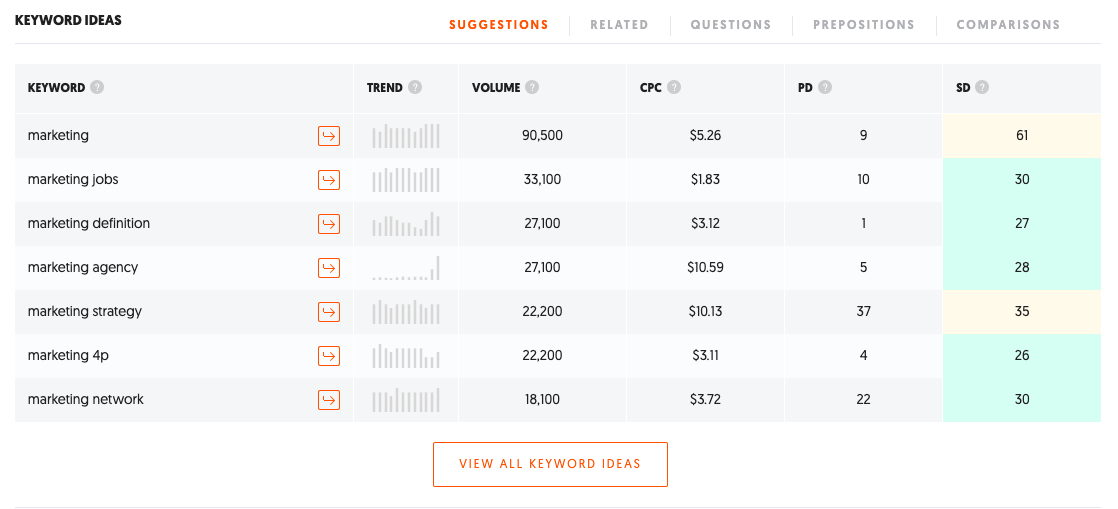
This section shows all related keywords that include your query. Download the full list to work with trends, search volumes, and many other metrics. The tool also includes a free topic suggestion feature.
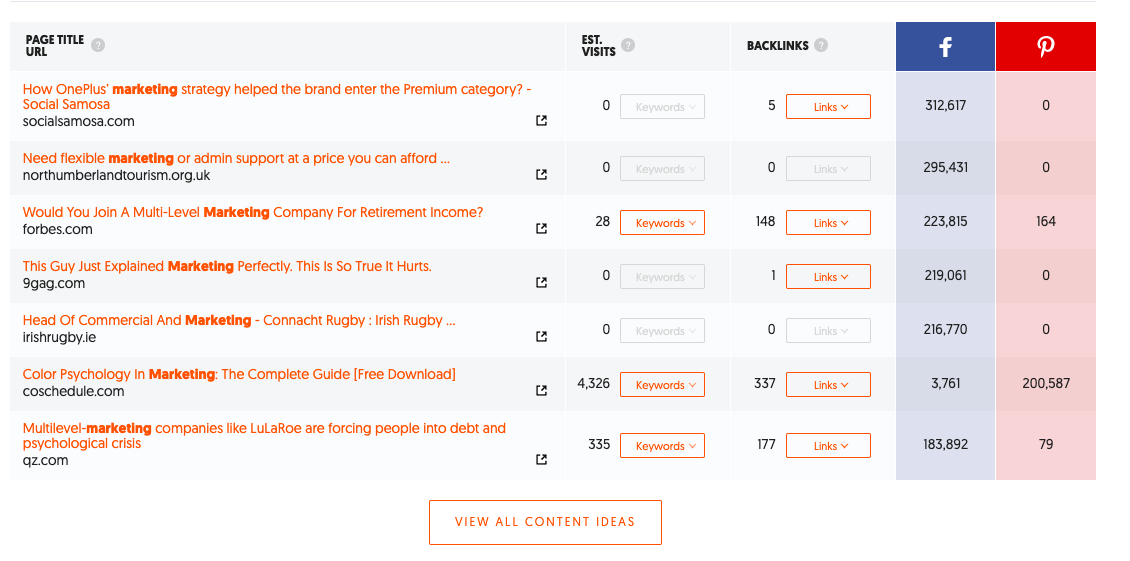
Farther down the page, we can access content suggestions, links, and social media sharing data related to our keyword "marketing". If your aim is to increase brand awareness, for example, it may be worth focusing your efforts on the most widely shared topic.
Google Keyword Planner
Google Adwords, a performance marketing tool used for Google ads, offers several free features. We can use some of them for keyword research, including Google Keyword Planner in Adwords. Let's see how the Google Adwords Keyword Planner tool can help us find keyword volumes and new ideas.
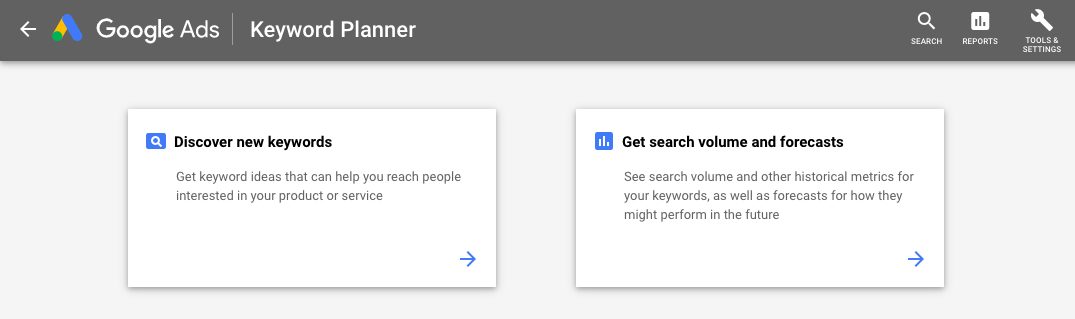
When we open the tool, it presents two options: discover new keywords and get search volume and forecast. Let's try the discover new keywords feature, which we use most often.
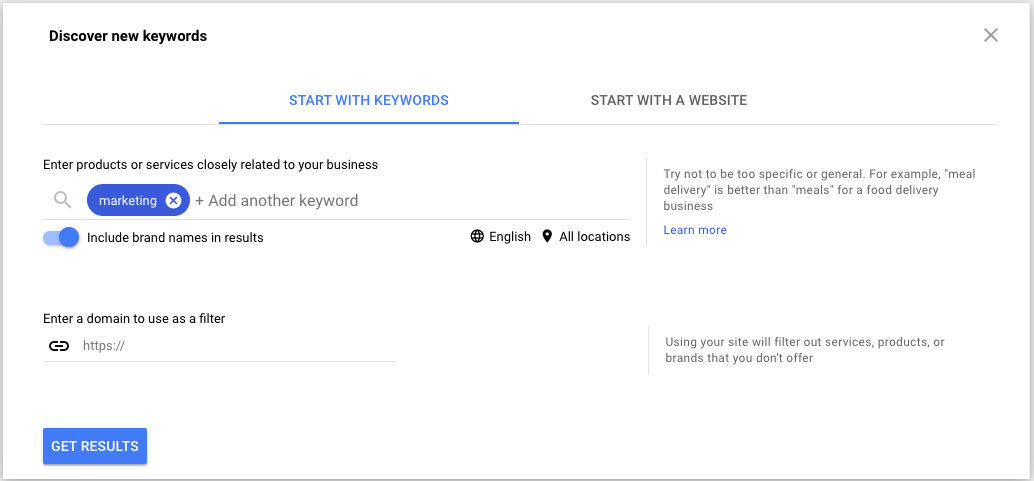
We search for "marketing" as our keyword and click the get results button.
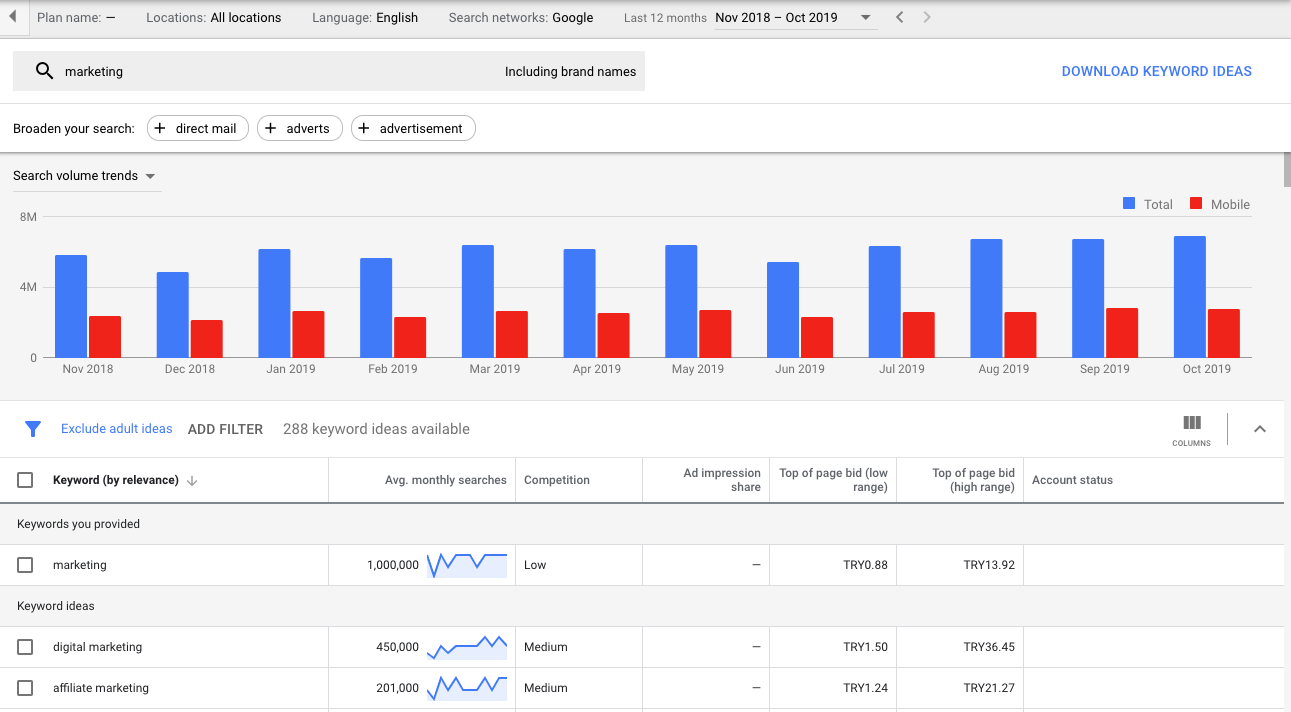
The next screen shows a search graph and related keyword ideas with their search volumes and trend graphs. How should we use this information? When choosing keywords or finding new topic ideas, we should pay particular attention to the trend graph.

Search for the keyword "marketing consultant". Its search volume appears unusually high. Does that mean we should include it in our content or create a new piece around it? Not necessarily. The trend graph shows that the keyword recently reached a significant peak but is now declining, so its average search volume will not stay at this level for long. Writing about a topic with increasing search volume can produce more impressive results.
Keywordtool.io
Although the free version of the keyword tool does not show keyword search volumes, it lets us search across many popular search engines, including Google, Youtube, Bing, Amazon, and eBay.
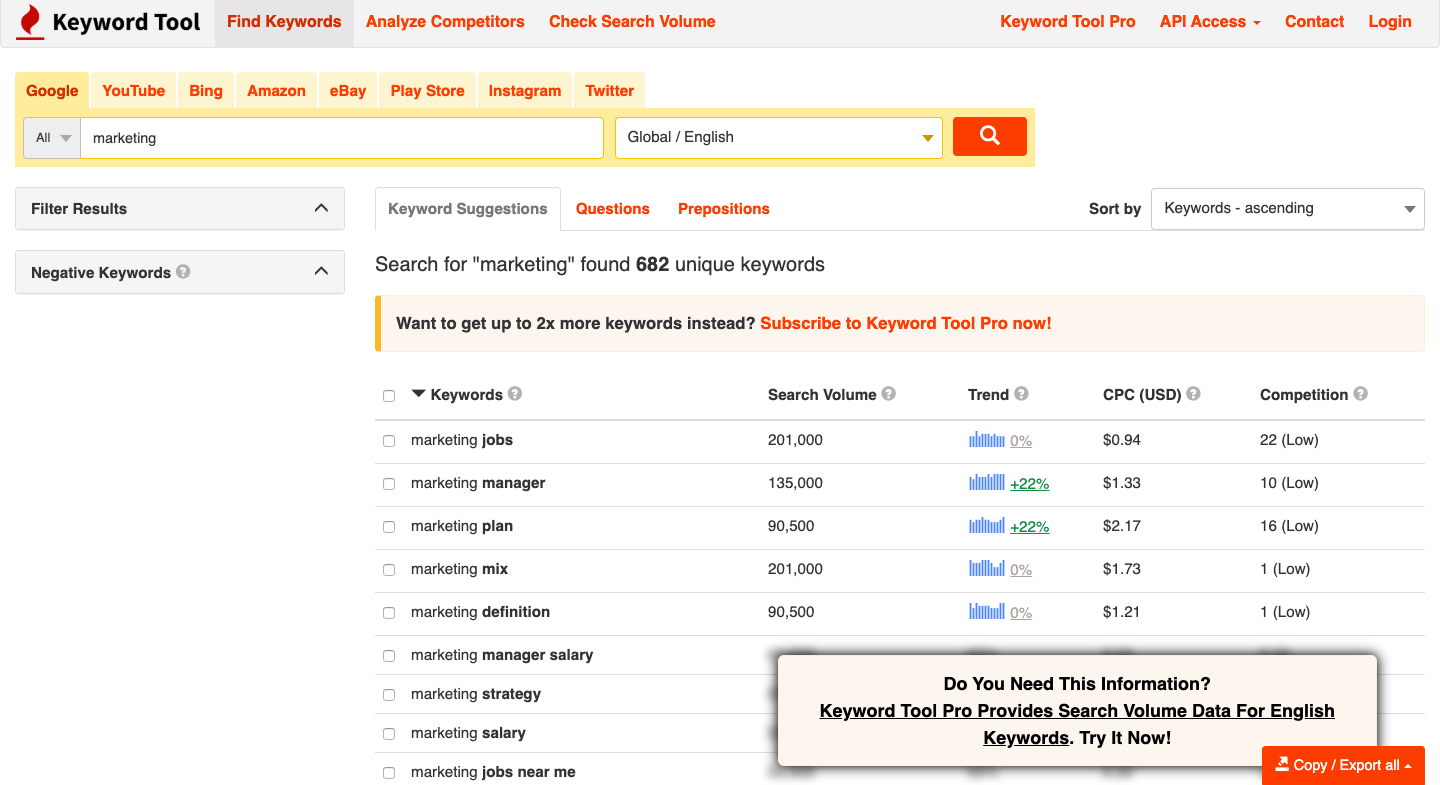
Besides finding related keywords, we can use the tool to discover relevant questions that people search for.
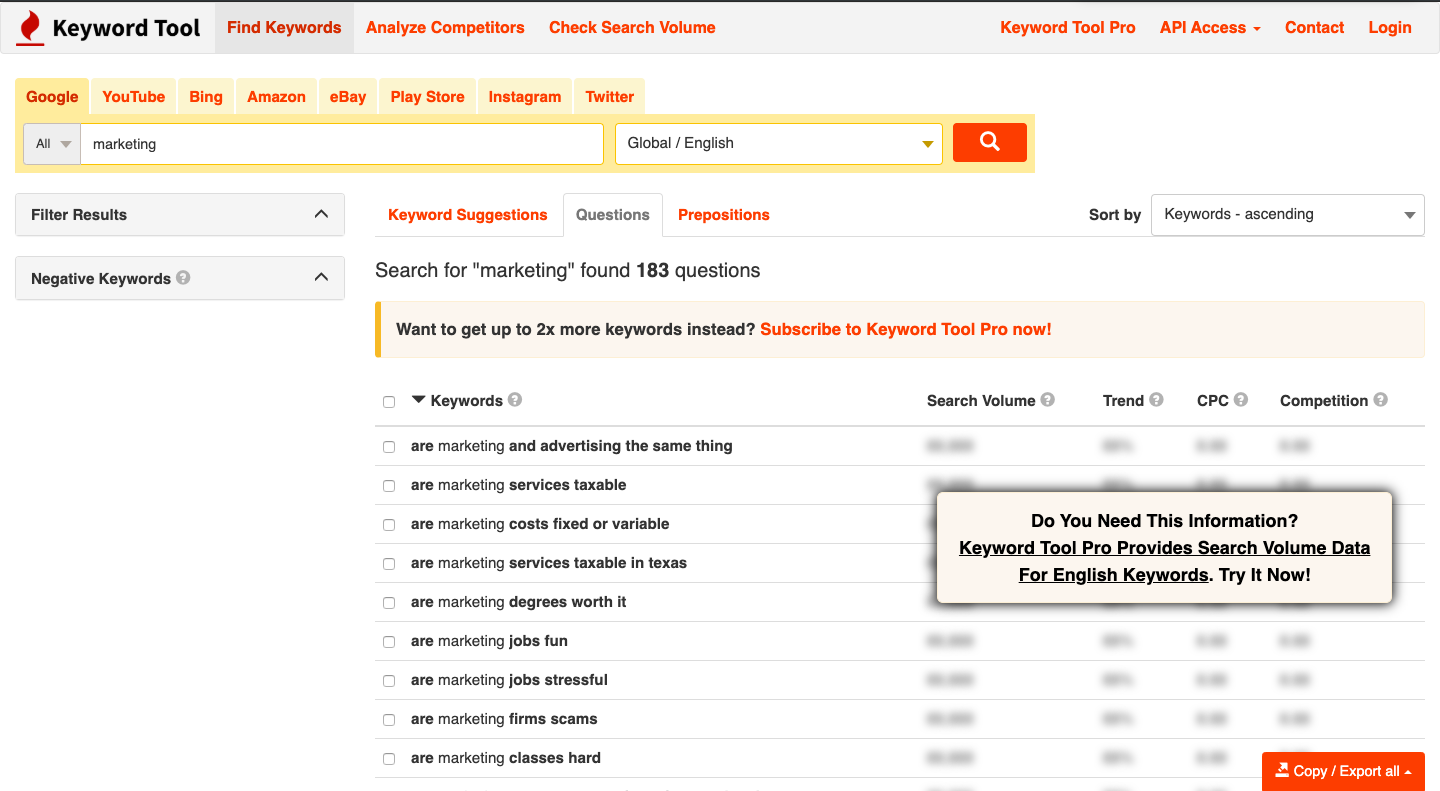
These question patterns are useful for finding content ideas and enriching existing pages. Pro Tip After identifying keywords and questions, use the Google Keyword Planner tool to get their search volumes for free. Click get keyword volume and forecast, then add your keywords to see both current search volume and future estimates.
Best Paid Keyword Research Tools
Ahrefs Keyword Research Tool
Ahrefs is one of my favorite tools. In addition to keyword research, it offers features such as site audit, link audit and rank tracker. Unfortunately, you have to pay even to try it. Ahrefs supports several approaches to keyword research, starting with URL-based research.
 From the dashboard, search for the URL of the site or page whose ranking keywords we want to see.

Click the “organic keywords” section to see every organic keyword for which the URL ranks.
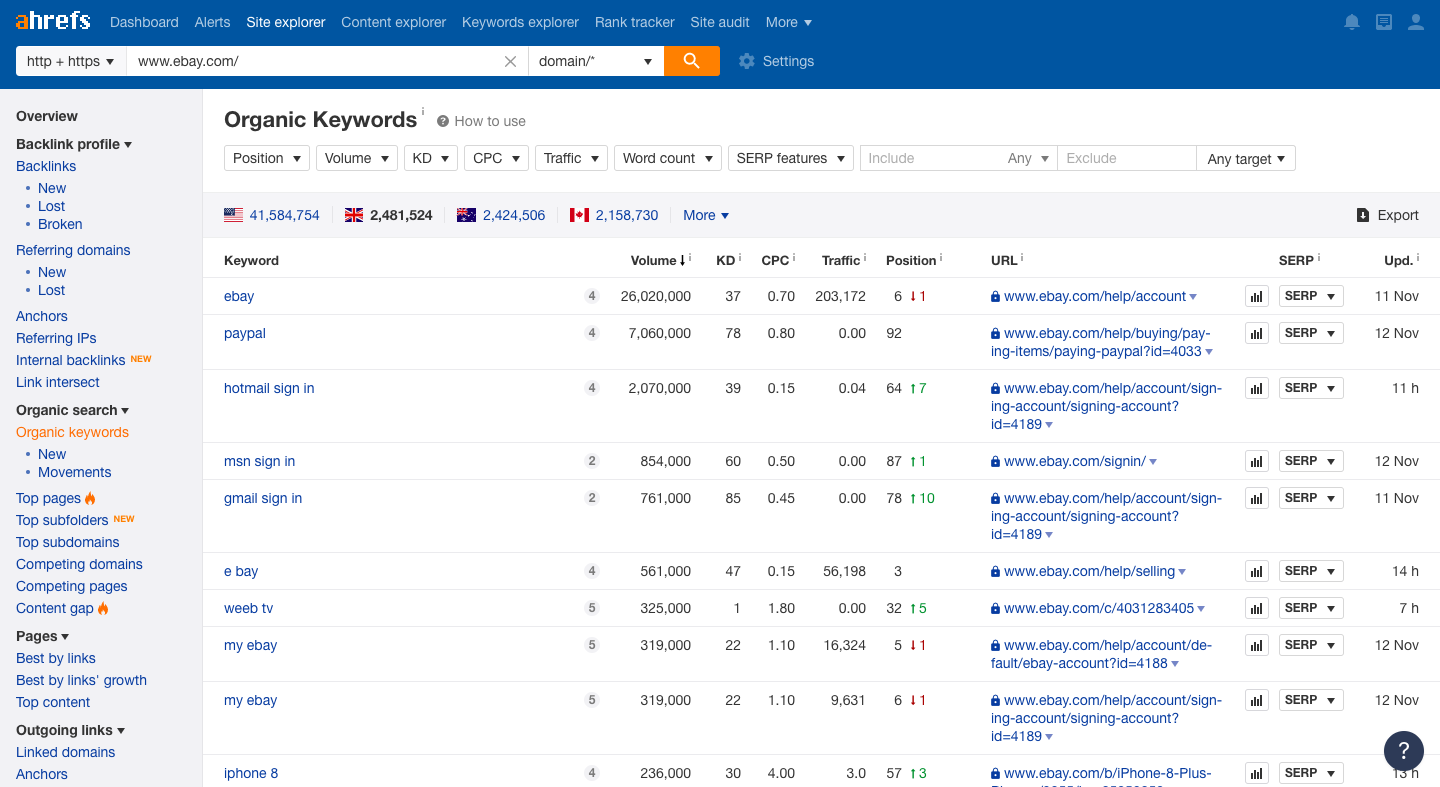
The results show all the keywords for which eBay ranks. This method makes competitor keyword research relatively easy. For another approach, select the “keyword explorer" feature from the top menu.
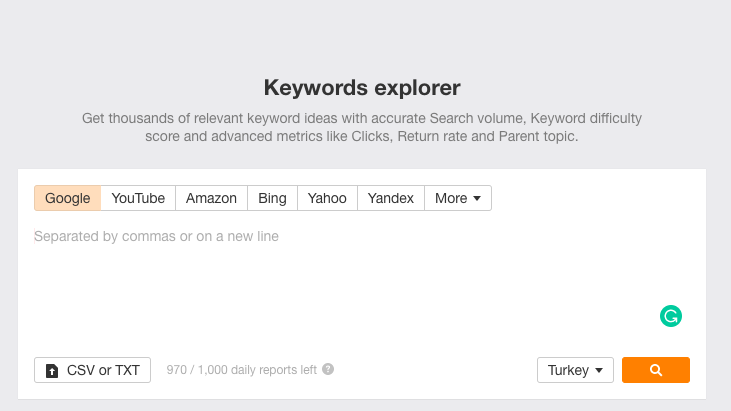
Here, you can search for keywords after selecting your preferred country and search engine. This makes the tool useful for many kinds of keyword research.
Semrush
Semrush is a widely used alternative to Ahrefs that you can try for free.
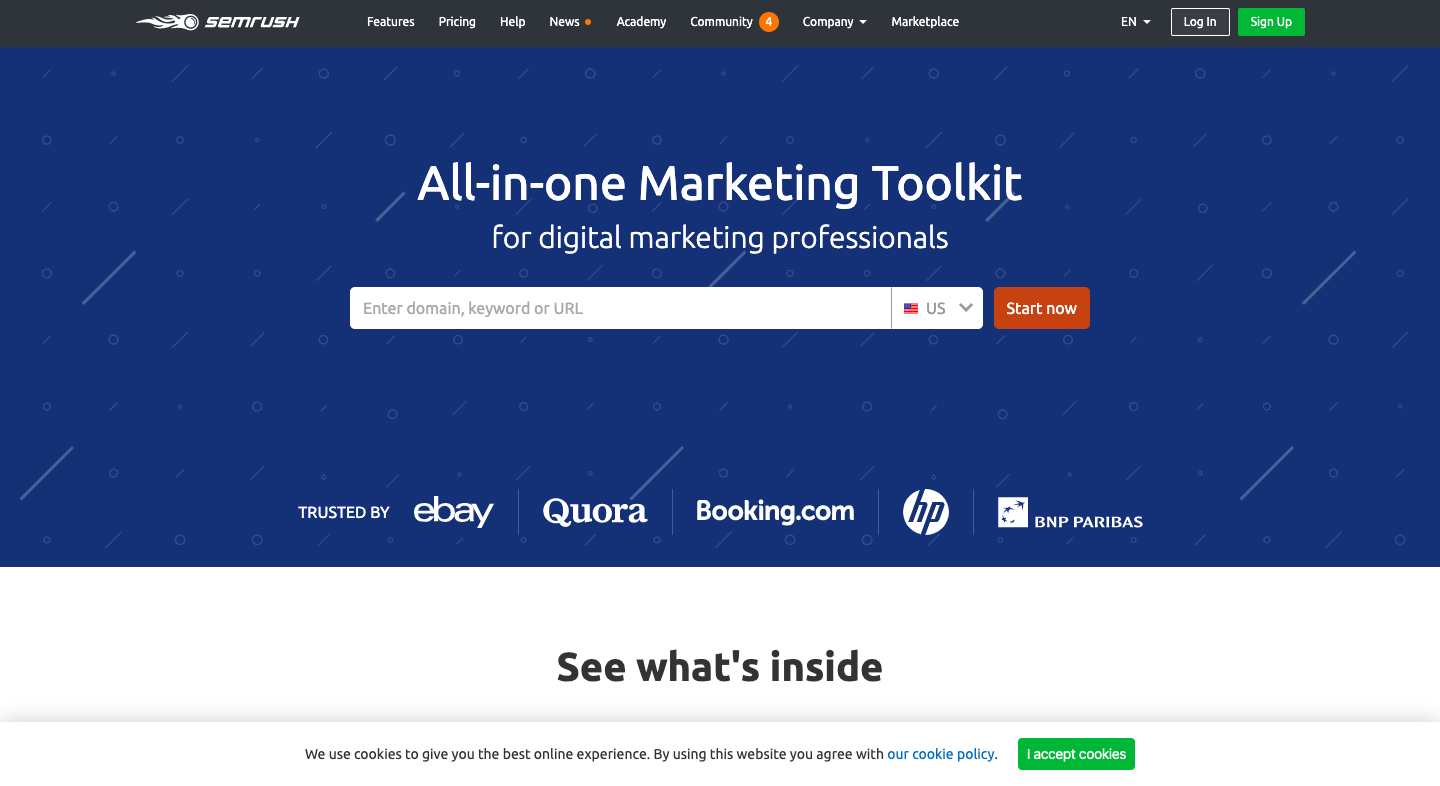
We can use this tool to research and analyze competitors or get suggestions for a specific keyword. Like Ahrefs, Semrush also offers rank tracking. Create a free account to conduct keyword research for your chosen country or region, then enter the page URL or keyword you want to investigate in the field on the main screen.
Serpstat
Serpstat offers functionality similar to Semrash and Ahrefs. It includes 40+ tools for marketing tasks that range from studying competitors and keywords to selecting resources for external links.
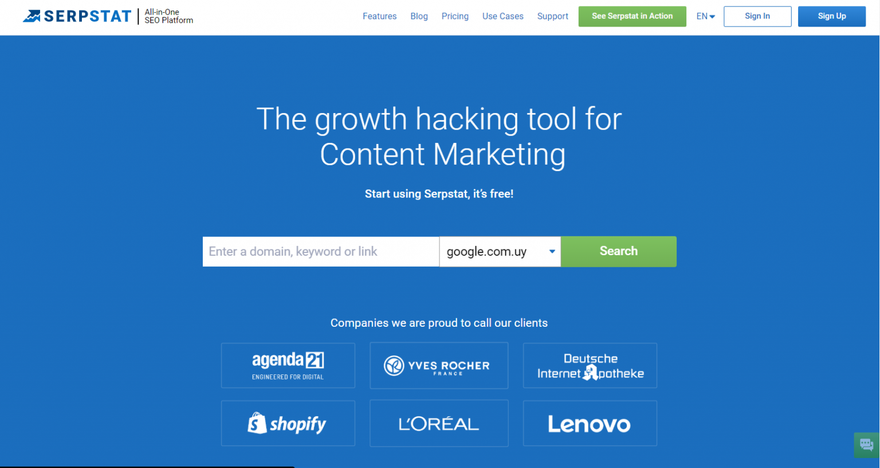
Its Keyword Research Tool provides metrics such as volume, popularity, competition, and keyword difficulty. It also displays related searches to help you identify the right keywords for your campaign.
The tool can help you choose which search term to target so that your blog posts rank for organic traffic. You can also use Serpstat to examine a keyword’s trend and seasonality, showing what people search for and when they search for it.
You also receive access to the Rank Tracking and Competitive Research tools, which can give you the edge you need to succeed.
KWfinder
KWfinder, developed by Mangools, offers several useful features for anyone seeking another alternative.
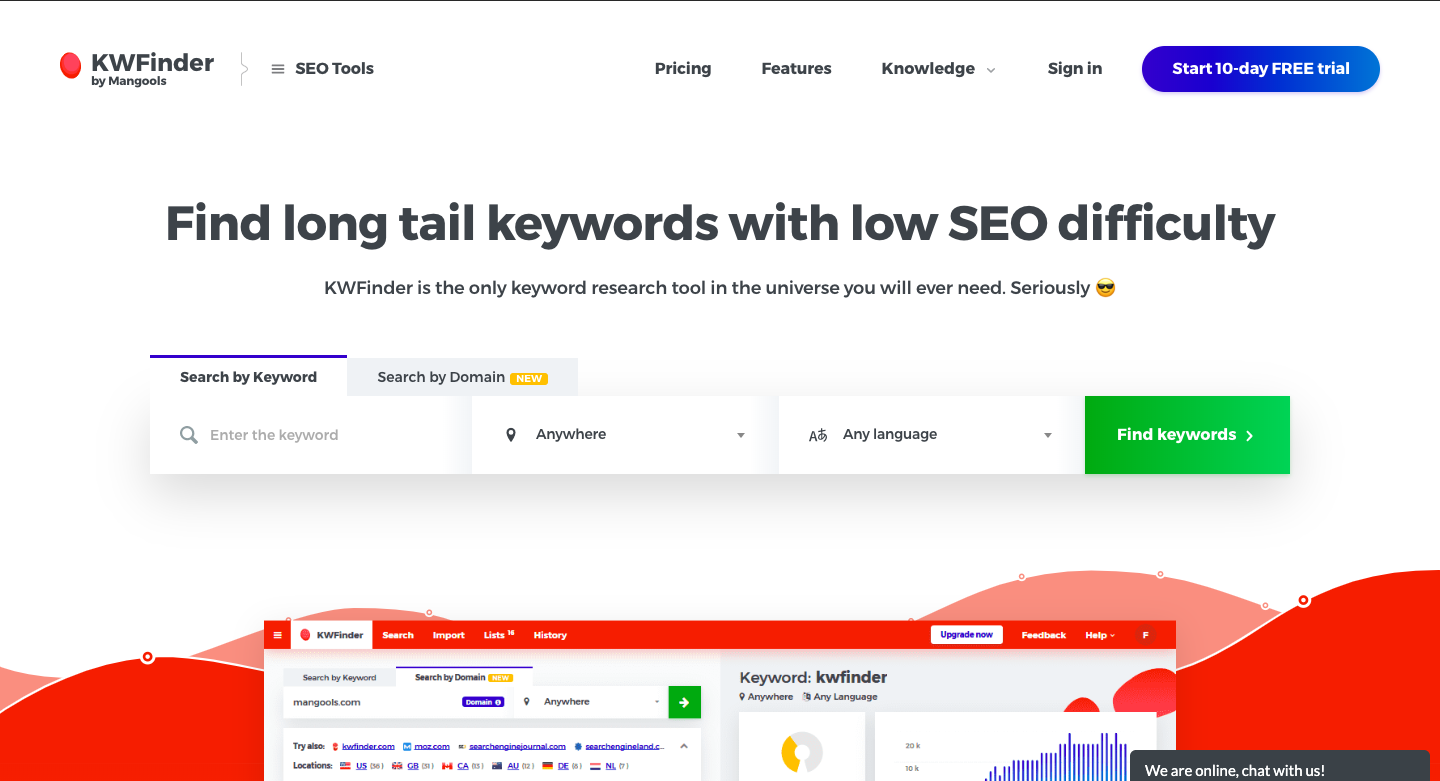
This tool supports both keyword-based and URL-based keyword research. You can also use its 10-day trial period free of charge.
Moz Keyword Research Tool
Moz, especially well known for its SEO content, also offers a keyword research tool of its own.
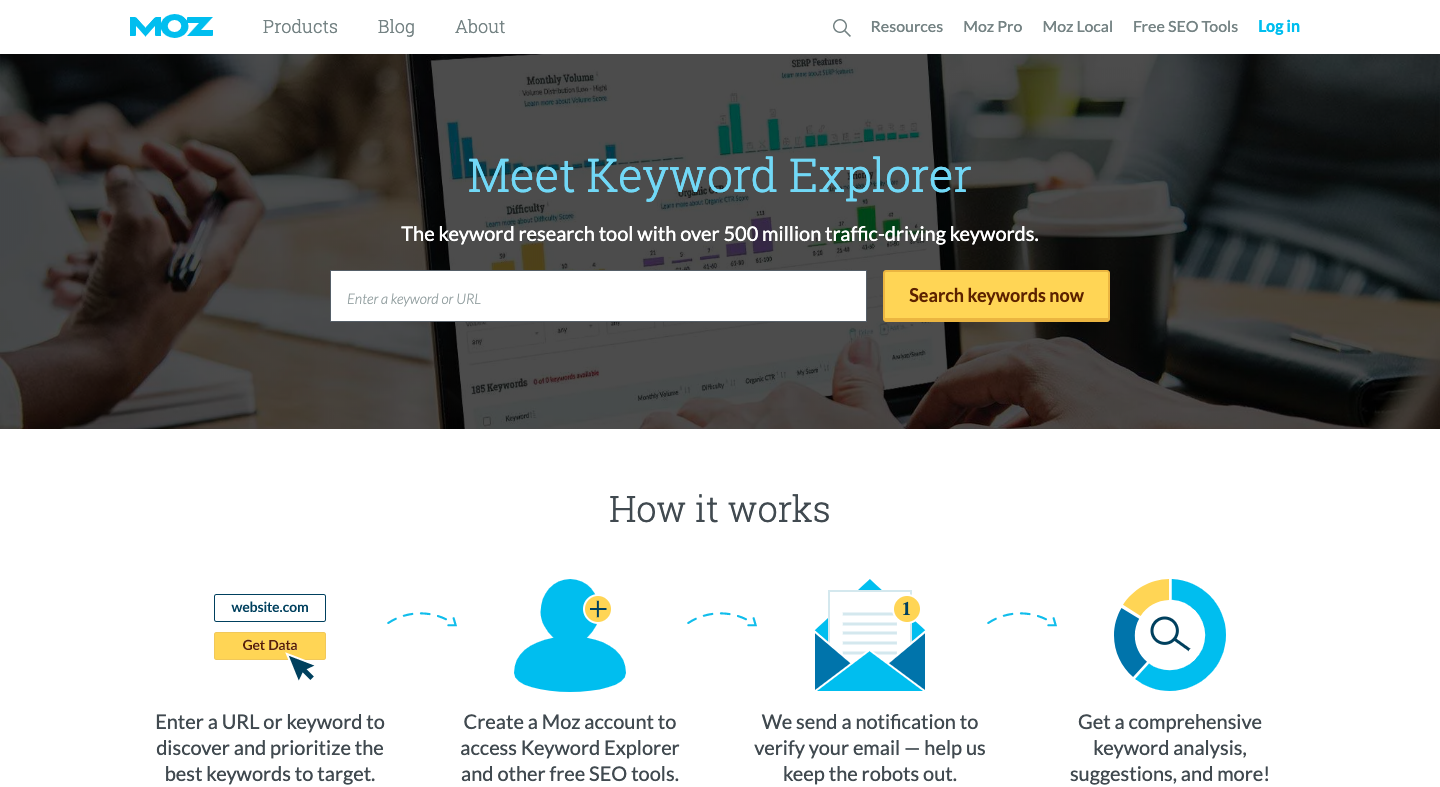 Moz offers a 30-day free trial after you complete a short form. Like the other tools, it provides both URL-based and keyword-based suggestions to help you find keyword ideas.
Zeo Keyword Tools
Alongside these tools, we at Zeo Agency developed several free tools for SEO experts. They are designed to make keyword analysis and visualization easier and are completely free.
Zeo Keyword Filter
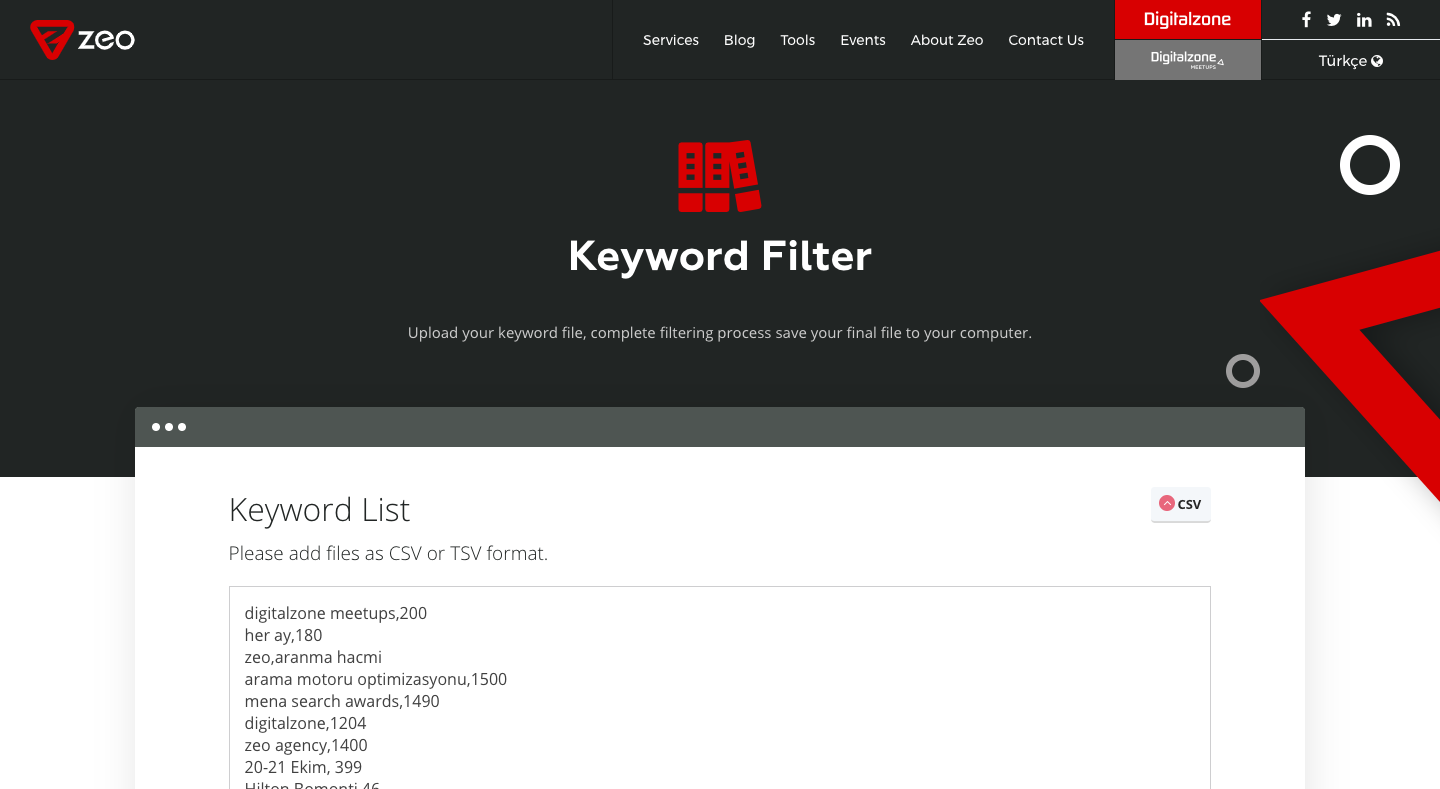
With this keyword filter tool, you can upload your keywords or copy/paste them into the field, then filter the list easily. After completing the filtering process, download the clean export file in CSV or another format.
Zeo Keyword Visualizer
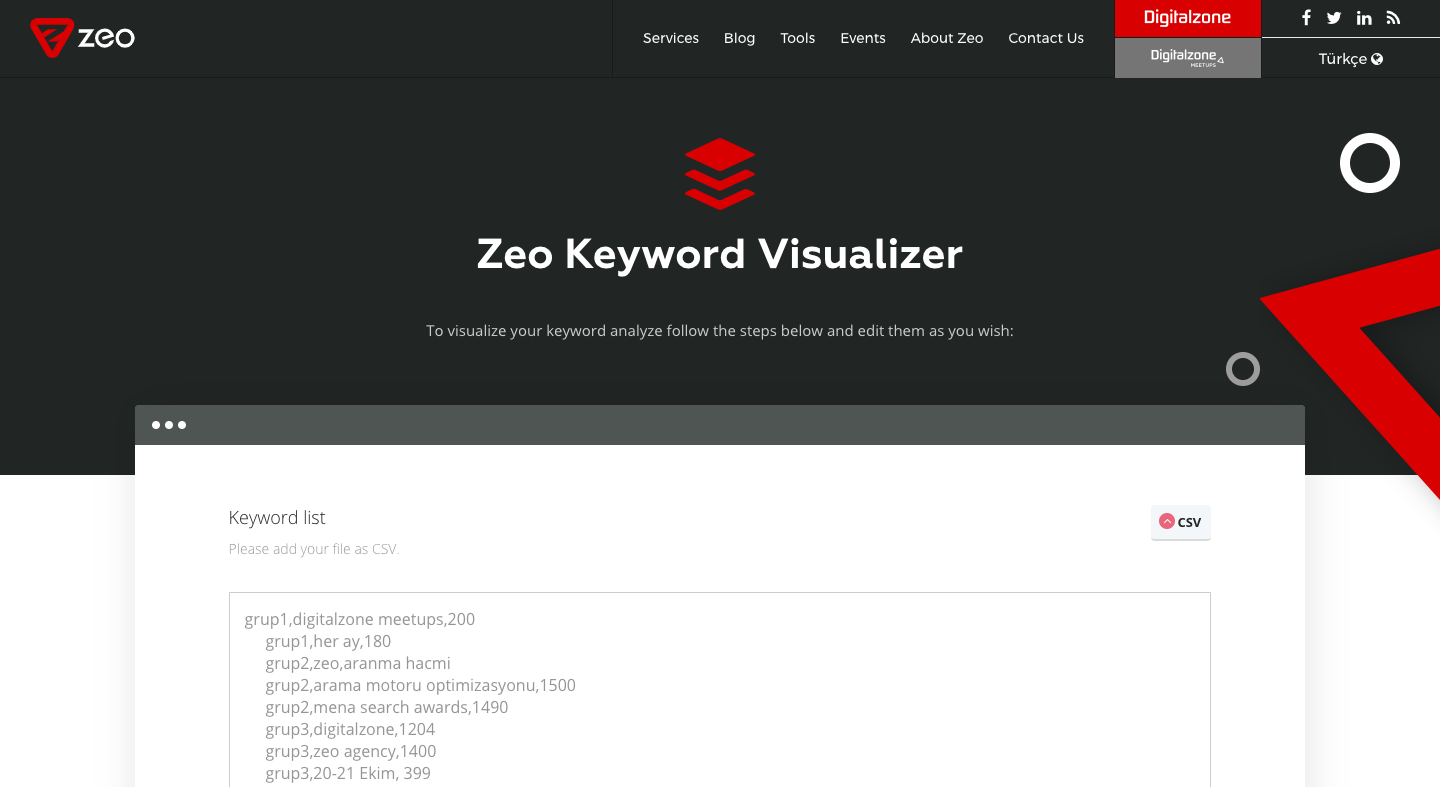
SEO experts from Zeo Agency developed this tool specifically to help SEO consultants visualize and present their keywords more clearly. It creates visual materials and graphs from your keyword research findings for presentations to administrators or customers.
Zeo Keyword Detail Finder
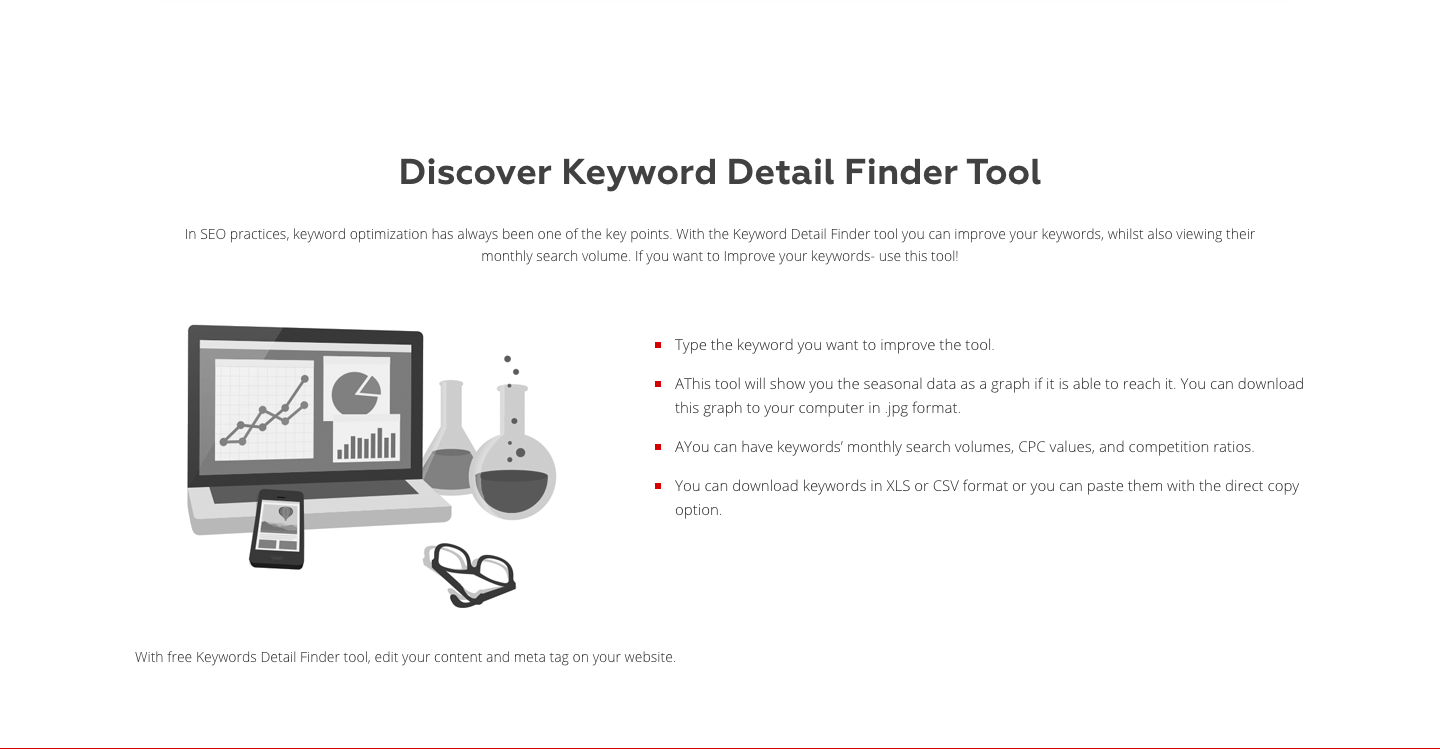
As discussed earlier, seasonality provides important data for developing effective SEO strategies. When the information is available, this tool displays seasonal data as a graph that you can download to your computer in .jpg format. Use it to examine your keyword's seasonal search data and add more context to keyword research presentations.
Chapter 5: Keyword Difficulty and Types of Keywords
Now that I have explained how to conduct keyword research, I want to introduce the main types of keywords. This section also covers keyword difficulty.
Head Keyword
Head keywords are broad terms that usually consist of a single word. For example, "SEO" and "marketing” keywords are head keywords. These terms tend to have the highest search volume, but earning high rankings for them is very difficult. They also have very low conversion rates. Unless your domain authority is very high, I suggest that you avoid targeting these words at the beginning. Applying that effort to long-tail keywords can help you grow faster and earn high rankings more easily.
Body Keyword
Body keywords are more specific and usually combine 2-3 words. For example, "on-page SEO” and “digital marketing" belong to this category. They are often less competitive than head keywords, and their search volumes are relatively lower (usually more than 2,000 search volumes).
Long-Tail Keyword
Longtail keywords usually contain 2-3 words and cover more specific or niche topics than broad terms. Examples include "onpage seo wordpress plugin” and “digital marketing strategy example ”. Although their search volumes are generally very low, competition is similarly low and conversion rates are very high. For small websites, producing content that specifically targets long-tail keywords can therefore be efficient and profitable. These terms can also make it easier to rank in Google SERP and increase website traffic quickly.
Evergreen Keywords
Evergreen keywords, as the name suggests, are not trendy or temporary. They maintain a regular, specific search volume. For example, “what is marketing” has continuous volume regardless of seasonality or other factors, which makes it an evergreen keyword. How can we benefit from this? Although following trends is important, a website also needs to rank for evergreen keywords to receive steady traffic. Evergreen content creates opportunities to attract that traffic continuously. I recommend considering evergreen keywords when planning your content and making them part of your long-term growth strategy. Now that we have covered keyword types and keyword difficulty, let's go deeper.
Authority of Sites on Google SERP
Before competing for a keyword with your content, you should examine the other sites in the results. The authority of websites on the first page is another important aspect of keyword difficulty. For example, let's search for the keyword "marketing".
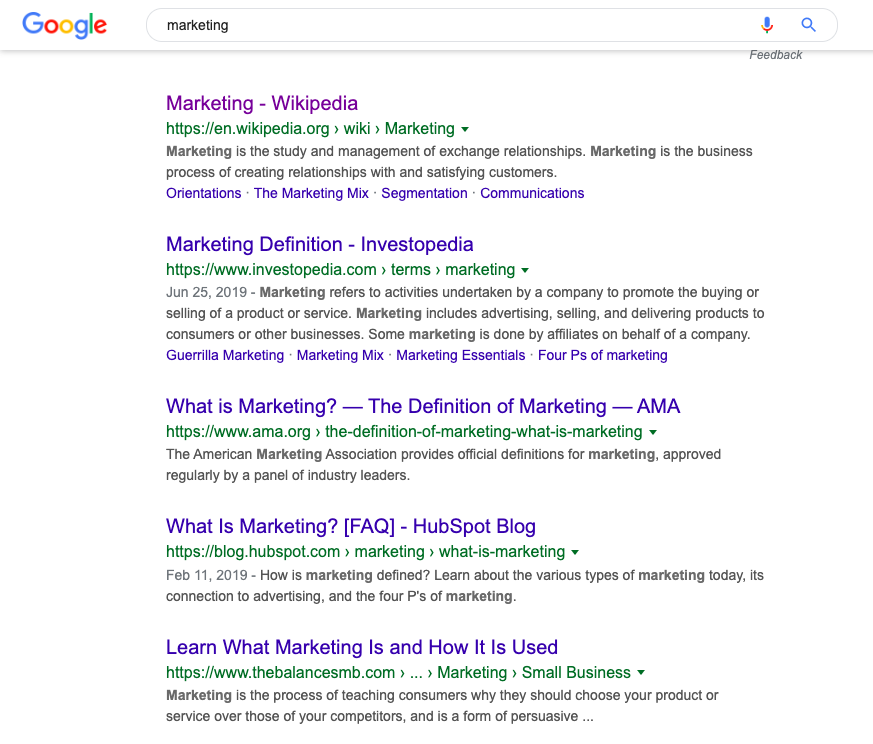
The Google SERP shows Wikipedia among the top-ranking sites, and it has very high website authority. Even if our own site has authority, competitors of this strength reduce our chances of receiving traffic from the keyword "marketing". We probably cannot outrank websites such as Wikipedia without investing substantial resources. If the results instead contained various low-authority blog pages and many sites without authority, we might decide that the keyword deserves our effort and could bring us a significant share of the traffic. Before focusing on a topic or keyword, we should therefore assess the authority of competitors in the SERP, even when we trust our website and our work. This helps us estimate our chance of ranking on the first page more accurately.
Rich Results and Pixel Rank in Google SERP
Alongside keyword difficulty, you need to consider rich results and pixel rank in Google SERP.
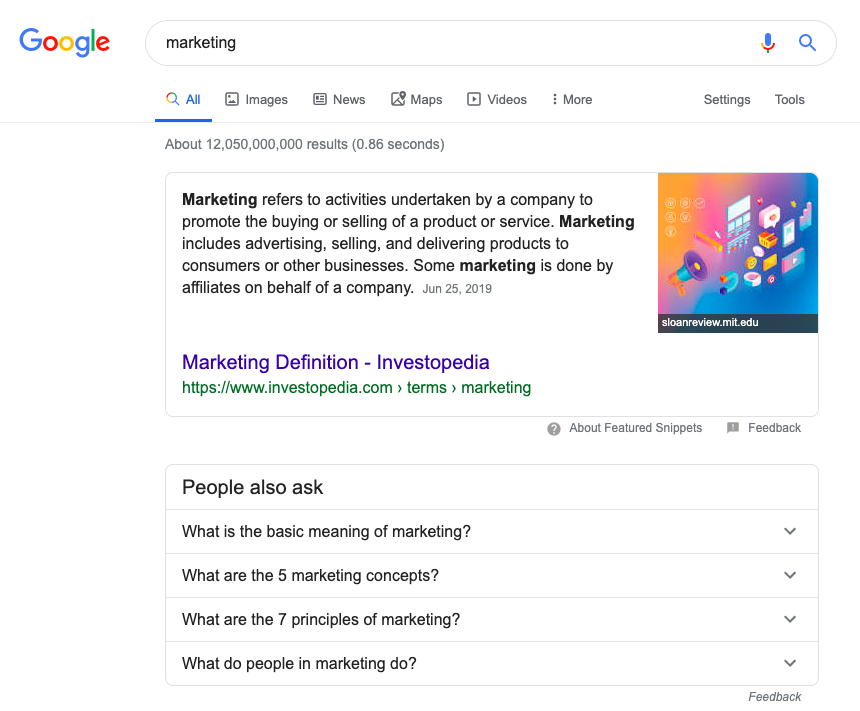
In this query, the featured snippet and people also ask areas occupy a significant part of the screen before the organic results. If your focus keyword produces a similar SERP, remember that these features will capture a significant share of the search volume and that you cannot compete with them directly. Assume that first spot take, for example, 20% of total search traffic. Would targeting the keyword still make sense? To decide, I recommend estimating the keyword's average search volume and CTR, then evaluating both alongside keyword difficulty.
Can I Rank? Keyword Research and Topic Suggestion Tool
Can I rank is an artificial intelligence based keyword research and analysis tool that I discovered recently and really liked.
You can try the tool by creating a free membership. It begins by asking for basic information: your site, a URL from your category page, a sample content URL, and competitors. Using this data, the analysis tool provides suggestions tailored to your site based on its competitors, categories and page type. It also uses keyword difficulty as a metric to analyze terms that may be easier to rank for. This can help you discover keywords that may attract traffic sooner and reach higher rankings more easily.
Pro Tip
Beyond keyword suggestions, the tool gives us valuable information about our competitors.
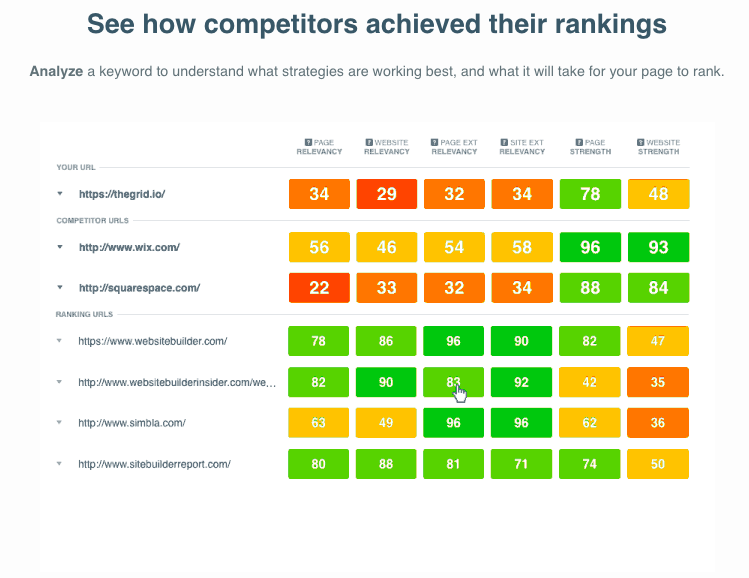
As shown here, it provides critical metrics for both our website and our competitors for the target keyword. These figures help us understand the ranking strength of the sites we will compete against. We can use them to prioritize keywords by identifying competitors that may be easier to outrank. We can also learn effective site and page development ideas from stronger competitors.
Chapter 6: How to Choose a Keyword?
We have now covered how to conduct keyword research and analysis, along with free and paid keyword research tools. Next, let's look at how to select and prioritize the keywords we found. The first consideration, as expected, is search volume.
Search Volume
Search volume is an important metric and usually the first one we consider. We want our content and pages to attract more traffic and grow the number of website visitors, so keywords with greater search volume naturally appeal to us. But search volume alone cannot determine an effective SEO strategy. Is it worth investing substantial time in a keyword that may bring less traffic than several long-tail keywords, even if you reach the first page? I don't think it is. Search volume also varies by sector. A volume considered too low in one sector may be high in yours.
Let's compare a few examples. First, search for a keyword about diet and review its average monthly search volume.

The volume is not bad. Now consider another query from a different sector.

As the examples show, search volume can differ significantly from one sector to another. When making a decision, consider search volume together with the other metrics below rather than relying on it alone.
Organic Click-Through-Rate
Organic click-through rates continue to fall because of zero results, rich snippets and ads in Google searches.
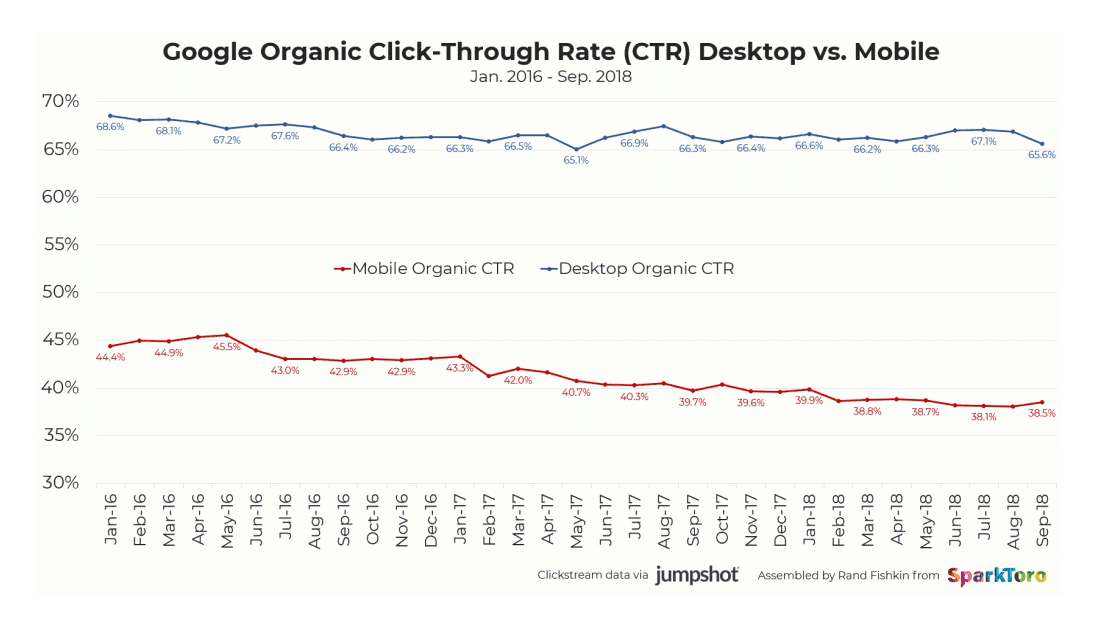
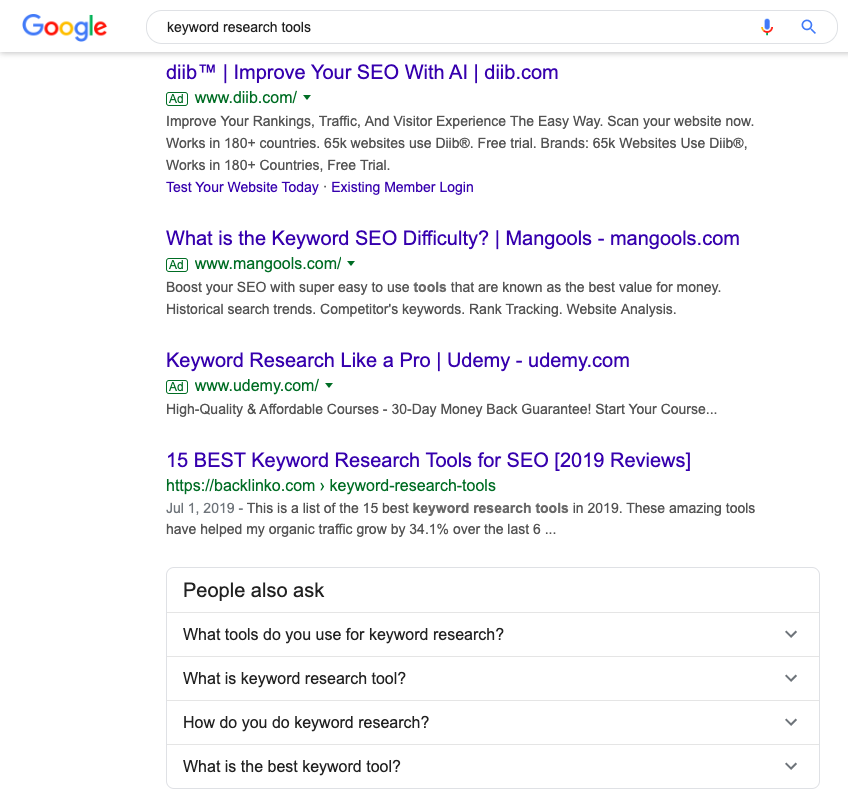
Search volume is therefore only part of the picture. We also need to know the clickthrough rates of top-ranked pages. A query that gives people the answer without requiring them to visit a website will not benefit you in the same way, even when its search volume is high. How can we understand CTR (click-through-rate)? First, I suggest searching for your keyword and reviewing the Google SERP (Search Engine Result Page).
Tools for Organic CTR
Second, use keyword research tools. Both Ahrefs and Moz pro tools provide the metrics you need.
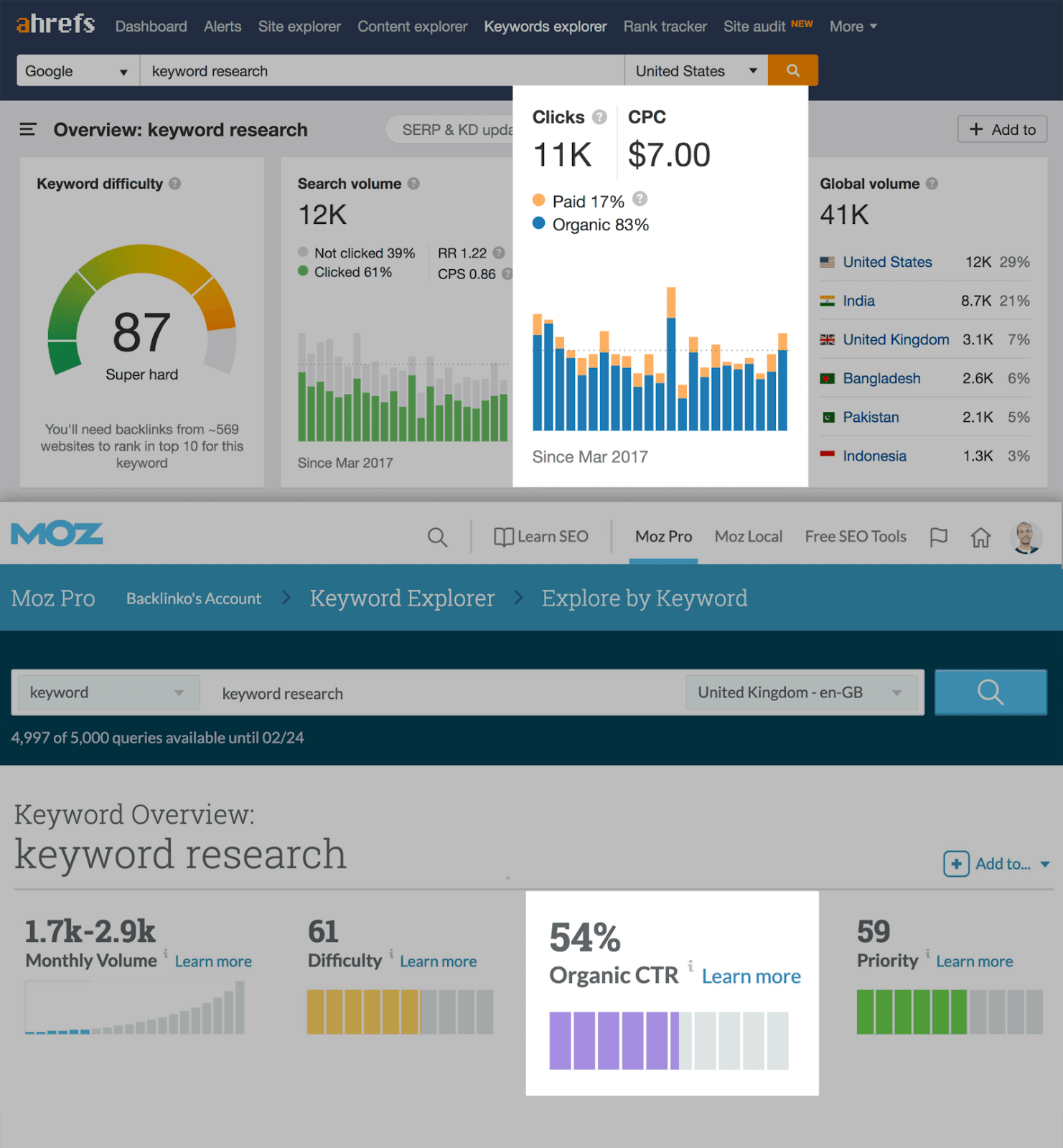
Even so, abandoning a keyword with extremely high search demand solely because it has a low CTR may not make sense.
Keyword Difficulty
We have already discussed this issue, but a brief recap is useful. If your site is new or has low authority, focus on lower-difficulty keywords that offer an easier path to the first page. These terms can help your website grow faster even when their search volume is small because the competing sites will be less challenging. Discovering niche topics and building a strong presence in those areas can also attract visitors with high conversion rates and increase your chances of earning backlinks. As a result, your brand awareness will begin to grow.
CPC Value as a Selection Factor
CPC (cost-per-click) is an important metric because it helps us answer one question: “Do visitors who search for this word actually spend money at the end of these queries?” A keyword may have strong search volume, but if the people searching for it do not spend money after their queries, we may not need to target it. Conversely, a keyword with a very high CPC can produce a high ROI even when its search volume is low. For example, consider the keyword “SEO keyword research tool”.

According to Ahrefs, the term has a search volume of 80 clicks, which looks very poor on its own. Its CPC tells a different story: advertisers spend an average of 9 dollars for each click from this query. The very low search volume may also make it highly possible to target the keyword organically in these results. Each conversion you receive would save you $9 and provide high ROI value. In this case, the CPC value compensates for the low search volume.
Business Fit
Business fit helps us assess the possibility that a searcher could become a customer. CPC offers significant insight, but we also need to consider the other side of the coin. Let's continue with the same example.

From a CPC perspective, this keyword looks very good. For Zeo Agency, however, the other side of the coin matters: the keyword does not suit us because Zeo Agency is not offering a keyword research tool. It does not fit our business model, so targeting it would be meaningless. We're a digital marketing consulting agency. "keyword research" is therefore a more appropriate keyword because it is one of the services we offer among our consultancy services.
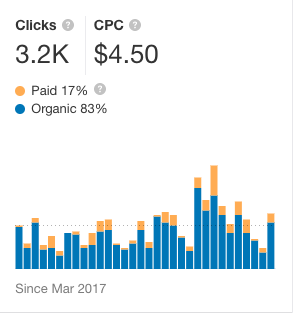
The search volume is also high, and the CPC value is not bad at all. This is why business fit matters. We cannot select keywords simply because their values look good. If a keyword does not suit our business, it will not help us and our effort will be wasted.
Keyword Trends
If you want to know whether a keyword is growing quickly or slowly declining, I can recommend a useful free tool from Google.
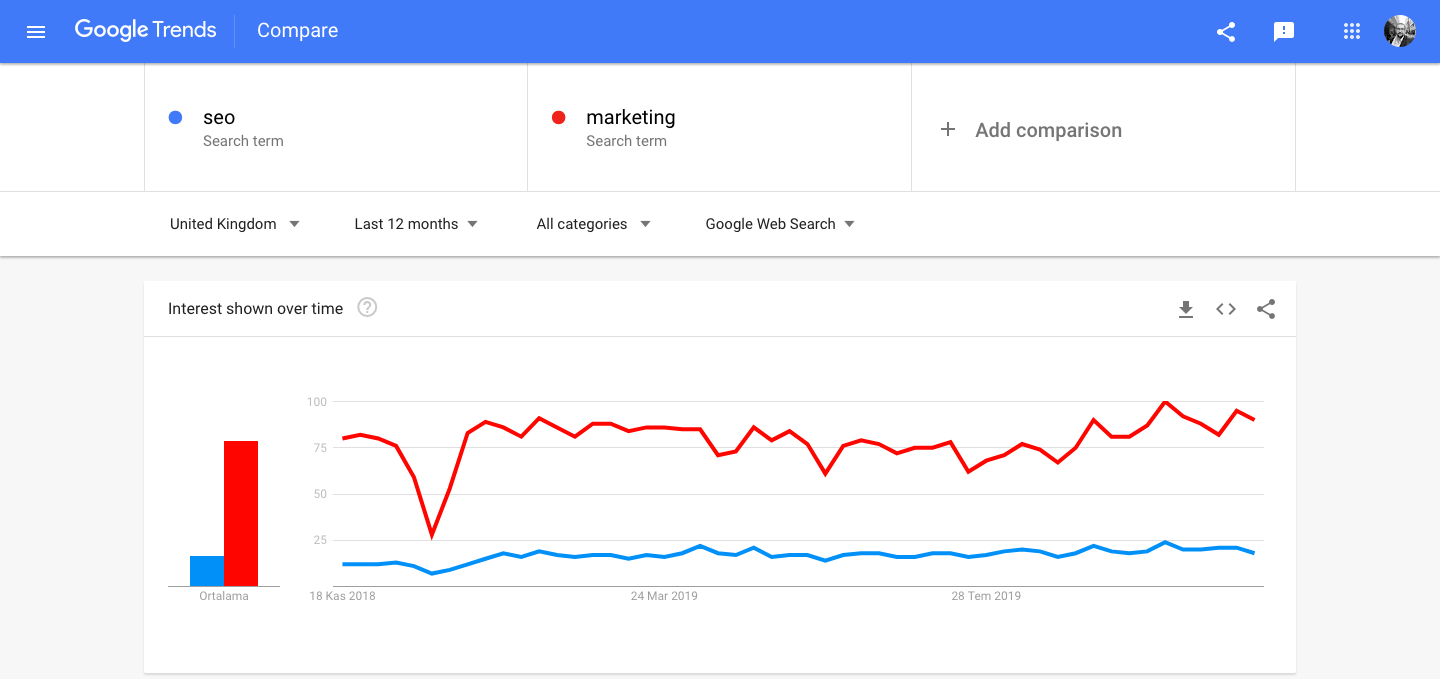
Google Trends lets us compare keywords against country-level trend data, review search volumes by country, and find related keyword searches.
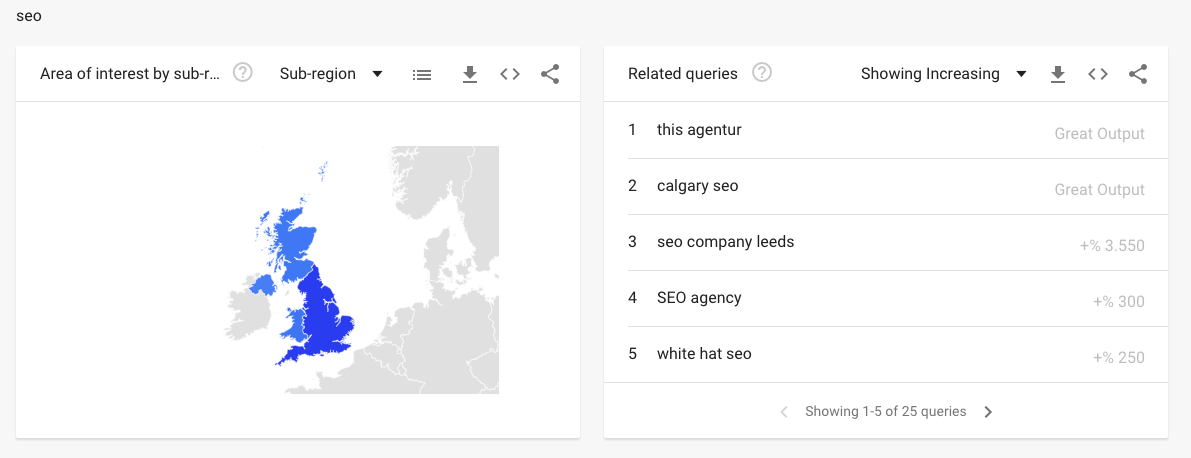
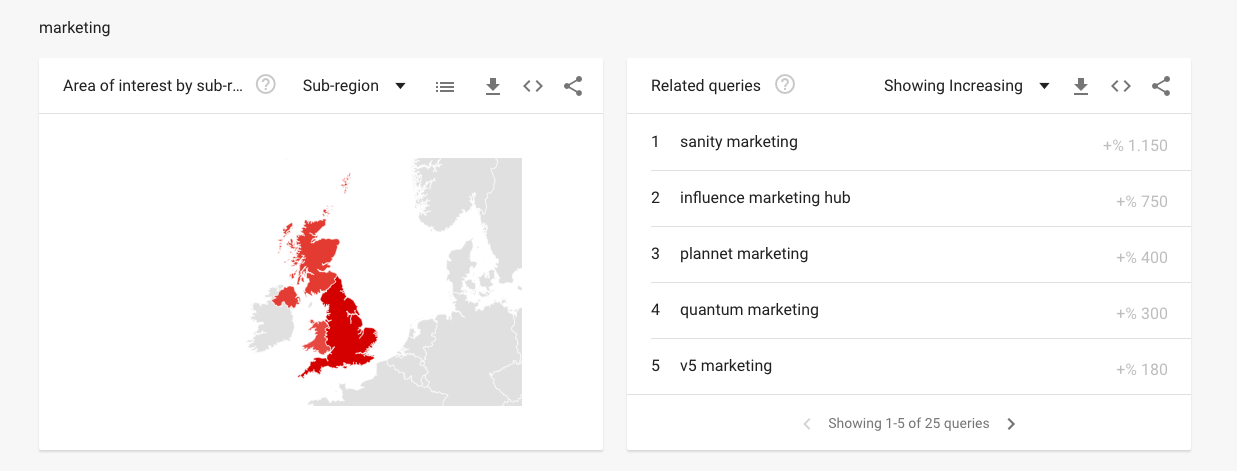
We can also compare keywords with one another at the subregional level.
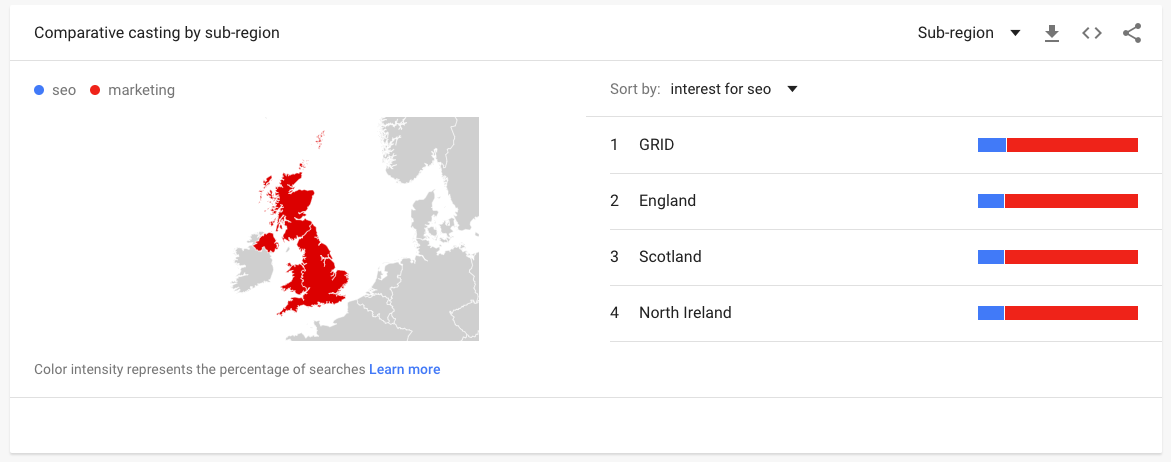
These features can help us choose a keyword. Before making your decision, I suggest checking each option with Google Trends, discarding those in decline, and targeting the trending keywords. You will certainly see its effect. None of us wants to spend resources on a keyword that will disappear after a while.
Chapter 7: Advanced Tips
After covering the basics of keyword research, I would like to introduce several advanced concepts. If you want to take your keyword research and analysis a few steps further, let's examine these tips one by one.
Rich Results and Barnacle SEO
Suppose you have found an ideal keyword and even reached the top three. That may seem like enough, but SEO offers further opportunities. Start with Barnacle SEO, a strategy previously described by Backlinko that can help you dominate Google SERP. At its core, Barnacle SEO means using the power of other sites. Even when you hold the first-place in SERP, your result still occupies only one spot in terms of pixels.

Rich snippets can increase the pixel space our result occupies.

The Barnacle SEO technique then lets us use the power of other sites to occupy more SERP space in pixels. For example, produce videos relevant to your post or page to gain more pixel space through video results for the same query.
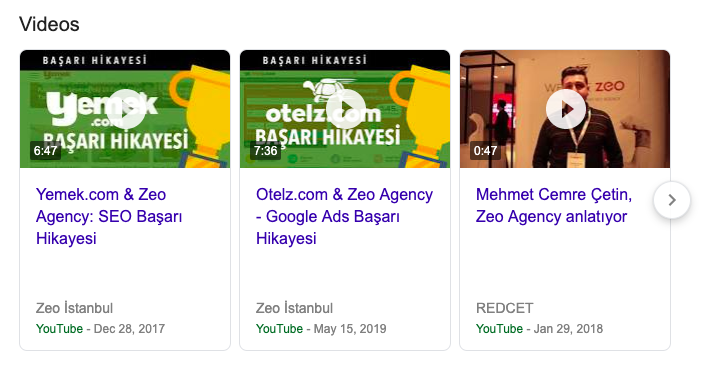
The important measures are how much pixel space you occupy in SERP through additional rich result types and where you rank by pixels. As noted earlier, rich results and advertisements take up a large amount of SERP space. You may hold the first position in the listed results while your actual pixel position is equivalent to fourth to fifth position in a SERP without rich results and ads.
I therefore recommend monitoring both your pixel width and the pixel position in which you rank. Today's most popular rank tracker tools still do not offer this feature. With seo.do, developed by ZEO Agency, you'll be able to track your pixel position as well as your SERP position. I suggest exploring our seo.do rank tracker tool.
Google Search Console Keyword List
Open Google Search Console and click the performance section.
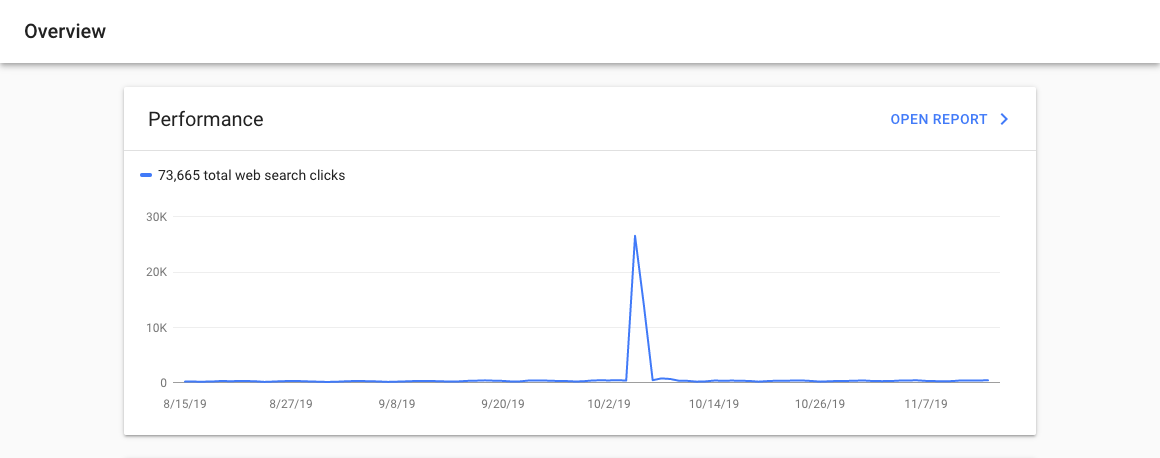
This report shows the keywords for which we rank, our average position, and the impressions and clicks we receive.
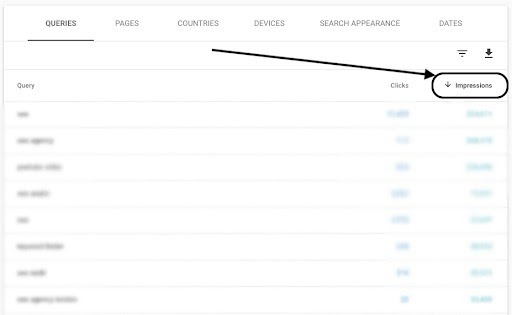
Filter the results by impression to identify keywords with high impressions but fewer clicks.
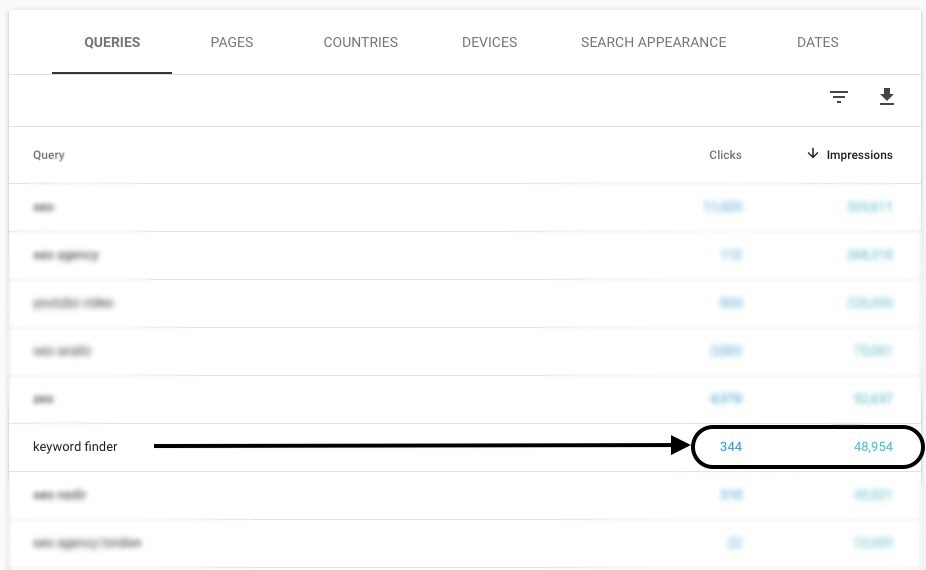
We can increase both our ranking and clicks by writing focused content around a keyword for which we already rank and receive high impressions. Another option is to revise a post that covers the topic, increasing its keyword density and expanding the content around that focus. This method is a quick win because Google already ranks our site for the keyword and considers the related page relevant. Our next task is to create a more focused page and turn these potential clicks (impressions) into site traffic. This will be easier for us than trying to rank for a completely new keyword.
Optimize Content Around Synonyms and Related Keywords
Choosing the right keyword is an important part of creating content. We usually favor high-volume terms related to our topic and give less attention to low-volume or niche keywords. That approach can cause us to miss important opportunities, including the relevancy factor that is one of the very important ranking factors for Google Algorithm. When competition for a keyword is difficult, expanding the content with synonyms and more niche terms can provide a significant advantage. When someone searches for a keyword, Google considers the relevance and coverage of the content alongside many other factors. Any terms we find or derive through this process must relate directly to the topic. They can also increase the page's traffic potential by helping it rank for more keywords.
Keyword Research Based on Search Intent/User Intent
We should ask ourselves one question:
- “What does someone want to see when they search for a keyword?”
Understanding this question is essential. Is the user looking for information? Want to buy? or is it searching for a specific page? (such as registration or login page).
As an example, consider the keyword “keyword research tool”.

Review Google SERP to understand what people might want from this query.
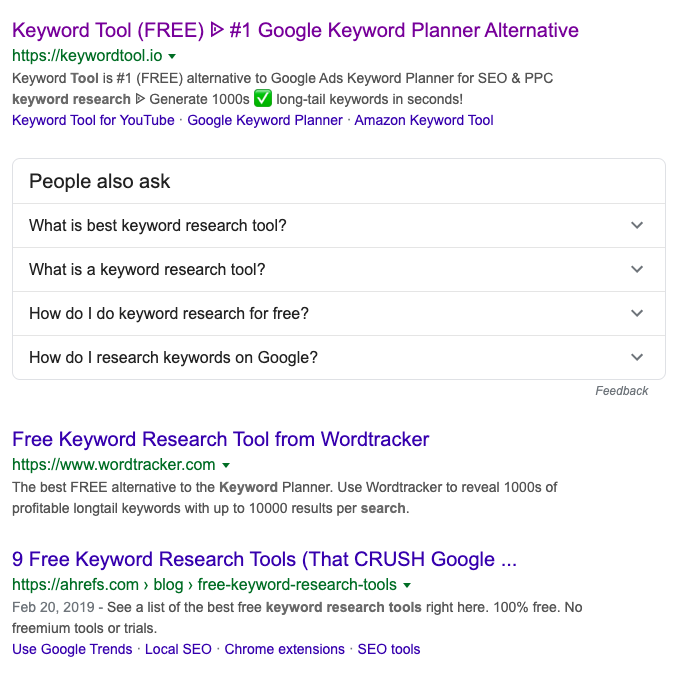
The first 3 results are all keyword research tools. From this, we can conclude that people who enter this keyword are looking for a keyword research tool. They are not trying to buy something or find other information about these tools. They want to research the keyword research tools available in the market. In other words, they are not seeking informative content, transactional results, or navigational results. This is a commercial search. The following table explains the distinction more clearly.
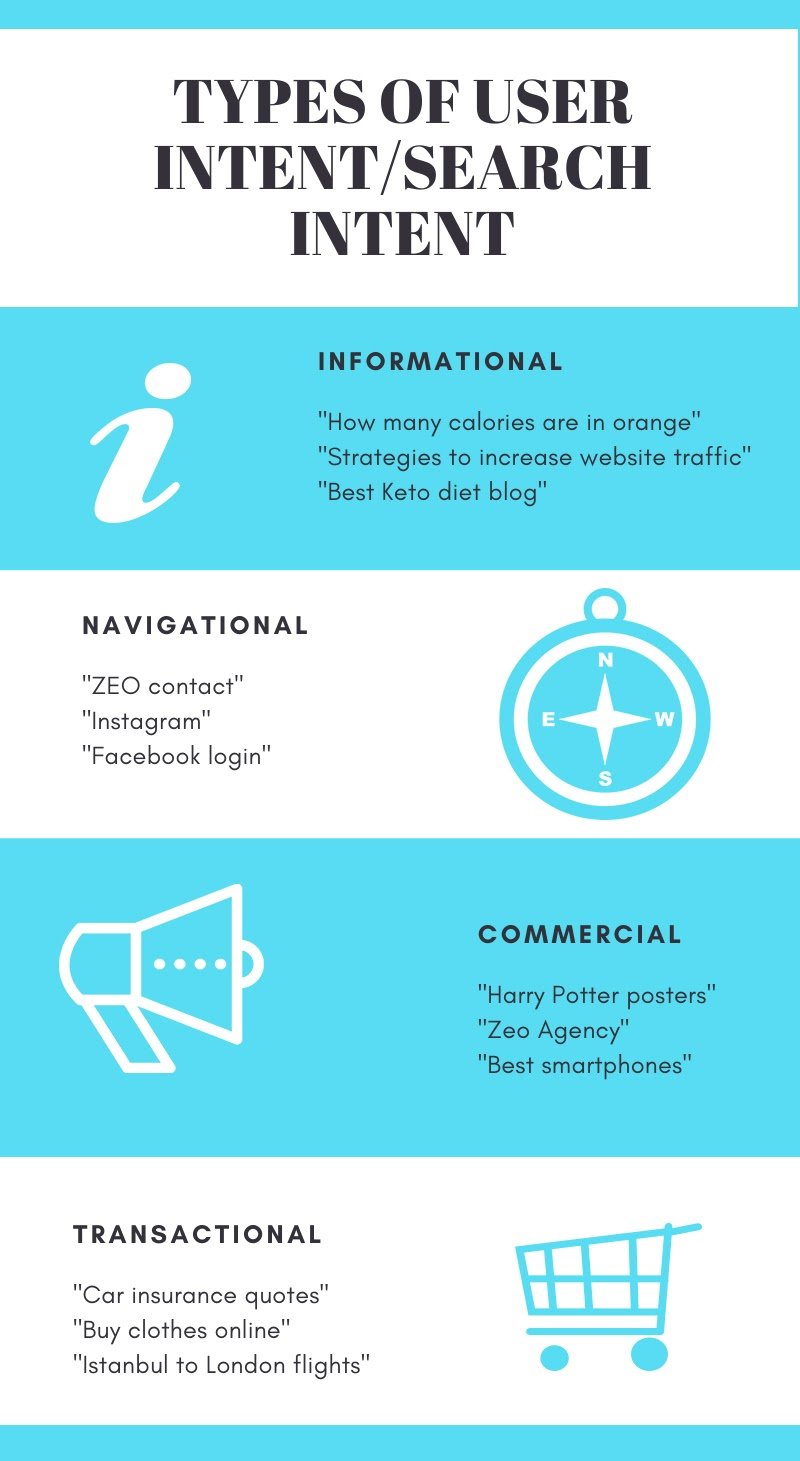
Now let's apply this information. If we run an e-commerce website and are creating content for product pages, which category of keywords should we use? The answer is straightforward: our goal should be transactional and commercial words, especially transactional ones. Choosing informational keywords for product page content simply because they have high volume or look suitable according to other metrics can prevent the page from earning a good ranking. In short, keyword research based on user intent, or search intent, and content created in that context will perform much better. How do you conduct keyword research and analysis? If you use a method other than those covered here, we would appreciate it if you share it in a comment so we can enrich our content with your help. We will also be glad to help with any questions or comments about this post.
Resources
https://ahrefs.com/blog/free-keyword-research-tools/ https://moz.com/beginners-guide-to-seo/keyword-research https://mangools.com/blog/keyword-research/ https://backlinko.com/keyword-research


