


Web technology keeps evolving, and that shows up in both the interfaces we use and the technologies behind them. We can call a website built as a single page a new-generation web interface. A single-page application can still hold plenty of information: an about page, references, and a contact section can all live on that one page. Naturally, this changes how SEO works, since optimizing a single-page site calls for different techniques than optimizing a landing page with multiple pages.
What is Single Page Application (SPA)?
Single Page Applications are modern websites that boost user interaction through a JavaScript interface. What sets them apart from other sites is that they render the existing page as a whole in a dynamic structure instead of loading a new page for every action. That keeps the user experience smooth and improves accessibility. SPA developers build these sites using popular JavaScript libraries such as VueJS and AngularJS.
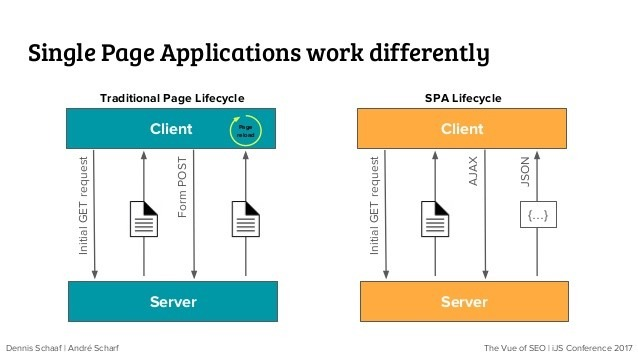
Advantages of Using Single Page Application
- Using an SPA can give users a better experience than many other websites. Because the page doesn't constantly reload, visitors can find the information they're looking for quickly and easily.
- On the speed side, because an SPA is a single page, there's no constant page renewal. Since the shared page elements stay in place, page loading speed improves.
- Caching the page can reduce how much the site depends on internet speed and can keep content visible to visitors.
- Multi-page sites and SPA structures can differ significantly when it comes to mobile compatibility, and SPA tends to come out as the easier structure for mobile, with a high level of benefit to users.
Disadvantages of Using Single Page Application
- On SPA sites, page content only renders once a request comes in, and as you move between pages, that content loads dynamically. Because SPAs are built with JavaScript libraries, search engines don't crawl them easily, which makes SSR practically unavoidable on SPA sites.
- Without an SSR-based workaround, a JavaScript site can run into real limitations for SEO work, such as links that aren't explicitly present in the source code and meta tags that crawlers never discover.
- Because all the interactions happen on a single page, tools like Google Analytics and Search Console have a harder time tracking that data.
- Browser actions like the forward and back buttons are also limited within SPA navigation. Click the back button, for instance, and you land on the previous site altogether, since you've effectively left the SPA rather than moving within it.
How Do Crawlers See Single Page Websites?
Browsers use crawlers to explore websites, and Google's crawler for this job is called Googlebot. Sites built with an SPA structure execute and open their JavaScript files right in the user's or Googlebot's browser. The server sends these files without processing the request itself, leaving the browser to handle it instead. That's the problem: Googlebot can't explore every page or read all the content.
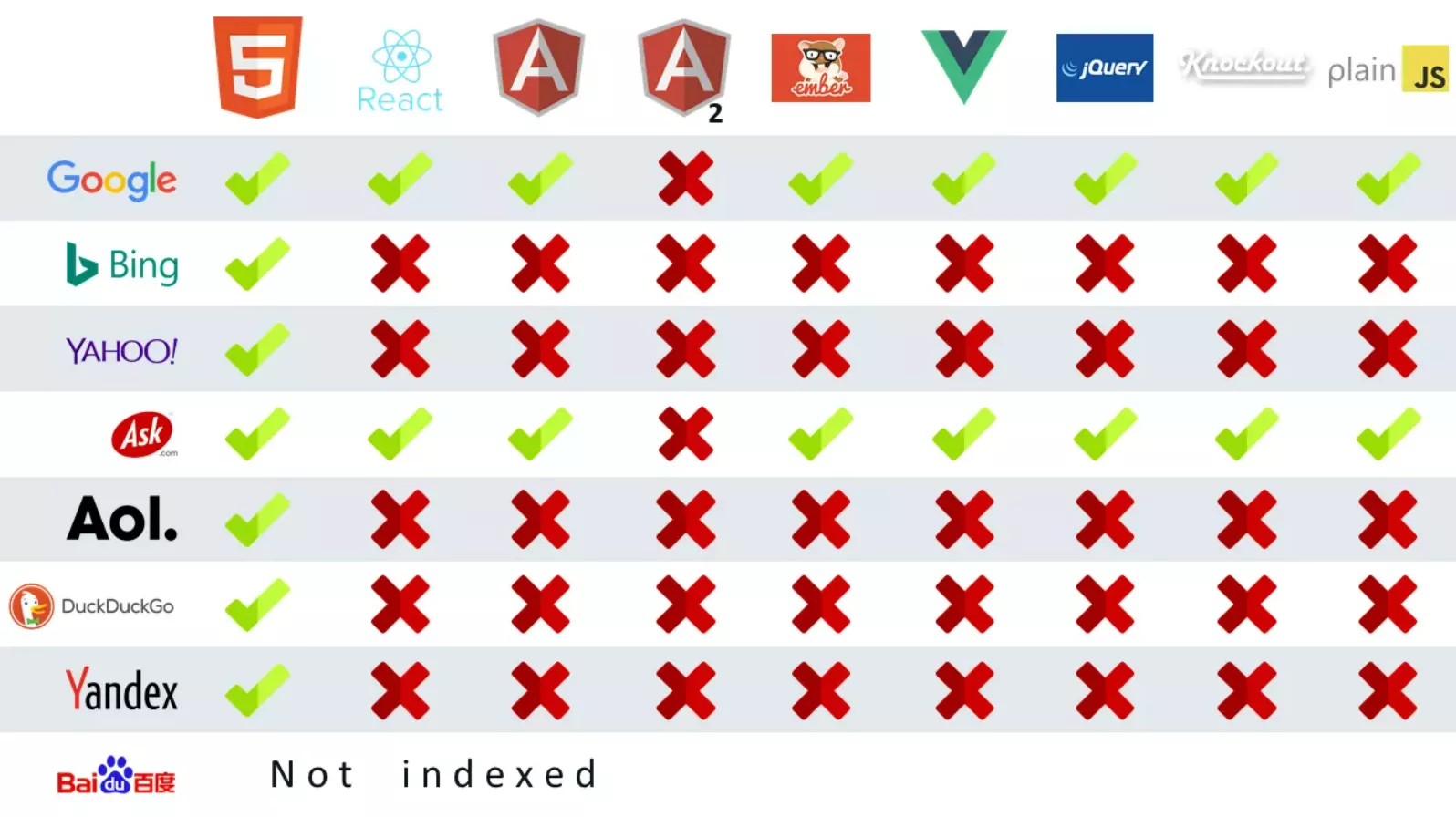
Server Side Rendering should be used to avoid problems with Googlebot and to keep the content on every page properly open and indexable to search engines. As an example, in the Google document, it's stated that the canonical tag can only be seen as a hint when it's presented as HTML. Given that, applying server-side rendering on our site and delivering our rendered content to both users and search engines will cut down on the problems we'd otherwise face. Elements such as title, meta description, canonical, hreflang, alternate, og, which we use especially between the head, should never be generated with JavaScript, since that's what keeps the site discoverable and indexed by crawlers. You can find more information about JavaScript SEO here. You can also access Google's work to fix the SPA website here. Both are useful references while you're making your site SEO-friendly.
How to Optimize Single-Page Apps with a Focus on SEO?
Here are some steps you can take to optimize single-page sites for SEO:
- On websites built with SPA, section URLs are often formed using a hash (#), for instance https://zeo.org/#/seo, https://zeo.org/#/biz-kimiz. The API here can help search engines recognize these different sections of the website as separate URLs.
- We should list these URLs in the sitemap that we will create in the correct structure, which can help ensure that they are discovered by crawlers.
- As mentioned above, thanks to SSR, we should ensure that the elements in <head> such as title, meta description, canonical, hreflang are discovered. We can use Google resources for this.
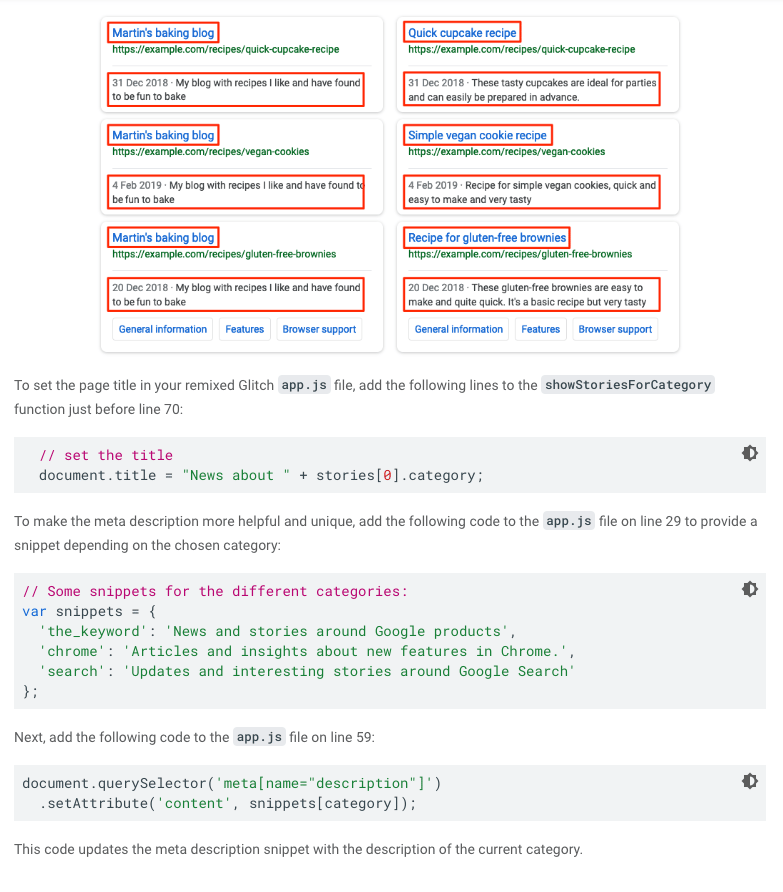
For example, the code blocks above help us add different titles and description information for each structure in SPA.
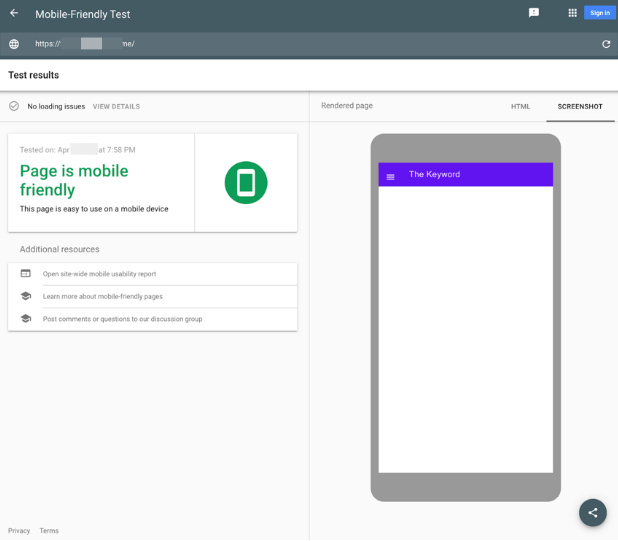
- There shouldn't be differences between the mobile and desktop versions of the pages we create, so a mobile compatibility test should be done.
- We should make sure the link and content elements on the page are present at the source-code level, and check that everything related to the intermediate solution has actually come through.
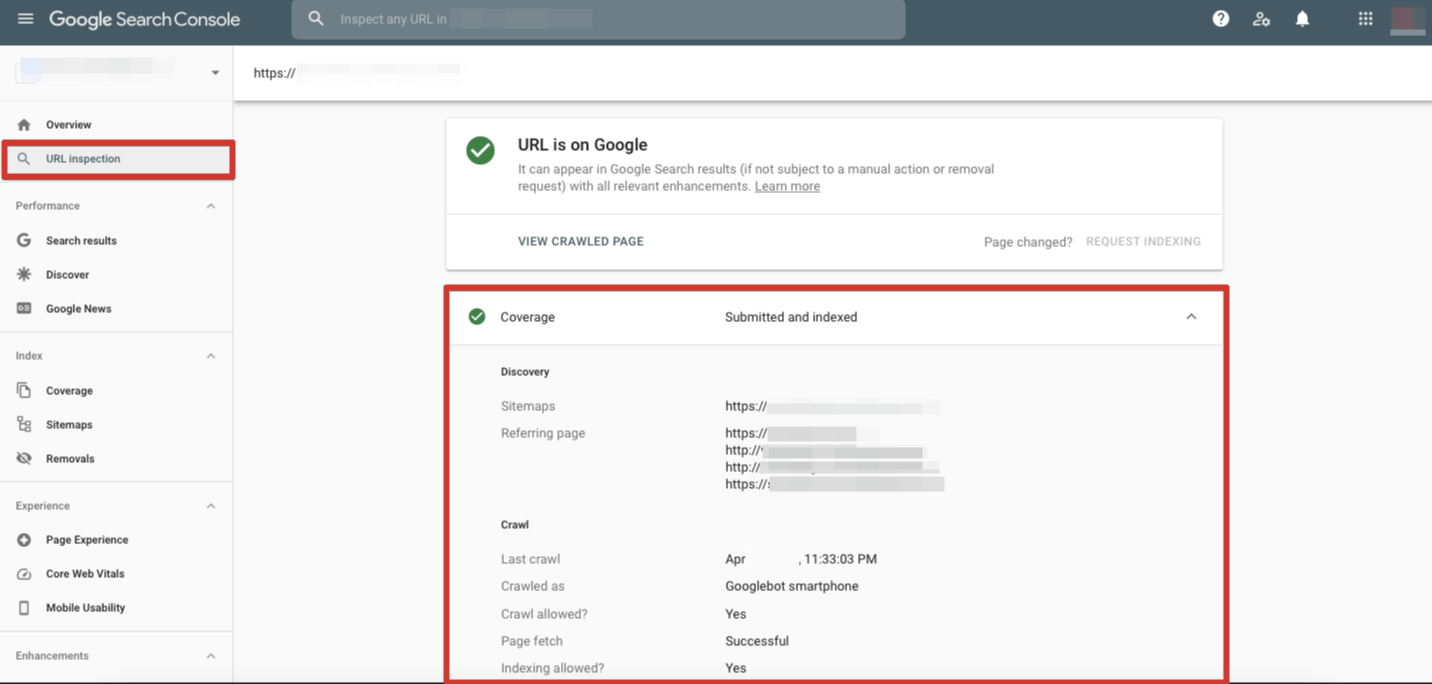
- For SPA testing, we can submit the relevant URLs to Search Console, which can give us basic information on how Googlebot crawls and indexes them.
In short, single-page applications, or SPAs, are structures where interaction with users is at a high level but limitations may occur in terms of SEO. Intermediate workarounds can help make these structures more effective for SEO and can contribute to the performance of the website.
Resources
https://seranking.com/blog/single-page-application-seo/ https://codelabs.developers.google.com/codelabs/making-a-single-page-app-search-friendly https://developer.mozilla.org/en-US/docs/Web/API/History_API https://www.cloudways.com/blog/single-page-website-spa-seo/ https://wiredelta.com/is-single-page-application-spa-development-worth-it-in-2019/


