


Semrush is a prominent digital marketing tool for regularly monitoring the performance metrics of websites and their competitors, particularly for SEO and PPC. This comprehensive guide explains how to use Semrush and its various tools.
1. Starting a Project: Site Audit & Detecting On-Site SEO Issues
The first step in measuring a website's online visibility is to add it as a new project. Semrush makes the project setup process straightforward.
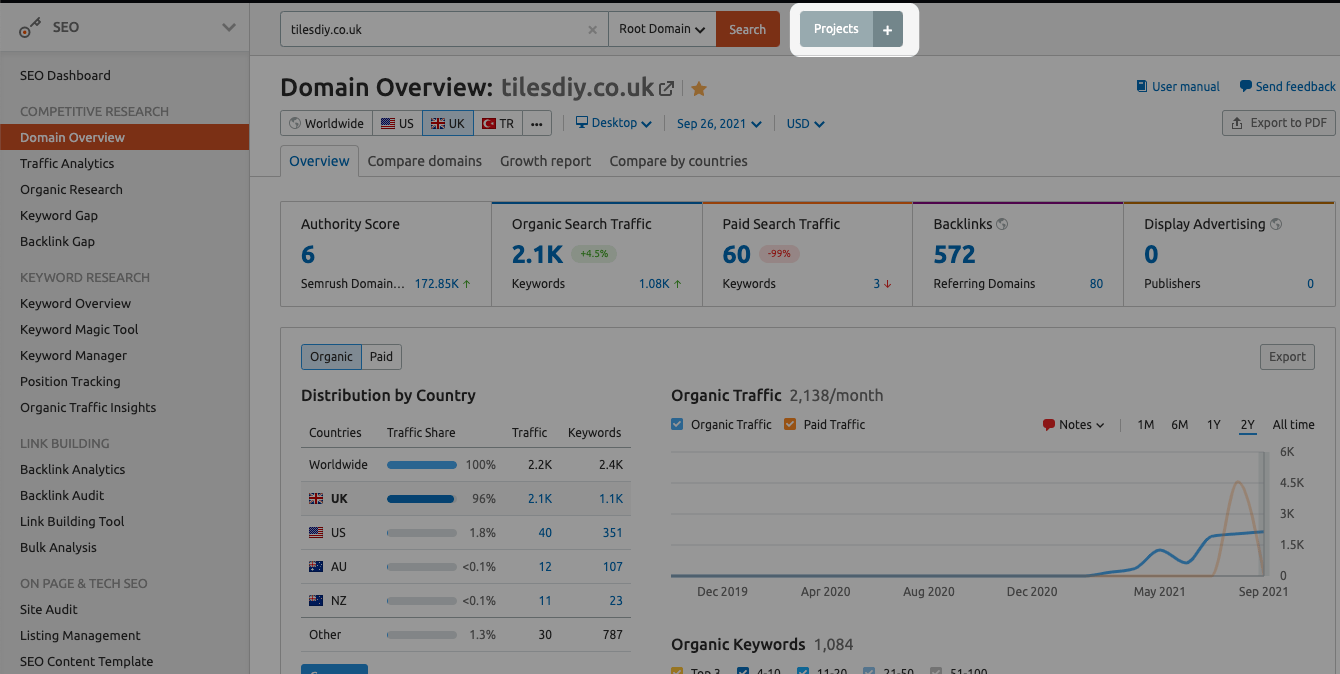
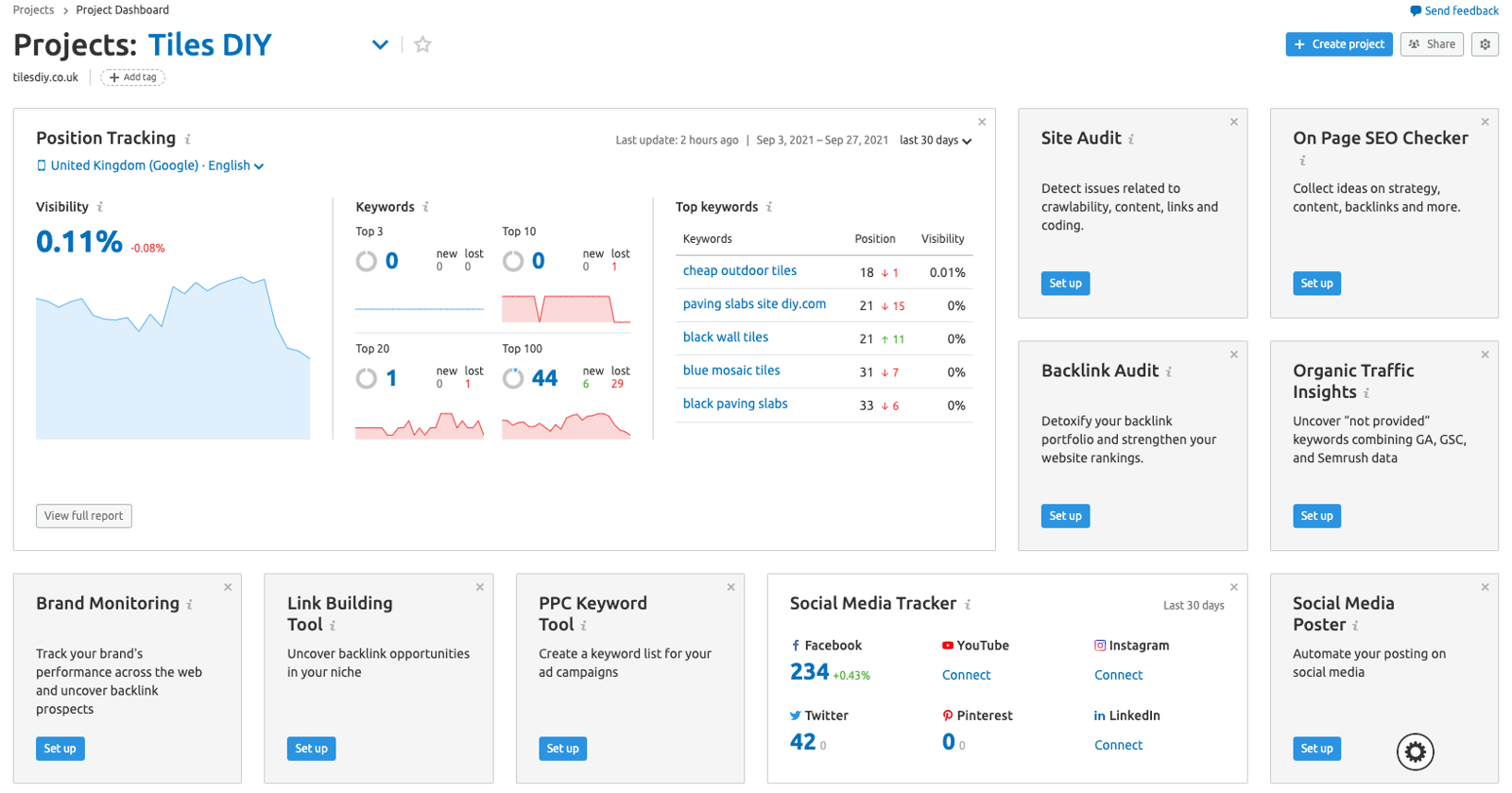
After creating a Project, you can configure 11 different Semrush project tools: Site Audit, Position Tracking, On Page SEO Checker, Social Media Tracker, Social Media Poster, Brand Monitoring, Backlink Audit, Link Building, PPC Keyword Tool, Organic Traffic Insights, and Content Analyzer. Together, they help you measure a website's online visibility and manage campaigns designed to improve it.
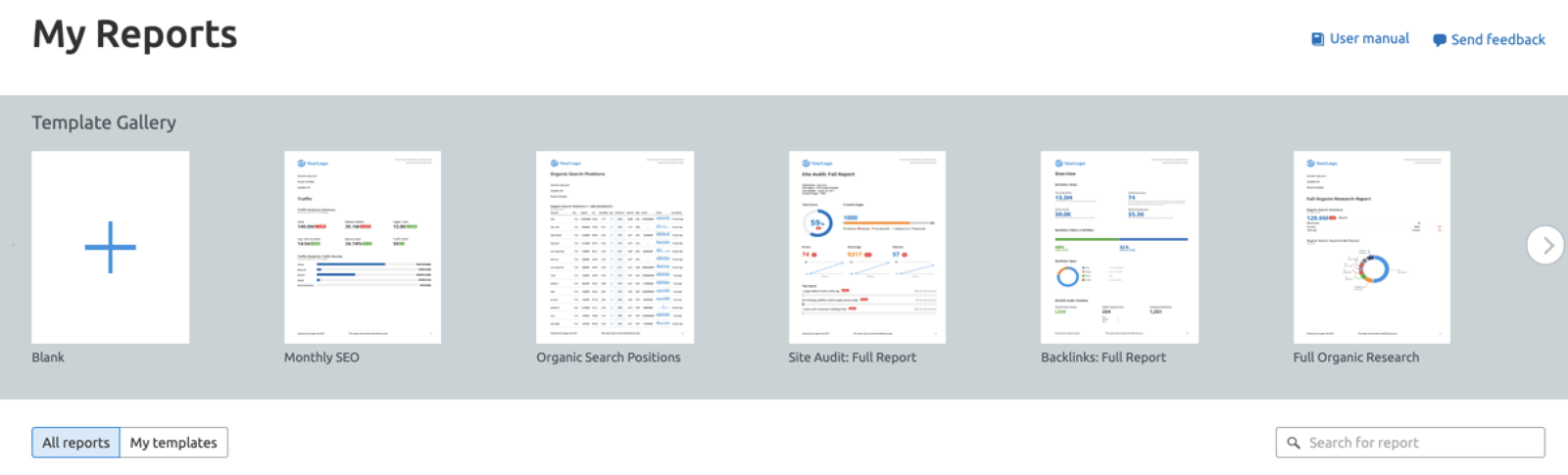
You can use the Semrush PDF Builder to turn data from these tools into reports in different file formats. This is especially useful when you need to create different types of reports quickly and easily.
1a) Semrush Site Audit
The Site Audit tool provides useful insights into a website's technical errors and overall condition. It crawls websites as Googlebots do, then prepares a report on technical issues affecting website health and organic performance.
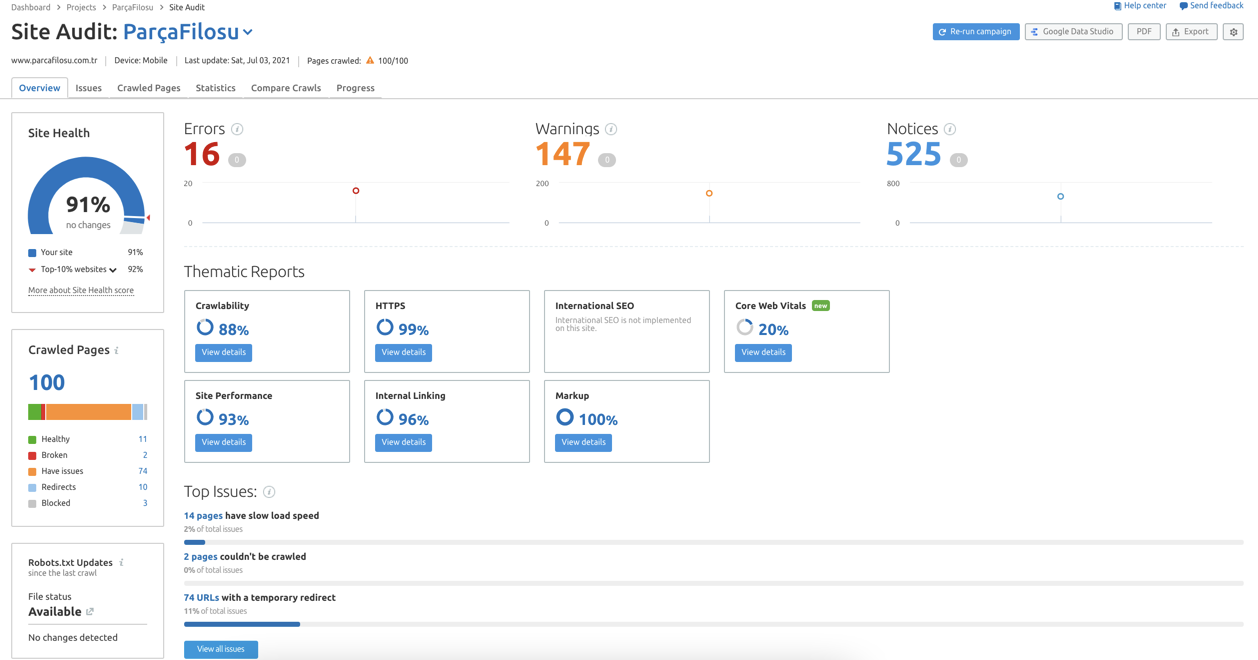
The Site Audit Overview Report organizes crawl results into 'Site Health', 'Errors', 'Warnings' and 'Notices'. Site Health is essentially a website quality score. Errors are severe issues found during the crawl, while Warnings are less severe. Notices provide recommendations for improving quality by sending better signals to search engine bots. Scheduled audits let you track changes in the quality score and overall website health over time.
1b) Semrush Position Tracking Tool
Once you have chosen the target keywords for your campaign, you can monitor them with Position Tracker. You can add target keywords in several ways, including manually, through campaigns, and from analytics accounts.
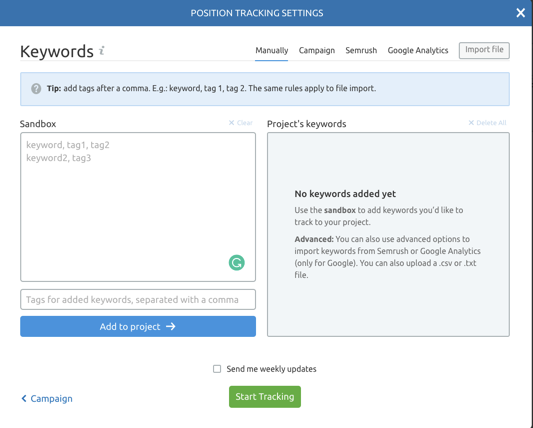
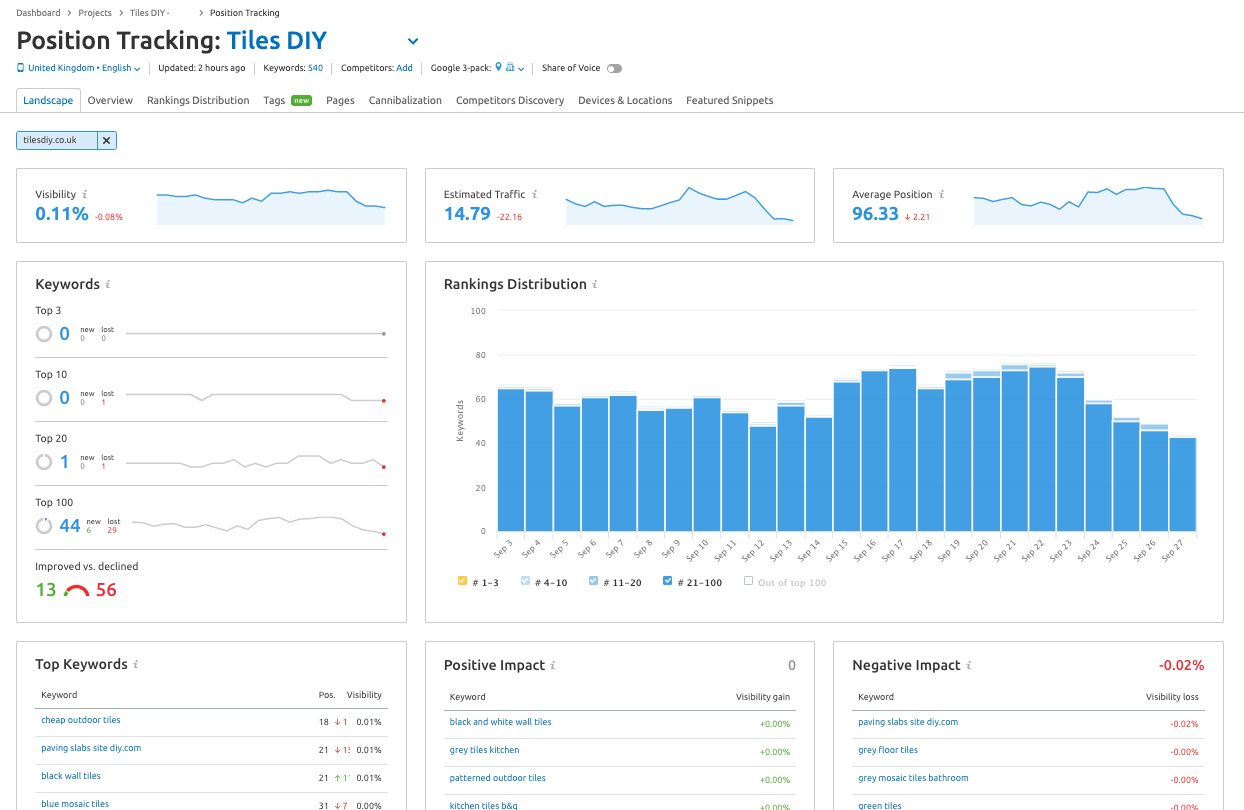
You can also follow your competitors' rankings for the same keywords and monitor how those rankings change, helping you stay informed about competitor performance. The tool shows the best- and worst-performing tracked keywords, average rankings, and SERP Features that can improve visibility in searches for those keywords. Google Data Studio integration also lets you create dynamic dashboards.
1c) Semrush On-Page SEO Checker
The On-Page SEO Checker provides a list of steps you can take to improve your rankings for target keywords. Once you have assessed your organic search performance, you can use the tool to improve your on-page SEO.
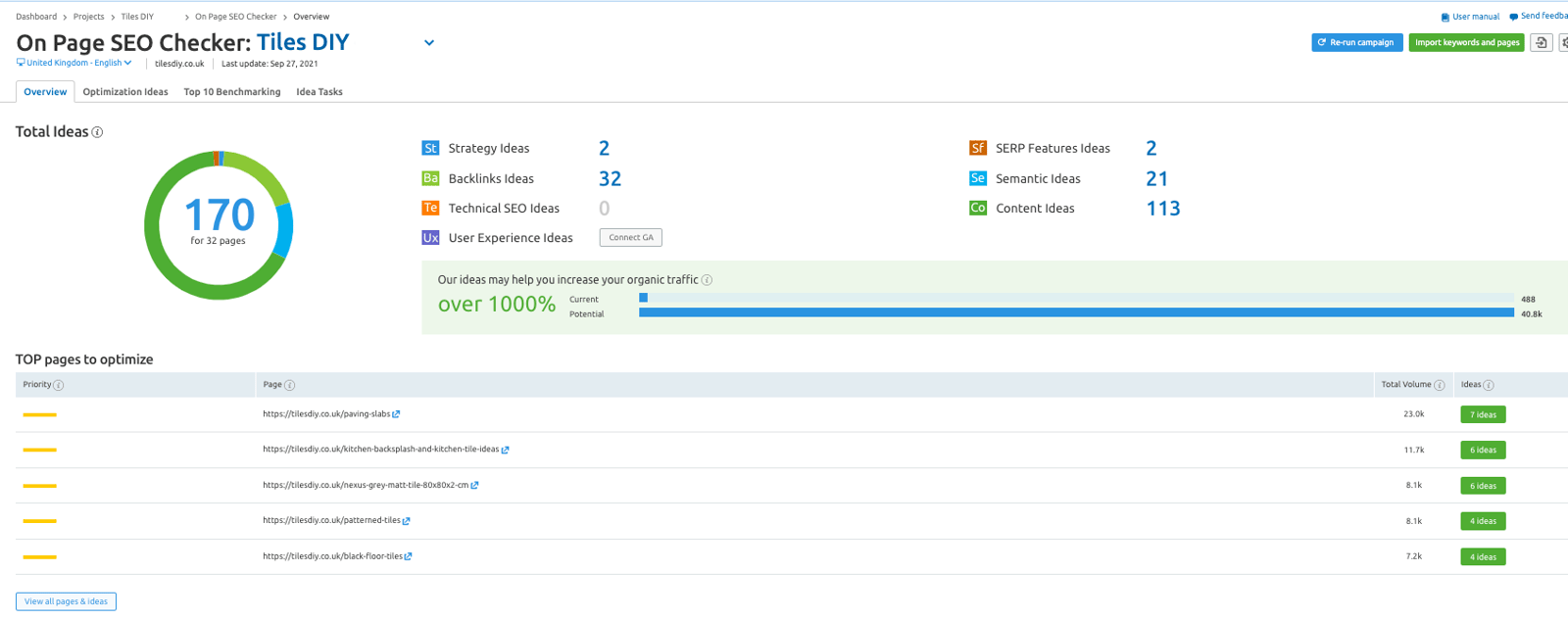
The data can help you decide what to do next, from making technical SEO improvements to increasing the number of highly visible keywords and pursuing more backlinks. Alongside the Site Audit tool, On-Page SEO Checker offers another straightforward way to improve website health through simple modifications.
1d) Semrush Backlink Audit Tool
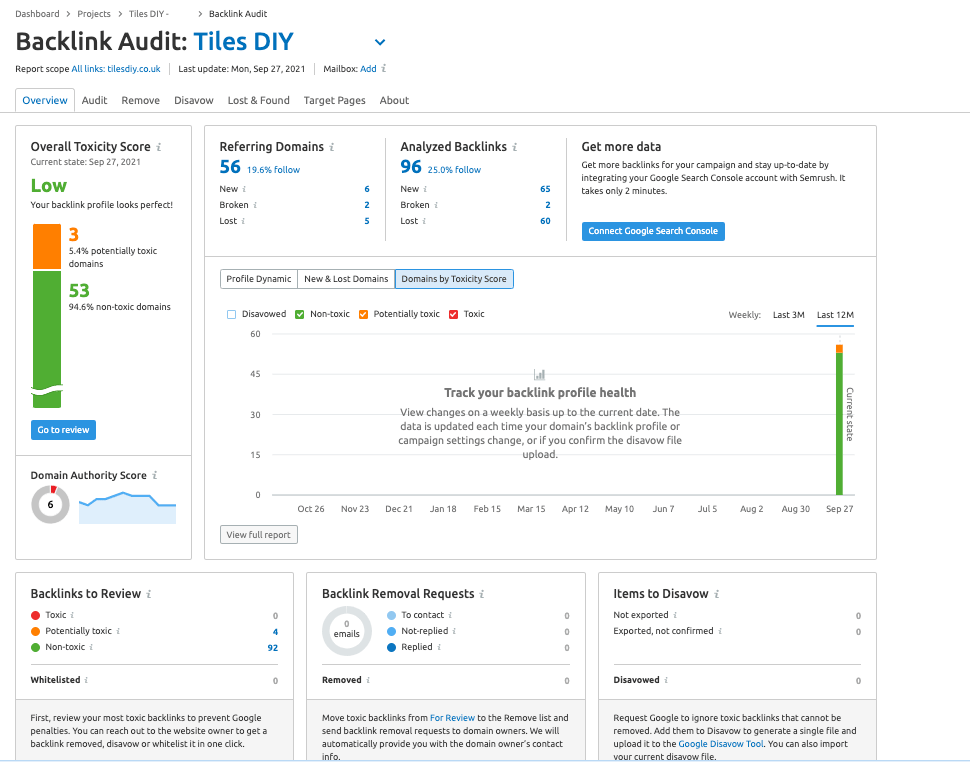
Backlink Audit reviews your domain's backlink profile to help you avoid Google penalties caused by toxic backlinks. Its workflow lets you audit all links, analyze toxic signals associated with suspicious links, email website owners, and ultimately create a disavow file to send to Google.
The tool integrates with Google Search Console, Google Analytics, and Majestic to provide the most accurate backlink data. You can also generate reports to track new and lost backlinks.
1e) Semrush Link Building Tool
The Link Building Tool compiles link-building opportunities for a domain and provides a management interface for outreach campaigns designed to acquire potential links. It supports competitive analysis of your SEO competitors as well as outreach analysis.
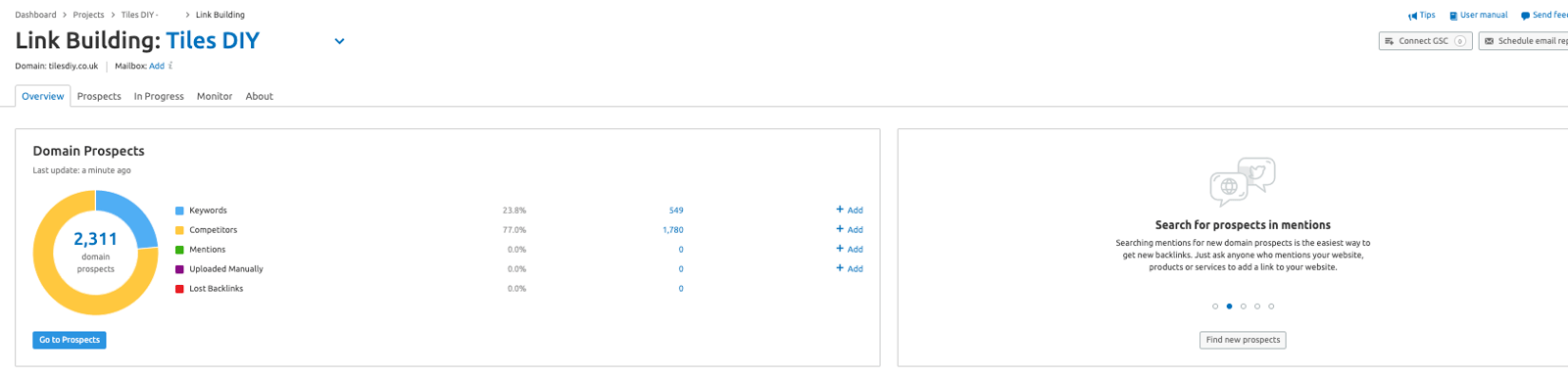
You can build comprehensive lists of outreach prospects based on target keywords and competitors, then manage the campaign through a structured workflow. Gmail and Google Search Console integrations can help accelerate the process. The “Monitor” report tracks campaign progress over time, while automatic contact information retrieval can find details on target websites during outreach.
1f) Semrush Content Analyzer
Content Analyzer shows how your digital content performs both on and off site. It measures social shares, backlinks, keyword rankings, and Google Analytics data such as sessions and bounce rate. The tool has two main functions: auditing engagement with website content through Content Audit and measuring the reach of off-site content through Post Tracking.
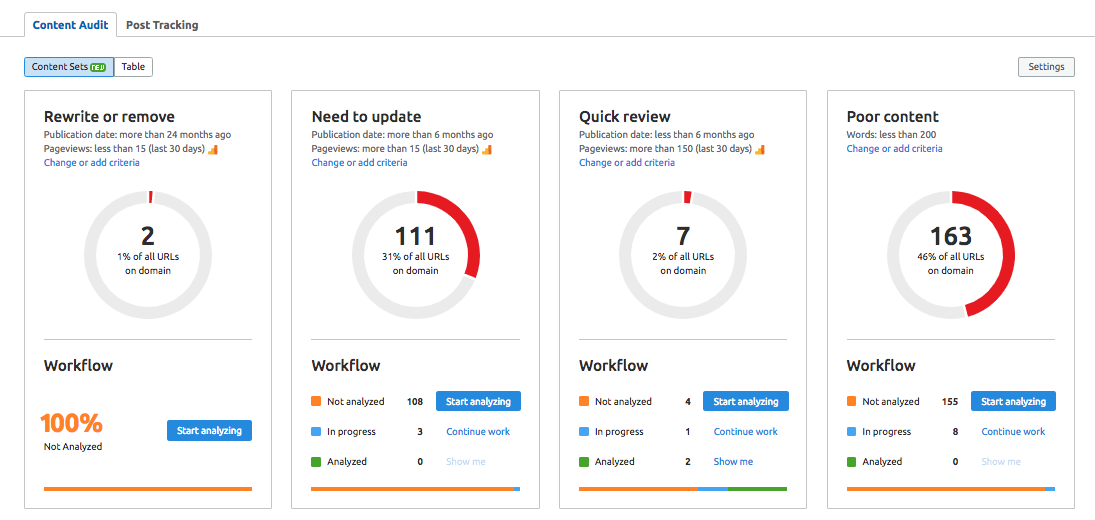
Adjustable content audit tables can make the tool more efficient, as can integrations with project management tools such as Google Calendar or Trello. Integrations with Google Analytics and Google Search Console also help you monitor content performance more closely.
1g) Semrush Organic Traffic Insights
This tool combines Google Analytics, Google Search Console, and Semrush data in one dashboard. The available data include click-through rate (CTR), sessions, keyword volume, organic keywords, and rankings obtained through Semrush and Google Search Console.
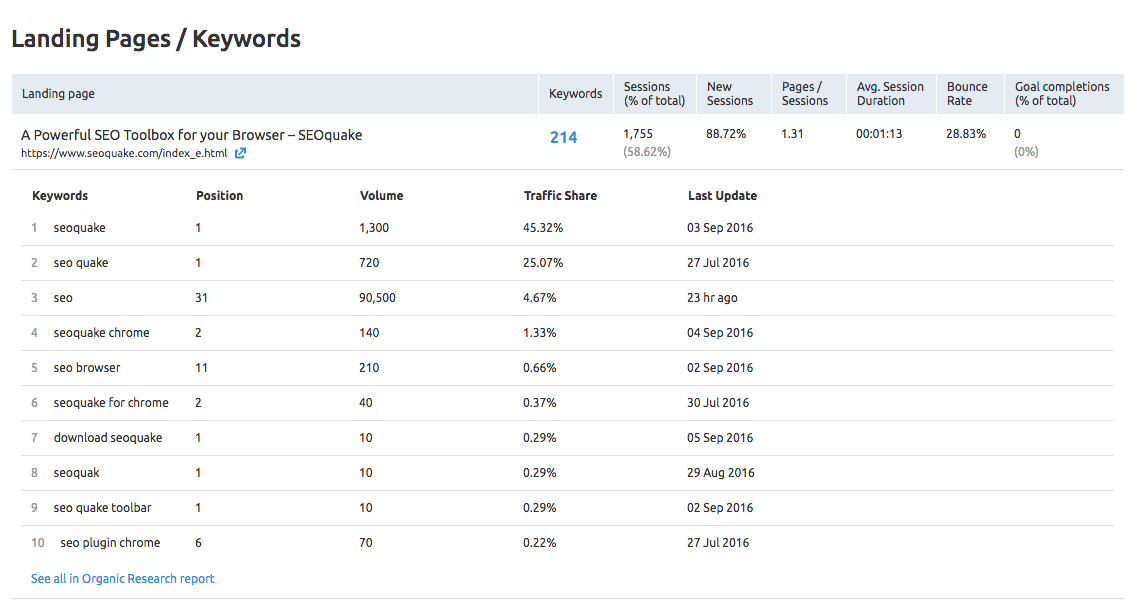
By combining data from 3 different tools, the dashboard helps you monitor your website's organic search performance and identify keywords labeled “not-provided” by Google Analytics. You can analyze desktop, mobile, and tablet performance, as well as traffic by geographic location, to broaden your coverage and insights.
2. Finding and Analyzing Competitors
2a) Organic Research Tool
Semrush provides data not only about your industry competitors' websites, but also about any website in any industry that outranks you for your target keywords.
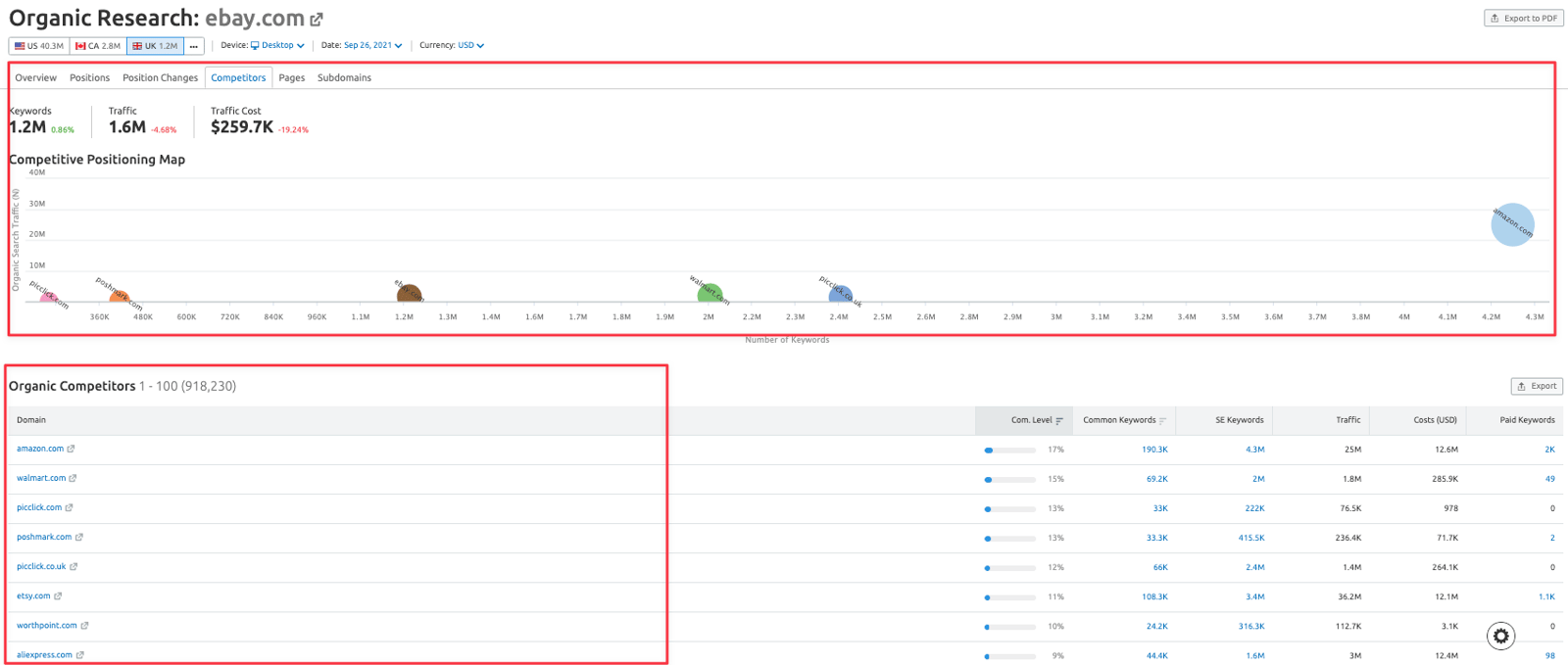
One of the simplest ways to find organic search competitors and gather quick insights is to use the Organic Research tool in the Competitive Research toolkit. With this tool, you can
→ Discover your competitors' desktop and mobile keyword rankings, and
glance at the landing pages displayed in SERPs for specific keywords.
You can also see how much organic traffic a search term generates.
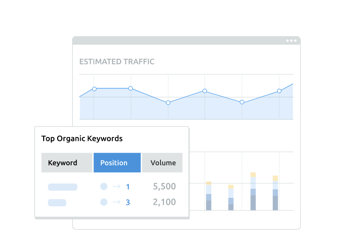
→ You can monitor strong competition closely and use graphs to see where your website stands among other organic search competitors. The tool also lists competitors that contend with you for rankings in Google and Bing search results.
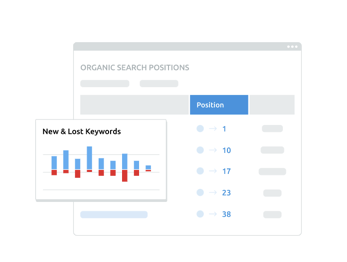
→ You can track changes in your competitors' organic search positions
and identify the keywords that helped them gain visibility and higher rankings. You can also assess the results of your improvements and decide whether further optimization is needed.
Once you have identified your competitors, the following tools can help you understand their strategies, measure their performance against key metrics, and compare their results with your own:
2b) Traffic Analytics
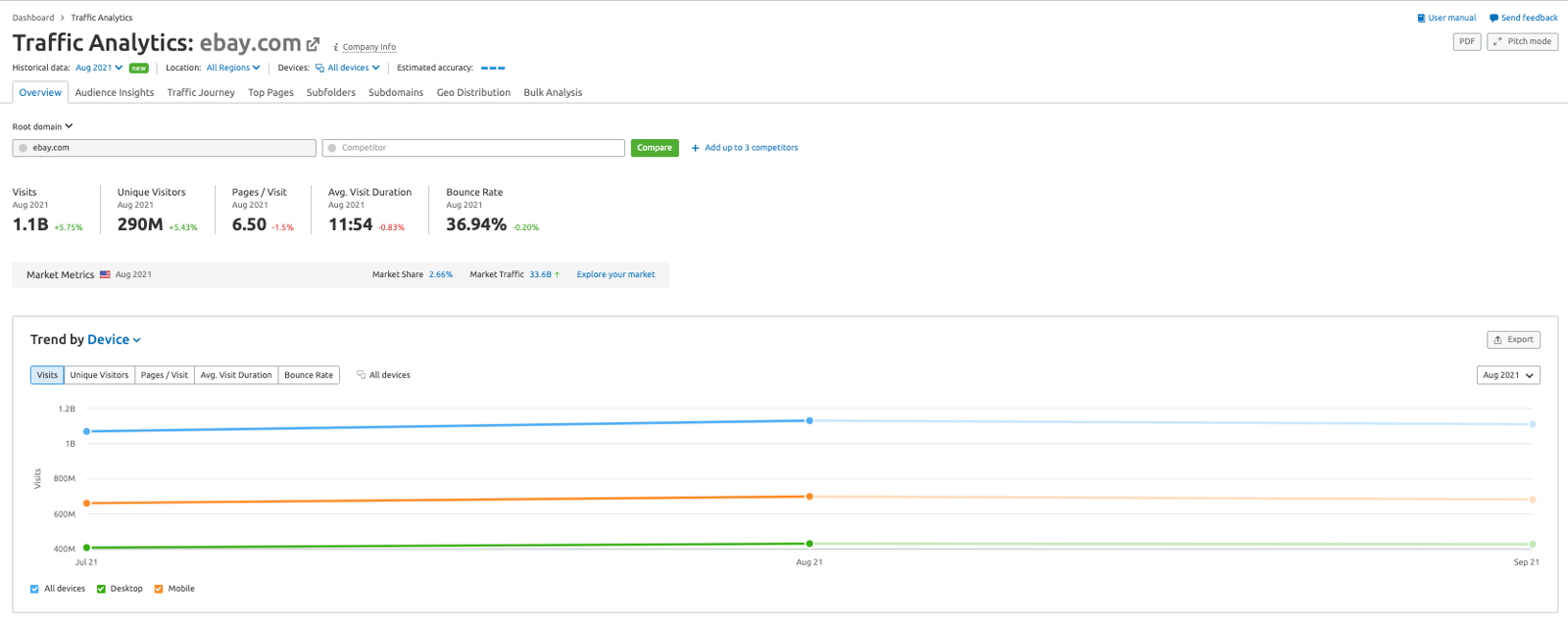
Traffic Analytics gives you a broad view of any website's search performance and its online performance metrics. You can also compare traffic data for several websites side by side.
→ In the Overview window, you can review traffic metrics for any website and compare them with multiple competitors.
The report shows visits, unique visitors, and user engagement metrics across desktop and mobile.
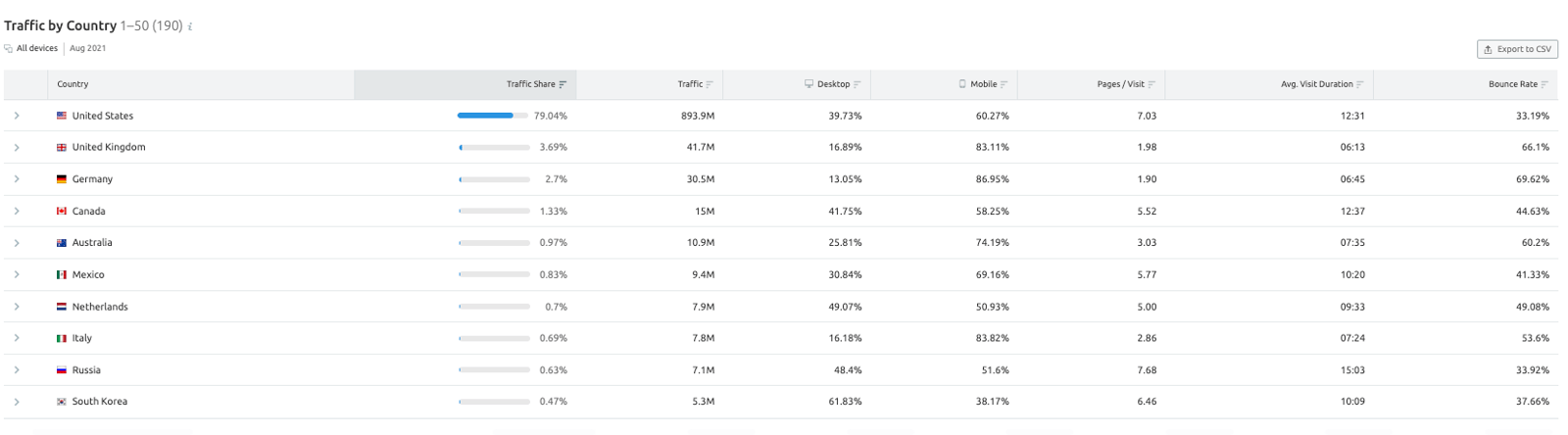
You can also examine direct, referral, search, social, and paid traffic, then identify markets through the geographic distribution of website traffic.
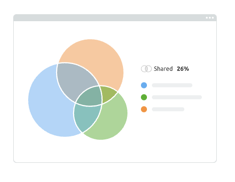
→ The Audience Insights window shows how many people also visited your competitors' websites, giving you insight into audience overlap.
You can view a complete list of the websites your visitors go to and compare unique and shared audiences.
The window also lets you measure your website's potential reach and examine users' category and brand preferences.
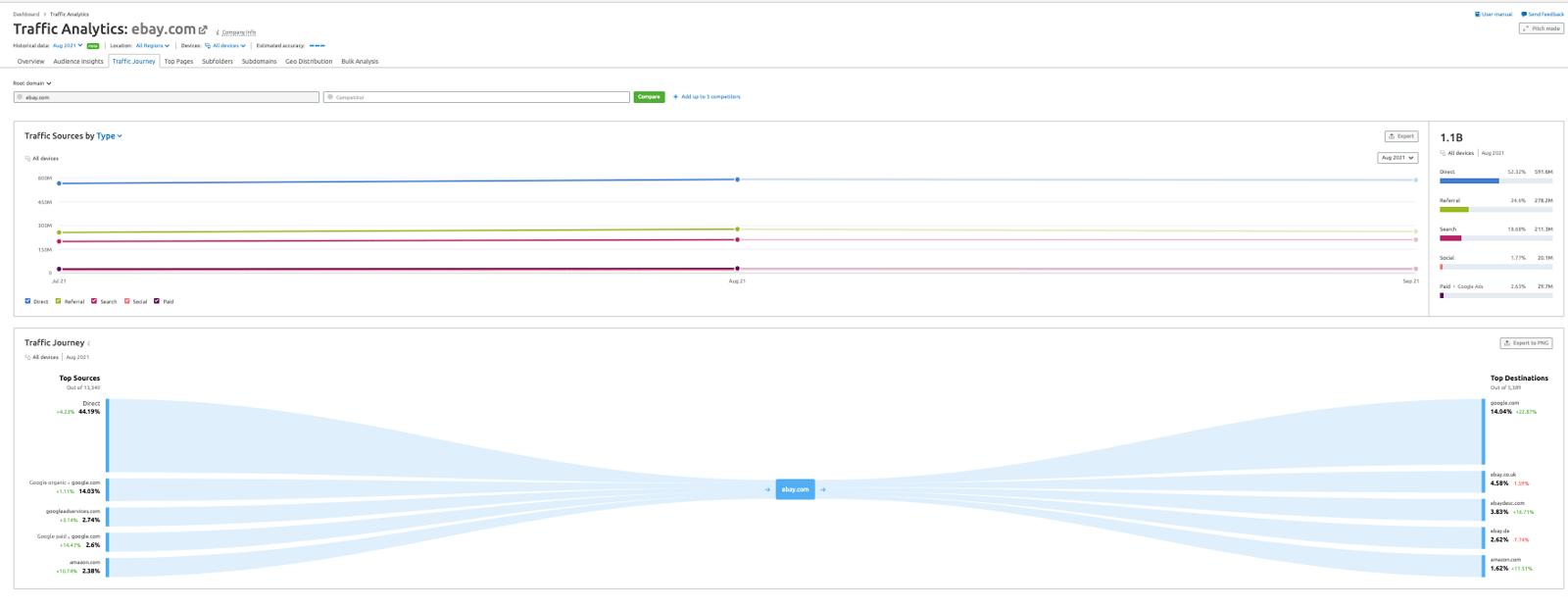
→ The Traffic Journey window helps you analyze where your audience comes from and which factors attract people to your website.
You can identify the websites that refer the most users and examine their marketing strategies. You can also see which social network platforms bring the most traffic, providing further insight into your audience.
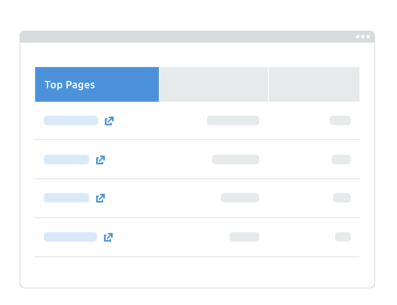
 → In the Top Pages window, you can explore the customer journey by viewing the most popular pages and content for any domain.
The window highlights the most important pages on a website, showing which products and services competitors are actively promoting and which channels they use.
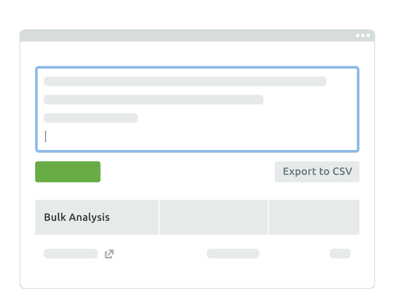
→ With the Bulk Web Traffic Analysis window, you can review traffic data and aggregated traffic analysis for up to 200 websites in one report.
You can check traffic statistics for competitors, potential partners, or potential customers, then export the main statistics as a report in .csv format.
→ The Geo Distribution window helps you identify the most profitable markets for any website around the world.
By finding the countries and regions that send your competitors the most visitors, you can observe how user behavior differs across countries.
2-c) Backlink Analytics
Semrush Backlink Analytics lets you examine the backlink profile of any domain.
To provide a clear picture of a backlink profile, Semrush regularly removes duplicate and irrelevant links from its database, offering the most up-to-date and largest (+43 billion) backlink database in the industry.
The Backlink Analytics tool notifies users when new backlinks begin pointing to a website or when existing backlinks are deleted or lost. Data on new and lost backlinks is available for a limited period of time.
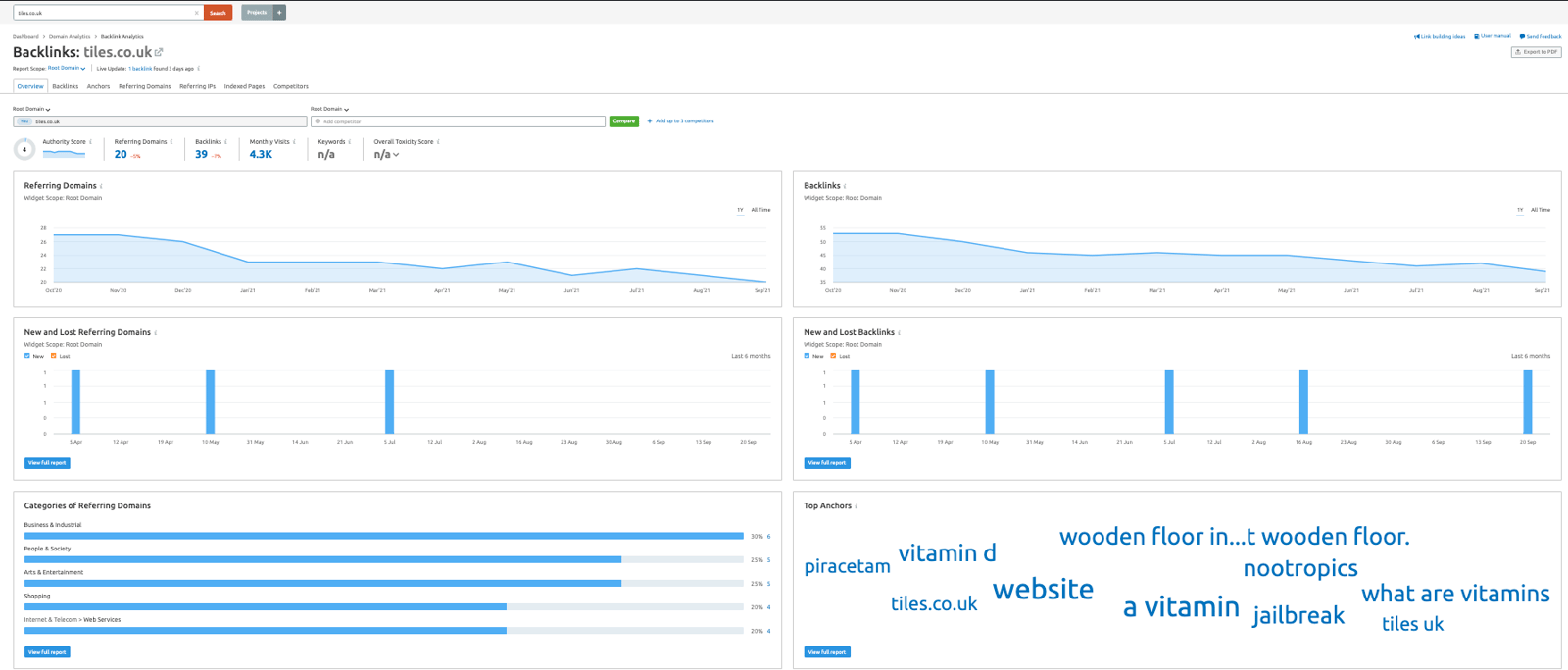
The tool lets you find all backlinks acquired from all domains, subdomains, or URLs and view their IP, TLD, and location distribution.
You can filter backlinks by text/image/form/frame or follow/nofollow/sitewide type for more detailed analysis. You can also identify the pages with the most backlinks and review the anchor text used for those links.
Examining the authority level and location of a referring domain can give you broader insight into your backlink profile.

2-d) Keyword Gap
Keyword Gap compares the keyword profiles of up to five competitors side by side.
Enter your competitors' domains and choose the ranking types you want to analyze: organic, paid, or PLA keywords. The report then shows the top rankings for each website, total keyword overlap, keywords shared by different sites, and more.
→ Enter the domains you want to compare. You can use the Organic Research Competitors report or Advertising Research Competitors tool to identify leading competitors and other domains with similar keyword rankings.
After you enter your domain, the tool automatically lists some leading competitors in the drop-down menu below the competitors field.
You can also enter an exact URL, subdomain, or subfolder in one of these fields for a more detailed keyword comparison.
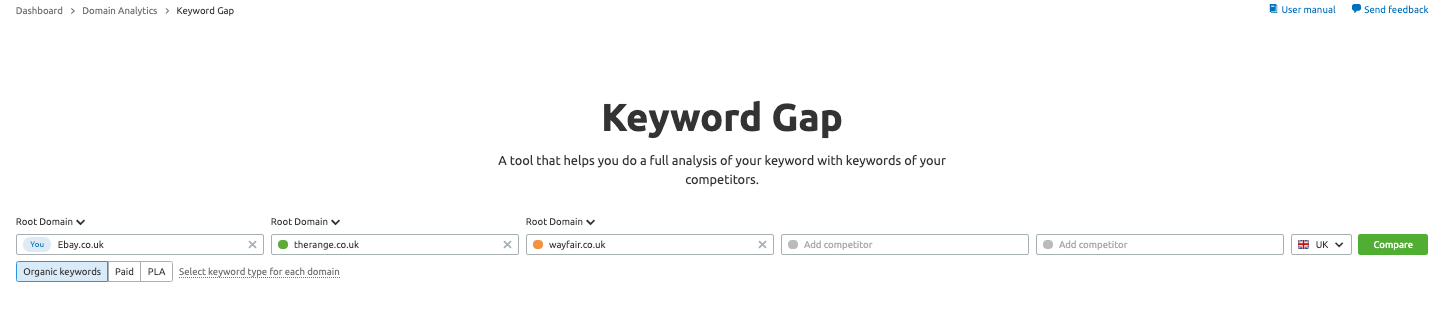
→ After entering the domains, select the “keyword type”. This filter determines which type of search engine results you will analyze.
Organic keywords are those for which a domain ranks organically within the top 100 search results.
Paid keywords are keywords for which the domain ranks in Google's top 8 positions through Google Ads.
PLA keywords are keywords that trigger the domain's product listing ads, paid for through Google Shopping.

The “select keyword type for each domain” option lets you compare different keyword types between websites. For example, you can compare your paid keywords with a competitor's organic keywords. You can also compare keyword types on the same domain by entering the domain twice and assigning a different keyword type to each entry.
After setting the parameters, choose the regional database and click “Compare”. The report will display the relevant information in the Top Opportunities widget, Keyword Gap chart, and keyword table at the bottom.
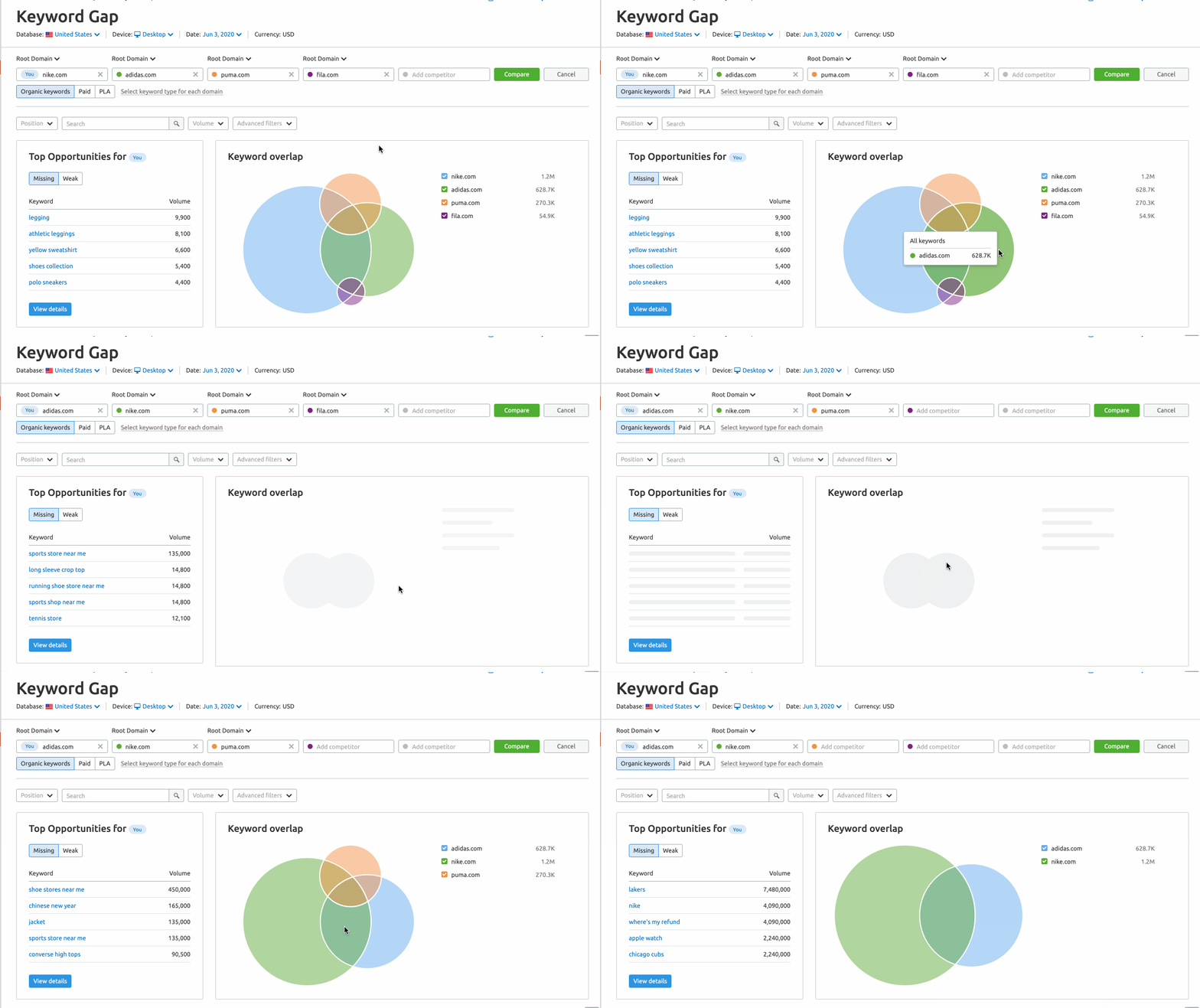
The Top Opportunities widget lists the best keyword opportunities for the website labeled “You”, which is the domain entered in the first field.
This information and the rest of the report change according to your selected filters. For example, you can find top opportunities that include a keyword such as “nike”. The image below shows the search results for the keyword "nike".
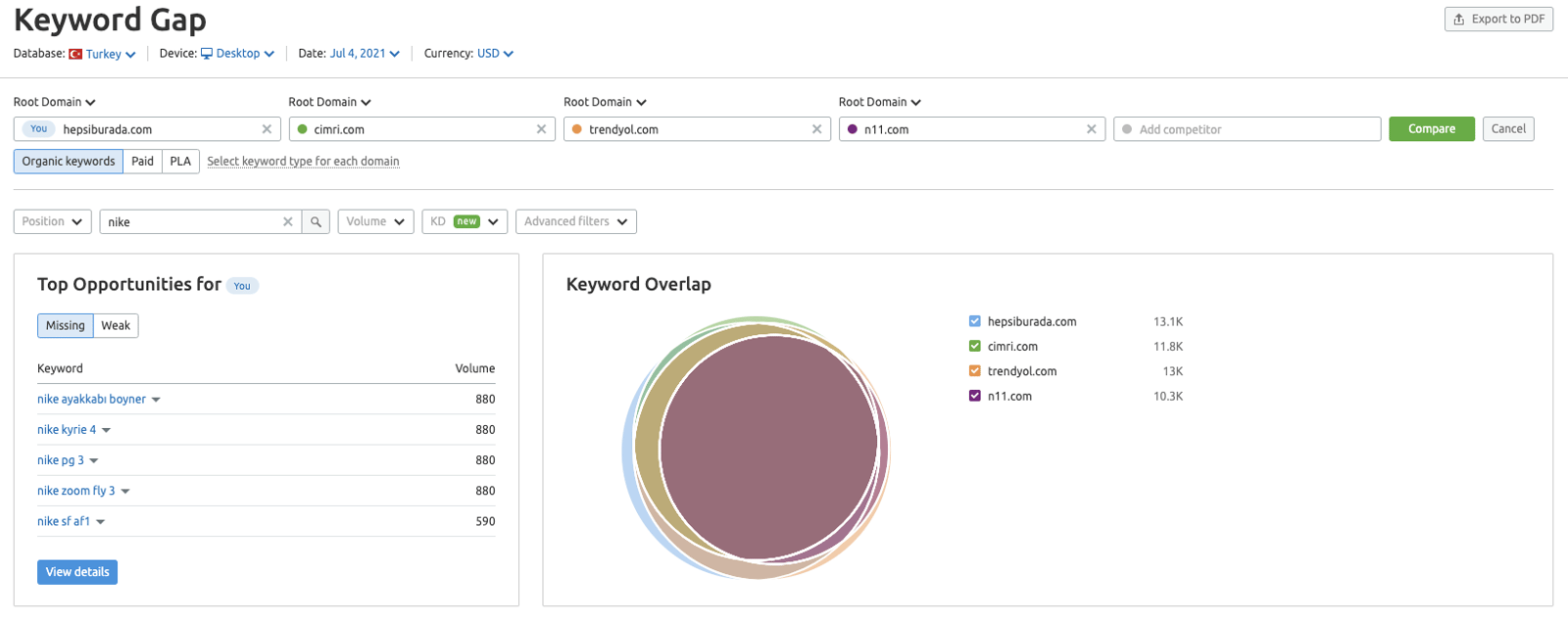
→ The Keyword Gap visualization shows keyword overlap between competitors. Click a specific intersection to limit the report to keywords within that intersection. You can then apply other filters to refine the data.
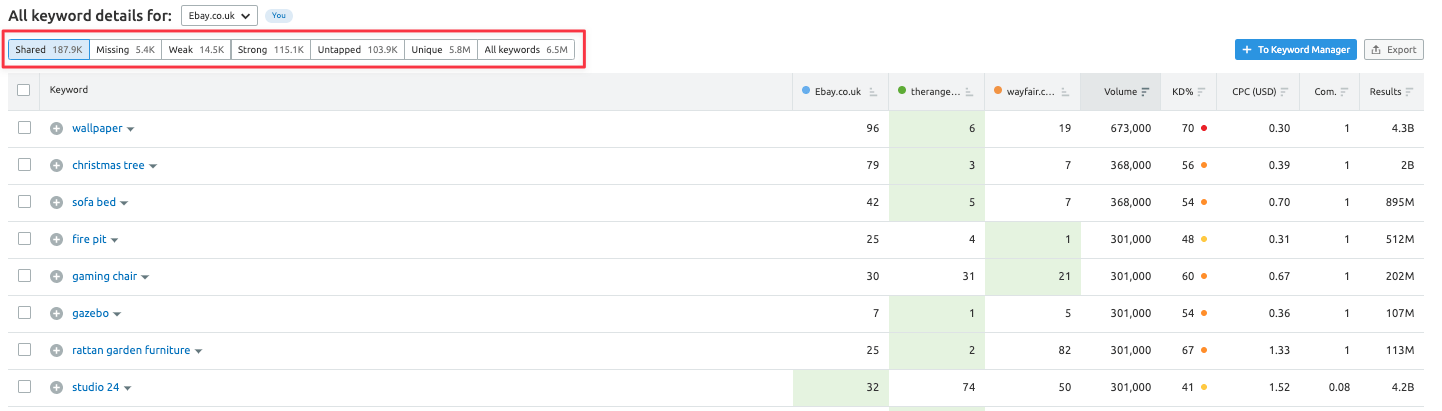
→ The Keyword Table appears at the bottom of the report. It provides details about each site and shows how its keyword profile intersects with those of its competitors. There are 5 types of main filters in this table:
Shared: Shows keywords for which the analyzed websites rank.
Missing: Shows keywords for which all of your competitors rank, but your website, entered in the first field and labeled “You”, does not.
Weak: Shows keywords for which your website ranks lower than all of your competitors.
Strong: Shows keywords for which your website ranks higher than all competitors.
Untapped: Shows keywords for which you do not rank, but one of your competitors does.
Unique: Shows keywords for which you rank, but none of your competitors do.
All keywords: Shows the combined list of all keyword rankings across the competitors.
2e) Backlink Gap
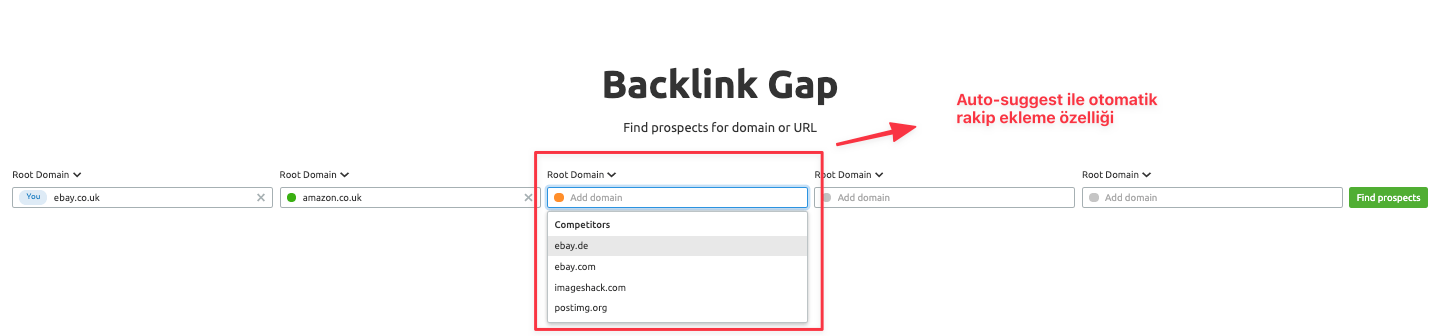
The Backlink Gap tool lets you compare the backlink profiles of up to five competing domains at once. After you enter the domains, Semrush creates a list of all referring domains linking to those websites. Filters can reveal backlinks that point to your competitors' websites but not to yours. This may help you understand competitors' outreach strategies and find potential SEO opportunities. Backlink Gap also charts competing sites' backlink growth over time, helping you identify backlinks you may be missing. You can export actionable link-building and outreach insight reports as Excel and csv files.
→ You can select competitors for the report in several ways. After entering the domain you want to analyze, click an input field to view auto-suggested competitors sourced from the Backlinks Competitors report. You can also use the Organic Competitors report if you want to look beyond your organic search competitors.
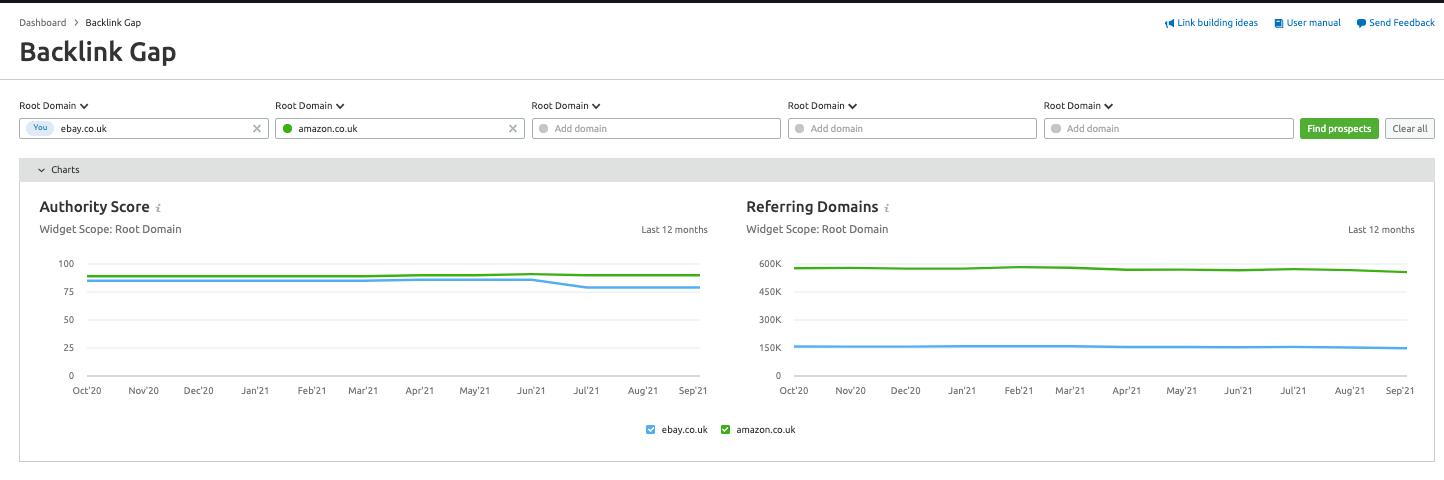
→ The tool displays a graph and table comparing competitors' backlink profiles. The trend graph at the top shows which competitors receive the most backlinks. You can change the time frame to view the past 3 months, the past year, or all time. The report also shows important notes from Semrush or Google that may have affected backlink numbers on a given day.
The table directly below the chart lists all referring domains that provide backlinks to the websites you entered. This data is also available in the Backlink Audit tool.
Authority Score (AS): A compound metric that measures the quality of a given domain.
Matches: This column shows how many analyzed domains are linked from the relevant referring domain. Matches are calculated from the analyzed domains.
Referring Domains: You can narrow this list by filtering out specific domains. Click the drop-down menu directly above the table.
Expand a row to view new, lost, or follow links from a competitor. Then click the view dropdown in the column for the competitor you want to examine further.
3. Keyword Research with Semrush
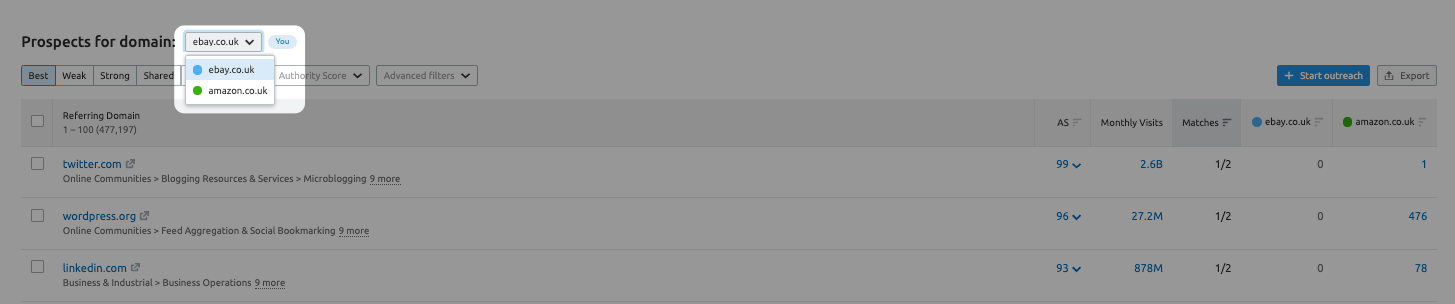
The Keyword Magic Tool provides insights into target keywords, helps you analyze the data, and supports improvements intended to increase rankings for those keywords. Search by entering either target keywords or your domain to view automatically grouped keywords.
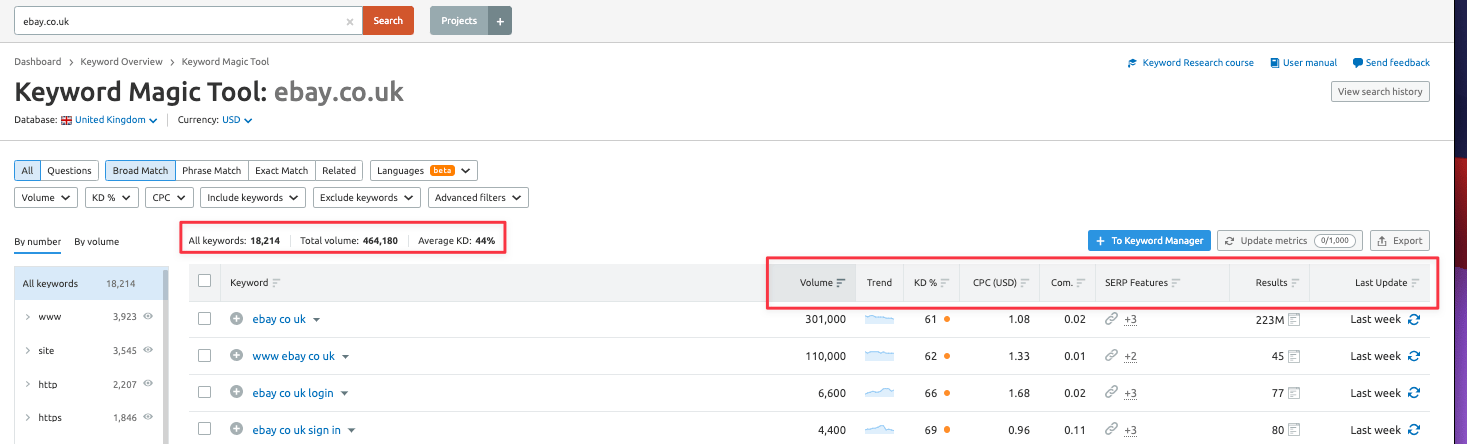
Competitive Density shows the level of competition among advertisers bidding for a specific keyword in PPC campaigns;
Keyword Difficulty indicates how much SEO effort may be needed to rank a page organically in Google's top 20 results for a particular keyword;
Search Volume provides the average monthly search volume for a keyword, helping you evaluate its potential search engine traffic; and SERP Features shows which features appear in the search results for tracked keywords and how many of your pages are featured.
Semrush also provides an extended keyword database with global keyword research capabilities. You can use it to research keywords for multilingual websites, optimize content with keywords automatically grouped by topic, and apply the question filter to find question-based search queries.
3a) Long Tail Keyword Research with Semrush Keyword Magic Tool
After choosing your general topics and target keywords, use the Keyword Magic tool to explore them in more depth.
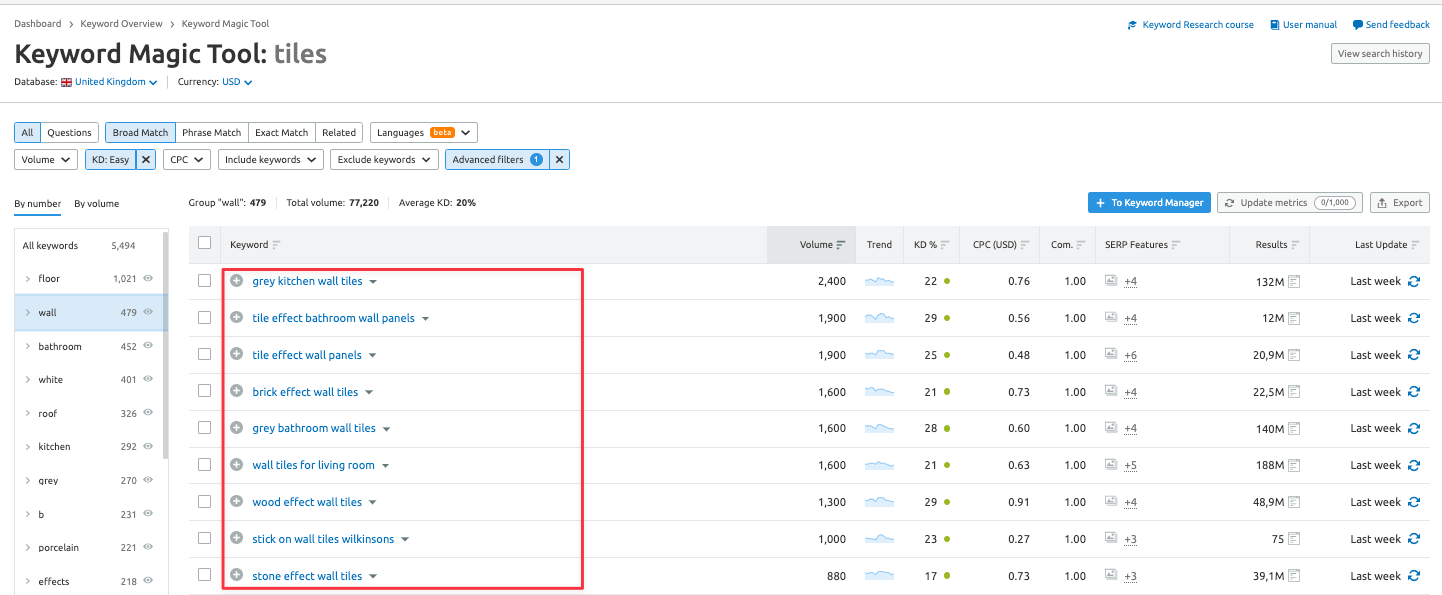
To find more keyword ideas, enter your target keyword as a "short-tail keyword", such as "tiles".
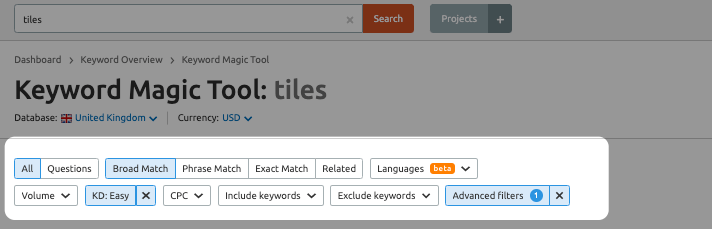
Filter by KD % (Keyword Difficulty) to identify relevant keywords that may be easier to target. To find long-tail keywords containing at least four words, apply the Word Count filter.
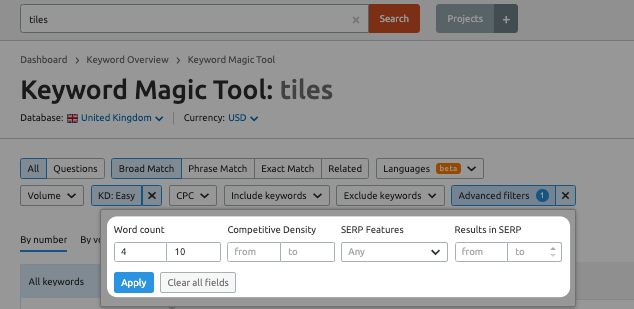
Review the long-tail keywords in the report and look for relevant topics to add to your list. If one subtopic has many related long-tail keywords, it may offer a useful targeting opportunity. The image below shows long-tail keyword examples for "tiles".
4. Producing Optimized Content for Better Ranking & Visibility
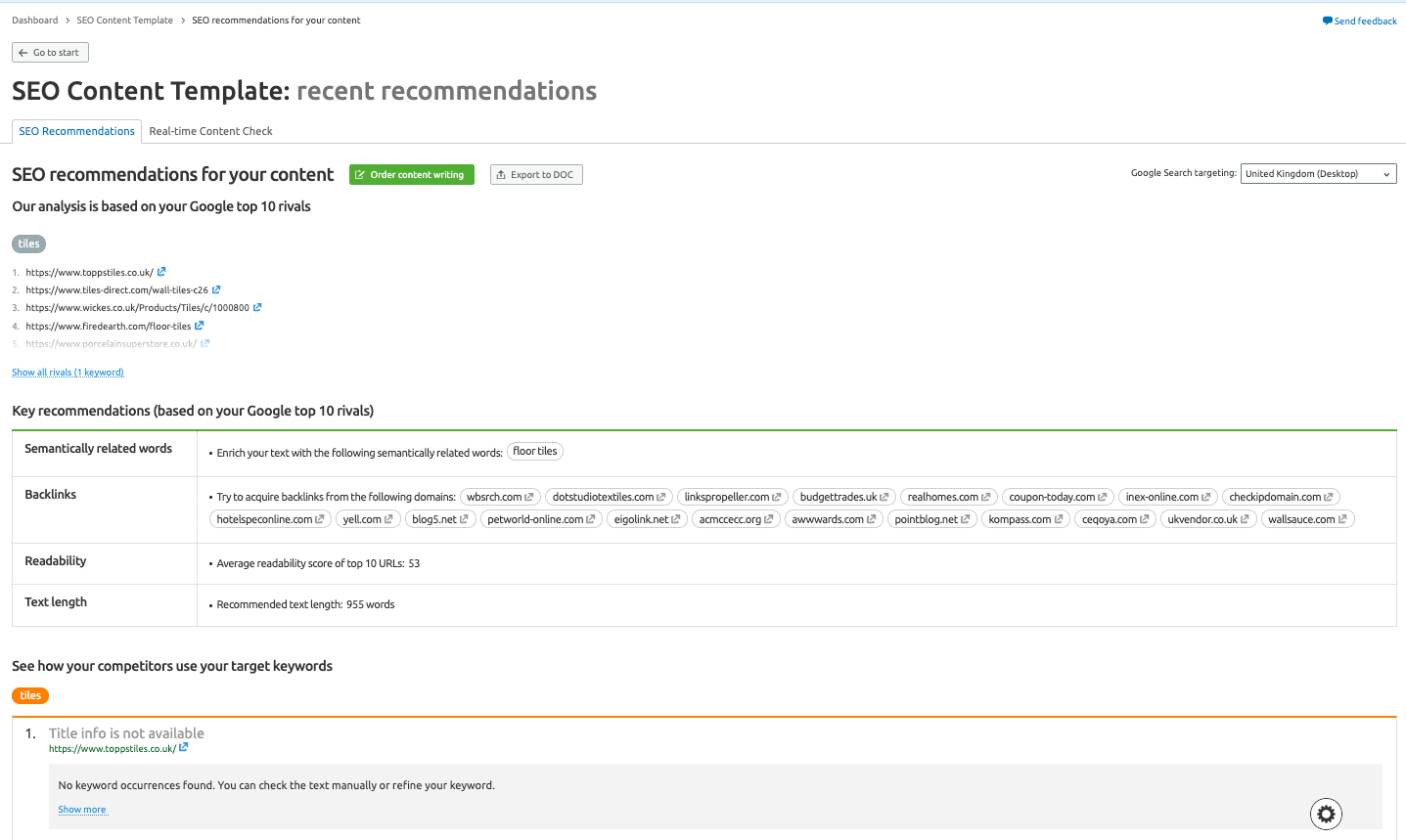
Improving your website's SEO performance requires regularly publishing SEO-friendly content. The SEO Content Template is one tool you can use to create content designed for optimal results.
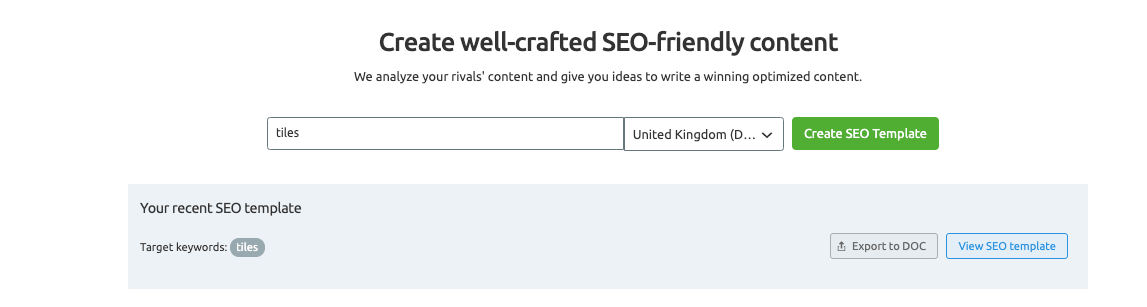
Semrush analyzes the content of the top 10 pages in Google search results for target keywords. It then provides a recommendation template based on relevant keywords to help you create SEO-friendly content.
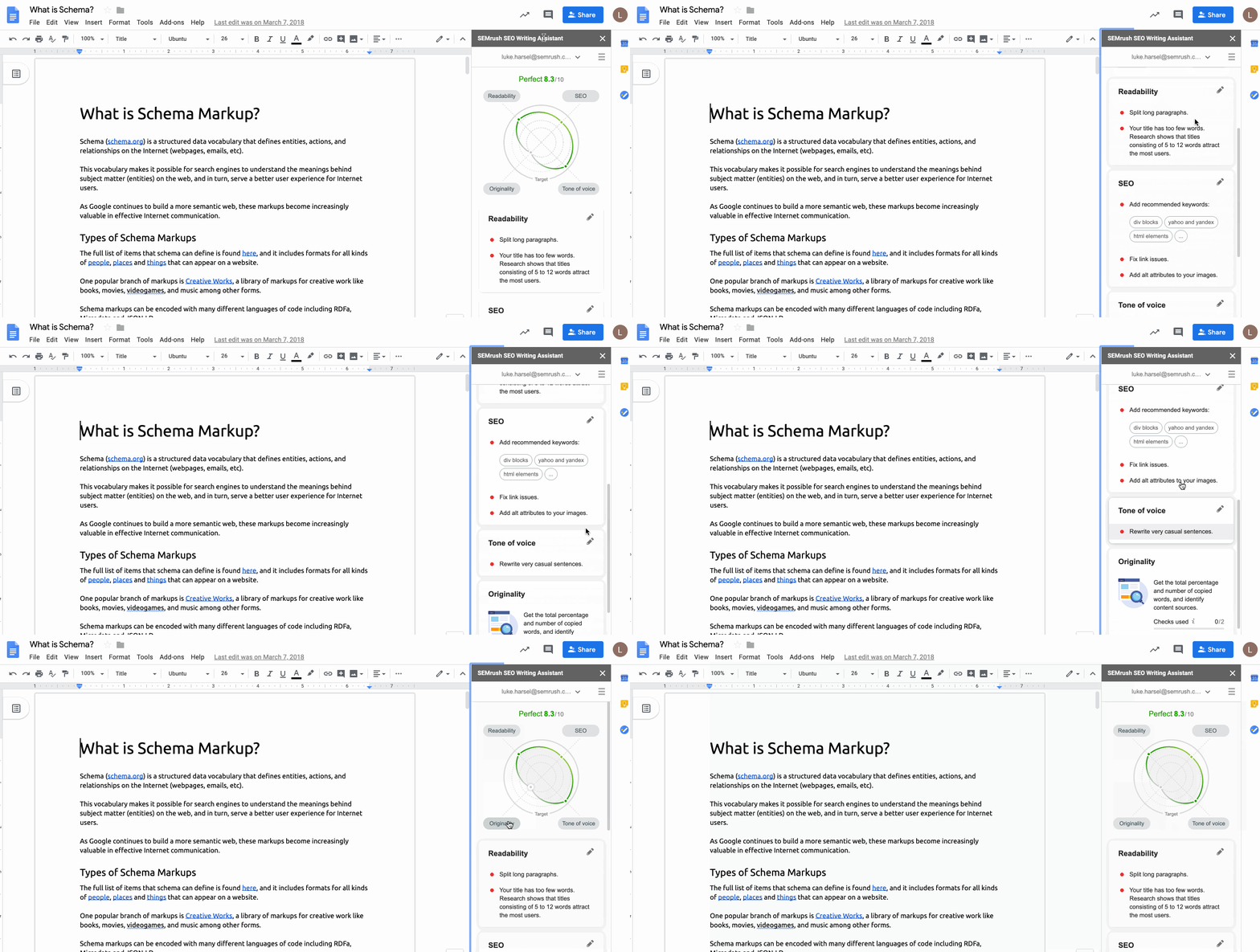
SEO Writing Assistant is an add-on for Google Docs and Wordpress that connects your SEO Content Template with your Google Docs or Wordpress account. It lets you take content optimization further by showing your content score and real-time optimization recommendations while you edit.
5. Semrush Interface
→ Dashboard
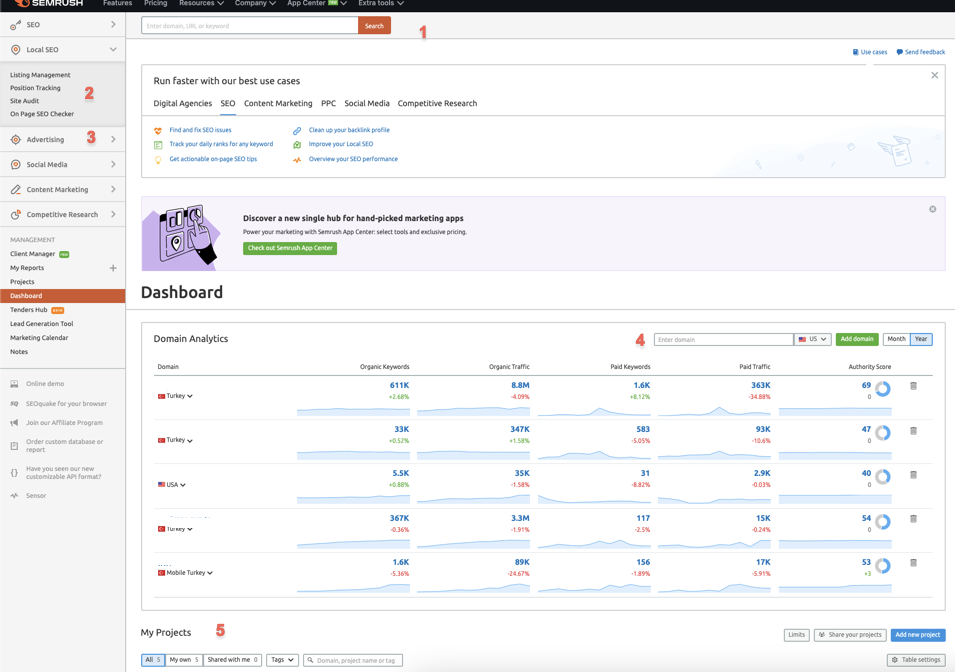
When you log in to your Semrush account, the dashboard is the first screen you see. It provides an overview of your projects.
1- Use the search bar at the top of the page to perform searches,
2- Open reports from the navigation menu,
3- Customize the menu to display only the tools related to your expertise,
4- Use the green "Add domain" button to add domains to your control panel,
5- Add a new project or open the projects panel.
→ Semrush also has three main types of tools:
- Analytics reports
- Project tools
- Specialty products
Analytics reports contain the results of searches performed through the search bar.
These reports show output from Domain Analytics, Keyword Research, Backlink Analytics, Gap Analysis, and Advertising Research modules. After searching through the search bar, you can open the relevant report from the navigation menu on the left.
Project Tools are designed to analyze a single domain. This area includes Site Audit, Position Tracking, Backlink Audit, and Social Media tools. Adding a new project in Semrush is straightforward, and the projects dashboard shows the details of each project.
Semrush also offers Specialty products for specific tasks. You can access most of them through the tool menu on the left.
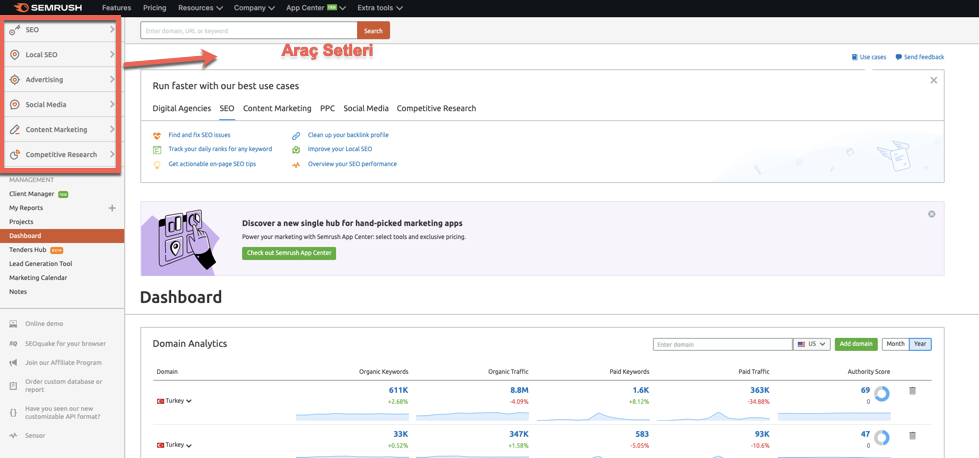
→ The default navigation menu displays the "SEO Toolkit ". You can change the menu to show only tools from another toolkit. Available modules include Local SEO, SEO, Advertising, Social Media, Content Marketing, and Competitive Research
In this guide, we have explained the SEMRush modules and tools in detail. We hope you find it useful. Hope to see you in our next tool guide!
