


One support case, its policy, and its human queue
Customer Service AI Agent & Assistant Development
A support agent is ready for limited release only when each case keeps its approved policy, source, permission, customer context, human queue, and rollback path intact.
We build a support agent or assistant for defined case types, using approved knowledge and support policy. It handles permitted work, keeps the customer context intact, and routes defined exceptions to the right human queue. At release, one configured case slice runs, verified handoffs reach a human queue, CRM and helpdesk permissions stay bounded, and the release record carries rollback and review dates for your support owner.

Some of the 500+ brands we've worked with
Selected brands we’ve worked with across industries.







 GeneraliGlobalCase Study









 OdeabankGlobalCase Study








































 Albaraka TürkGlobalCase Study




























On this page
The run order, and who signs each step off
How we work
We use one support case as the spine of the build. It carries the policy, system connections, test record, and release conditions, so the owner can inspect each decision before the work moves on.
Trace the case before changing it
We sit with the people who handle the work and follow a case from intake to resolution. The case taxonomy, transcripts, support policies, quality baseline, and escalation owners show where diagnosis, answers, actions, confidence, and a human queue belong. The support owner draws the case boundary and names who owns its escalation queue.

Set the permissions around the answer
We link approved knowledge to tool, identity, and CRM or helpdesk contracts. A source register, least-privilege access, environment separation, and retention rules keep those connections bounded. Access and retention for each connection require the support owner's approval.
Put resolutions and handoffs under pressure
Representative cases run through both resolution and handoff. We inspect the escalation payload and sample answers and actions for QA. Harmful resolutions, missed human queues, and stale-knowledge actions stay visible as individual failures. Resolution and escalation thresholds enter the release record only after the support owner accepts them.

Move one accepted slice into release
The accepted case slice moves through controlled stages with a rollback route. At each stage, the support owner sees the audit trail, open conditions, handoff evidence, and next review point. Each stage and rollback route needs the support owner's approval.


Named artifacts you keep
What you get
The support team receives the configured case slice and the records needed to operate it. Each artifact answers a different question about the case, the agent's authority, its test history, or the owner's release decision.
Architecture document
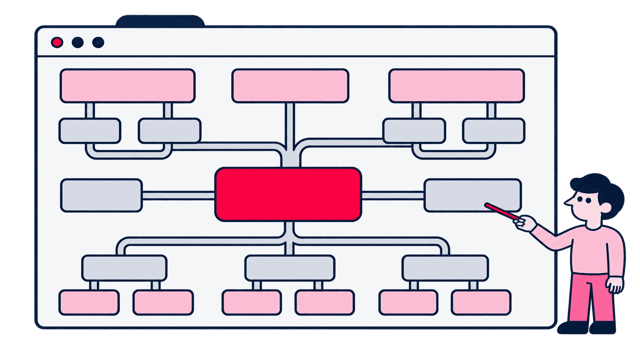
Support-case diagnosis and handoff map
The agreed path from intake through diagnosis, answer or permitted action, confidence, policy stop, and human handoff.

Policy
Approved knowledge and tool-permission record
The approved sources, identity rules, tool permissions, and CRM or helpdesk actions the agent is allowed to use.
Test evidence
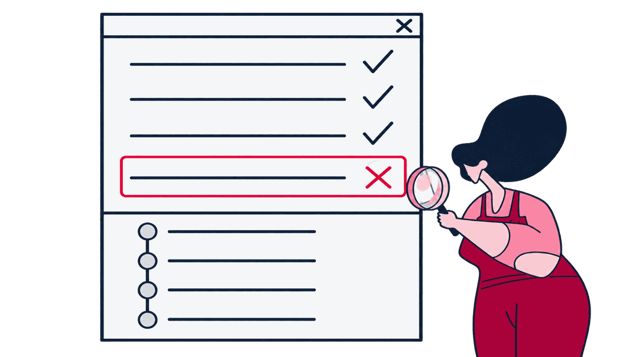
Support-case escalation scenarios and findings
Representative and adverse cases, expected resolutions, human queues, escalation payloads, and the critical failure paths included in testing.
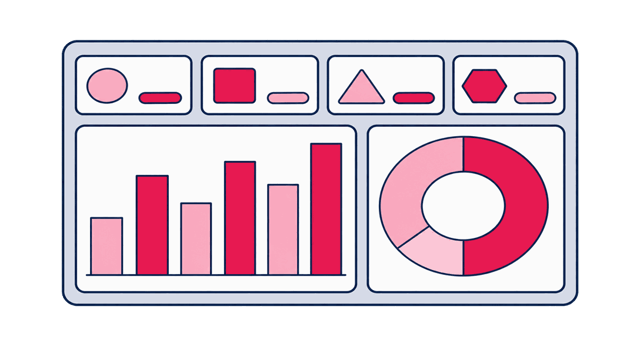
Dashboard
Case audit trail and QA performance scorecard
Versioned decisions preserve who accepted what. The QA guide holds the sampled cases. Dashboard views track the agreed resolution, escalation, correction, and context-complete handoff measures.


Scope and honest limits
When to bring us in
This build fits when your team can show how a named case moves from intake to resolution, which policy governs it, what the agent may do, and which human queue owns the exception.
A good fit when
- Wrong resolutions already reach customers or accounts, but the team cannot isolate which case paths create the harm.
- High-risk cases already have a required human queue, and the team can test whether the handoff reaches it with the right case history.
- Support knowledge and policy change frequently, but the agent has no reliable way to stop an action when an answer has gone stale.
- The case journey is known in fragments, yet diagnosis, permitted actions, confidence, policy stops, and human handoff do not sit in one reviewable path.
- Approved knowledge and tools exist, but identity rules and CRM or helpdesk contracts do not yet bound what the agent may use.
- Your representative support cases are available, while escalation payloads, human queues, and case-level QA have not been tested together.
- A controlled rollout is planned, but human verification, approval points, rollback, and the next review date are not attached to each stage.

Better handled as other work when
- You want the agent to handle case types, sources, or actions outside the approved support boundary. Those cases need their own review and release decision.
- The proposed build requires unrestricted customer-data, CRM, helpdesk, or tool access. Permission design should narrow that boundary first.
- You need Zeo to operate the human queue or remediate CRM and helpdesk systems after rollout. Those support duties require a separate scope.
If one of these is closer to your situation, start here instead: Explore chatbot development
Engineers who ship production AI
This is the part of Zeo that writes and ships code. Our senior engineers build agents, chatbots, and RAG pipelines, along with the automation and data work around them, and they keep operating those systems once they're live. We've worked with more than 500 brands since 2011.

Yiğit Konur
Founder & Chief Strategy Officer

Burak Pehlivan
Co-founder & CEO

Can Mutioğlu
Senior SEO Executive

Ozan Ketenci
VP of Consulting & Strategy

Aybüke Göktuna
Senior SEO Analyst

Elif Naz Akan Karakoç
Senior SEO Executive

Deniz İmre Temiztürk
Content Specialist
Content we've produced on this topic
Tools we use
Tools behind this work
 LangChain
orchestrates approved tools, permissions, case state, and human interrupts
 n8n
n8nconnects approved case actions to support systems and queues
 Voiceflow
maps support journeys, policy branches, exceptions, and human handoffs
 Langfuse
traces each support case from retrieval through handoff and resolution
 Confident AI / DeepEval
tests resolution quality, policy adherence, escalation, and context preservation
 Guardrails AI
validates policy-sensitive answers and actions before customer delivery
Adjacent work
Where this leads
Build
Enterprise AI Chatbot Development
A support case boundary covers the desk. Governing the same audience across every approved channel needs a service map, staged release, and a channel owner instead.
Build
Knowledge-Grounded Chatbots
Stale-knowledge actions are the failure this build tests for. Preventing them upstream needs a freshness owner per source and citations a reviewer can open.

Build
Voice AI Assistant Development
When the same case arrives by phone, the escalation payload has to survive an identity check mid-call, and latency decides whether the caller waits or hangs up.


Next step
Show us how one support case should end

Before you decide